TR7700_SII_Software_ch_v4-6.pdf - 第527页
Test Research Inc. TR 7700 S II User Guid e – Softwar e 513 PLC 頁面說明 Step9. 兩秒內連續按下左上角及右上角之隱藏鍵。
Test Research Inc.
512 TR7700 SII User Guide–Software
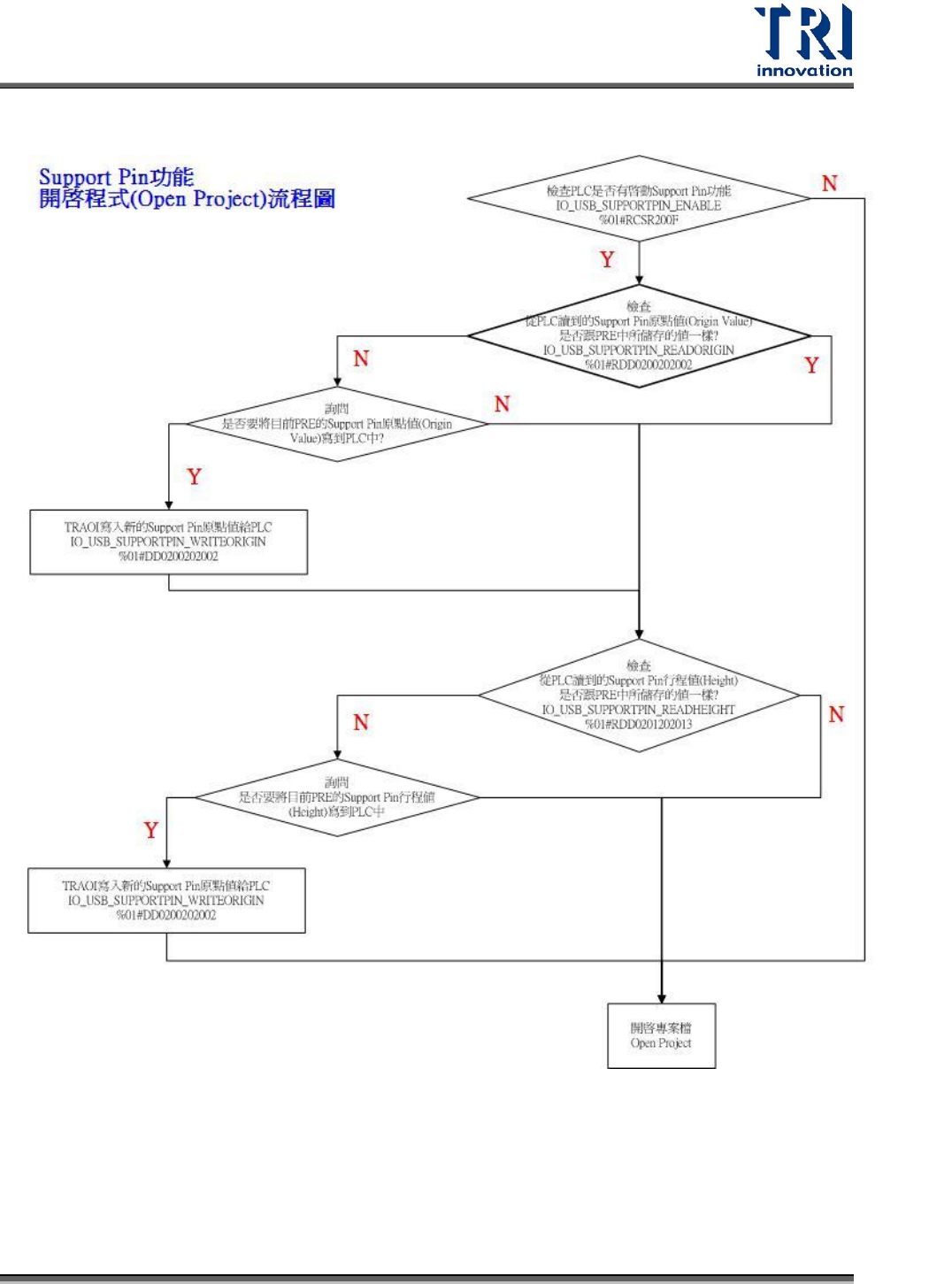
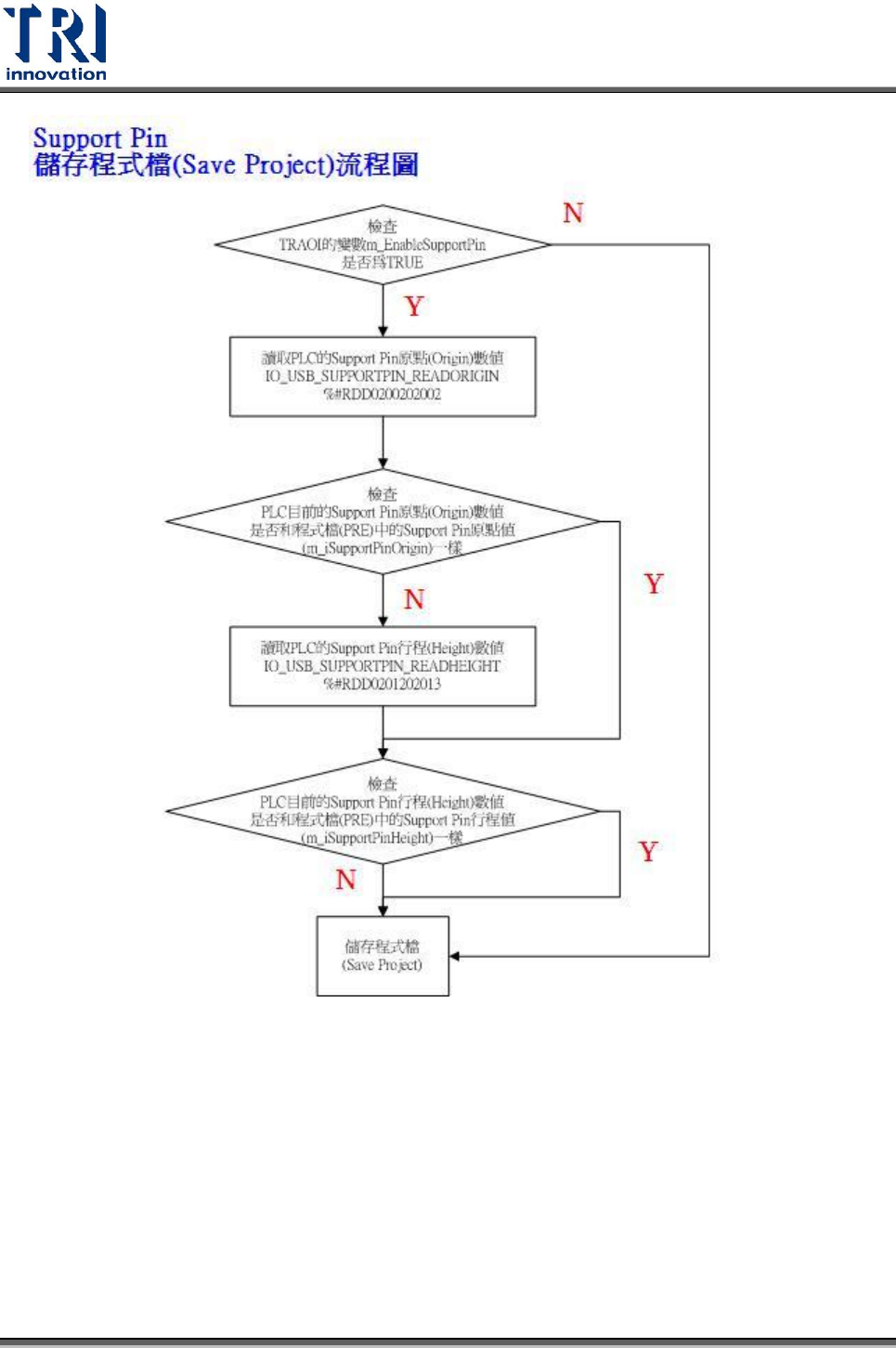
2. AOI 主程式流程說明
Test Research Inc.
TR7700 SII User Guide–Software 513
PLC 頁面說明
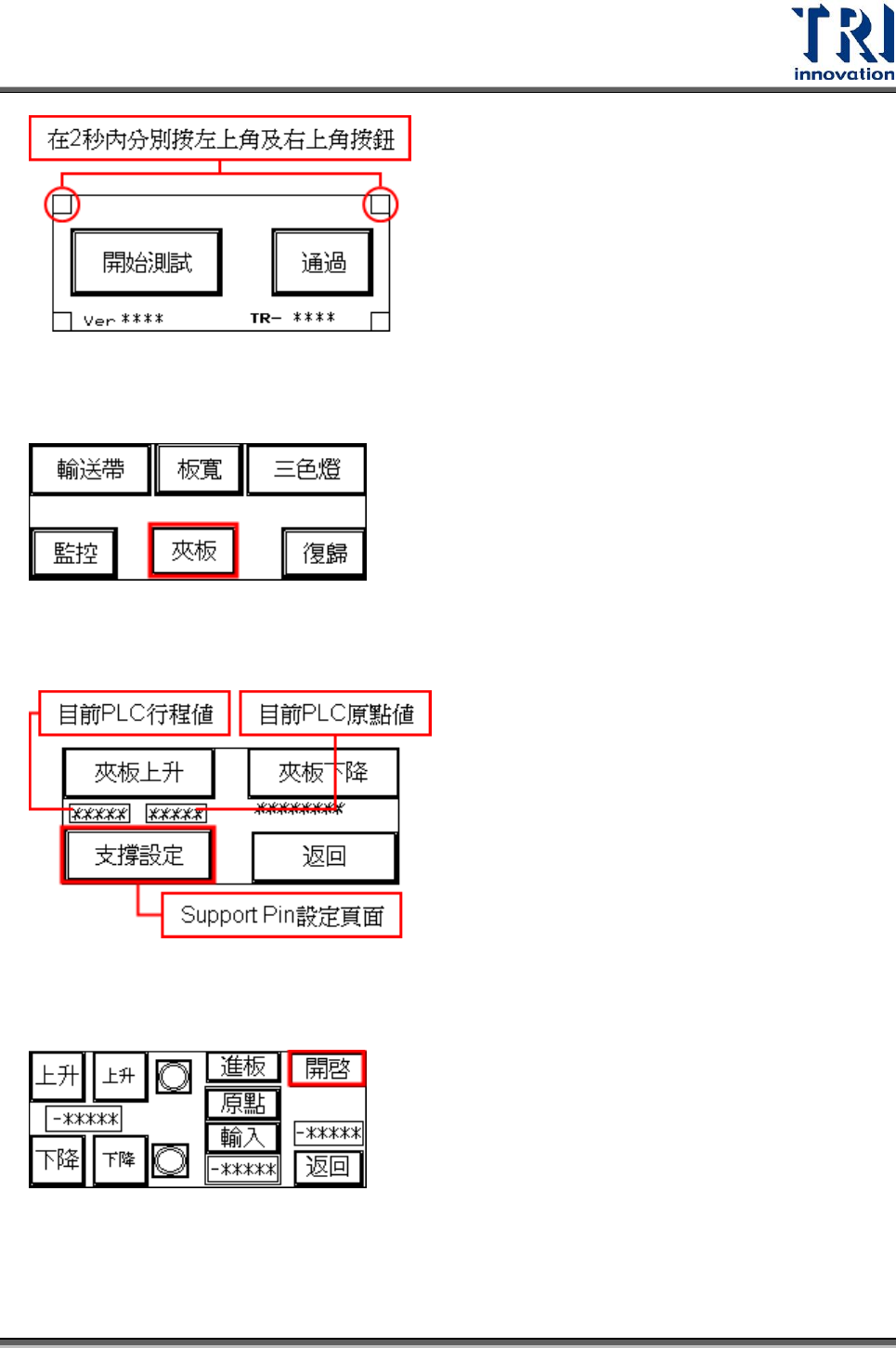
Step9. 兩秒內連續按下左上角及右上角之隱藏鍵。
Test Research Inc.
514 TR7700 SII User Guide–Software
Step10. 進入下圖 Debug 畫面,選擇[夾板]按鈕。
Step11. 出現以下畫面。按下[支撐設定]按鈕。
Step12. 出現以下畫面,按下[開啟]。
Step13. 出現以下畫面,按下[是],表示要開啟 Support Pin 功能。按下[否],表示關
閉 Support Pin 功能。