编带机说明书-含图纸ttm402.pdf - 第104页
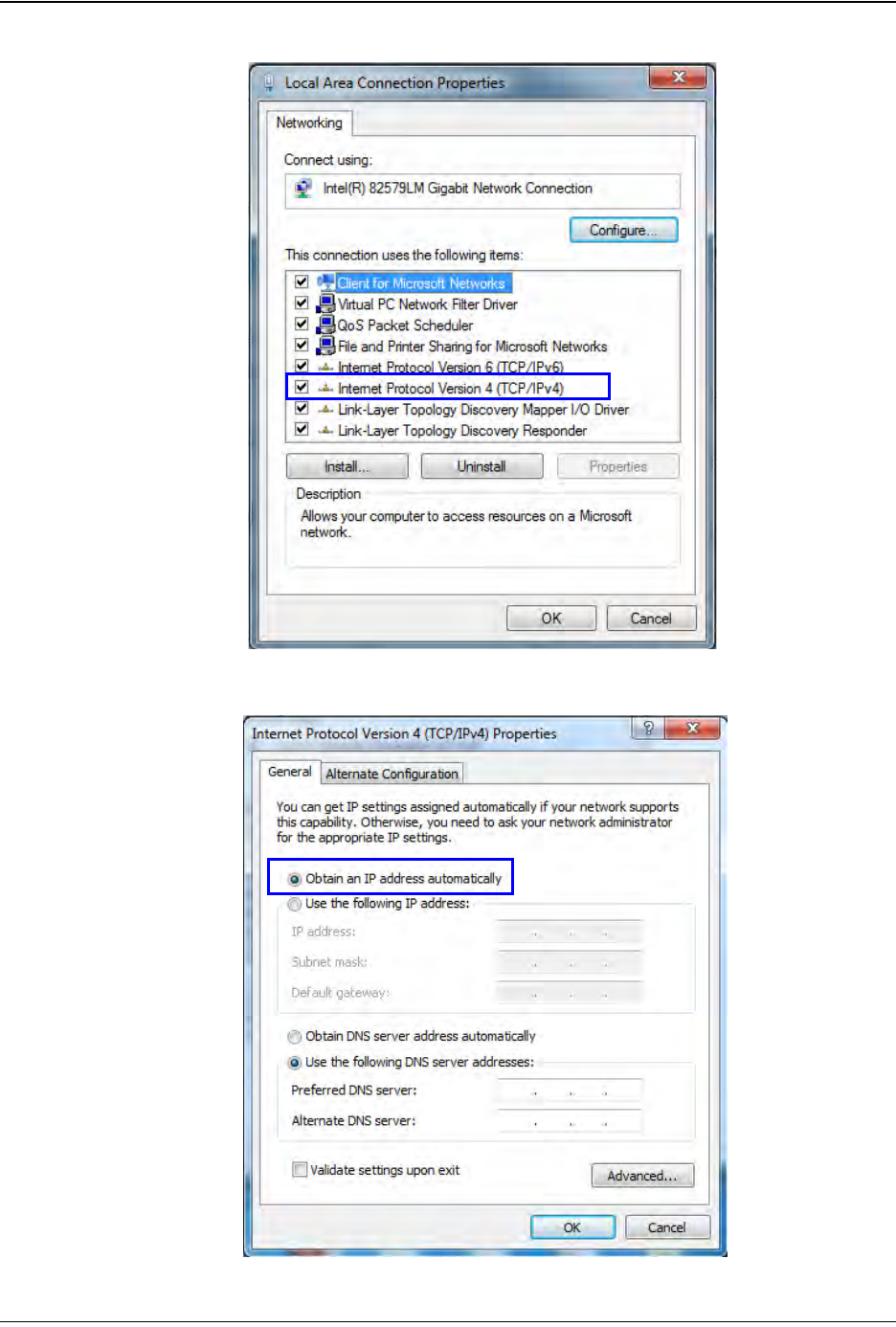
5-6 TM-403 User’s Guide Connect Vision D292105.16c.fm 3. Double click Internet Protocol ve rsion4 (TCP/IPv4) 4. Ensure Obtain an IP address automatically is selected. Click OK . Step 1: Vision Setup CONNECT LAPT OP
D292105.16c.fm Connect Vision
Chapter 5: Setup 5- 5
Connect Computer
Follow the steps below to connect the Keyence IV-G Camera to the vision computer.
(Proceed to the next section if using the Keyence Monitor instead of a computer.)
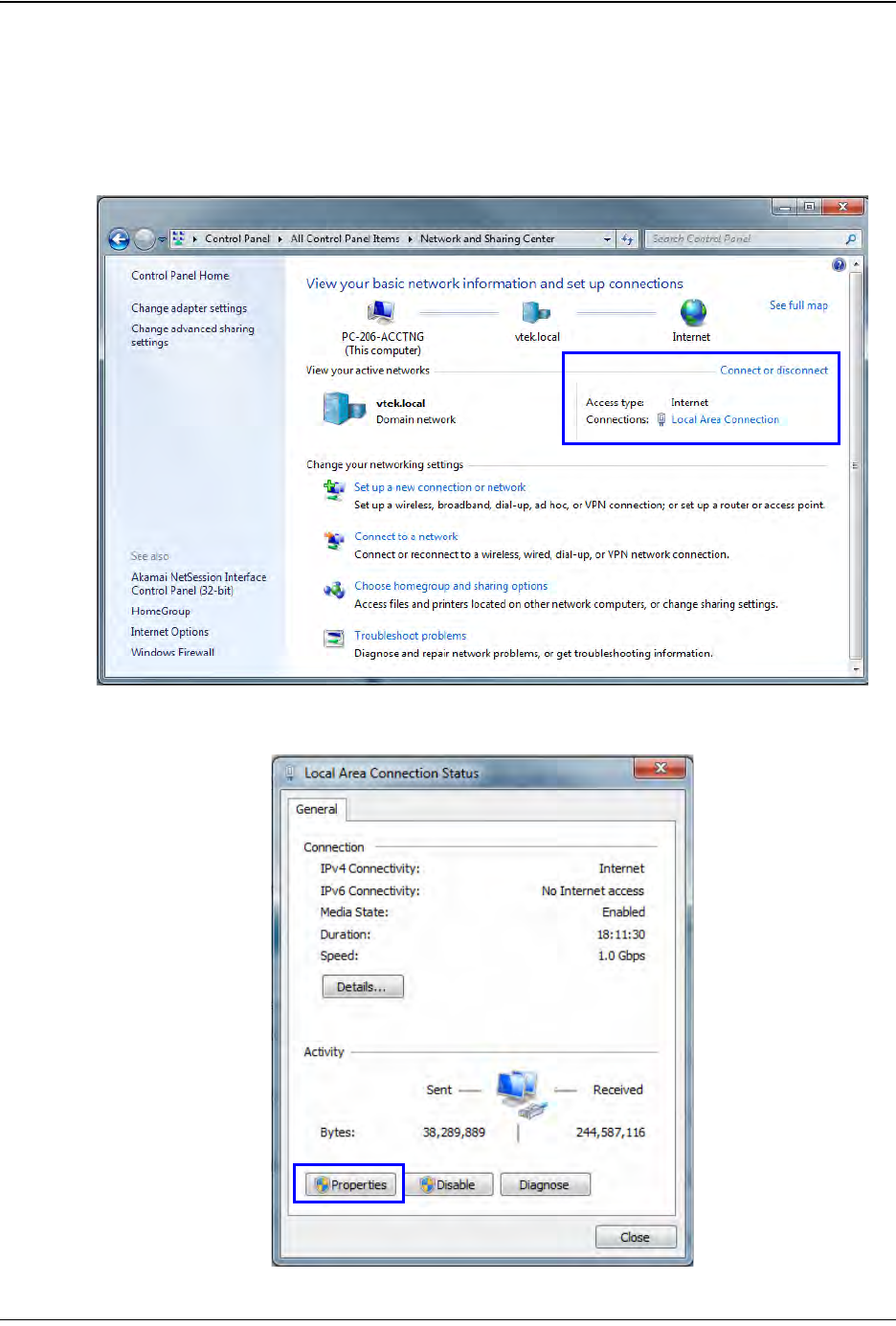
1. Open the Control Panel, then select Network and Sharing Center. In the Connect
or Disconnect section, click Local Area Connection.
2. The Local Area Connection Status window will open. Click Properties.
Step 1:
Vision
Setup
CONNECT
LAPTOP
5-6 TM-403 User’s Guide
Connect Vision D292105.16c.fm
3. Double click Internet Protocol version4 (TCP/IPv4)
4. Ensure Obtain an IP address automatically is selected. Click OK.
Step 1:
Vision
Setup
CONNECT
LAPTOP
D292105.16c.fm Connect Vision
Chapter 5: Setup 5- 7
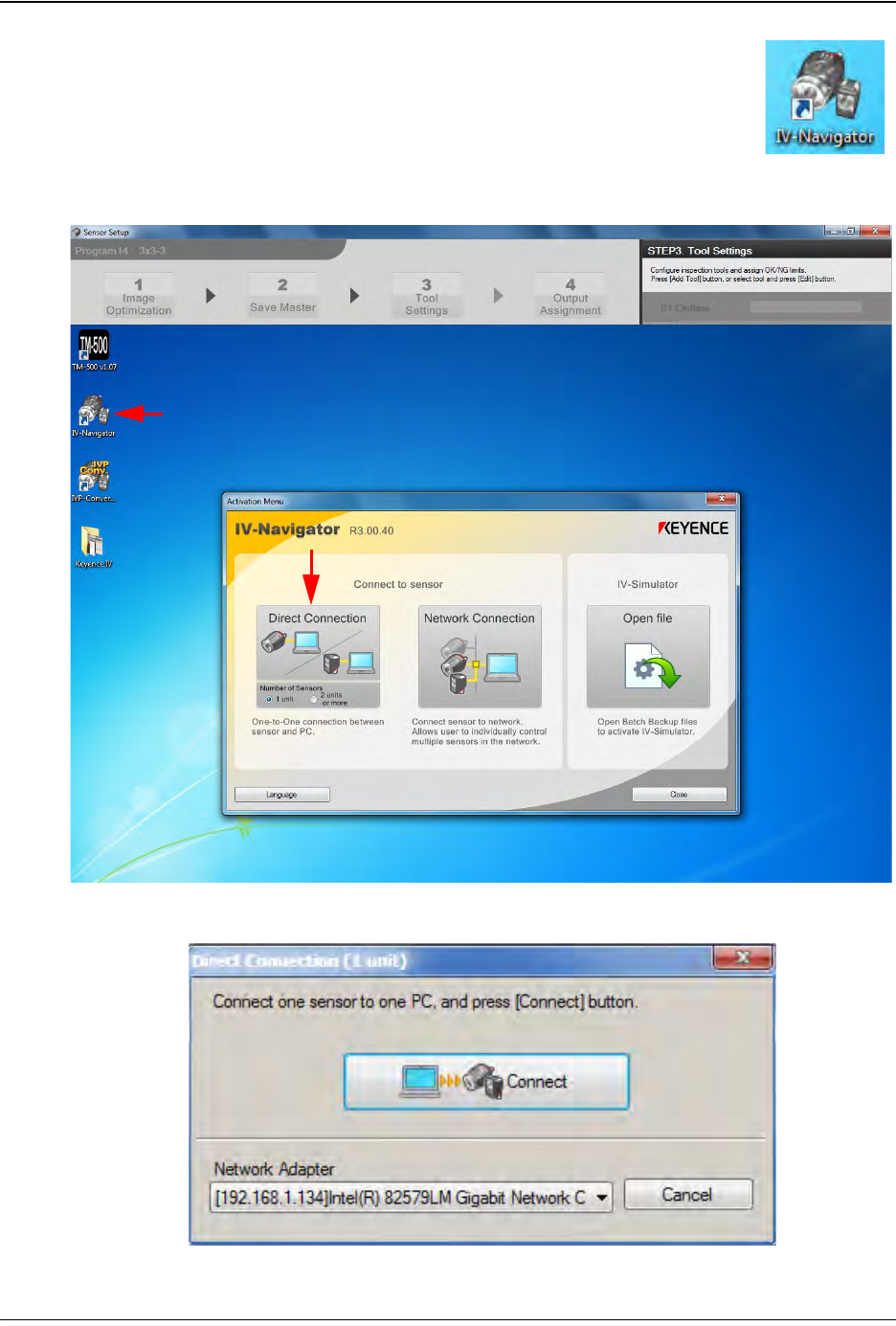
5. To select a stored inspection or configure a new inspection, open
the Keyence Inspection System software by double-clicking on
the IV Navigator icon on the desktop.
6. Select Direct Connection.
7. The following pop-up will appear. Press Connect.
Step 1:
Vision
Setup
CONNECT
LAPTOP