编带机说明书-含图纸ttm402.pdf - 第111页
D292105.16c.fm Configure Inspection Chapter 5: Setup 5- 13 Adjust T rigger Options to External T rigger with a 0ms T rigger Delay . 6. Select the Brightness Adjustment button on the right Set the Imaging Mode to High Gai…
5-12 TM-403 User’s Guide
Configure Inspection D292105.16c.fm
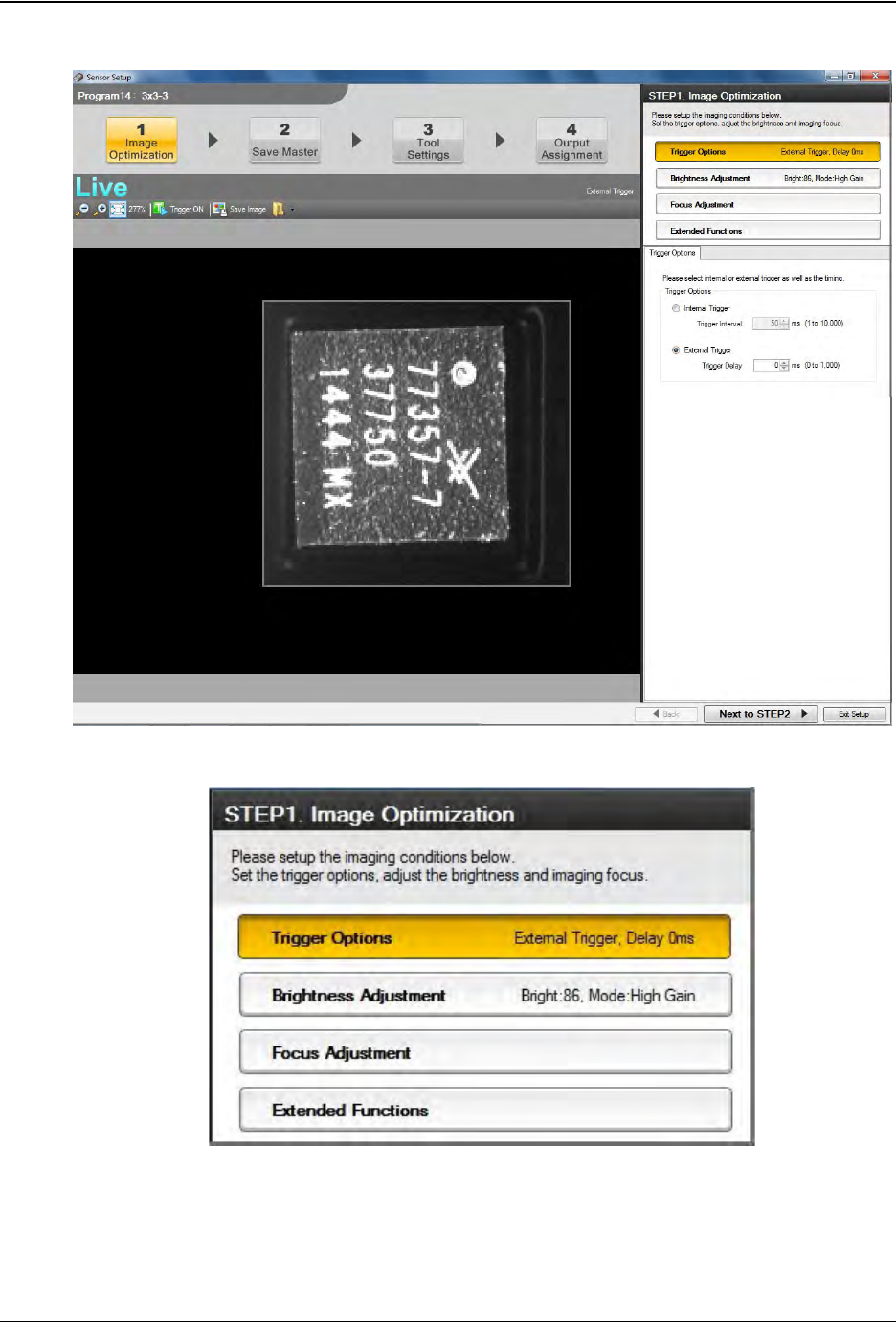
5. The Image Optimization window will open.
Select the Trigger Options button on the right.
Step 2:
Vision
Setup
CONFIGURE
COMPUTER
D292105.16c.fm Configure Inspection
Chapter 5: Setup 5- 13
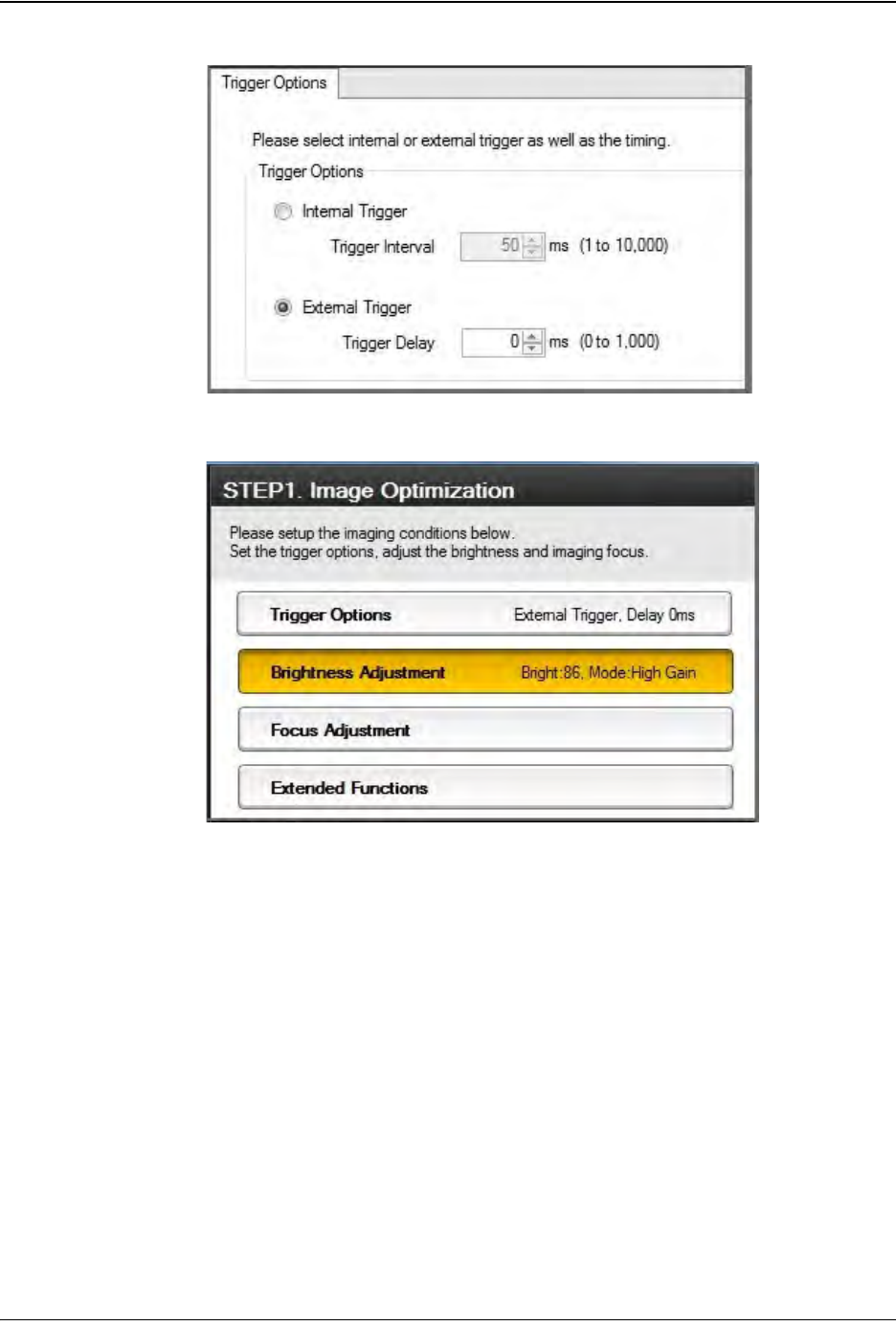
Adjust Trigger Options to External Trigger with a 0ms Trigger Delay.
6. Select the Brightness Adjustment button on the right
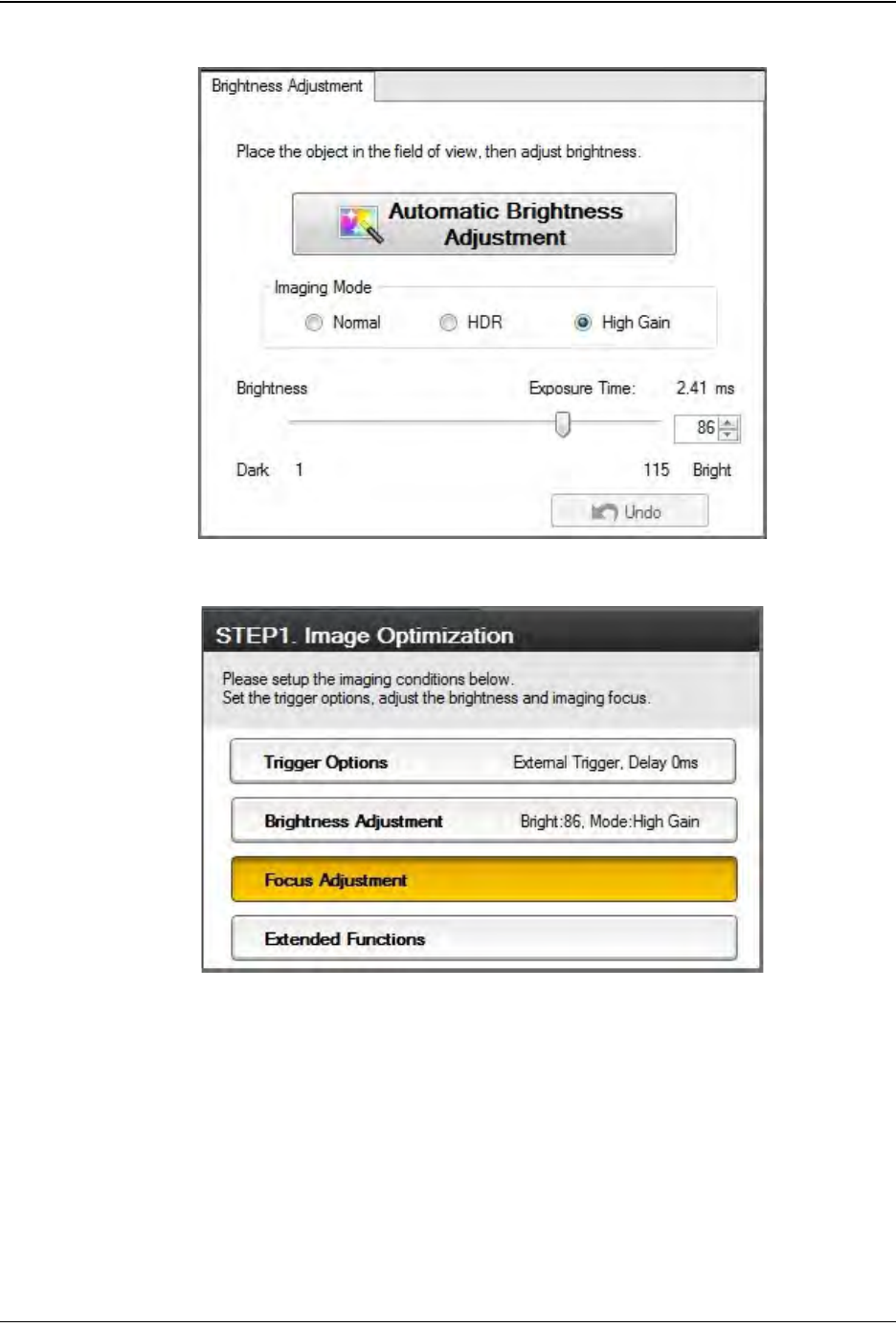
Set the Imaging Mode to High Gain, then click the Automatic Brightness
Adjustment button. Adjust the Exposure Time as needed to achieve the best
contrast between the laser mark and the part.
Step 2:
Vision
Setup
CONFIGURE
COMPUTER
5-14 TM-403 User’s Guide
Configure Inspection D292105.16c.fm
7. Select the Focus Adjustment button on the right.
Click the Automatic Focus Adjustment button. One or more yellow dots may
appear above the Undo button, representing the best focus point(s). Click on the
yellow dot(s) to jump to the associated focus point and select the best one. Adjust
Focus Position as needed using the plus/minus buttons.
Step 2:
Vision
Setup
CONFIGURE
COMPUTER