编带机说明书-含图纸ttm402.pdf - 第176页
7-20 TM-403 User’s Guide System Alarm Messages D292105.9b.fm HMI Err or Condition If the operator enters a value in a setup field that is outside the a ccepted range for the field or if the Ethernet connection to the PLC…
D292105.9b.fm System Alarm Messages
Chapter 7: Troubleshooting 7-19
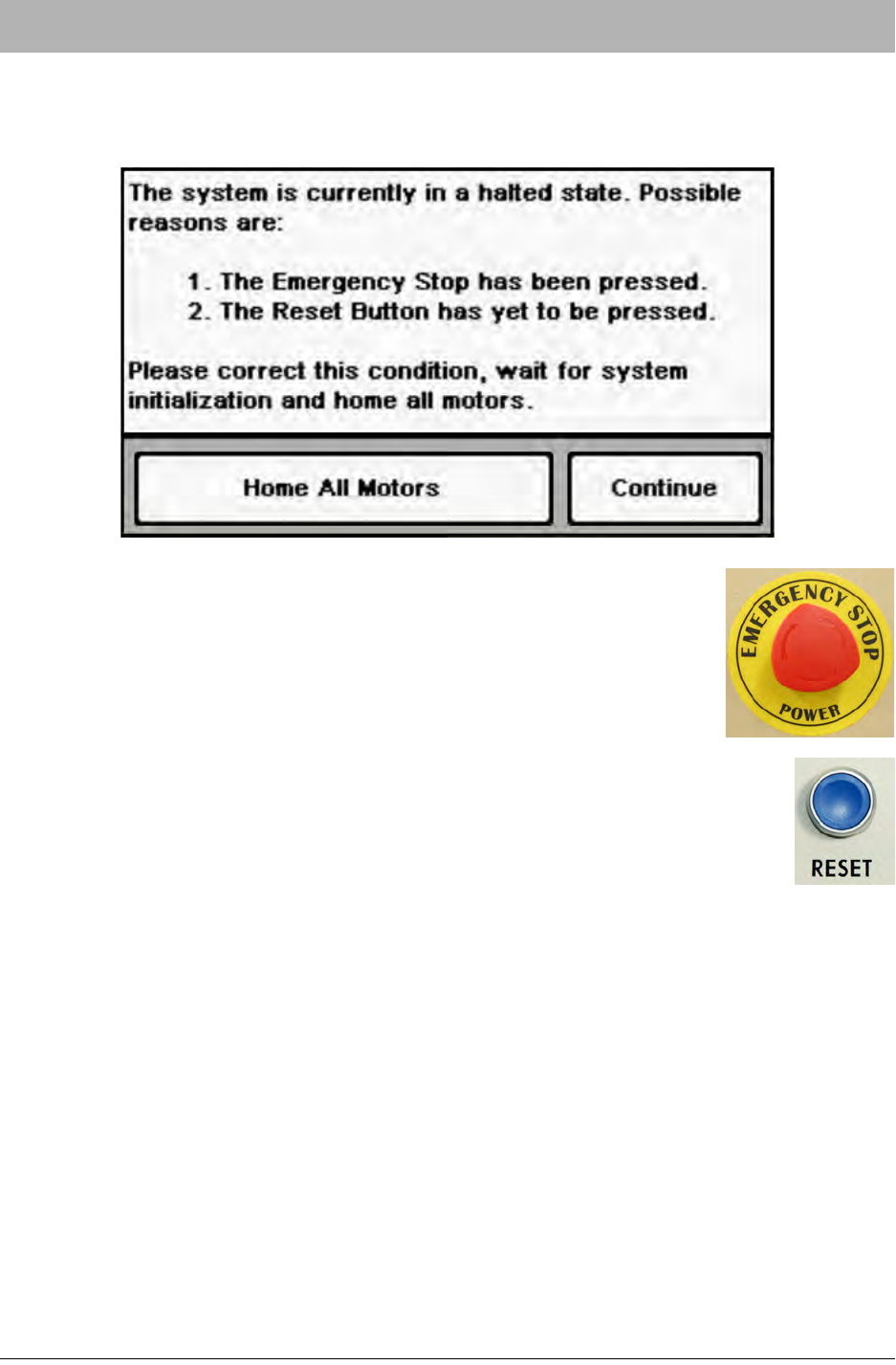
Halted State Error Condition
If the E-Stop button is pressed or the system is started up and the Reset button is not pressed,
the following message will appear on the HMI.
To resolve the error message, clear the emergency stop condition, then
twist and release the E-Stop button.
Press the Reset button. Once the system has finished booting, open the
HMI Job Tab and press Home Required to begin the motor homing sequence.
7-20 TM-403 User’s Guide
System Alarm Messages D292105.9b.fm
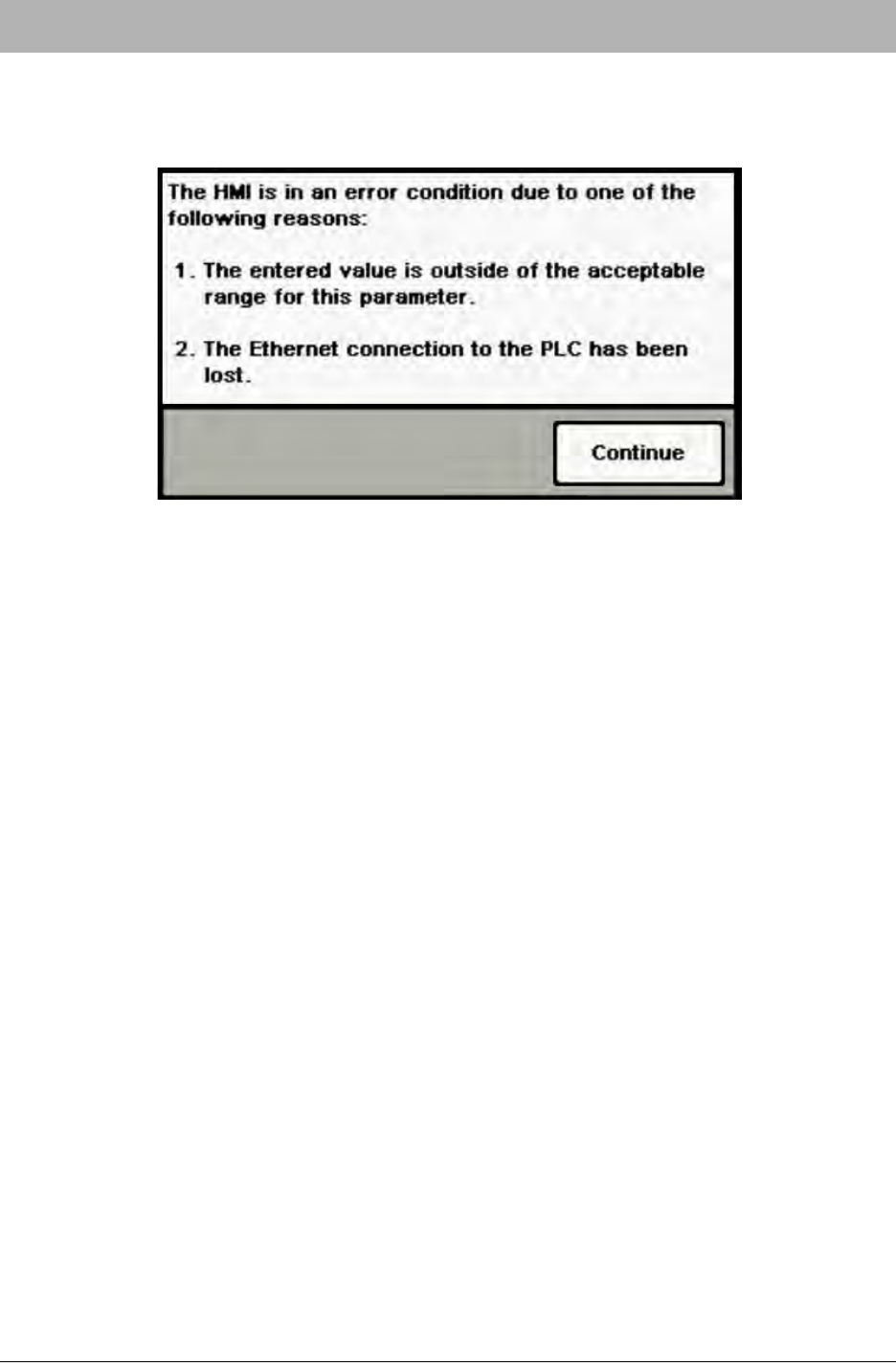
HMI Error Condition
If the operator enters a value in a setup field that is outside the accepted range for the field or if
the Ethernet connection to the PLC is lost, the following message will appear on the HMI.
To resolve the error condition in this instance, enter an acceptable value into the field.
If this message persists, it indicates that the Ethernet connection to the PLC may have been lost.
Contact V-TEK Service for support.

D292105.9b.fm System Alarm Messages
Chapter 7: Troubleshooting 7-21
Error Message Table
Error Condition Solution
“The system was unable to suc-
cessfully pick from the current
location.”
Nozzle is not picking parts from the Bowl Feeder. Check
the following:
- Feeder is empty.
- Linear Track is jammed.
- Pick height is too high.
“The heat seal temperature is
not within range.”
The Heat Sealer on the Taper has not reached the cor-
rect temperature. Wait until sealer has had enough time
to reach the correct temperature.
“The heat sealer was disabled
due to inactivity.”
The Heat Sealer on the Taper was automatically dis-
abled after being inactive for more than 40 minutes. Wait
until sealer has had enough time to reach the correct
temperature, then proceed.
“The tape jam sensor has been
activated.”
Check carrier tape prior to Sealer to ensure part is not
sticking out of pocket. Remove any obstructions, then
resume operation.
“The cover tape is running low.” Refill cover tape.
“A part has failed visual inspec-
tion in the carrier tape.”
Check the following:
- Part is incorrectly oriented.
- Part mark is missing or obscured.
- Part is missing.
“The inspection system has
timed out.”
Check the following:
- Vision system is not connected to power
- Vision System is setup incorrectly.
“The last part picked was lost
between the pick and place
point.”
Check the following:
- Vacuum Sensor is set correctly.
- The correct Nozzle Tip is installed.
- Pick Position is centered correctly.
“There’s not a part available to
place.”
Pick a part and proceed.
“The job has been completed.
Reset the job to continue pro-
cessing.”
Reset the job.
“The system has already placed
more parts than the entered
quantity.”
The job quantity was changed after parts have been run.
Reset job or increase quantity.