编带机说明书-含图纸ttm402.pdf - 第66页
3-24 TM-403 User’s Guide Head Tab D292105.6a.fm • If rotation is set at -90 , the p art will be rotated 90 degrees clockwise prior to placement. • If rotation is set at +90 , the part will be rotated 90 degrees counter-c…
D292105.6a.fm Head Tab
Chapter 3: Human Machine Interface 3-23
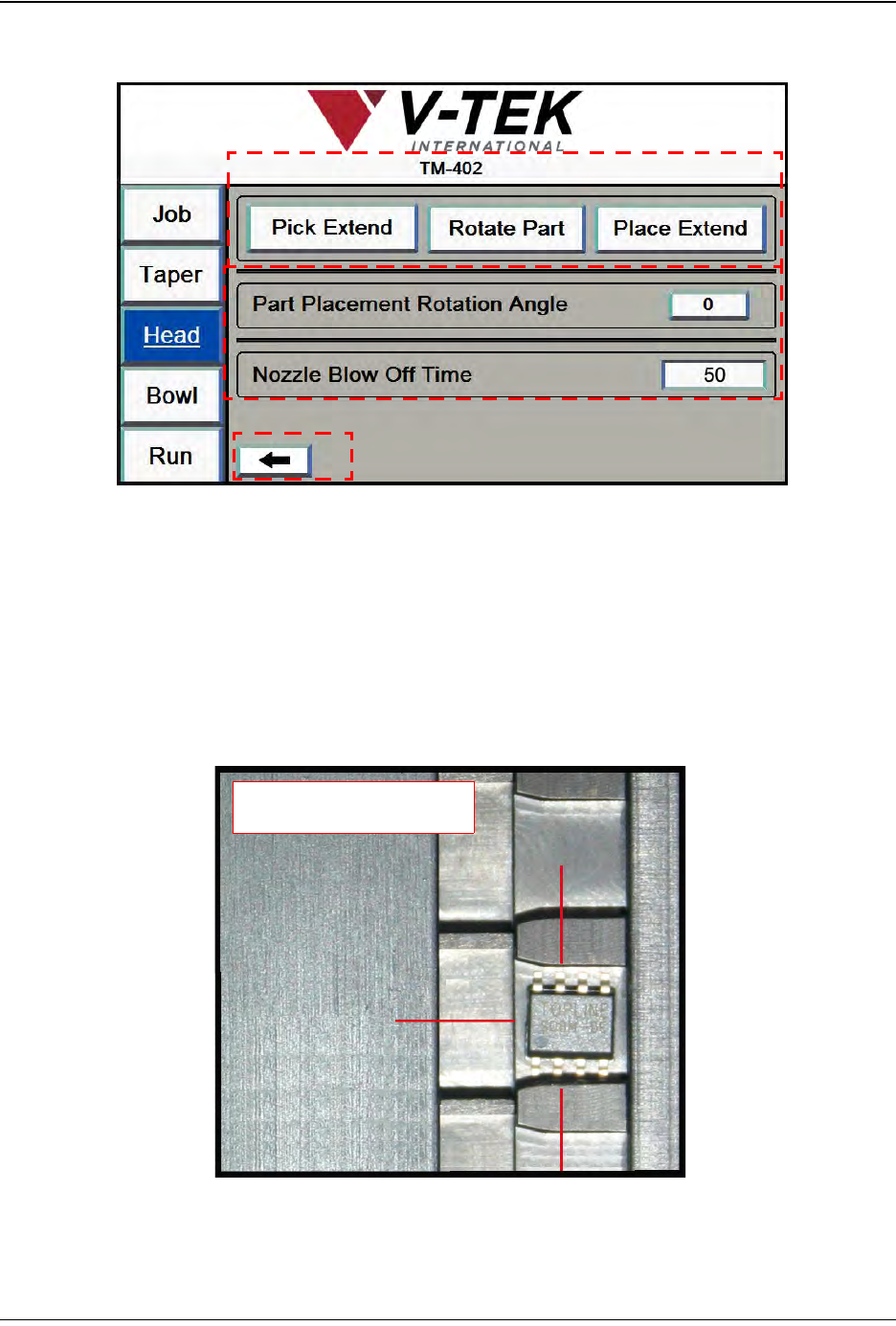
3. Press the right Arrow button to open the second Head Setup screen (shown below).
A. The Pick Extend/Pick Retract button actuates the pick solenoid to enable the
operator to set the pick height.
The Rotate Part button rotates the pick head to the preset rotation angle.
The Place Extend/Place Retract button actuates the place solenoid to enable the
operator to set the place height.
B. The Part Placement Rotation Angle is manually set during machine setup. The
options are 0, -90 and +90.
• If rotation is set at 0, the part will be placed in the same orientation as it was
picked.
Head Screen 3
A
C
B
-90
0
+90
Rotation Options

3-24 TM-403 User’s Guide
Head Tab D292105.6a.fm
• If rotation is set at -90, the part will be rotated 90 degrees clockwise prior to
placement.
• If rotation is set at +90, the part will be rotated 90 degrees counter-clockwise
prior to placement.
Nozzle Blow Off Time is the amount of time in milliseconds that the nozzle will
activate the blow-off pressure to place a part in the Taper.
C. Press the left Arrow button to return to the second Head Setup screen or press a
button on the Tab Menu to move to a new tab.
Note: The TM-402 will use these settings for the current job. To save Head Settings for
future jobs, go to the Job Tab, select a job name and Save.
D292105.6a.fm Bowl Tab
Chapter 3: Human Machine Interface 3-25
Bowl Tab
The Bowl Setup Tabs allows the user to configure vacuum and vibratory settings for the Bowl
Feeder and Linear Track.
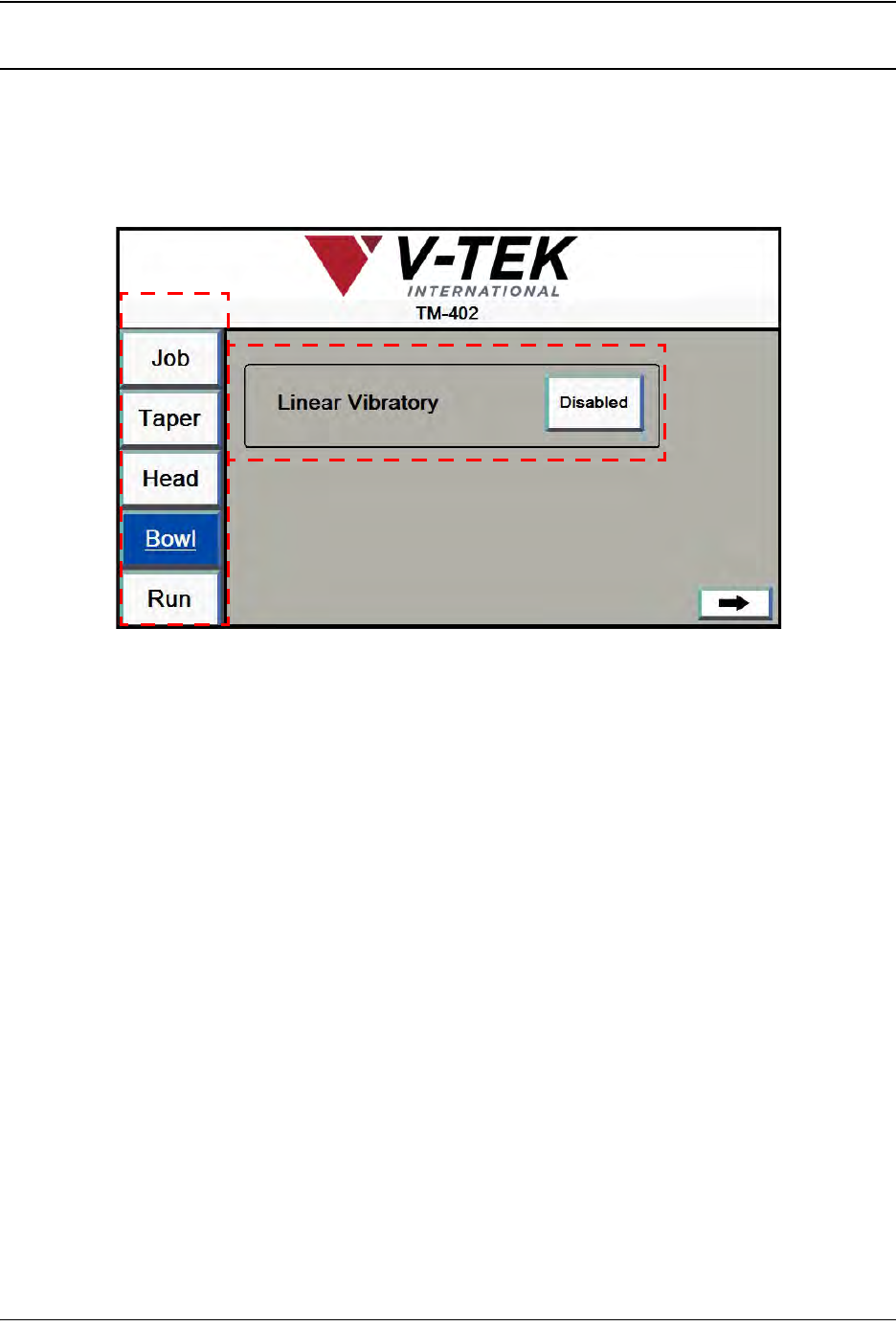
1. Bowl Screen 1 allows the user to configure Linear Track and Nest settings as desired..
A. Press any tab in the Tab Menu to open that tab window.
B. The Linear Vibratory button turns the Linear Track Vibratory to Enabled or Dis-
abled to fill the Linear Track.
C. The Arrow button advances the user to the next Bowl Tab screen.
A
B
Bowl Screen 1
C