编带机说明书-含图纸ttm402.pdf - 第147页
D292105.8b.fm Quick Start: Running a Job Chapter 6: Operation 6- 3 7. Setup V ision. • Open the T aper T ab on the HMI and advance to the se cond screen. • Ensure camera is ON . Configure inspection as needed. Note: T o …

6-2 TM-403 User’s Guide
Quick Start: Running a Job D292105.8b.fm
Quick Start: Running a Job
The following is an outline of the basic steps required to run a pre-programmed job. More
detailed instructions follow in the next section of this chapter.
Caution: Users should always wear protective eye wear when operat-
ing or maintaining the TM-402.
1. Power up.
• Power up the machine by turning on the Main Power Switch.
• Press the Reset button.
2. Home the motors.
• Open the Run Tab on the HMI and select Home Motors.
3. Setup Bowl Feeder.
• Ensure correct Linear Track is installed.
• Load components.
4. Setup Taper.
• Ensure sufficient carrier tape and cover tape are loaded to complete the job.
• Load an empty take-up reel.
• Run peel force test to verify seal.
5. Setup the Pick Head.
• Ensure the correct nozzle is installed for the part that will be picked.
• Observe the vacuum sensor, adjusting nozzle pressure as necessary.
• Adjust Blow-off Pressure as needed to achieve proper part placement.
• Close the enclosure doors.
6. Select Job.
• Open the Job Tab on the HMI. Select the desired job from the Job Library and
press Open to open the selected job in the Run Tab.
Quick
Start

D292105.8b.fm Quick Start: Running a Job
Chapter 6: Operation 6- 3
7. Setup Vision.
• Open the Taper Tab on the HMI and advance to the second screen.
• Ensure camera is ON. Configure inspection as needed.
Note: To configure vision inspection, see Chapter 4: Setup.
8. Run the Job.
• On the HMI, select the Run Tab then press Run.
• Load/unload parts and reels as needed.
Caution!
V-TEK® Incorporated takes no responsibility for the safety of TM-402 if it is
used for any purpose other than the intended purpose as specified in this
User’s Guide.
Quick
Start
6-4 TM-403 User’s Guide
Preparing to Run a Pre-programmed Job D292105.8b.fm
Preparing to Run a Pre-programmed Job
The initial set-up and configuration of a new job are covered in Chapter 4: Setup. This
chapter discusses the procedure for setting up existing jobs, running a job and routine
operator tasks.
Caution: Users should always wear protective eye wear when operating
or maintaining the TM-402.
Power up the System
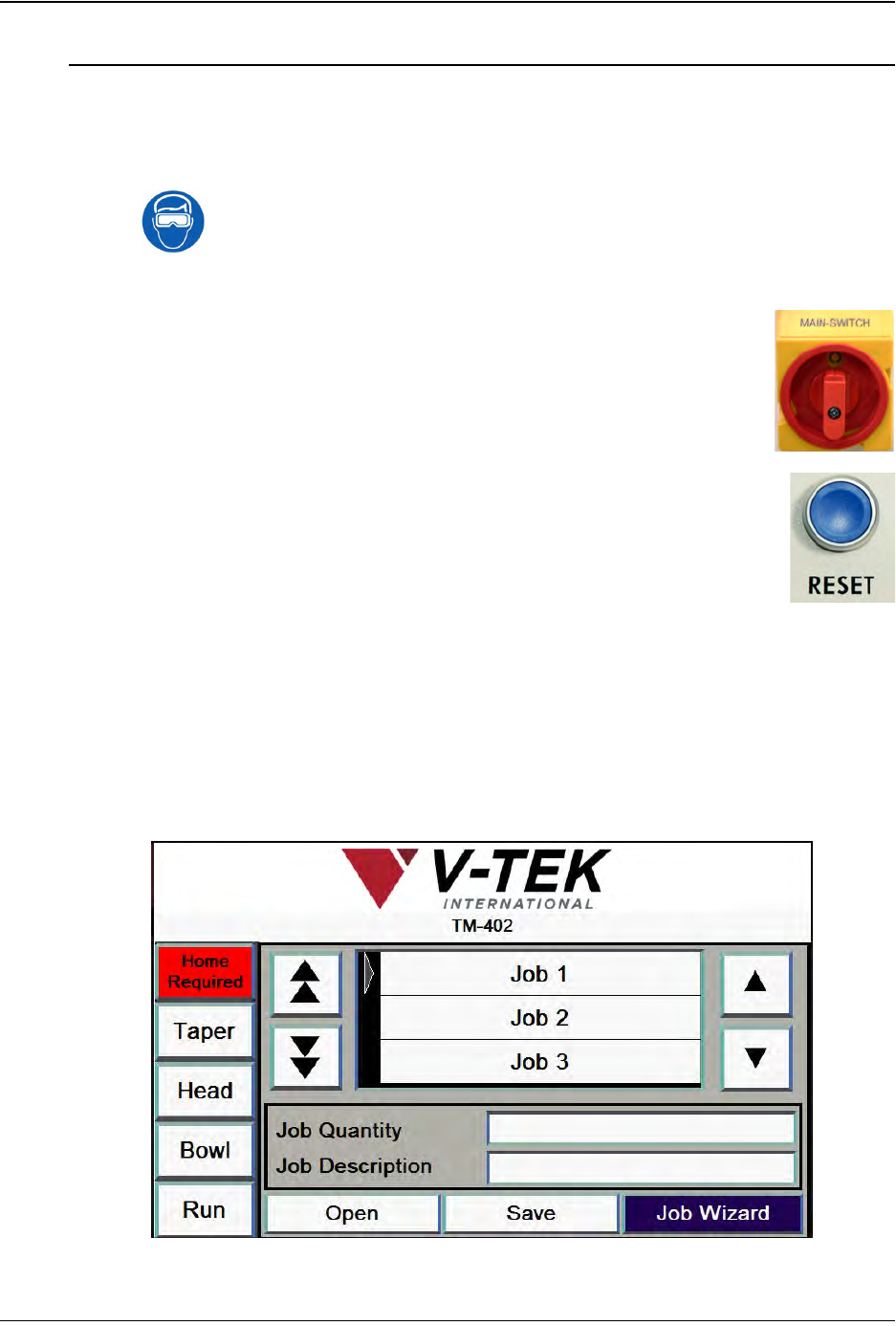
1. Power up the machine by turning the Main Power Switch, which is
located on the right side of the machine, to the ON position.
2. Press the blue Reset button on the left side of the machine.
Home Motors
Note: The TM-402 only needs to be homed once after each power up or emer-
gency stop. Once the motors have been homed, they remain homed until the
machine is powered down.
1. The HMI will open to the Job Tab with a red Home Required button at the top of
the Tab Menu and the other tab buttons grayed out. Press Home Required to
open the Homing Status window.
Step 1:
Power
Up
Step 2:
Home
Motors