编带机说明书-含图纸ttm402.pdf - 第142页
5-44 TM-403 User’s Guide Configure Inspection D292105.16c.fm 4. In the Output Settings screen, touch the Common Output Settings butto n. 5. In the Common Output Settings screen, adjust settings as f ollows: • One-Shot ON…
D292105.16c.fm Configure Inspection
Chapter 5: Setup 5- 43
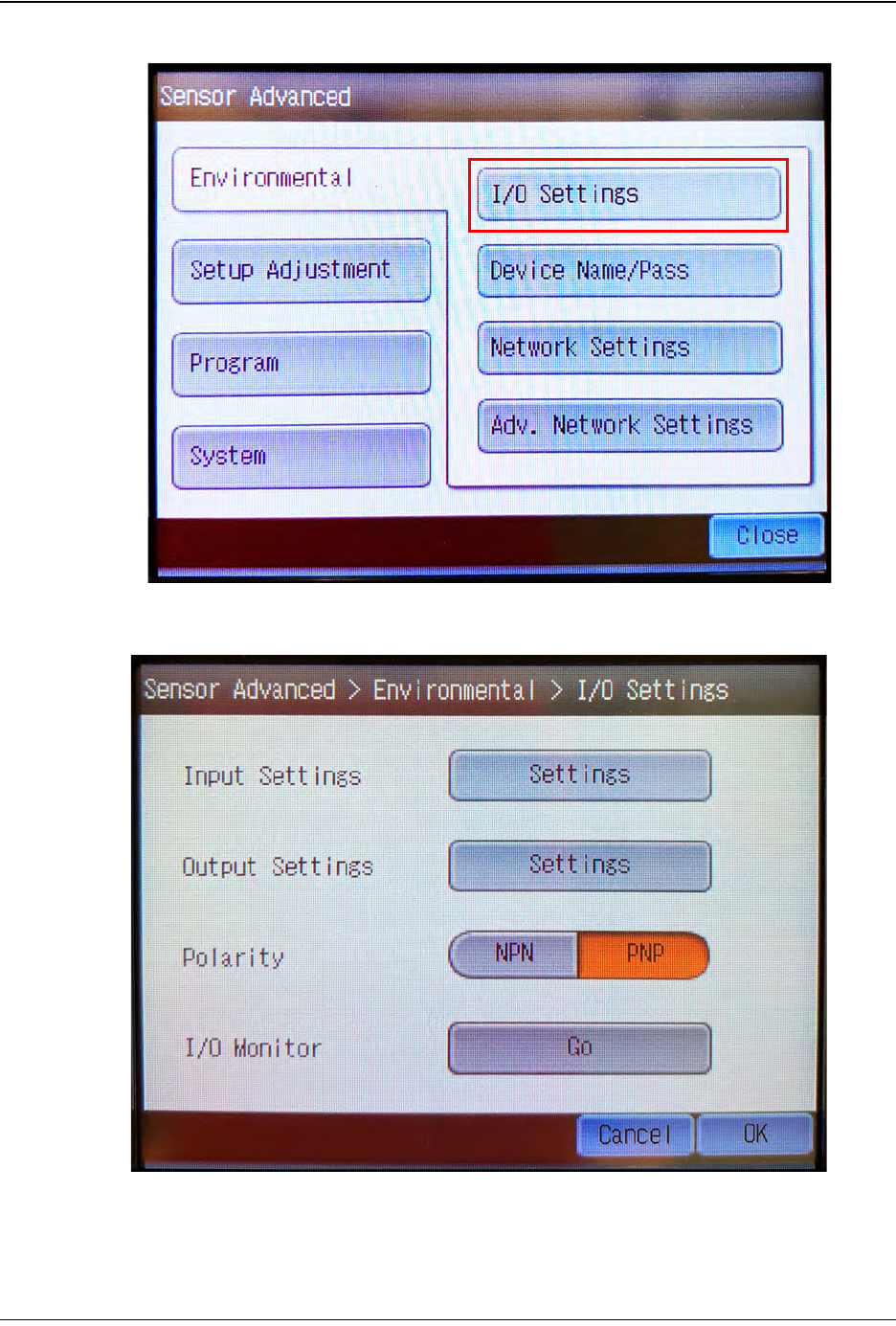
2. In the Sensor Advanced screen, touch I/O Settings.
3. In the I/O Settings screen, ensure Polarity is set to PNP.
(A)
Next, touch the Output Settings button. (B)
Step 2:
Vision
Setup
CONFIGURE
MONITOR
A
B
5-44 TM-403 User’s Guide
Configure Inspection D292105.16c.fm
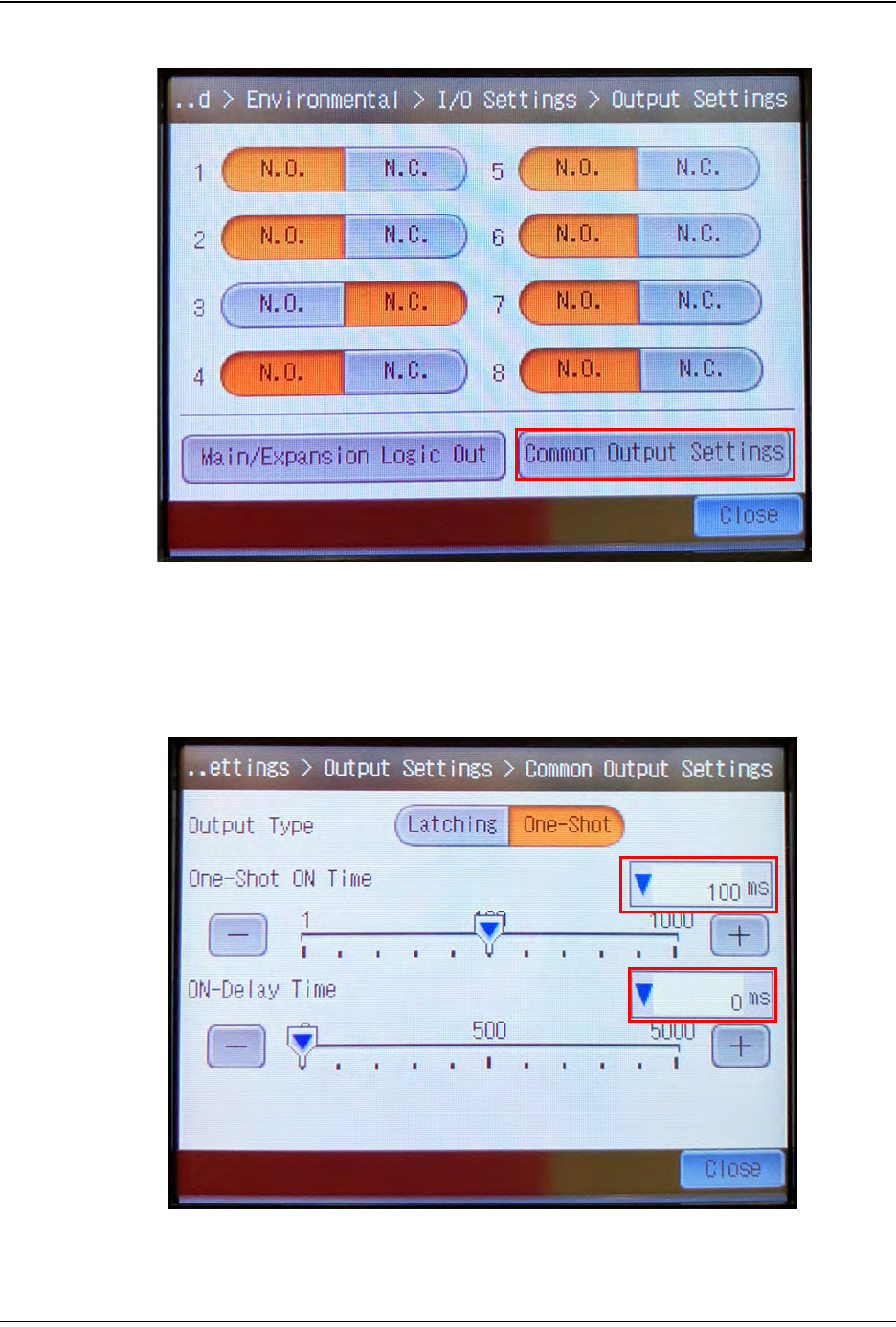
4. In the Output Settings screen, touch the Common Output Settings button.
5. In the Common Output Settings screen, adjust settings as follows:
• One-Shot ON Time = 100 ms
• ON-Delay Time = 0 ms
Step 2:
Vision
Setup
CONFIGURE
MONITOR
D292105.16c.fm Configure Inspection
Chapter 5: Setup 5- 45
Setup Output
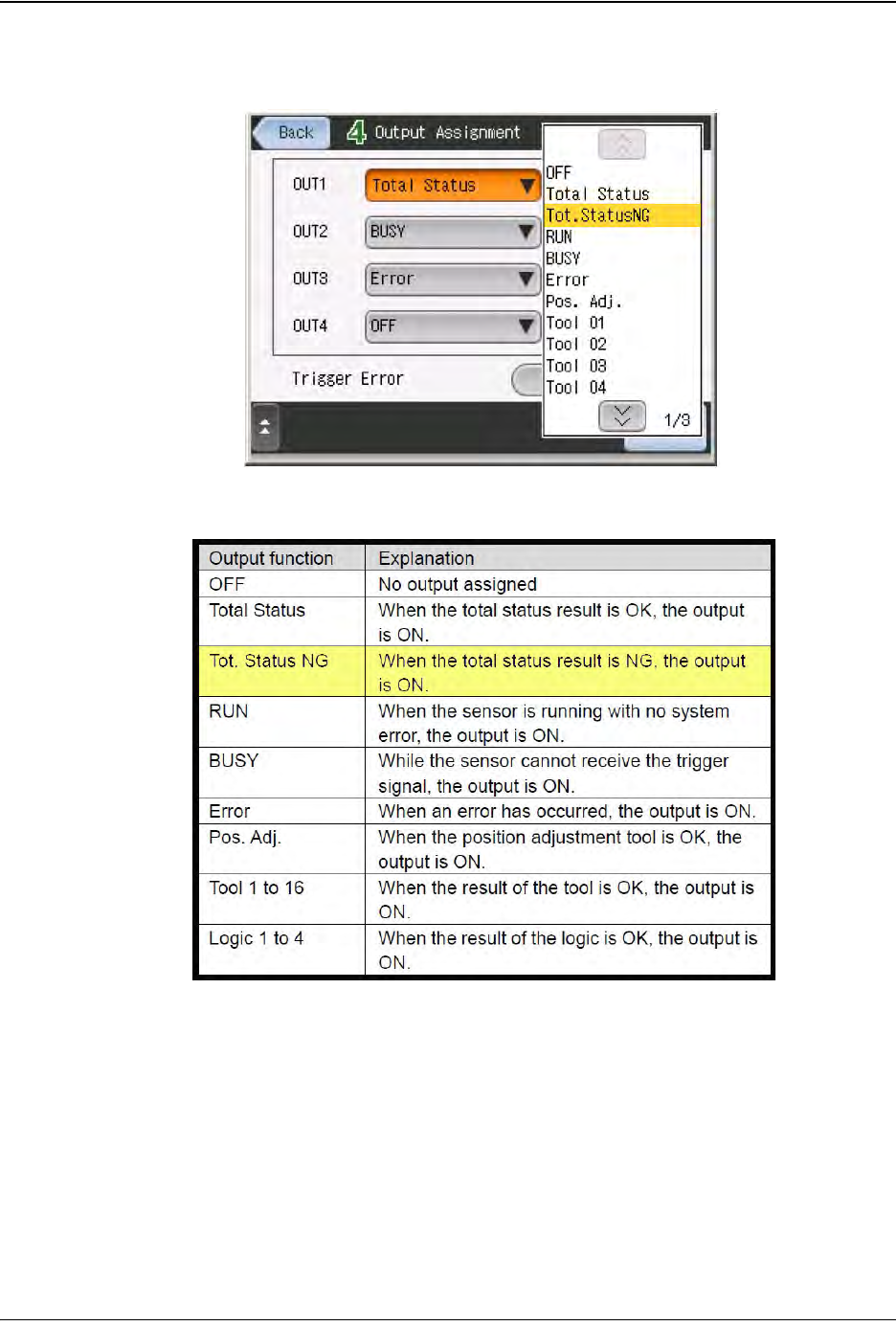
1. Touch the output line to assign the output function.
Set the output functions as follows:
• OUT1 = Busy
• OUT2 = Total Status
• OUT3 - OUT8 = OFF
Step 2:
Vision
Setup
CONFIGURE
MONITOR