编带机说明书-含图纸ttm402.pdf - 第42页
2-12 TM-403 User’s Guide 2D Vision System D292105.5b.fm 2D Vision System The Keyence IV V ision system consists of the following component s shown below . A. Adjustable Mountin g Bracket F. S tatus LED B. Position Adjust…
D292105.5b.fm Bowl Feeder
Chapter 2: TM-403 Overview 2-11
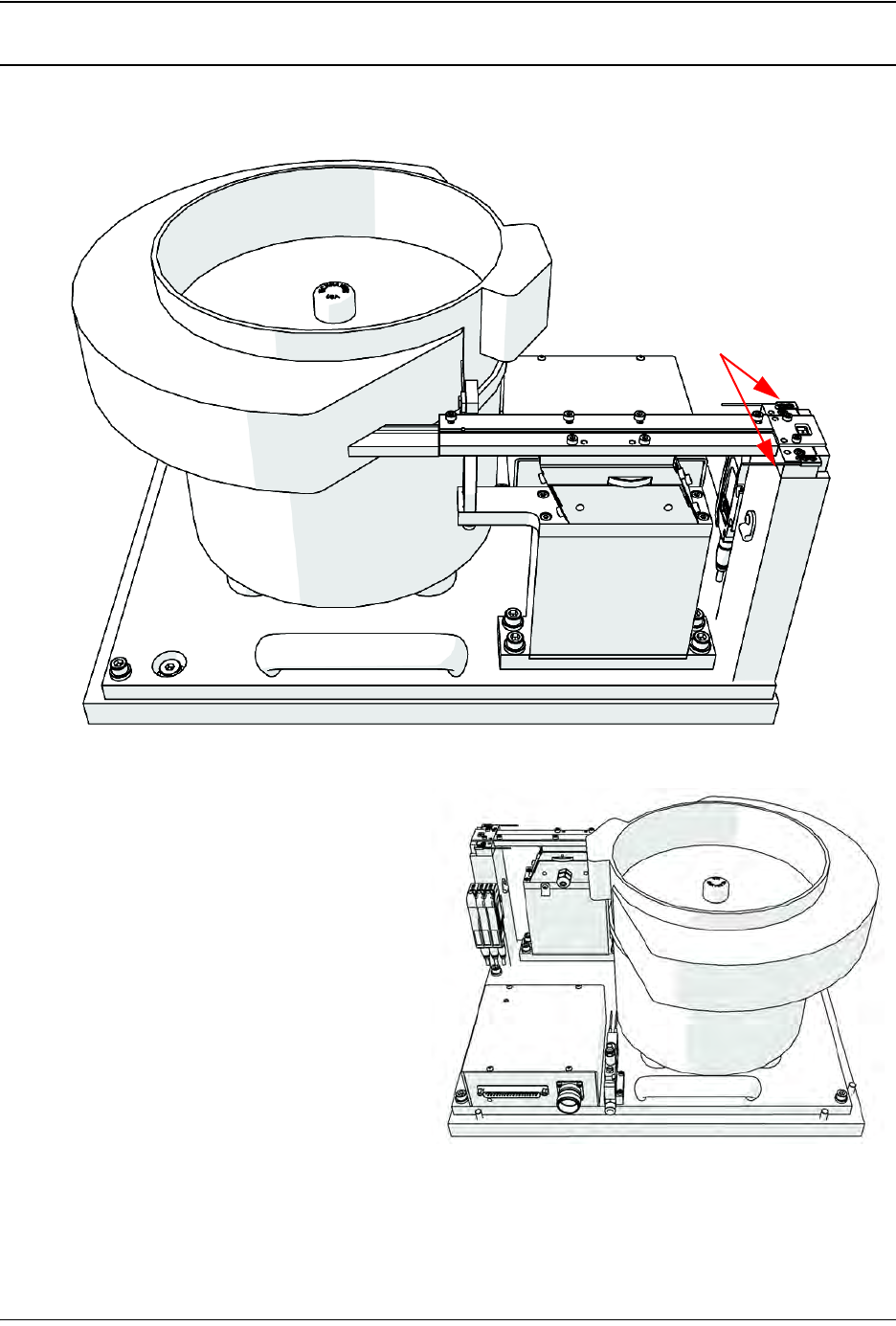
Bowl Feeder
A. Bowl
B. Linear Track
C. Nest
D. Part Present Sensors
E. Amplifiers
F. Bowl Connections
Note: The Bowl Feeder Assembly’s appearance may vary, depending on the part size
which will be processed and the bowl size which was ordered.
B
C
D
A
E
F
2-12 TM-403 User’s Guide
2D Vision System D292105.5b.fm
2D Vision System
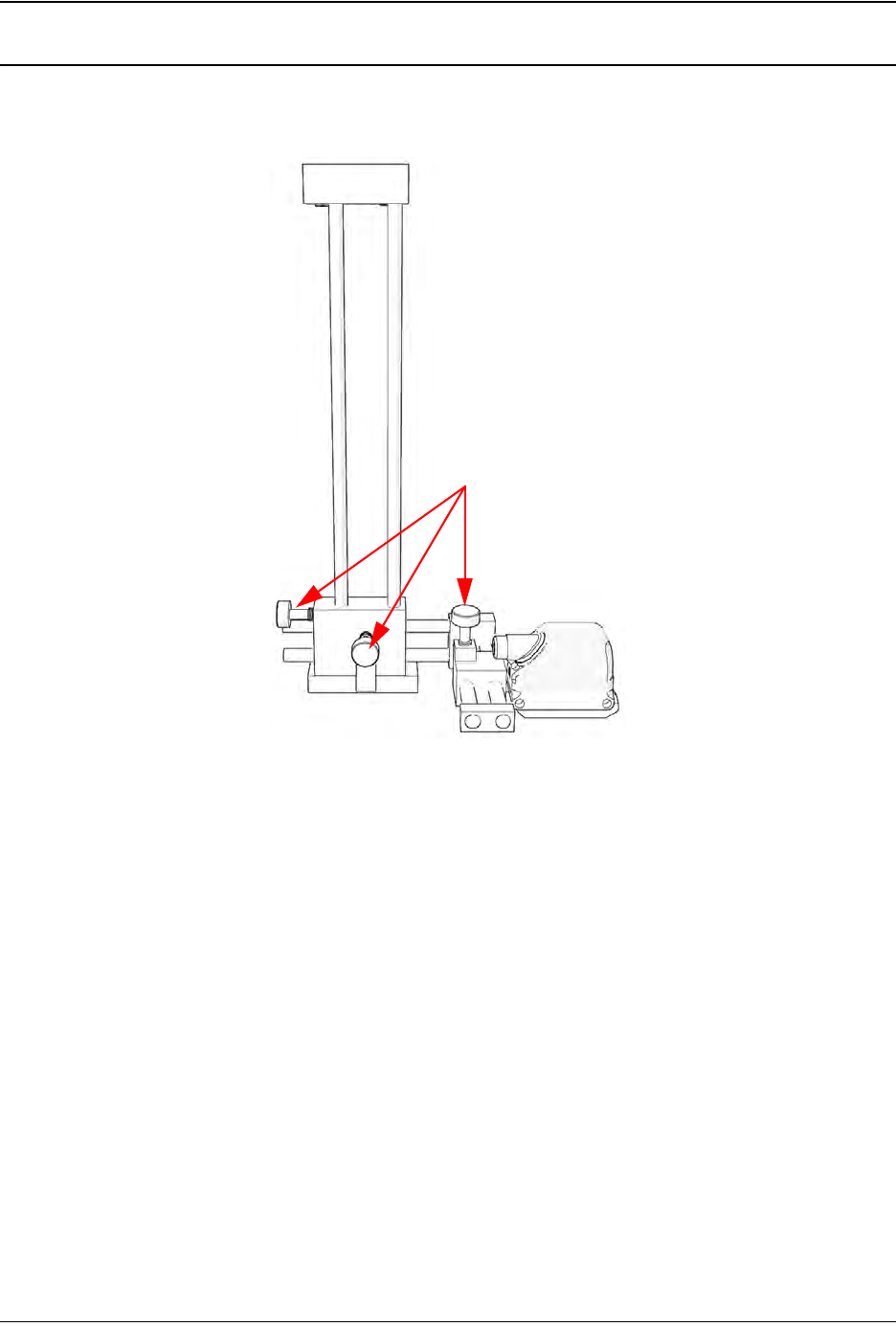
The Keyence IV Vision system consists of the following components shown below.
A. Adjustable Mounting Bracket F. Status LED
B. Position Adjustment Knobs G. Ethernet Traffic Indicator
C. Power & I/O Connector H. Keyence IV-G Camera
D. Ethernet Connector I. Lens Cover/Focus Ring
E. M12 Ethernet Cable (not shown)
Note: For advanced Vision configuration, a computer is required. This can be provided by
the user or purchased as an option from V-TEK, Inc. System requirements for the vision
computer follow:
• Operating system: Microsoft® Windows 7
TM
(32 or 64 bit)
• 128 MB RAM
• 1024 x 768 (96 DPI) or 1280 x 1024 (120 DPI display
• Ethernet port
A
B
C

Chapter 3: Human Machine Interface
Contents
Introduction . . . . . . . . . . . . . . . . . . . . . . . . . . . . . . . . . . . . . . . . . . . . . . . .3-2
Touch Screen. . . . . . . . . . . . . . . . . . . . . . . . . . . . . . . . . . . . . . . . . . . . . . . . . . 3-2
HMI Tabs . . . . . . . . . . . . . . . . . . . . . . . . . . . . . . . . . . . . . . . . . . . . . . . . . . . . . 3-2
Job Tab . . . . . . . . . . . . . . . . . . . . . . . . . . . . . . . . . . . . . . . . . . . . . . . . . . . .3-3
Job Wizard. . . . . . . . . . . . . . . . . . . . . . . . . . . . . . . . . . . . . . . . . . . . . . . . . . . . 3-6
Taper Tab . . . . . . . . . . . . . . . . . . . . . . . . . . . . . . . . . . . . . . . . . . . . . . . . . .3-16
Camera Settings . . . . . . . . . . . . . . . . . . . . . . . . . . . . . . . . . . . . . . . . . . . . . . . 3-17
Sealer Settings. . . . . . . . . . . . . . . . . . . . . . . . . . . . . . . . . . . . . . . . . . . . . . . . . 3-18
Head Tab . . . . . . . . . . . . . . . . . . . . . . . . . . . . . . . . . . . . . . . . . . . . . . . . . . .3-20
Bowl Tab . . . . . . . . . . . . . . . . . . . . . . . . . . . . . . . . . . . . . . . . . . . . . . . . . . .3-24
Run Tab. . . . . . . . . . . . . . . . . . . . . . . . . . . . . . . . . . . . . . . . . . . . . . . . . . . .3-26