编带机说明书-含图纸ttm402.pdf - 第130页
5-32 TM-403 User’s Guide Configure Inspection D292105.16c.fm 3. T ouch Auto Brightness Adjustment . T ouch OK . 4. T ouch Foc us Adjustment . If Auto focusing is selected, the focus posi tion is adjusted automatically . …
D292105.16c.fm Configure Inspection
Chapter 5: Setup 5- 31
Setup Image Optimization
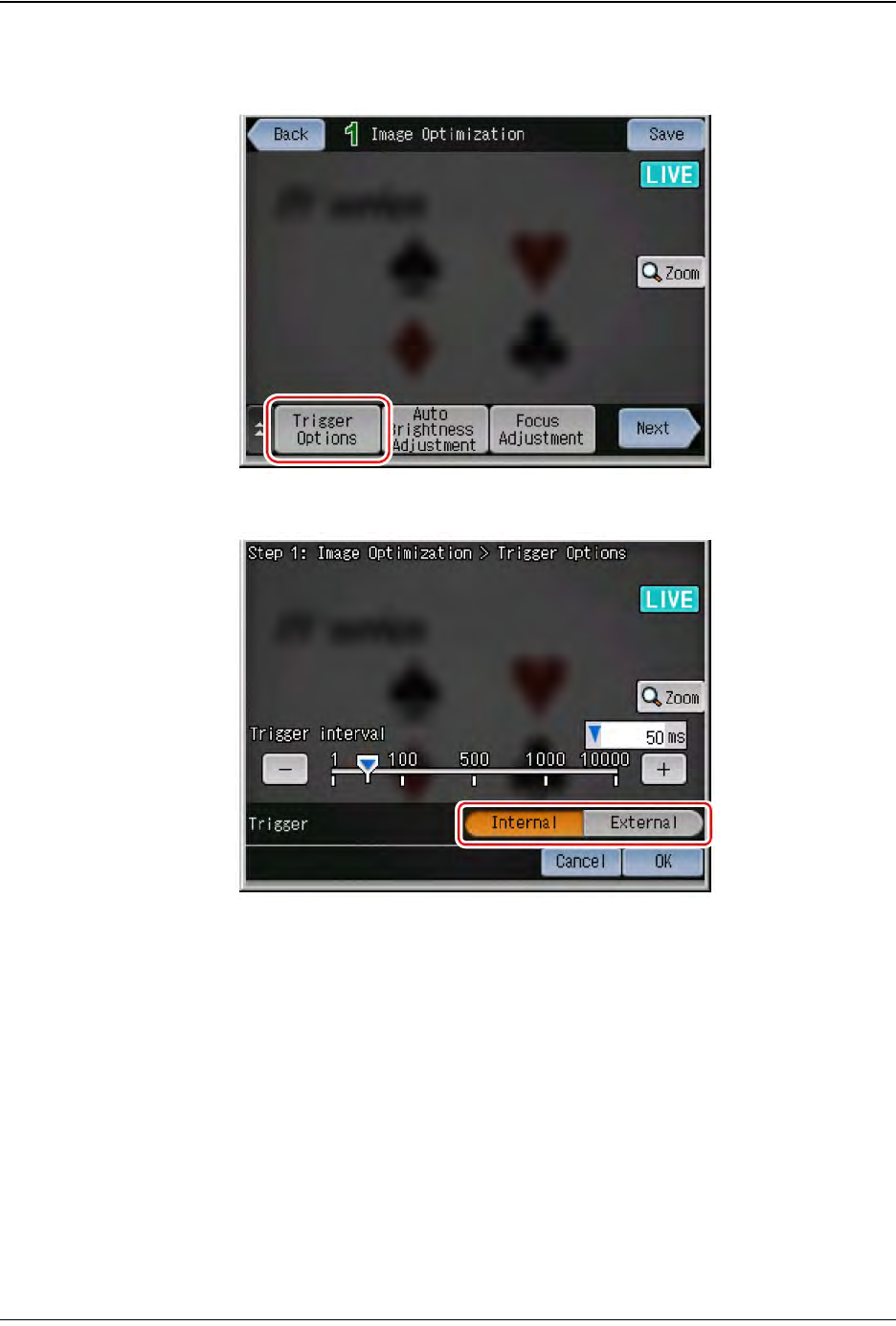
1. Touch Trigger Options.
2. Select the External Trigger type. Touch OK.
Step 2:
Vision
Setup
CONFIGURE
MONITOR
5-32 TM-403 User’s Guide
Configure Inspection D292105.16c.fm
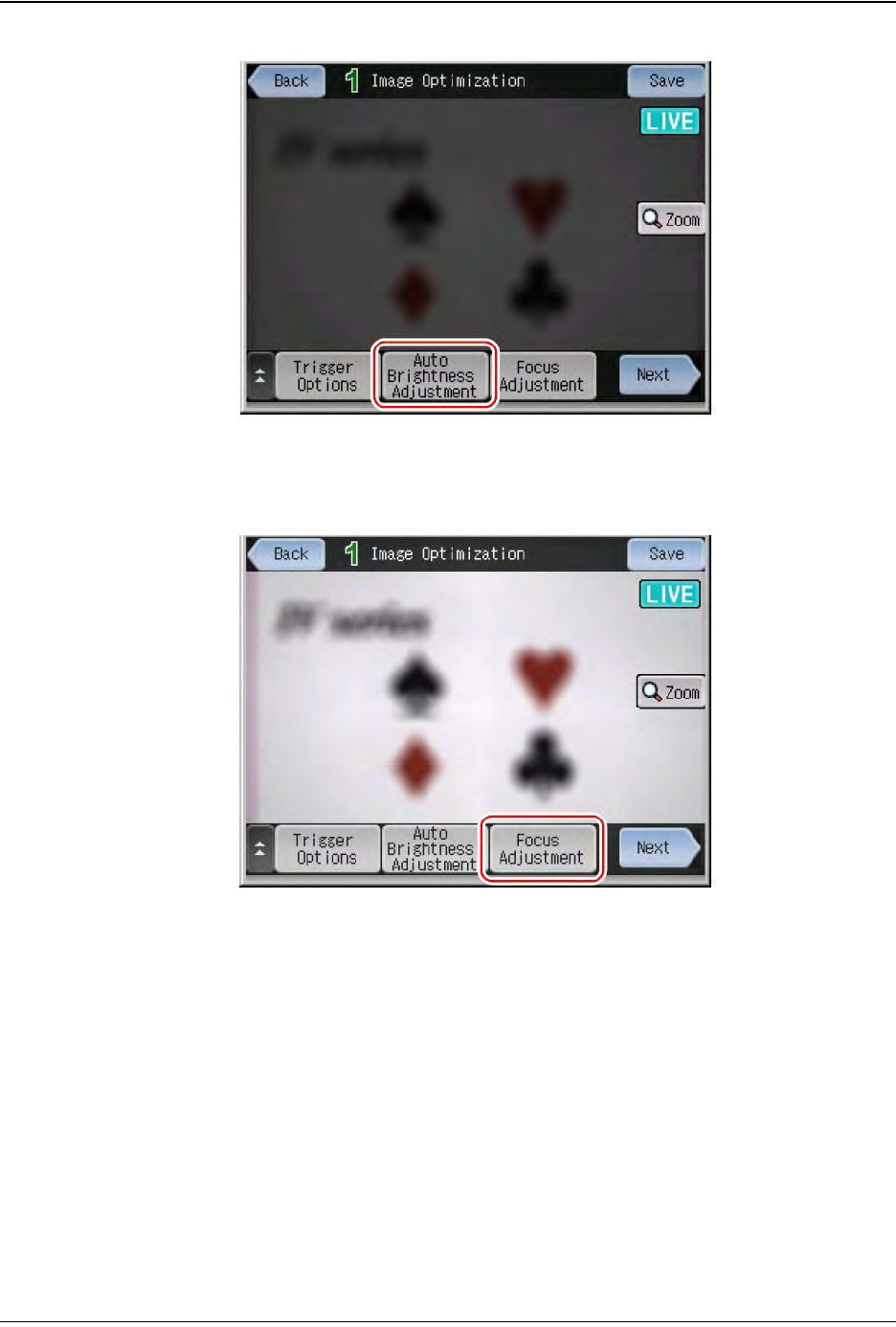
3. Touch Auto Brightness Adjustment. Touch OK.
4. Touch Focus Adjustment. If Auto focusing is selected, the focus position is
adjusted automatically. If Manual focusing is selected, the focus indicator will be
displayed. Adjust focus as desired. Touch OK.
5. Touch Next to proceed to “STEP2”.
Step 2:
Vision
Setup
CONFIGURE
MONITOR
D292105.16c.fm Configure Inspection
Chapter 5: Setup 5- 33
Register Master Image
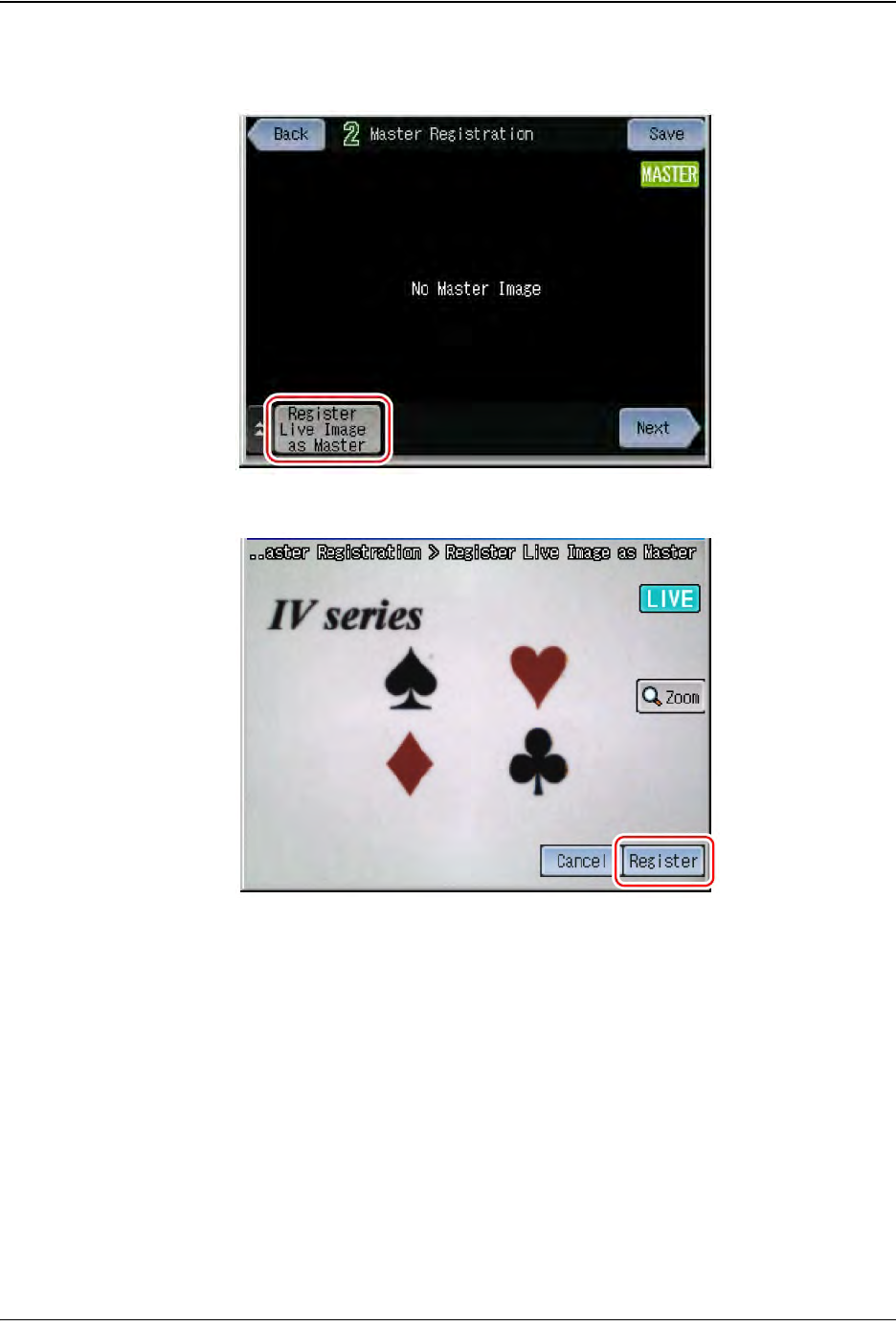
1. After setting the image optimization, press Register Live Image as Master.
2. Image the target and touch the Trig button.
3. Check the image displayed on the monitor and touch the Register button. Touch
OK.
4. Touch Next to proceed to “STEP3”.
Step 2:
Vision
Setup
CONFIGURE
MONITOR