编带机说明书-含图纸ttm402.pdf - 第159页
D292105.9b.fm Emergency Stop Chapter 7: Troubleshooting 7-3 Clearing an Emerge ncy Stop T o clear an Emergency S top , follow the directions below . 1. T wist the activated Em ergency Stop button to turn it of f and rele…
7-2 TM-403 User’s Guide
Emergency Stop D292105.9b.fm
Emergency Stop
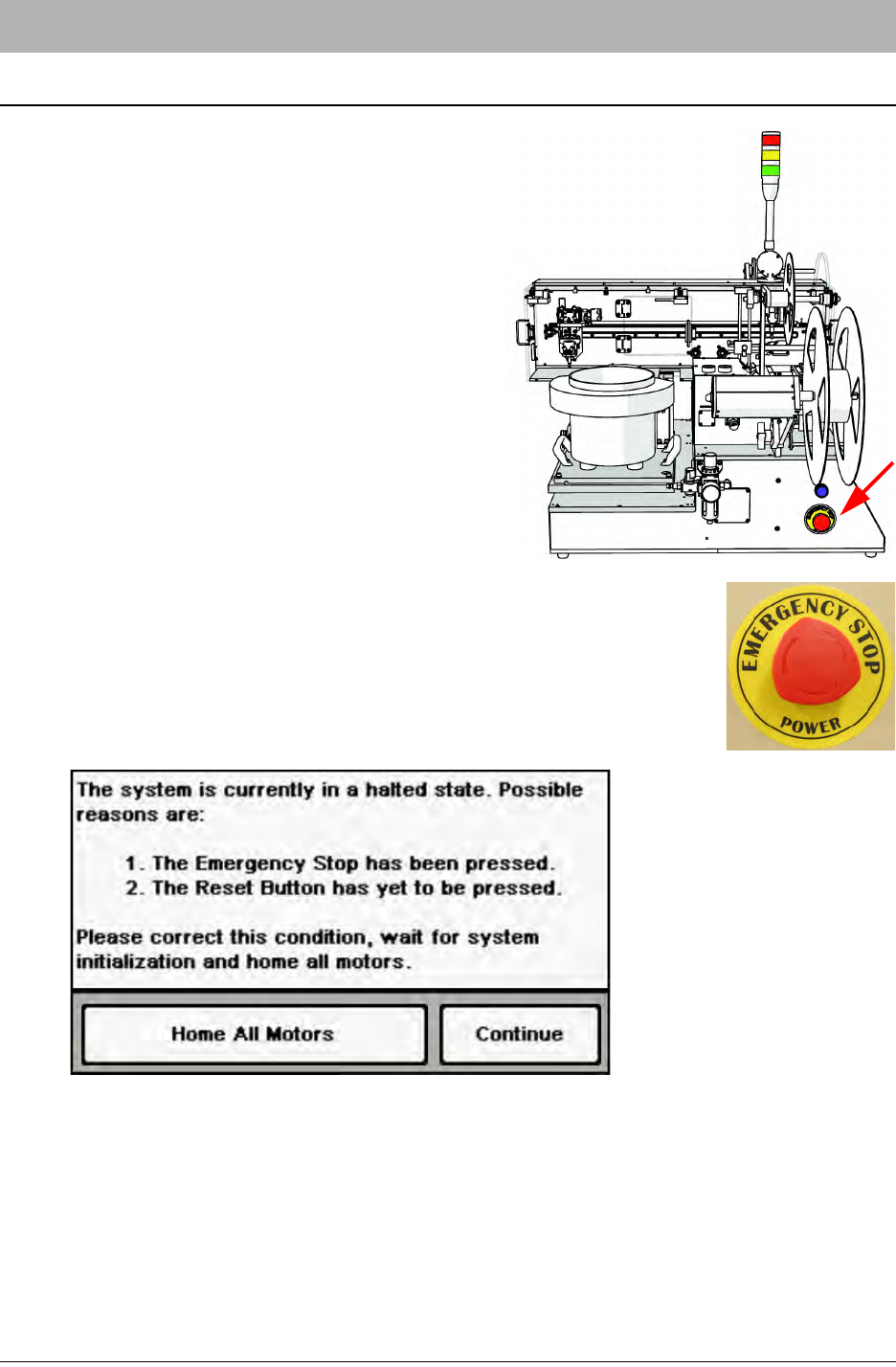
The Emergency Stop Button is located on the left
side of the TM-402.
If the Emergency Stop is pushed, the TM-402 will
automatically enter an Emergency Stop state.
When an Emergency Stop is triggered, the Tower
Light switches to red and all operations cease.
Activating an Emergency Stop
If emergency stop condition occurs, follow the steps below to resolve the
failure.
1. Press the red E-Stop button to place the TM-402 into an Emergency
Stop state. The Tower Light will switch to red and all operations will
cease. On the HMI, a Halted State message will appear.
2. Resolve the problem.(See tips on resolving error conditions which follow.)
D292105.9b.fm Emergency Stop
Chapter 7: Troubleshooting 7-3
Clearing an Emergency Stop
To clear an Emergency Stop, follow the directions below.
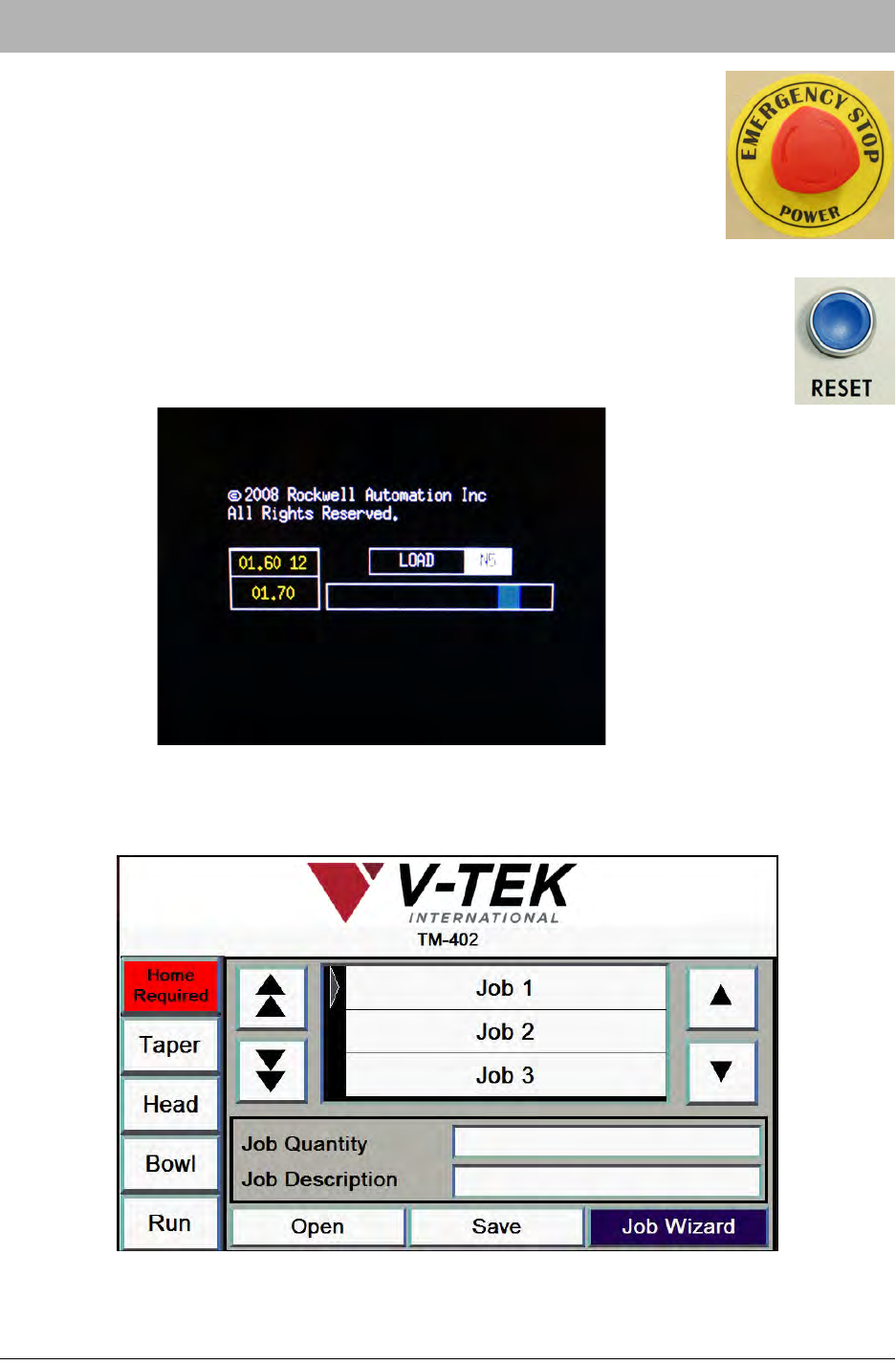
1. Twist the activated Emergency Stop button to turn it off and
release the button.
2. Close all the doors on the TM-402.
3. Press the blue Reset button.
4. The Boot Screen will appear on the HMI Monitor and display a loading
progress message. This process typically takes about 90 seconds to
complete.
5. Once the system has finished booting, the HMI will open to the Job Tab with the Home
Required button displayed. Press Home Required to begin the homing sequence.
7-4 TM-403 User’s Guide
Emergency Stop D292105.9b.fm
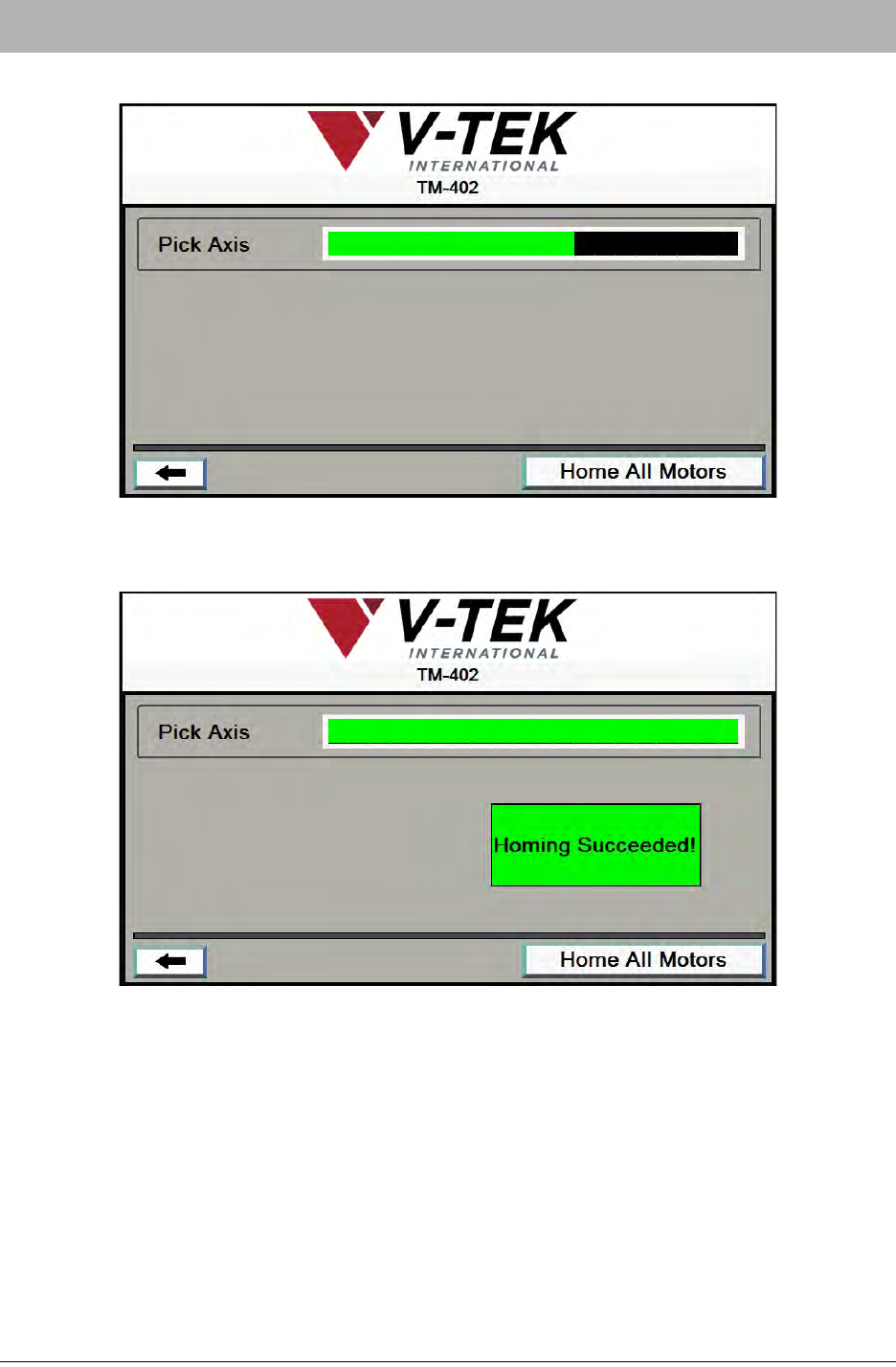
6. The Homing Status window will open. Press Home All Motors
7. When the homing sequence is completed, the bar will turn from black to green and a Hom-
ing Succeeded! message will appear.