编带机说明书-含图纸ttm402.pdf - 第116页
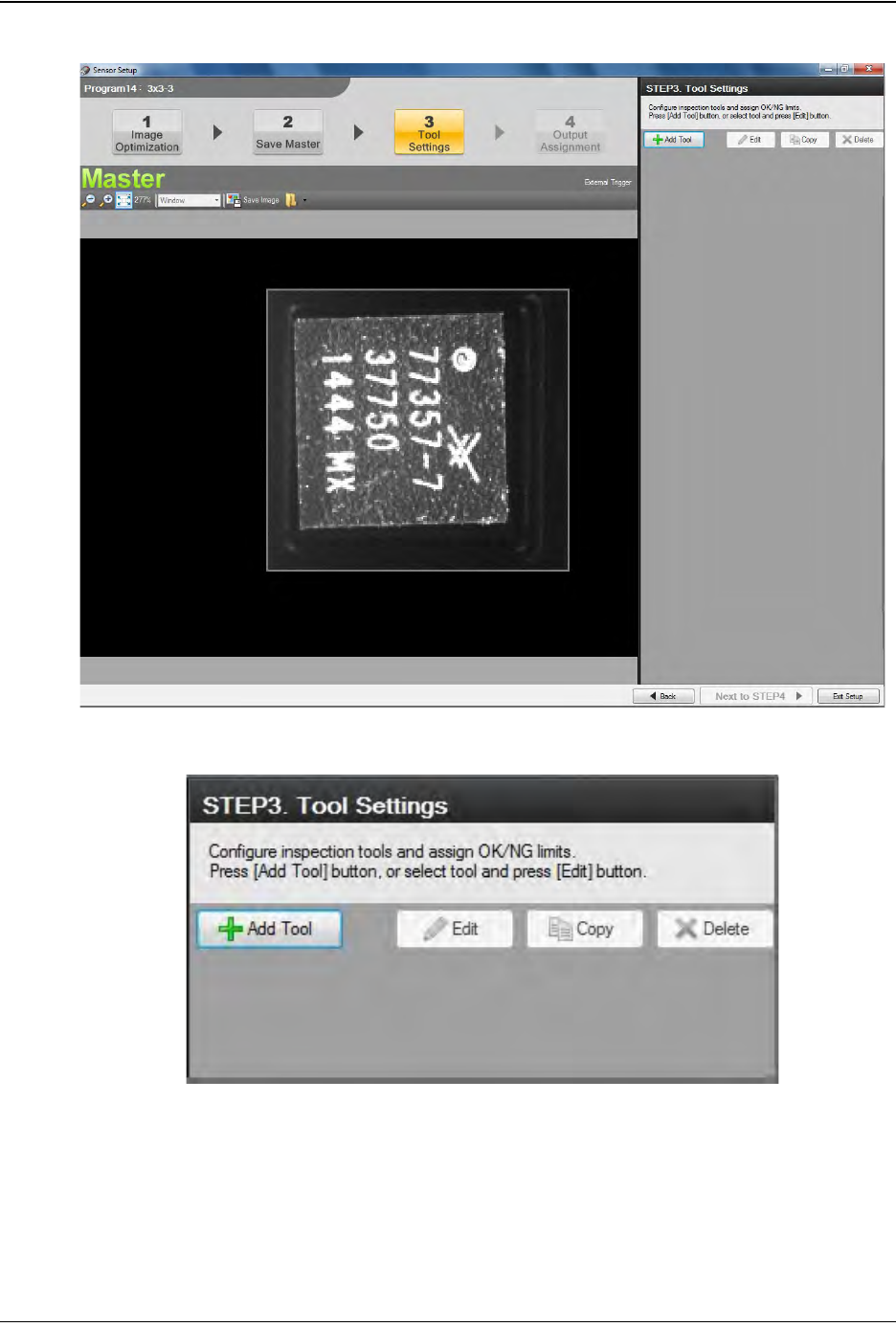
5-18 TM-403 User’s Guide Configure Inspection D292105.16c.fm 10. The T ool Settings window will open. Select Add T ool. Step 2: Vision Setup CONFIGURE COMPUTER
D292105.16c.fm Configure Inspection
Chapter 5: Setup 5- 17
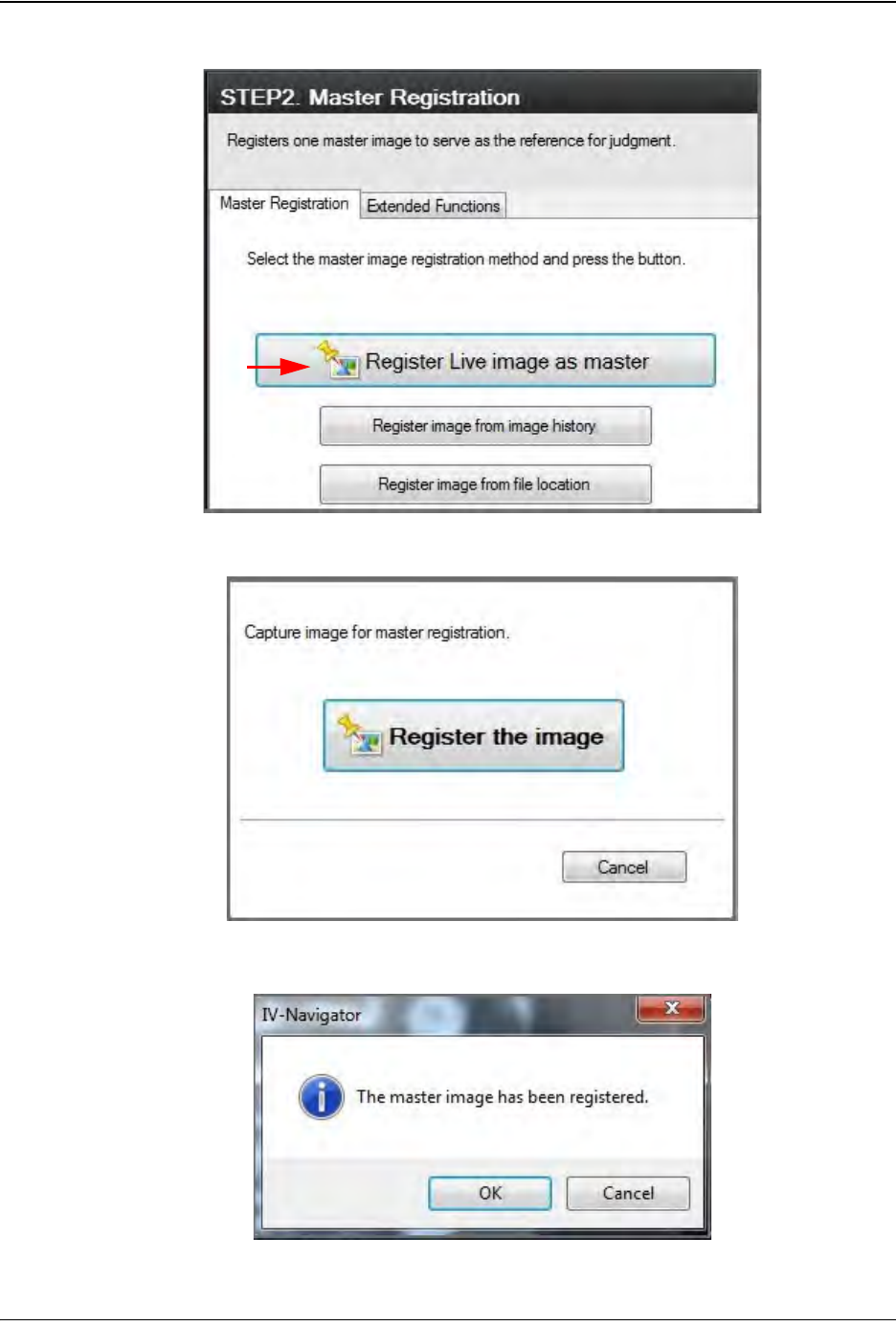
Select Register Live image as master.
Select Register the image.
Once the image has been registered, click OK. Then click Next to STEP3.
Step 2:
Vision
Setup
CONFIGURE
COMPUTER
5-18 TM-403 User’s Guide
Configure Inspection D292105.16c.fm
10. The Tool Settings window will open.
Select Add Tool.
Step 2:
Vision
Setup
CONFIGURE
COMPUTER
D292105.16c.fm Configure Inspection
Chapter 5: Setup 5- 19
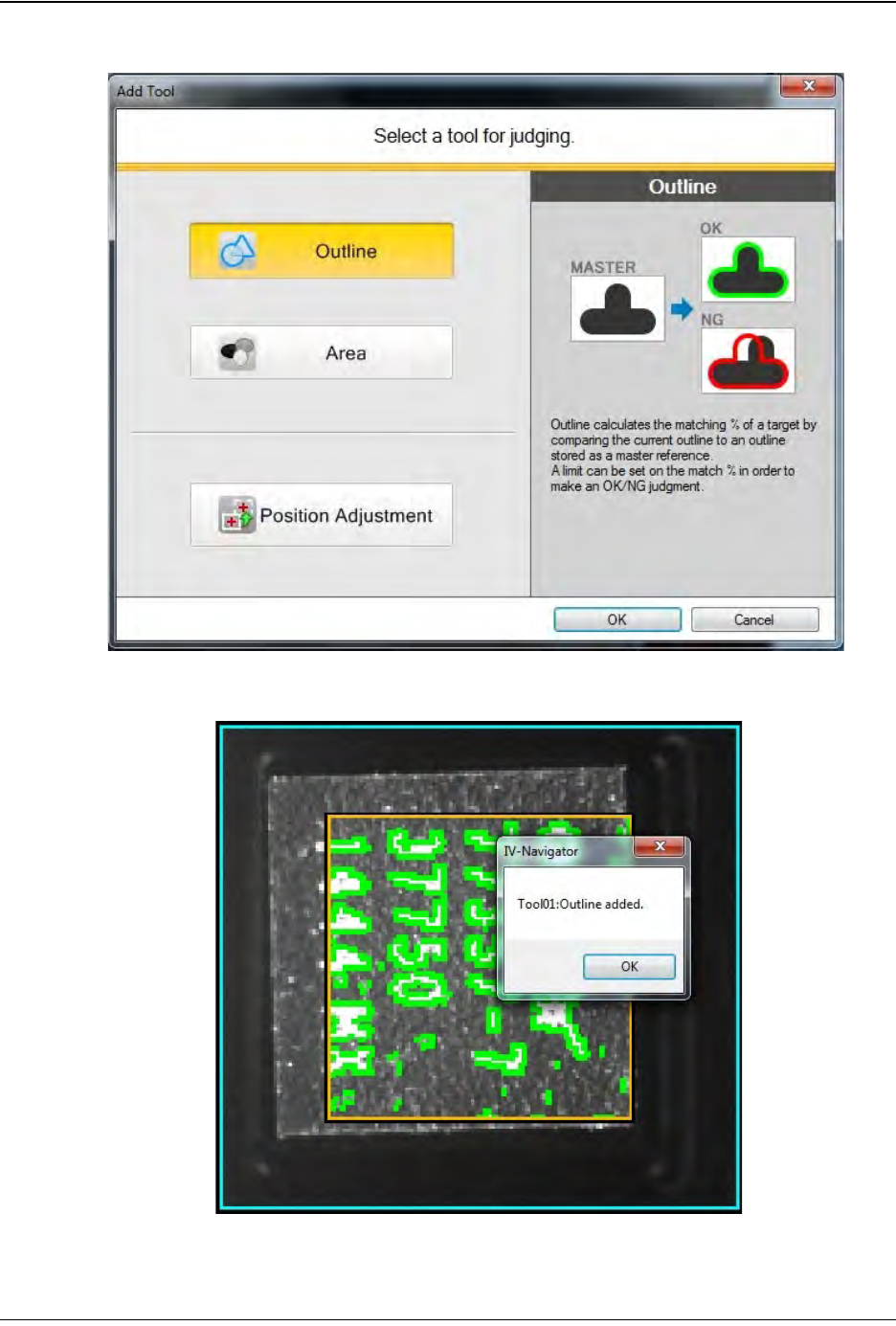
Select the Outline tool, then click OK.
A green outline will now appear around the selected mark. Click OK.
Step 2:
Vision
Setup
CONFIGURE
COMPUTER