编带机说明书-含图纸ttm402.pdf - 第71页
D292105.6a.fm Run Tab Chapter 3: Human Machine Interface 3-29 If a problem arises during homin g for the motor , the st atus bar will turn red and a Homing Error message will appear . Pressing the Lef t Arrow button retu…
3-28 TM-403 User’s Guide
Run Tab D292105.6a.fm
• The System Homing button allows the user to home the motor. Homing motors
should be done once following every system power up. When System Homing is
selected, the Homing Status window will appear.
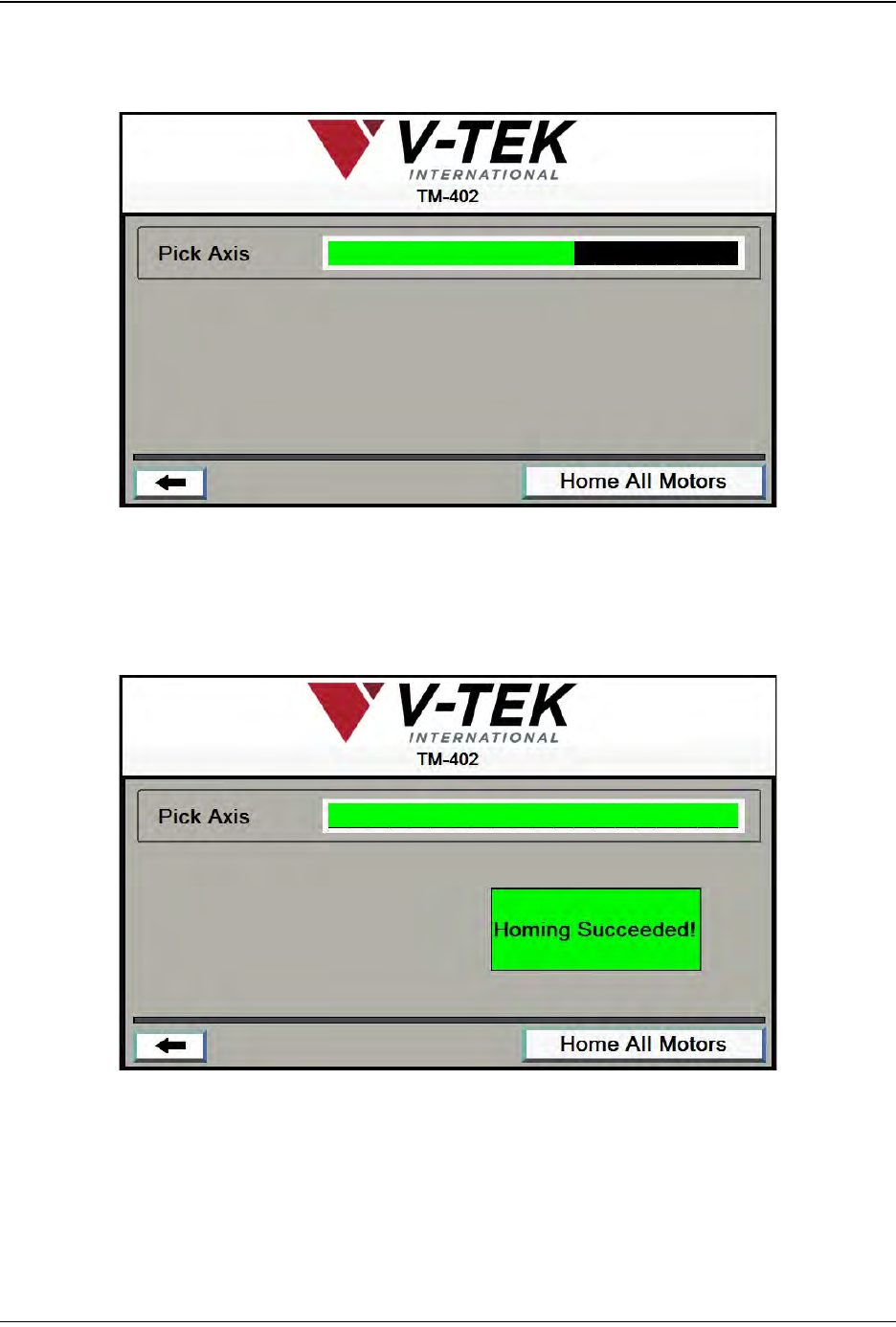
Pressing the Home All Motors button begins the homing sequence. Homing
progress is displayed in the Pick Axis Motor Status Bar.
As the homing sequence is completed, the bar gradually turns from black to
green. A Homing Succeeded! message appears at the end of the sequence.
D292105.6a.fm Run Tab
Chapter 3: Human Machine Interface 3-29
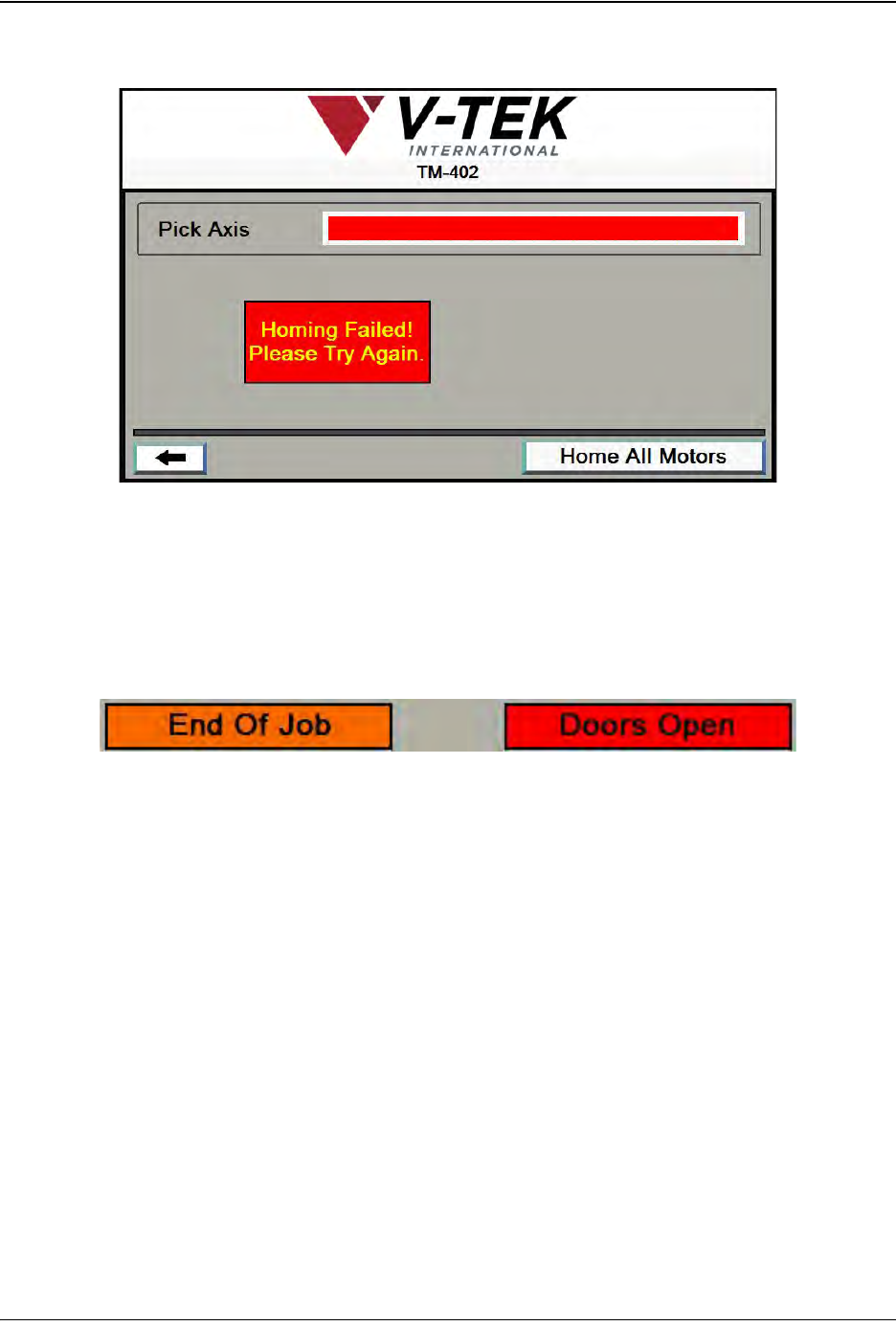
If a problem arises during homing for the motor, the status bar will turn red and a
Homing Error message will appear.
Pressing the Left Arrow button returns the user to the Run Tab.
D. The Statistics section keeps a running tally of the current job’s Parts Placed, Run
Time, and Parts Per Hour.
E. Status Messages only appear when conditions exist which require the user’s
attention before the job can be run.
• If the preset quantity of parts has been processed, the End Of Job message will
appear.
• If the Doors are open, the Doors Open message will appear.

3-30 TM-403 User’s Guide
Run Tab D292105.6a.fm