编带机说明书-含图纸ttm402.pdf - 第85页
D292105.7b.fm Configure HMI Settings Chapter 4: Setup 4- 13 Configur e HMI Settings The TM-402’ s Job Wizard leads the user through the HMI setup p rocess. 1. OPEN JOB WIZARD a. Press the Job Wizard button to open the Jo…
4-12 TM-403 User’s Guide
Taper Setup D292105.7b.fm
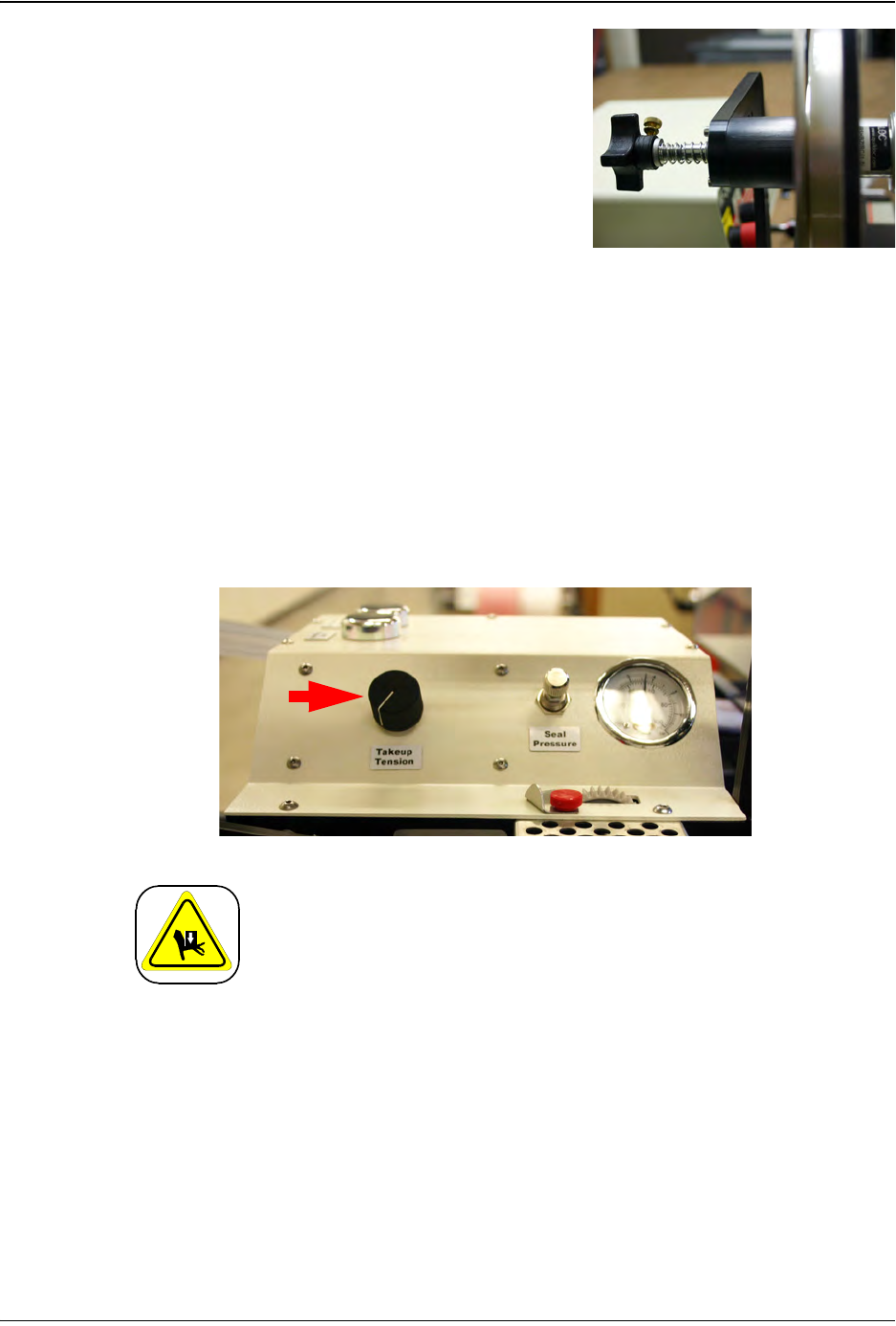
6. Adjust the Cover Tape tension, turning the
Tension Adjustment Knob on the back of the
Cover Tape Arm clockwise (in) to increase ten-
sion. The goal is to tighten the cover tape so
there is not excess freedom in the tape when it
is advanced.
Load Take-up Reel
1. Mount an empty take-up reel on the take-up reel spindle. The width of the reel
must match the width of the carrier tape and its diameter should be large enough
to accommodate the number of components in the taping job.
2. The Take-up Tension Control is located on the front of the Heat Sealer enclosure
next to the Seal Pressure Gauge & Control. Adjust the take-up tension to a rate
that suits the weight of the parts that are being processed, adjusting it so the take-
up motor pulls the sealed tape gently forward.
Mechanical Hazard!
Avoid placing fingers between the carrier tape and the Take-up
Reel when the TM-402 is in operation. Pinching or entrapment
may occur if safety precautions are not observed.
Step 5:
Setup
Ta p e r
TA K E -UP
D292105.7b.fm Configure HMI Settings
Chapter 4: Setup 4- 13
Configure HMI Settings
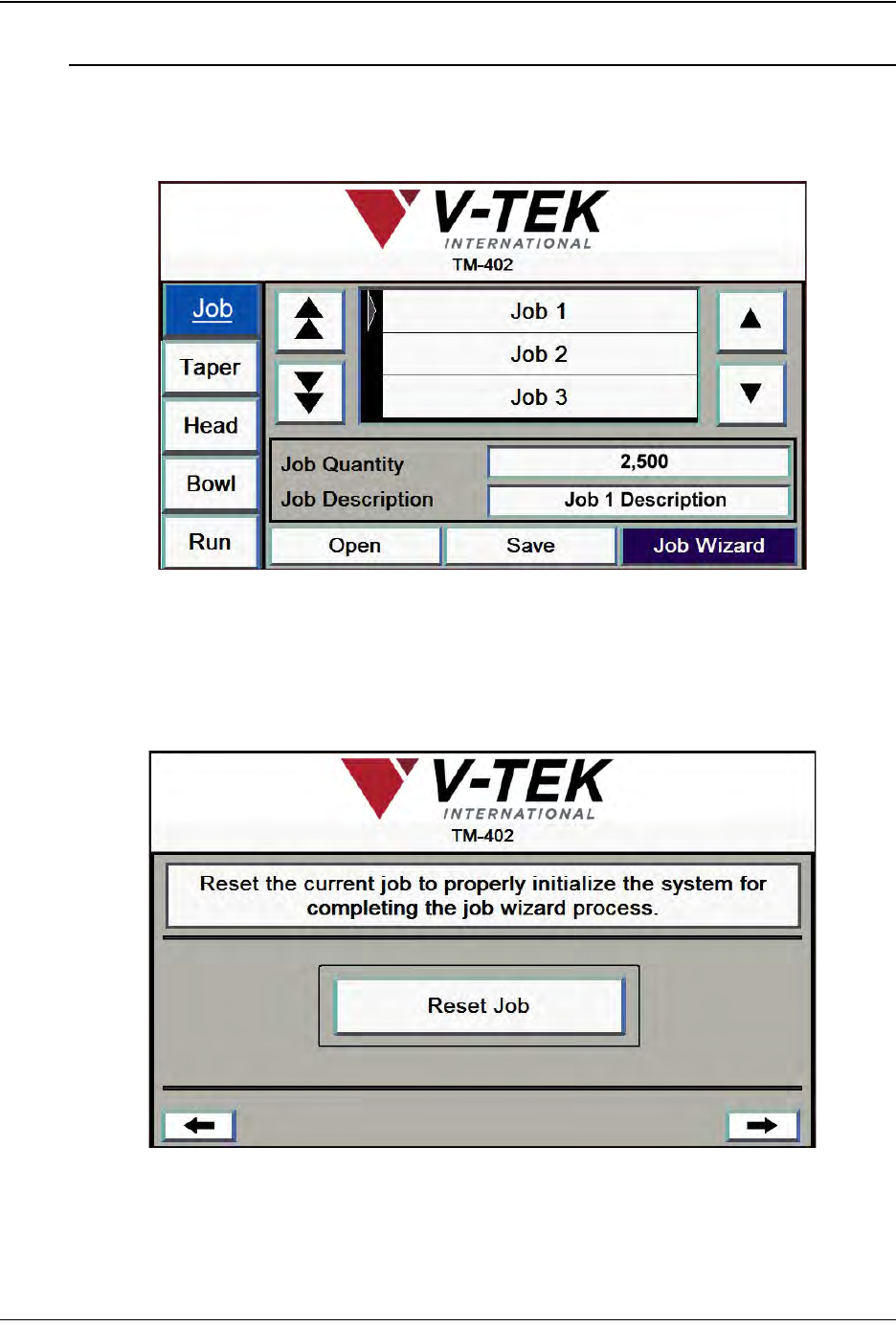
The TM-402’s Job Wizard leads the user through the HMI setup process.
1. OPEN JOB WIZARD
a. Press the Job Wizard button to open the Job Wizard.
2. RESET JOB
a. Press Reset Job to initialize system for Job Wizard.
b. Press the right Arrow key to open the next Job Wizard screen.
Step 6:
Setup
HMI
JOB
4-14 TM-403 User’s Guide
Configure HMI Settings D292105.7b.fm
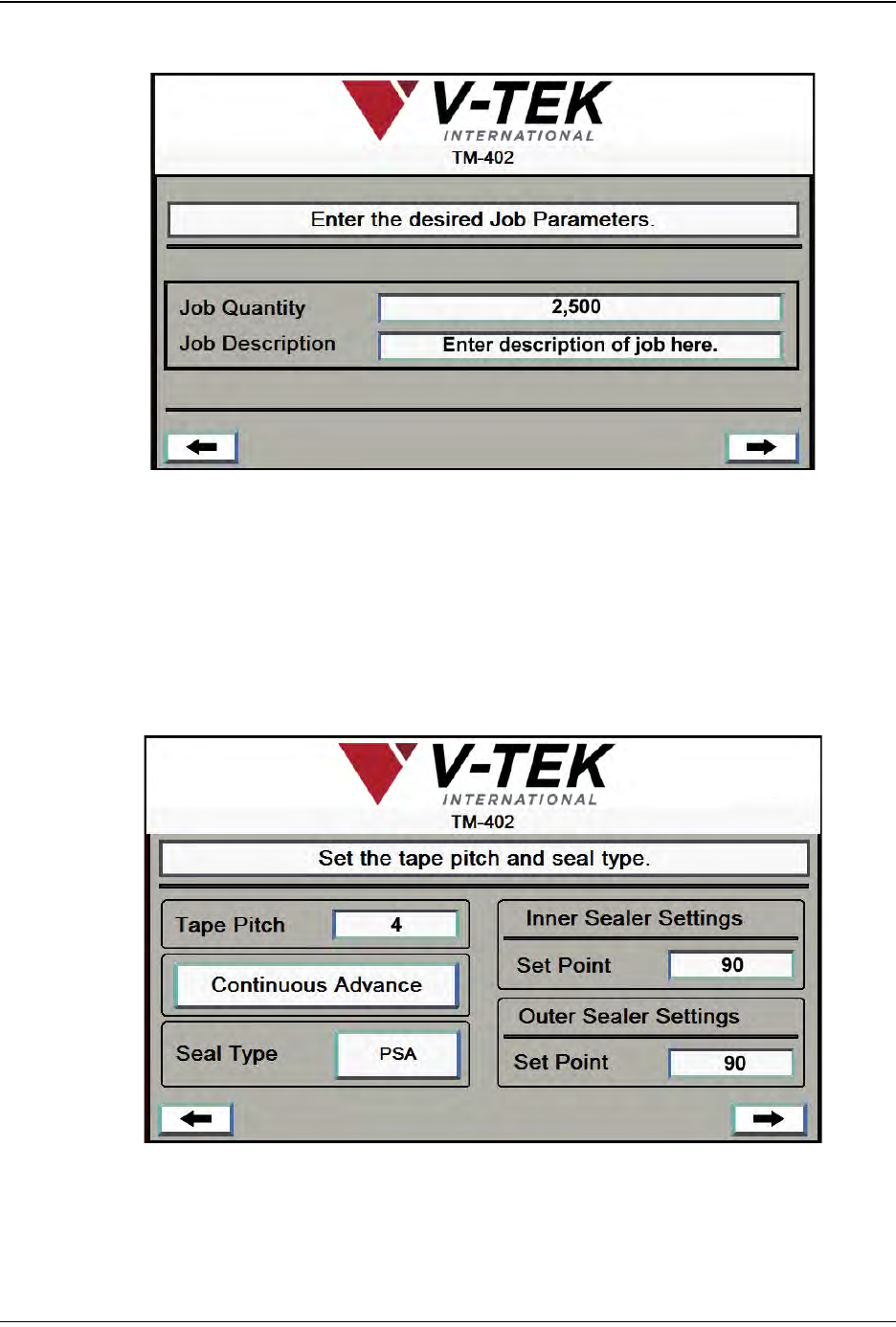
3. ENTER JOB PARAMETERS.
a. Enter Job Quantity
b. Enter Job Description. Press the right Arrow key to open the next Job Wizard
screen.
4. TAPER SETUP
Enter Pitch, Seal Type. If Heat Seal Type is selected, enter Sealer Set Points.
Step 6:
Setup HMI
TA P ER