编带机说明书-含图纸ttm402.pdf - 第77页
D292105.7b.fm Load the Bowl Feeder Chapter 4: Setup 4- 5 Load the Bo wl F eeder 1. T o prepare the Bowl Feede r for operation, ensure the correct Bowl and Linear Tr a c k are installed for the part which will be run. 2. …
4-4 TM-403 User’s Guide
Home Motors D292105.7b.fm
Home Motors
Note: The TM-402 needs to be homed once after each power up or Emergency
Stop activation. The HMI will prompt the operator to home the motors whenever it
is required. Once the motors have been homed, they remain homed until the
machine is powered down or the E-Stop is activated.
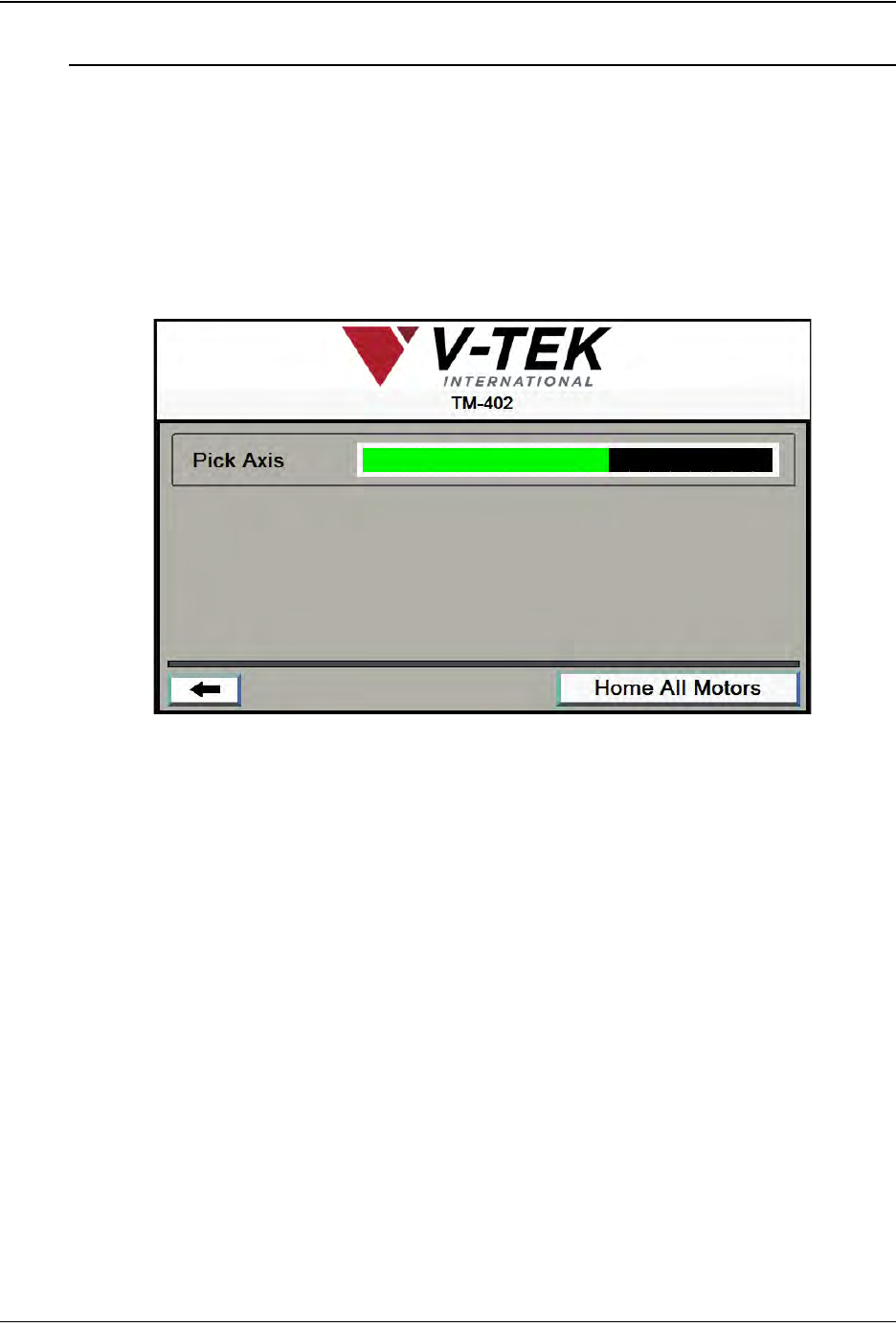
1. Press the red Home Required button at the top of the Tab Menu.
2. The TM-402 motor homing sequence begins with the pick head moving slowly to
the right towards the taper (X Axis movement).
When the head has stopped moving, homing is complete.
Step 2:
Home
Motors
D292105.7b.fm Load the Bowl Feeder
Chapter 4: Setup 4- 5
Load the Bowl Feeder
1. To prepare the Bowl Feeder for operation, ensure the correct Bowl and Linear
Track are installed for the part which will be run.
2. Load the Bowl with parts. Do not overfill.
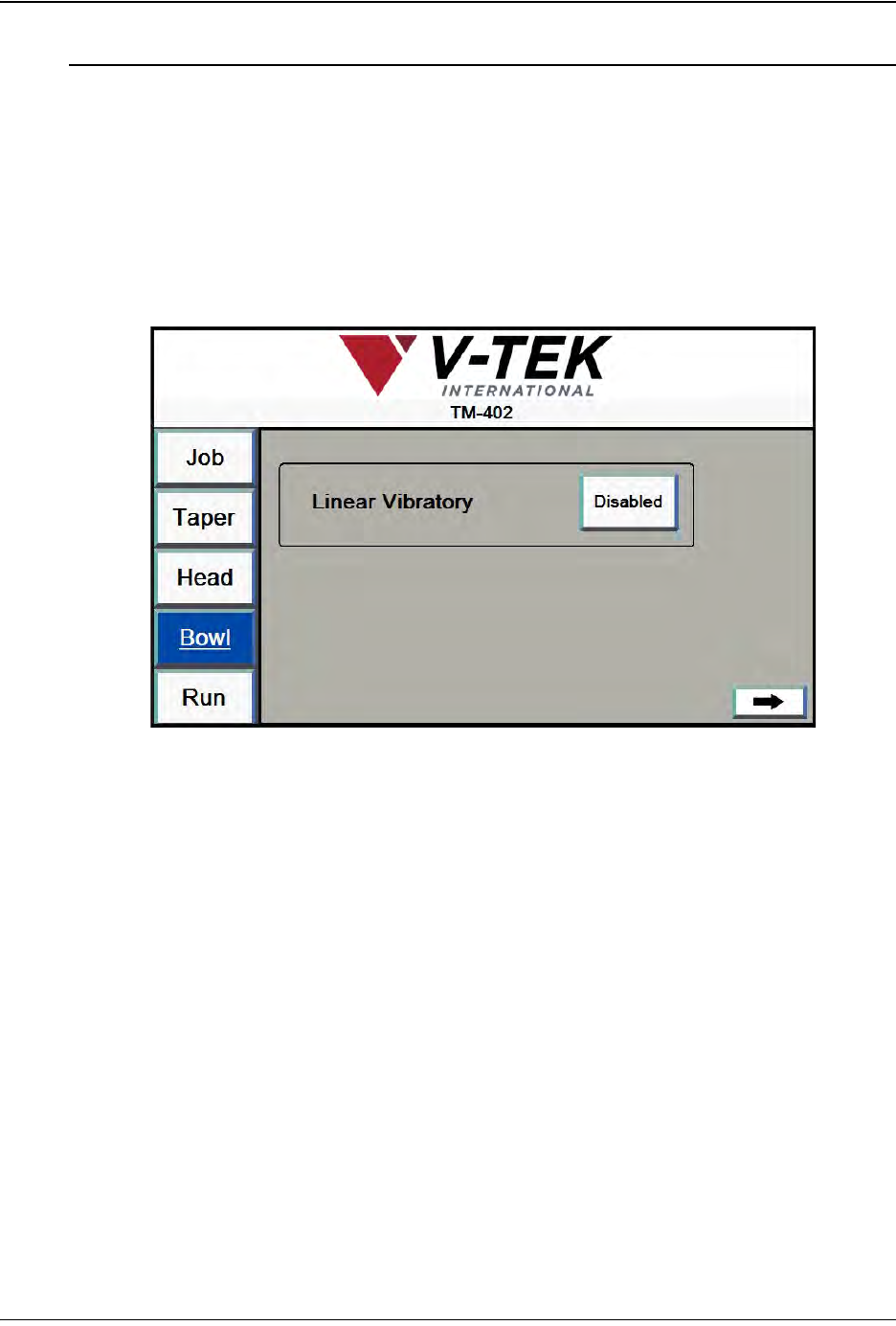
3. On the HMI, select Bowl from the tab menu on the left to open the Bowl Setup
Tab..
4. Enable the Linear Vibratory. The Linear Track will turn on and activate the Bowl
5. Manually adjust the Vibratory Controls for Linear Track and Bowl as needed to
suit the type of component that is being processed. Parts should move fluidly into
the track and on to the nest.
Step 3:
Load the
Bowl Feeder
4-6 TM-403 User’s Guide
Load the Bowl Feeder D292105.7b.fm
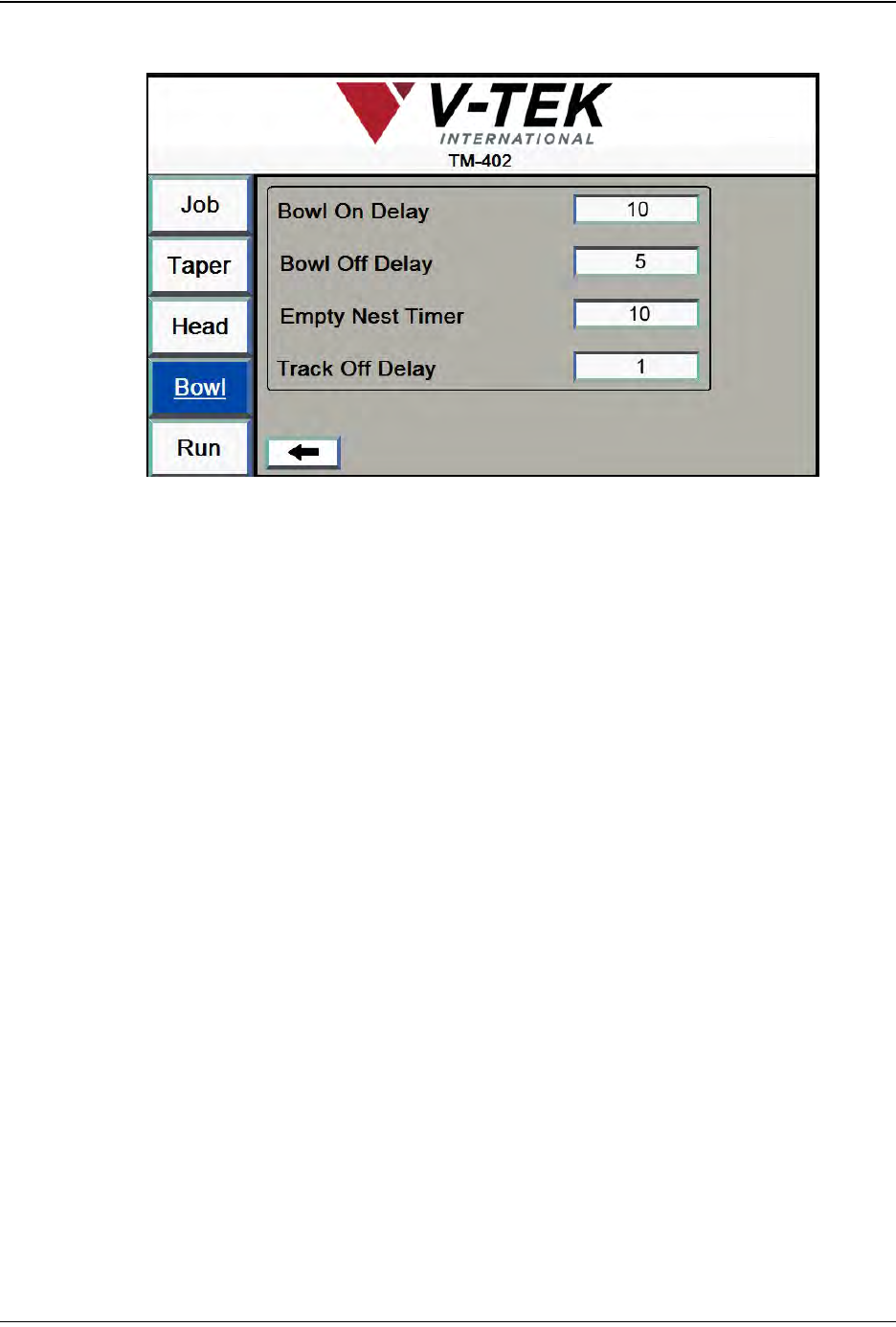
7. Click the right Arrow to move to the second Bowl Setup Screen..
8. Set the desired times in milliseconds for Bowl On Delay, Bowl Off Delay, Empty
Nest Timer and Track Off Delay.
The Bowl Feeder is now ready to operate. Feeder settings will be configured later
in this chapter in the Job Wizard section.