编带机说明书-含图纸ttm402.pdf - 第161页
D292105.9b.fm Emergency Stop Chapter 7: Troubleshooting 7-5 8. Once homing is complete, press the Lef t Arrow button will ope n the Run T ab. 9. Press the Run button on the HMI Run T ab to resume operation.
7-4 TM-403 User’s Guide
Emergency Stop D292105.9b.fm
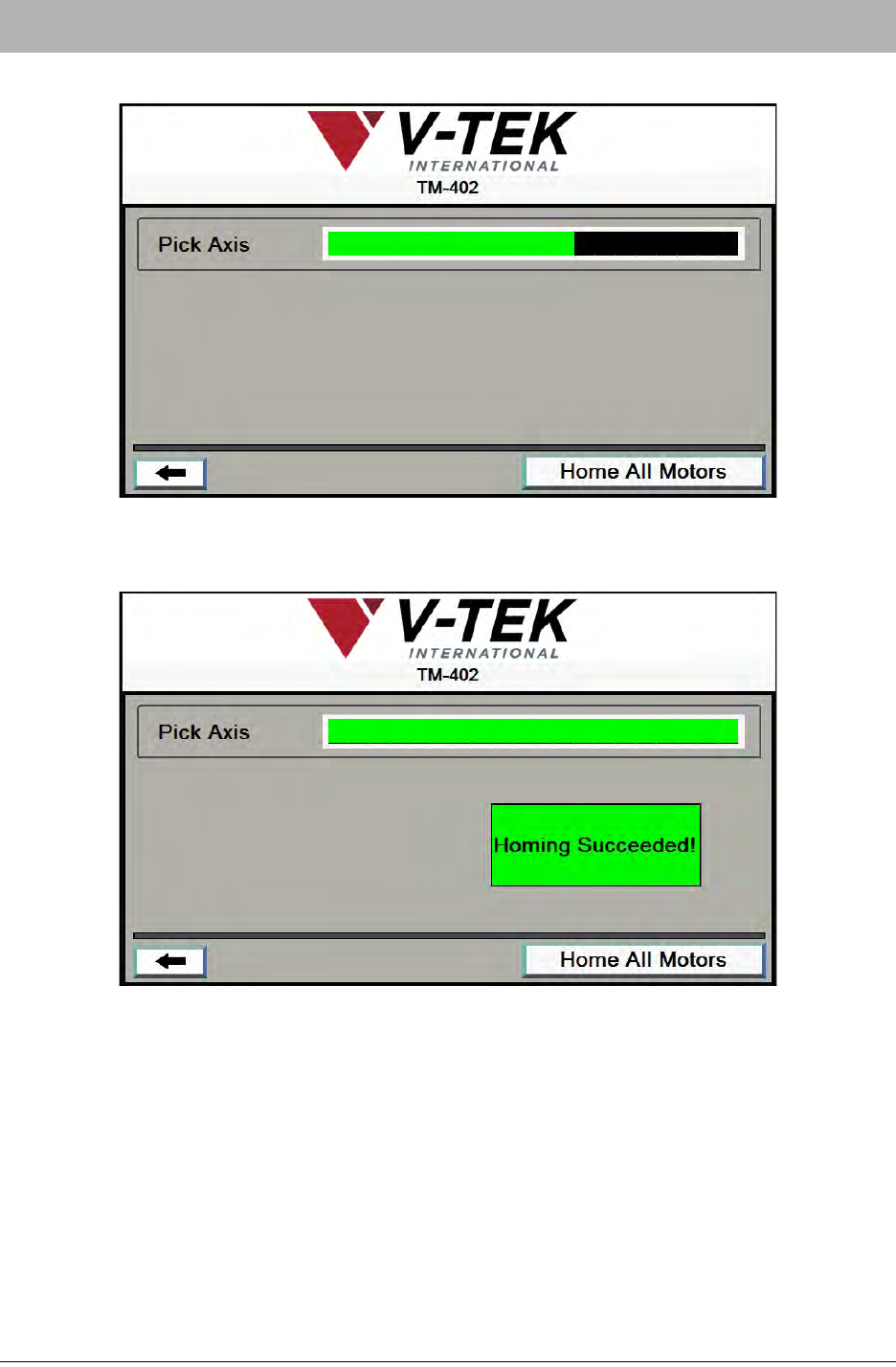
6. The Homing Status window will open. Press Home All Motors
7. When the homing sequence is completed, the bar will turn from black to green and a Hom-
ing Succeeded! message will appear.
D292105.9b.fm Emergency Stop
Chapter 7: Troubleshooting 7-5
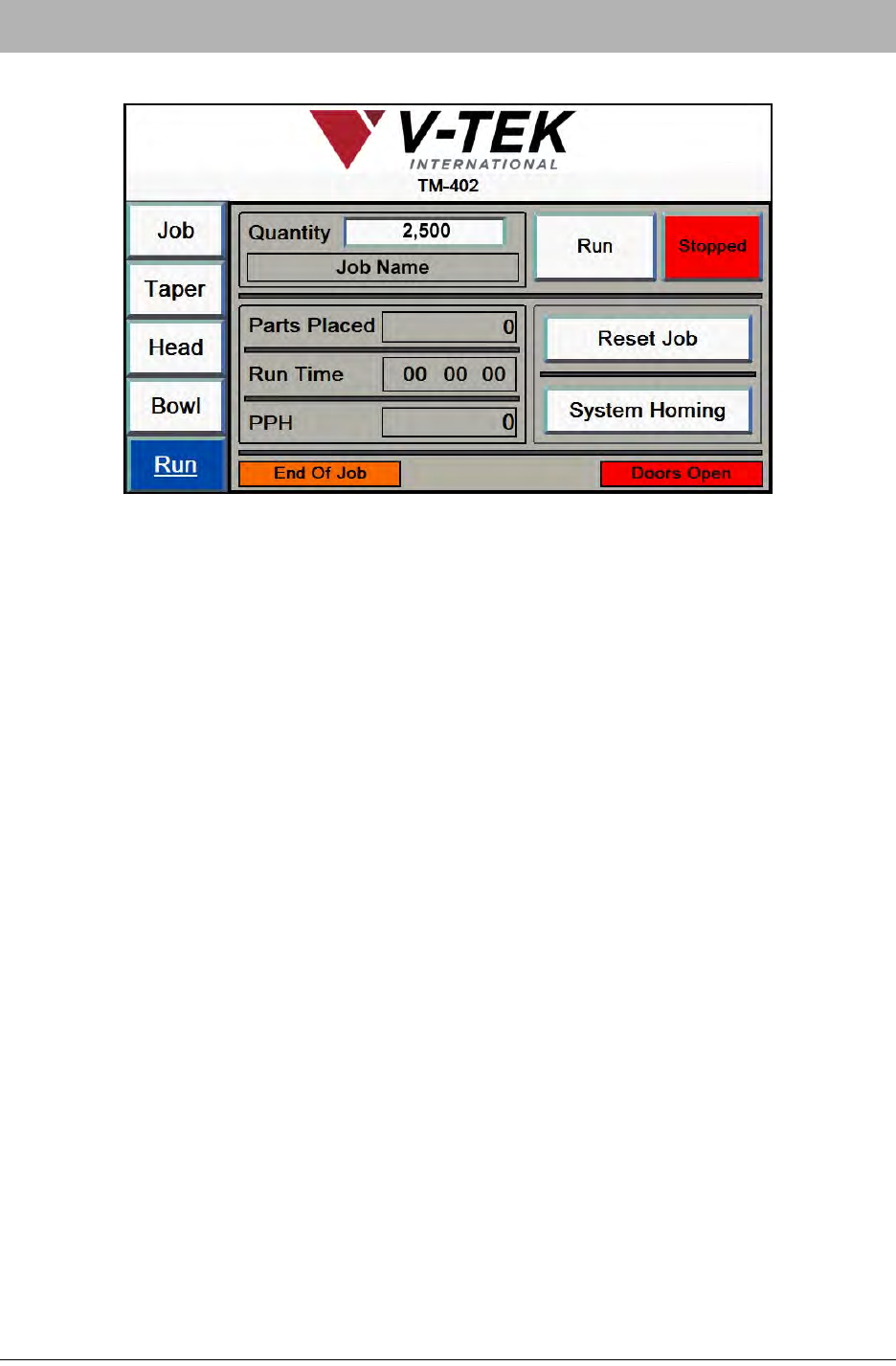
8. Once homing is complete, press the Left Arrow button will open the Run Tab.
9. Press the Run button on the HMI Run Tab to resume operation.
7-6 TM-403 User’s Guide
System Alarm Messages D292105.9b.fm
System Alarm Messages
During TM-402 operation, the operator will occasionally be prompted to fill the Tray
Feeder with parts, unload the Taper or check an Inspection Fail.
When the TM-402 requires attention it will automatically stop. A beep will sound
and the Tower Light will turn flashing red to draw the operator’s attention.
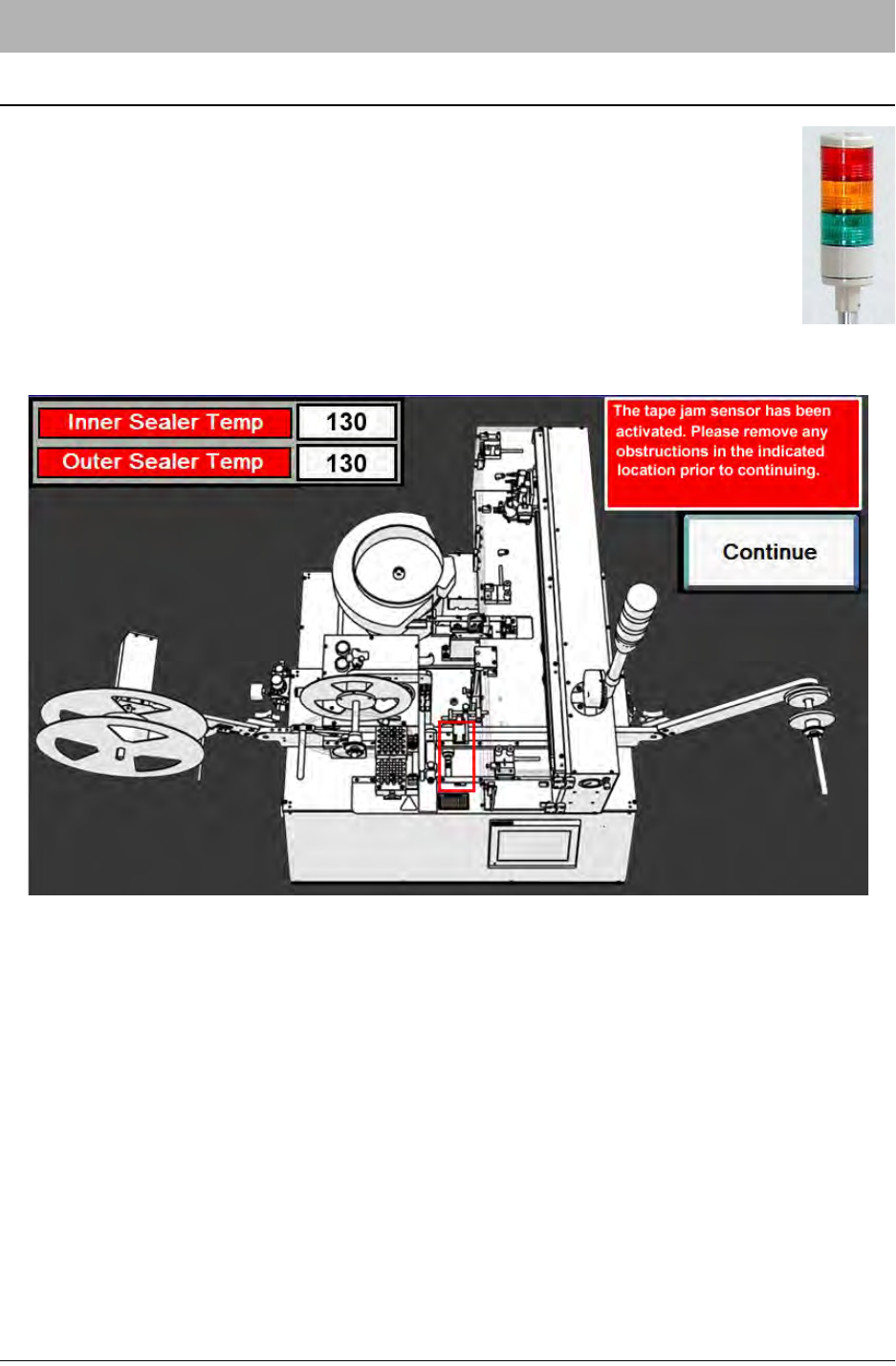
On the HMI, a System Alarm Message will appear.
System Alarms are triggered for several reasons. When the TM-402’s sensors detect an error sit-
uation such as Low Cover Tape or a Tape Jam, the System Alarm Message alerts the user to the
error. System Alarms will also appear if the TM-402 needs to be adjusted before operation can
begin. For example, if the E-Stop button is depressed preventing operation, the System Alarm
alerts the user so the situation can be resolved and operation can begin.
System Alarm Messages contain a description of the problem and suggestions for resolving the
problem. They also include an illustration of the TM-402 with the area of interest indicated by a
flashing red outline.
To resolve a System Alarm, follow the suggested steps to clear the error situation then click Con-
tinue to return to the HMI screen that was active before the alarm was activated. To resume
operation, press Start on the HMI Run Tab.