编带机说明书-含图纸ttm402.pdf - 第123页
D292105.16c.fm Configure Inspection Chapter 5: Setup 5- 25 12. Click Complete to return to the Ru n/Program window . Select Run . 13. Click the Manual T rigger button which is located under the Program button to test the…
5-24 TM-403 User’s Guide
Configure Inspection D292105.16c.fm
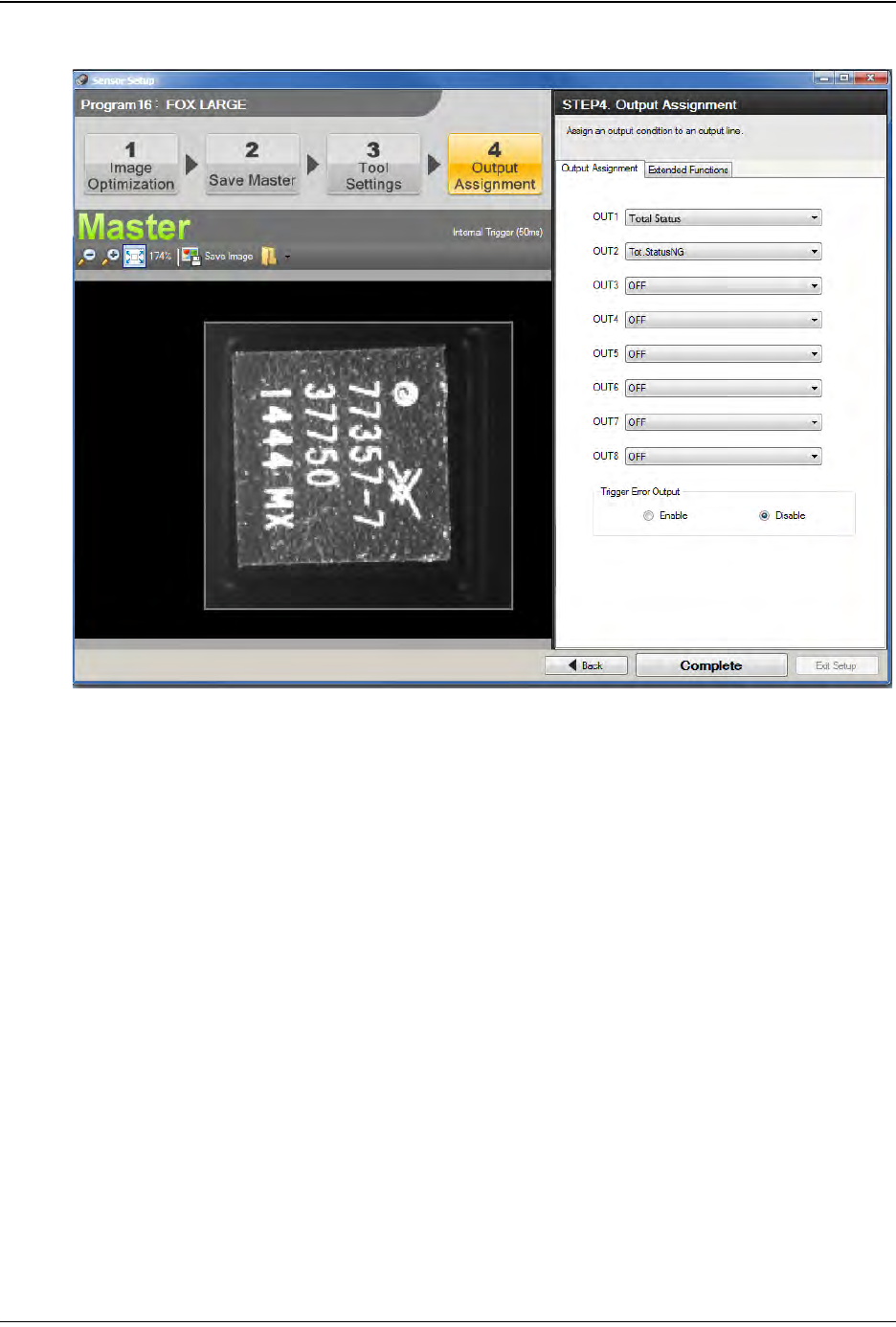
11. The Output Assignment window will open. Set up the Outputs as shown below.
• Set OUT1 to Total Status.
• Set OUT2 to Tot.StatusNG.
•Set all remaining output to OFF.
•Set Trigger Error Output to Disable.
Step 2:
Vision
Setup
CONFIGURE
COMPUTER
D292105.16c.fm Configure Inspection
Chapter 5: Setup 5- 25
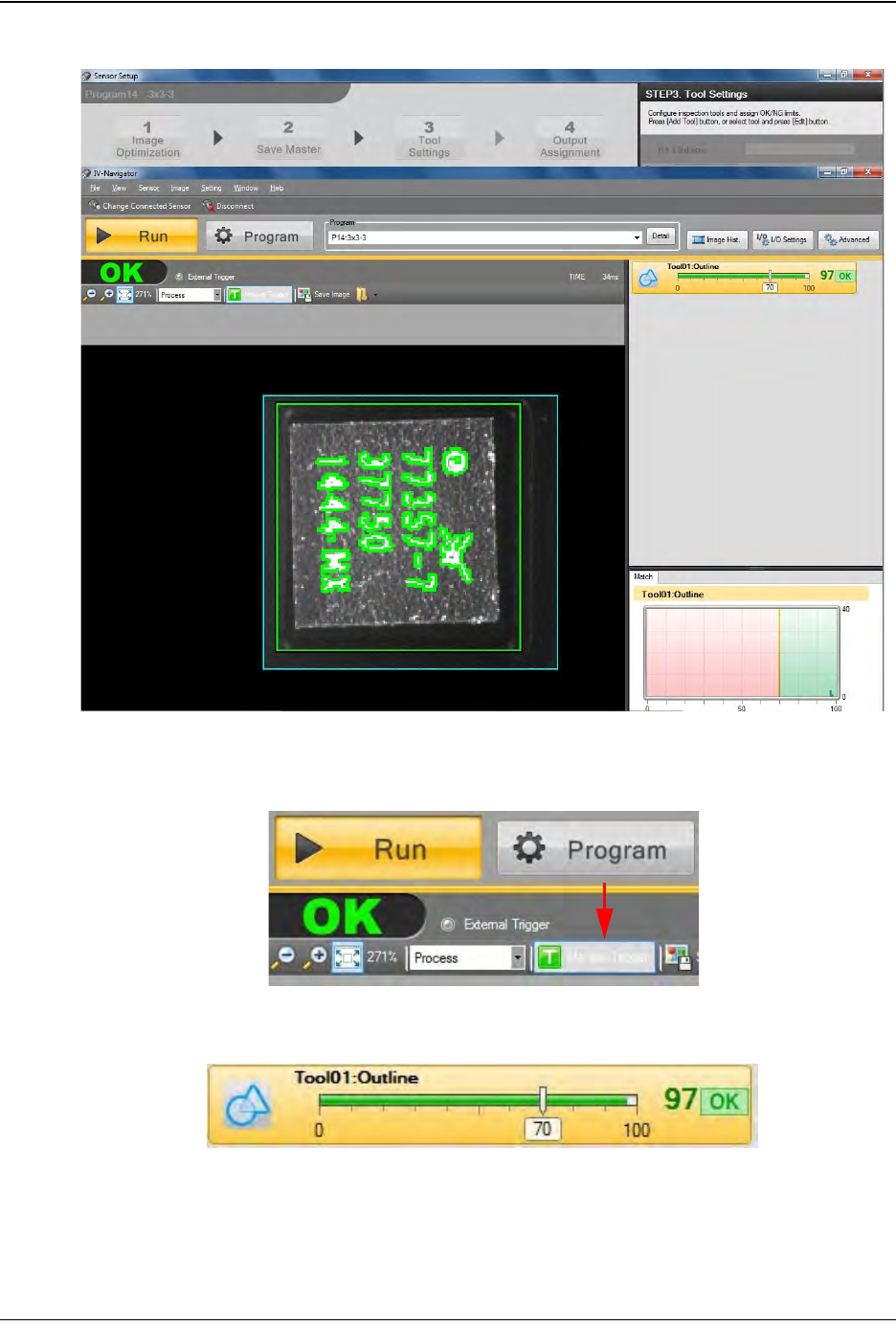
12. Click Complete to return to the Run/Program window. Select Run.
13. Click the Manual Trigger button which is located under the Program button to test
the inspection criteria.
The test results will appear on the right side of the window.
Step 2:
Vision
Setup
CONFIGURE
COMPUTER
5-26 TM-403 User’s Guide
Configure Inspection D292105.16c.fm
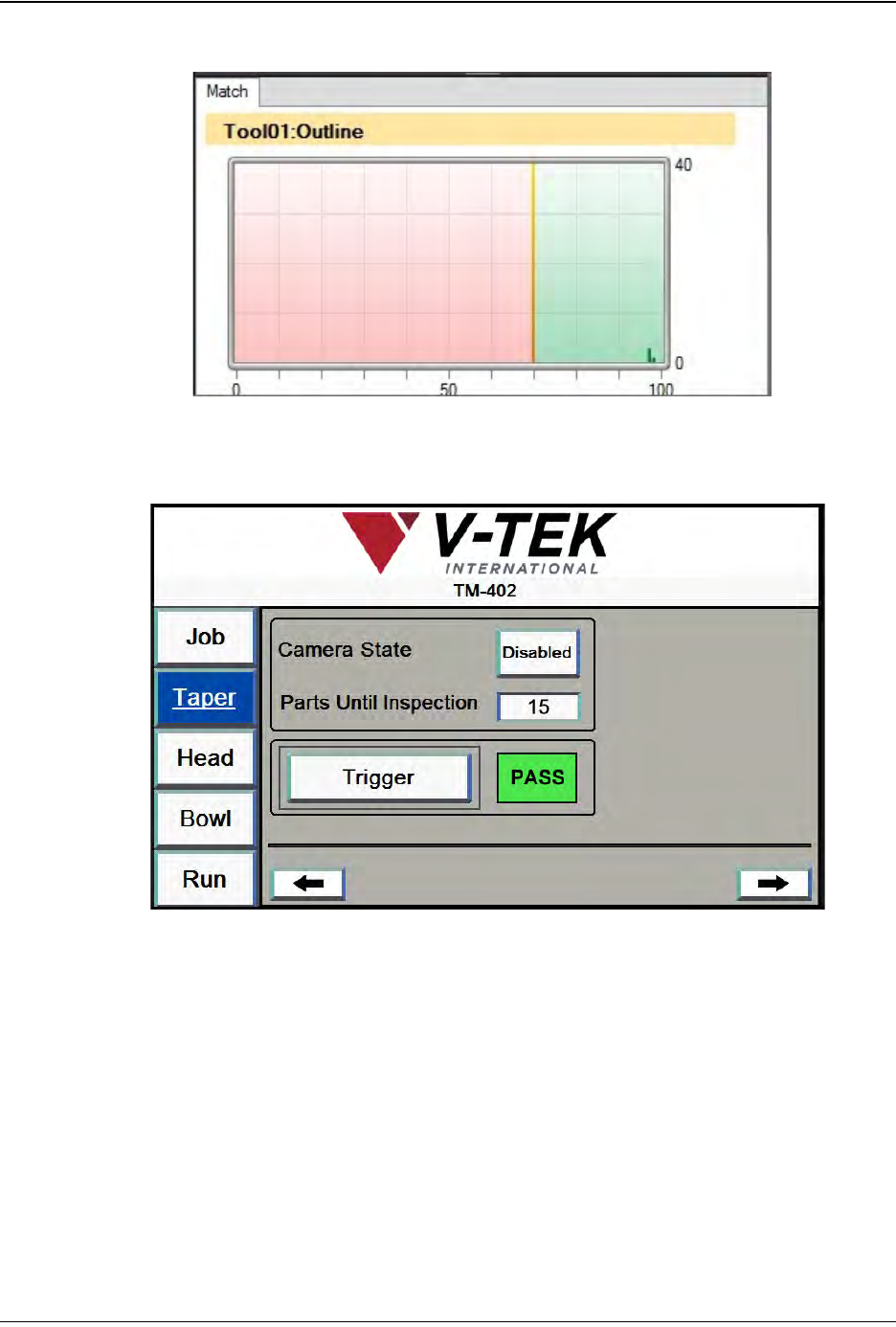
A Statistics Graph of all test results will appear in the lower right corner.
14. On the TM-402 HMI, open the Taper Tab. Press the right Arrow button to advance
to the second Taper screen.
Press Trigger to manually trigger an inspection of the part under the camera. The
green PASS message should appear. Test several good parts to ensure TM-402
correctly and consistently passes good parts.
Step 2:
Vision
Setup
CONFIGURE
COMPUTER