编带机说明书-含图纸ttm402.pdf - 第181页
D292105.9b.fm Tips on Part Placement Chapter 7: Troubleshooting 7-25 3. Press the Right Arrow to move to the next Head T ab . Jog the head up or down until the nozzle is c entered correctly over the place locatio n. When…
7-24 TM-403 User’s Guide
Tips on Part Placement D292105.9b.fm
Tips on Part Placement
If components are not dropped properly, there are four variables that can be adjusted to correct
the problem.
Note: Each part is different and may require a different combination of adjustments to
obtain proper place performance.
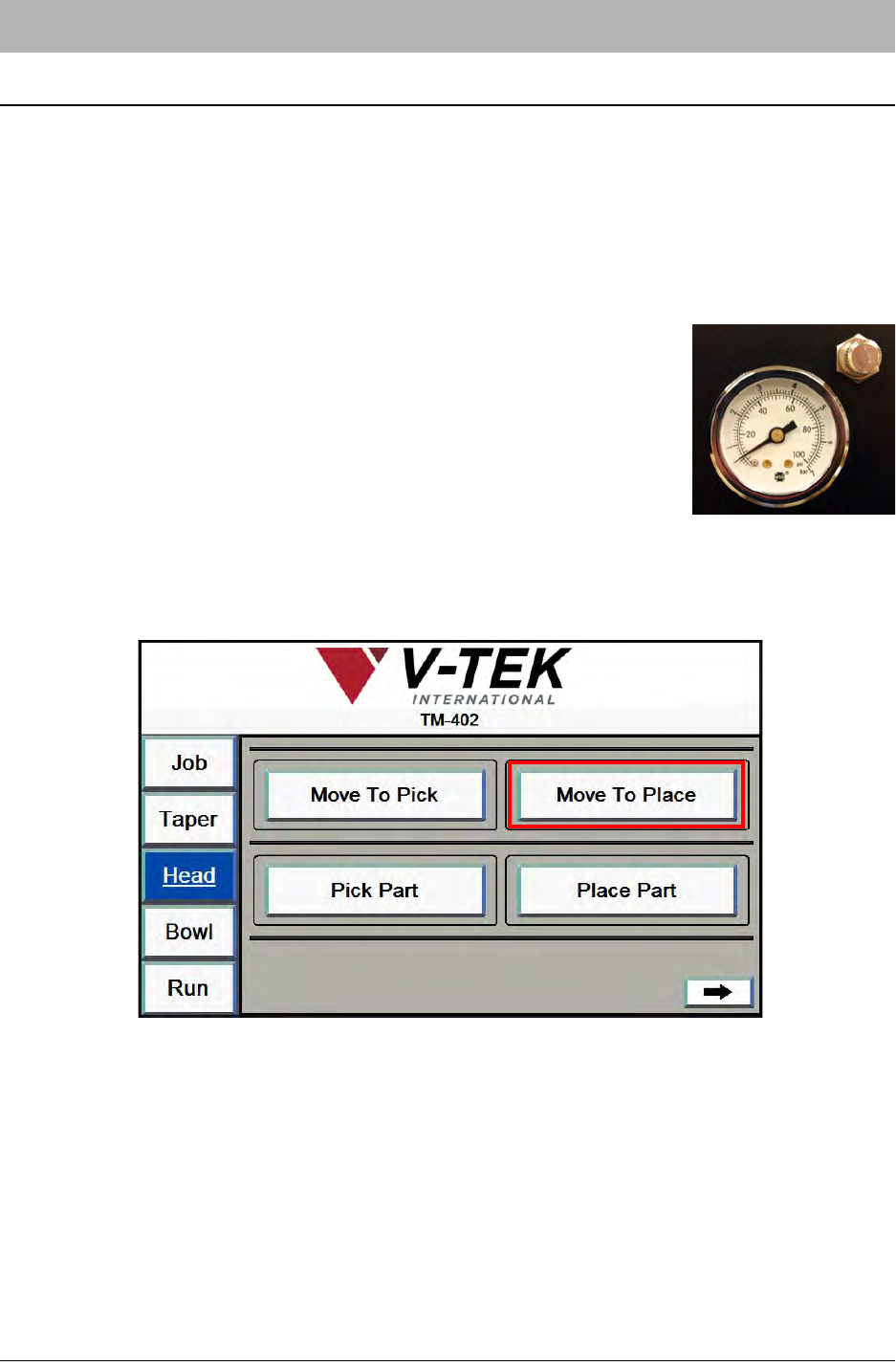
1. Adjust Blow-off Pressure. The Blow-off Pressure Gauge is
located on the front of the Pick Head enclosure. If components
are not dropping properly, pull the gauge out and rotate to adjust
pressure levels. When the desired pressure level is reached,
push the gauge back in.
Note: Every part is different and may require a different combi-
nation of adjustments to obtain proper place performance.
2. Adjust Place Position X. Open the HMI Head Tab. Press the Move To Place button.
D292105.9b.fm Tips on Part Placement
Chapter 7: Troubleshooting 7-25
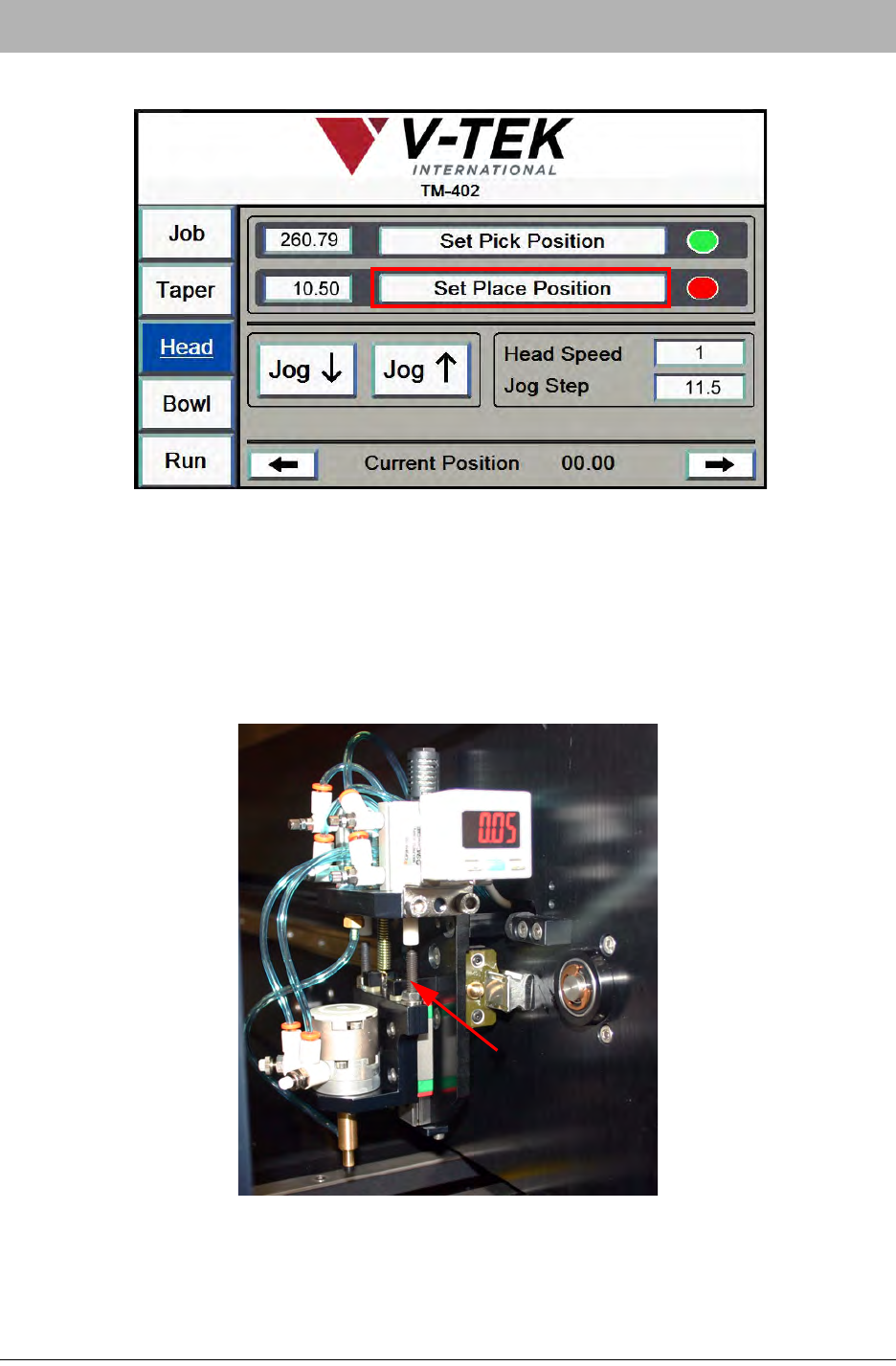
3. Press the Right Arrow to move to the next Head Tab.
Jog the head up or down until the nozzle is centered correctly over the place location.
When the nozzle is positioned correctly, press the Set Place Position button.
4. Adjust Place Position Z. Manually adjust the right Actuator Adjustment Screw up or
down until the nozzle is extended the appropriate distance above the place location. You
may need to experiment with placing a part to determine what Z Axis height works best.
When the nozzle is positioned correctly, press the Set Place Position button.
Actuator
Adjustment
Screw
7-26 TM-403 User’s Guide
Tips on Part Placement D292105.9b.fm
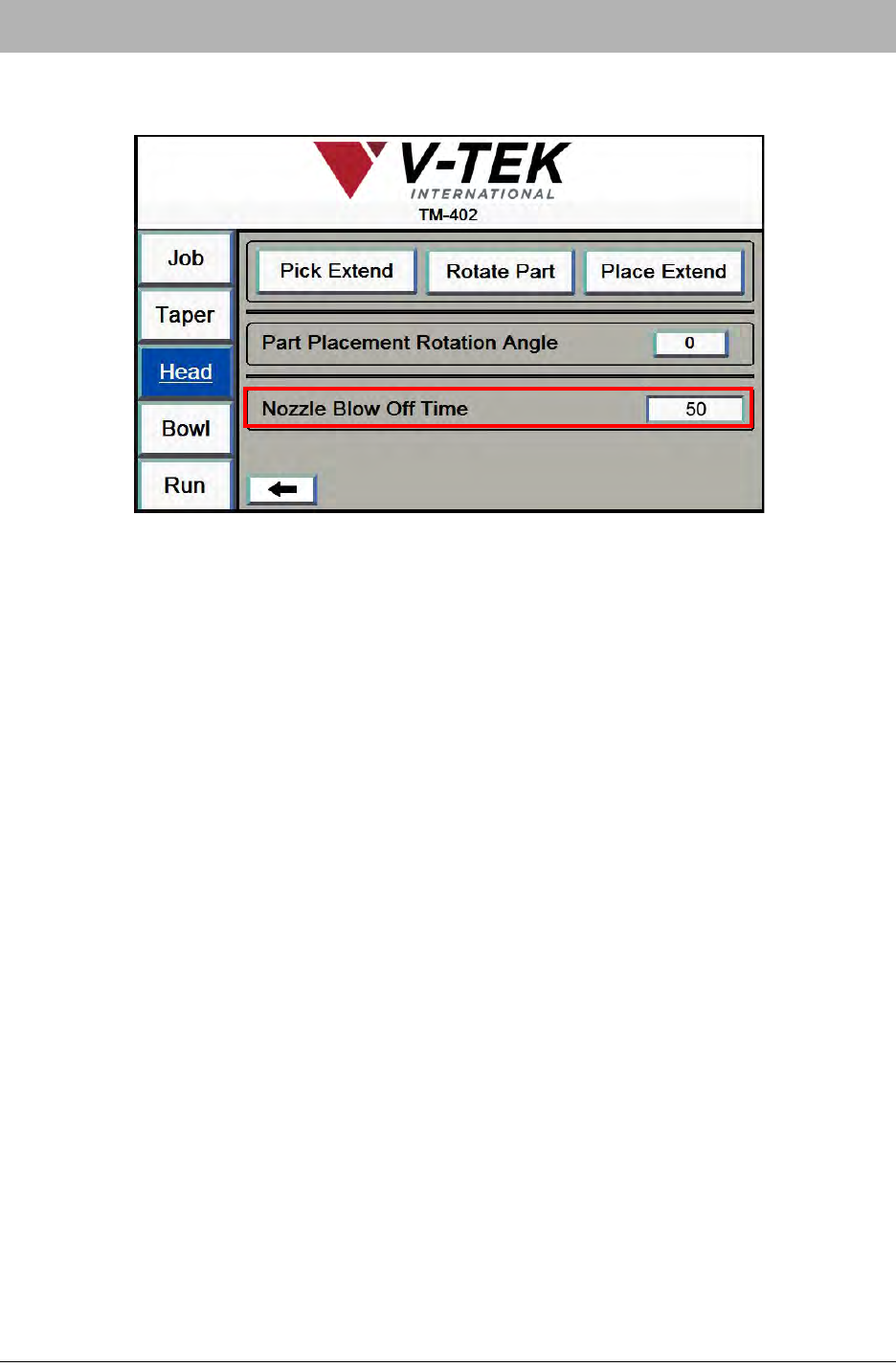
5. Adjust Blow Off Time. Press the right Arrow button on the bottom of the second Head
Tab to move to the last Head Tab screen
6. Adjust the length of Blow Off as needed to drop the part properly.
Note: If Nozzle Blow Off is set too low, the part may remain on the Nozzle Tip or “float”
down, resulting in an incorrectly placed part in the pocket.
If Nozzle Blow Off is set too high, the excess air may cause the part to bounce back out of
the pocket. Adjust the Nozzle Blow Off value until the TM-402 consistently and accurately
places parts in the carrier tape.