编带机说明书-含图纸ttm402.pdf - 第144页
5-46 TM-403 User’s Guide Configure Inspection D292105.16c.fm 2. After the setting is completed, touch Complete , then touch Ye s .
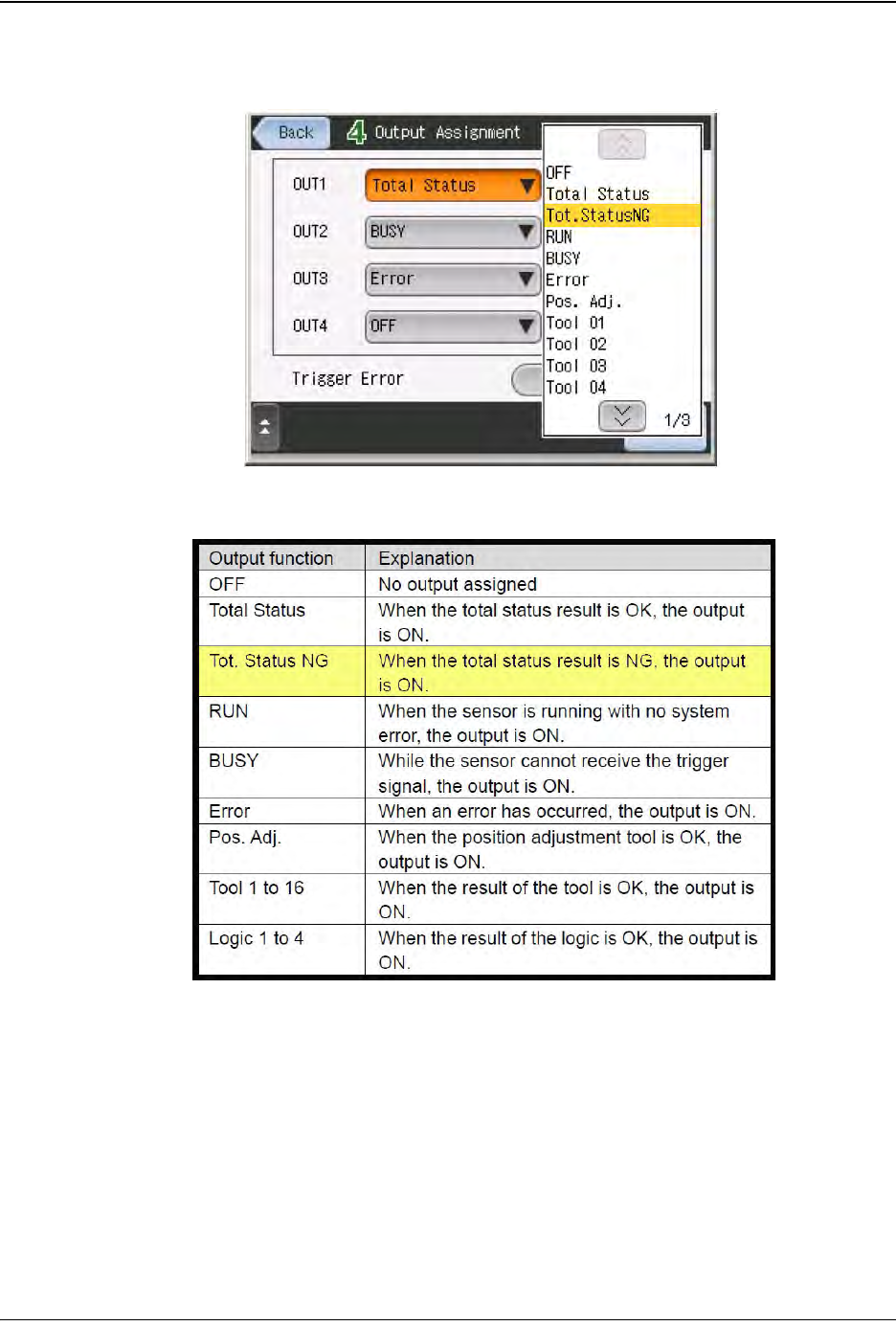
D292105.16c.fm Configure Inspection
Chapter 5: Setup 5- 45
Setup Output
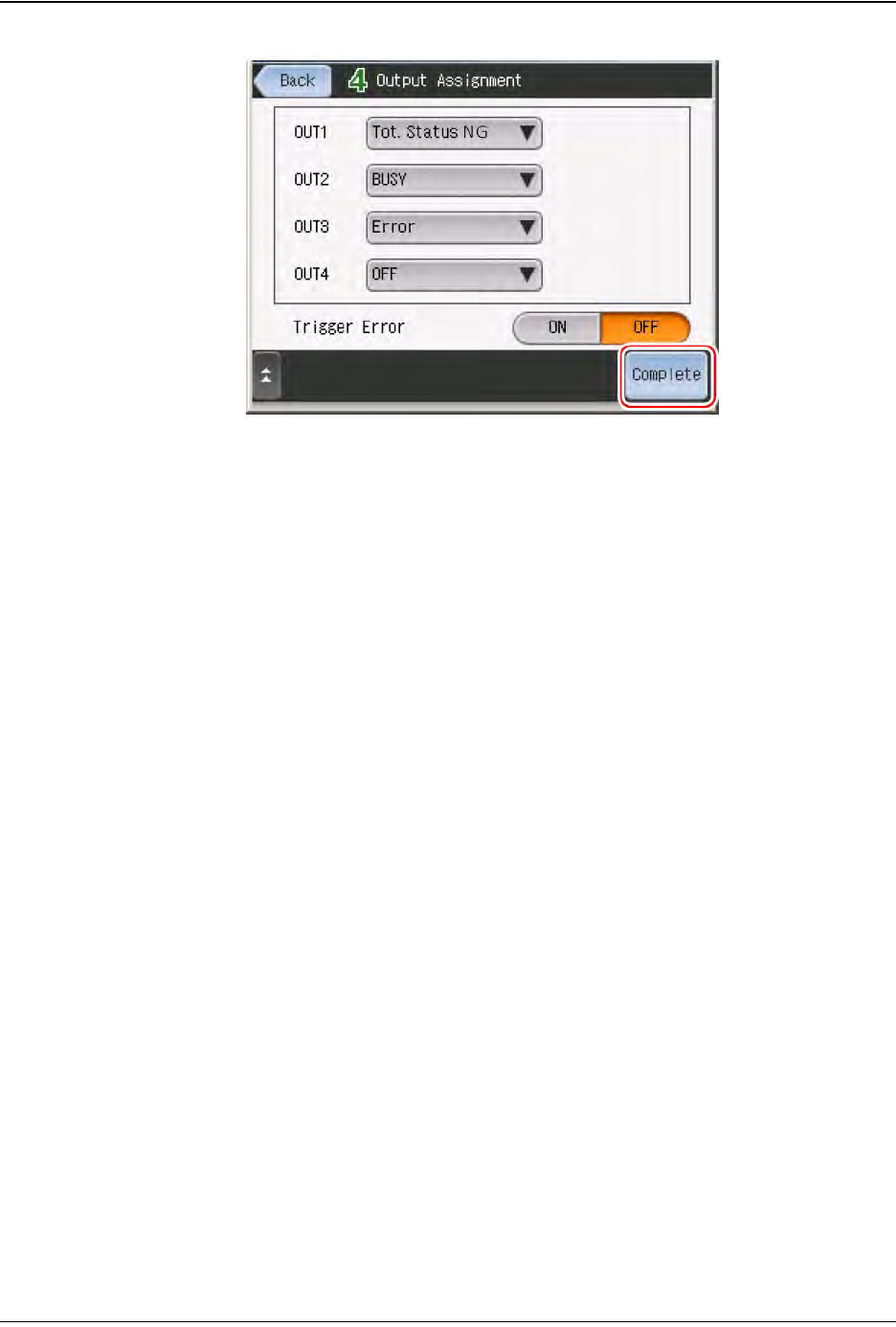
1. Touch the output line to assign the output function.
Set the output functions as follows:
• OUT1 = Busy
• OUT2 = Total Status
• OUT3 - OUT8 = OFF
Step 2:
Vision
Setup
CONFIGURE
MONITOR
5-46 TM-403 User’s Guide
Configure Inspection D292105.16c.fm
2. After the setting is completed, touch Complete, then touch Yes.

Chapter 6: Operation
Contents
Quick Start: Running a Job. . . . . . . . . . . . . . . . . . . . . . . . . . . . . . . . . . . .6-2
Preparing to Run a Pre-programmed Job . . . . . . . . . . . . . . . . . . . . . . . .6-4
Power up the System. . . . . . . . . . . . . . . . . . . . . . . . . . . . . . . . . . . . . . . . . . . . 6-4
Home Motors . . . . . . . . . . . . . . . . . . . . . . . . . . . . . . . . . . . . . . . . . . . . . . . . . . 6-4
Setup the Bowl Feeder. . . . . . . . . . . . . . . . . . . . . . . . . . . . . . . . . . . . . . . . . . . 6-6
Setup the Taper . . . . . . . . . . . . . . . . . . . . . . . . . . . . . . . . . . . . . . . . . . . . . . . . 6-7
Select Job . . . . . . . . . . . . . . . . . . . . . . . . . . . . . . . . . . . . . . . . . . . . . . . . . . . . 6-8
Setup the Pick Head . . . . . . . . . . . . . . . . . . . . . . . . . . . . . . . . . . . . . . . . . . . . 6-9
Setup Vision. . . . . . . . . . . . . . . . . . . . . . . . . . . . . . . . . . . . . . . . . . . . . . . . . . . 6-10
Run the Job . . . . . . . . . . . . . . . . . . . . . . . . . . . . . . . . . . . . . . . . . . . . . . . . . . . 6-11