编带机说明书-含图纸ttm402.pdf - 第175页
D292105.9b.fm System Alarm Messages Chapter 7: Troubleshooting 7-19 Halted State Err or Condition If the E-Stop button is pressed or the system is started up and the Reset button is not pressed, the following message wil…
7-18 TM-403 User’s Guide
System Alarm Messages D292105.9b.fm
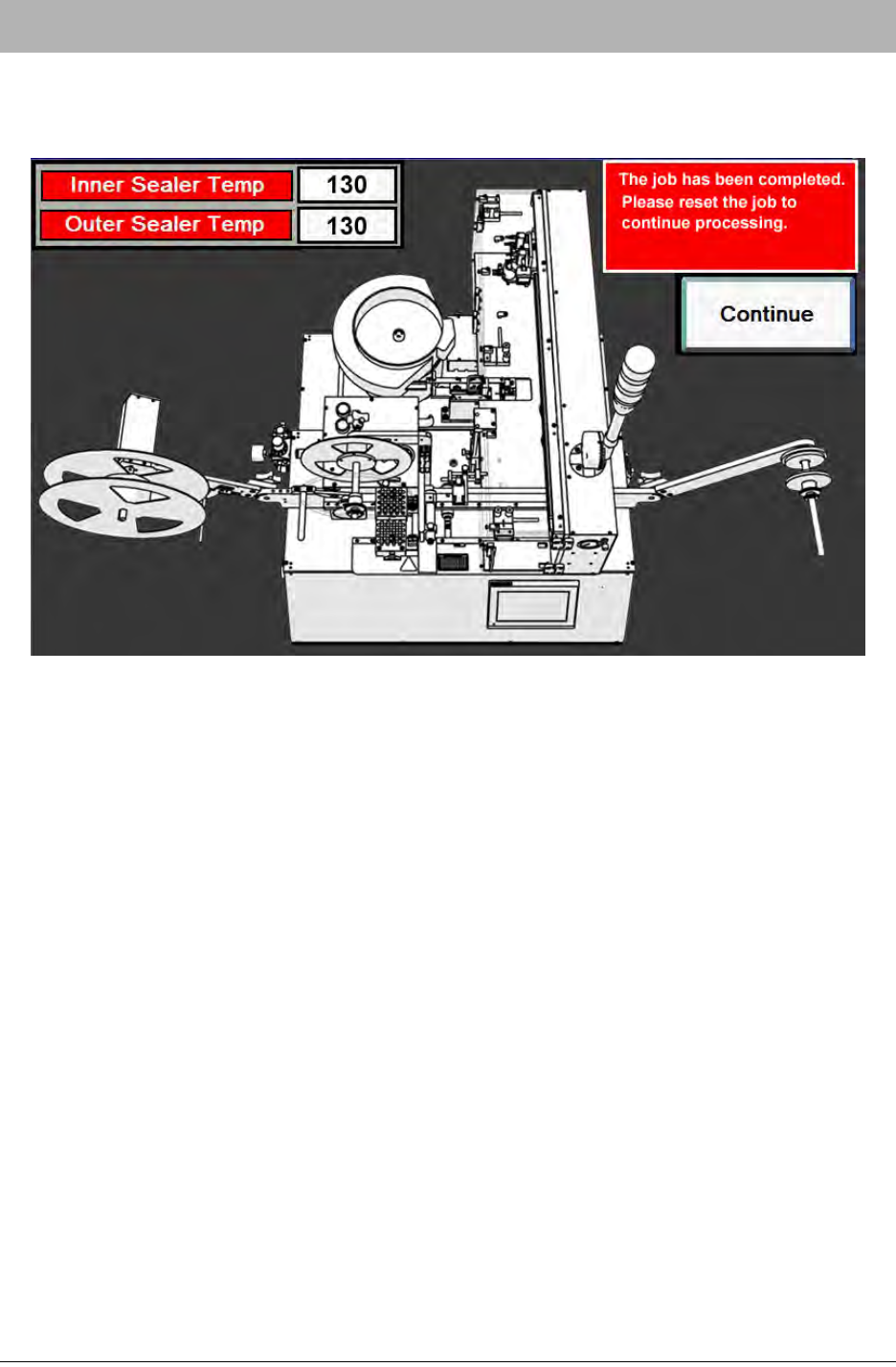
End of Job System Alarm
If the operator completes a job and then attempts to run the same job again without resetting the
job, an End of Job System Alarm will appear on the HMI.
The operator can resolve the alarm by resetting the job. Push Continue to clear the alarm mes-
sage and resume processing.
D292105.9b.fm System Alarm Messages
Chapter 7: Troubleshooting 7-19
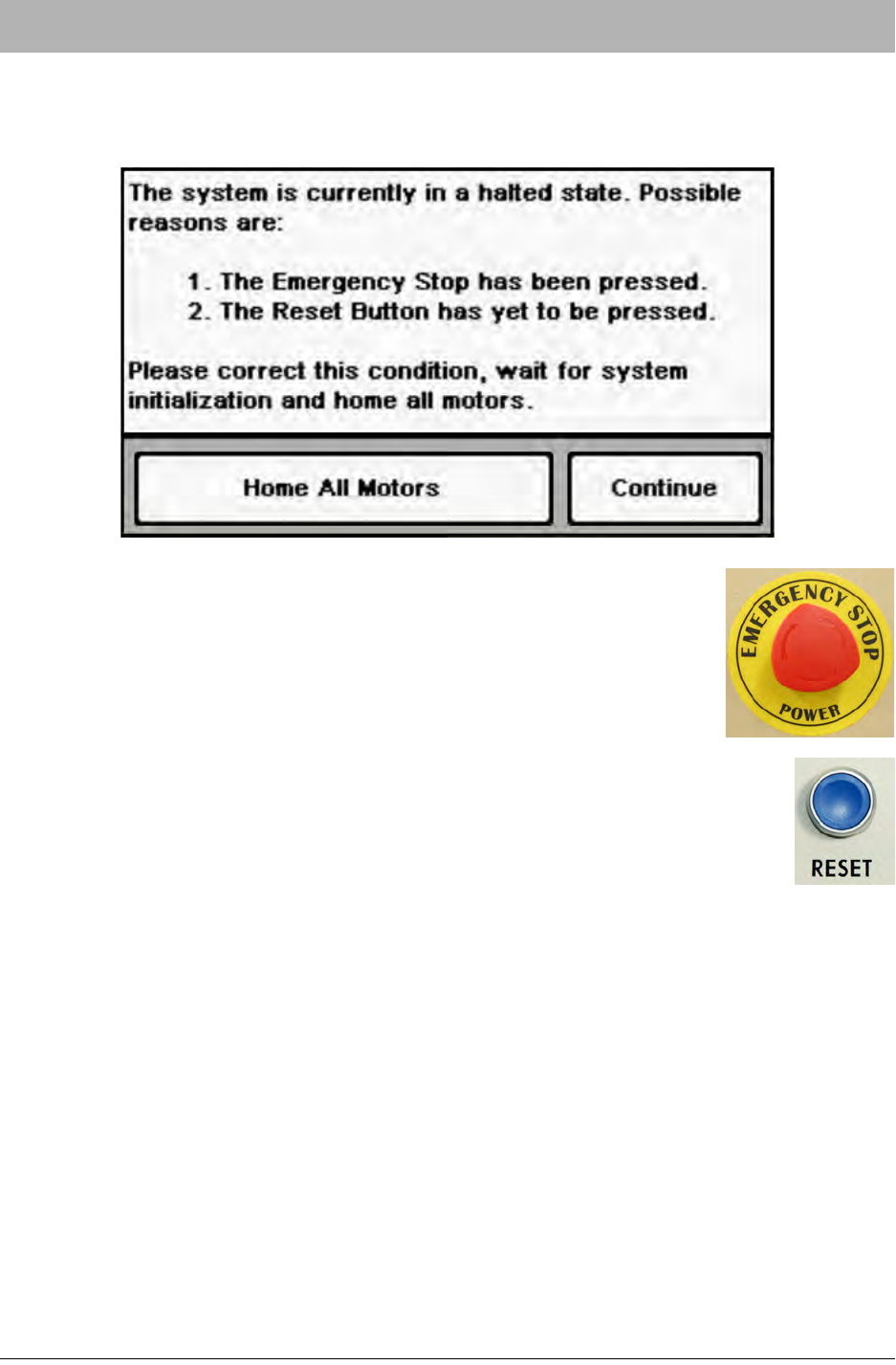
Halted State Error Condition
If the E-Stop button is pressed or the system is started up and the Reset button is not pressed,
the following message will appear on the HMI.
To resolve the error message, clear the emergency stop condition, then
twist and release the E-Stop button.
Press the Reset button. Once the system has finished booting, open the
HMI Job Tab and press Home Required to begin the motor homing sequence.
7-20 TM-403 User’s Guide
System Alarm Messages D292105.9b.fm
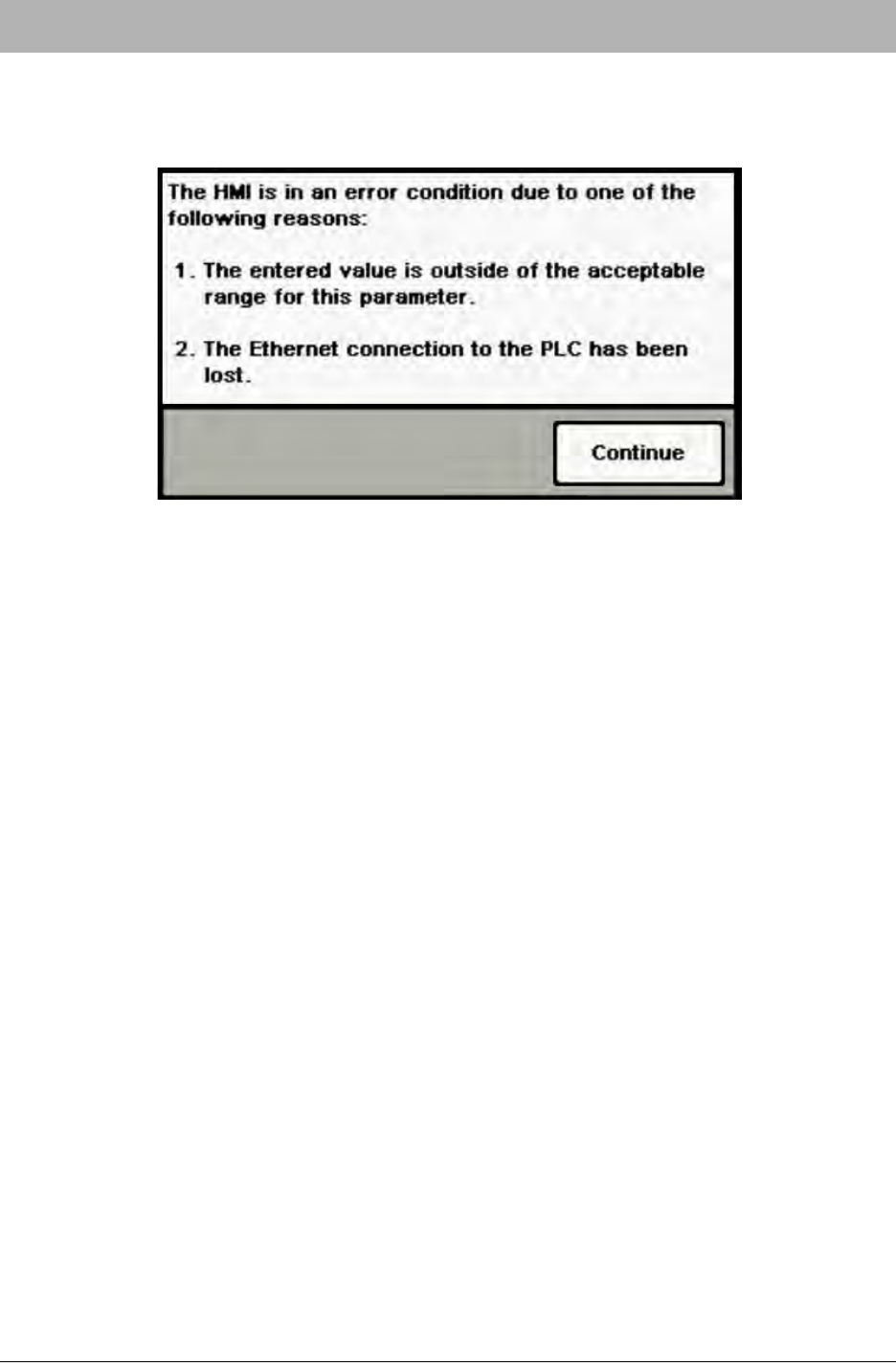
HMI Error Condition
If the operator enters a value in a setup field that is outside the accepted range for the field or if
the Ethernet connection to the PLC is lost, the following message will appear on the HMI.
To resolve the error condition in this instance, enter an acceptable value into the field.
If this message persists, it indicates that the Ethernet connection to the PLC may have been lost.
Contact V-TEK Service for support.