编带机说明书-含图纸ttm402.pdf - 第114页
5-16 TM-403 User’s Guide Configure Inspection D292105.16c.fm Click on the Lighting t ab and select ON and Flash . Then click the Next to STEP2 button which is located in the bot tom right corner of the window . 9. The Sa…
D292105.16c.fm Configure Inspection
Chapter 5: Setup 5- 15
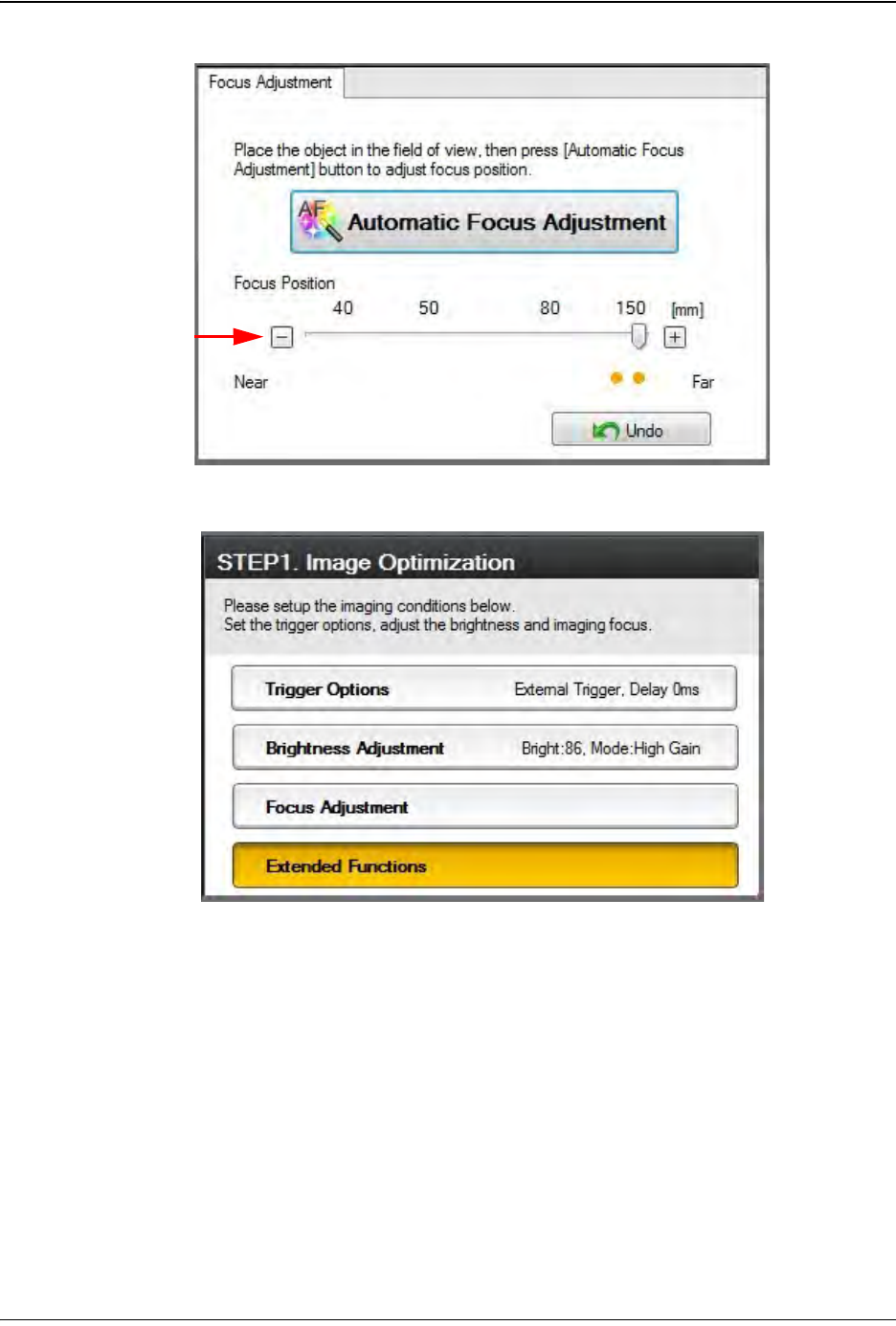
8. Select the Extended Functions button on the right.
Click on the Imaging Area tab (not shown) and adjust the selection box so it
captures the minimum area needed to achieve the desired inspection.
Step 2:
Vision
Setup
CONFIGURE
COMPUTER
5-16 TM-403 User’s Guide
Configure Inspection D292105.16c.fm
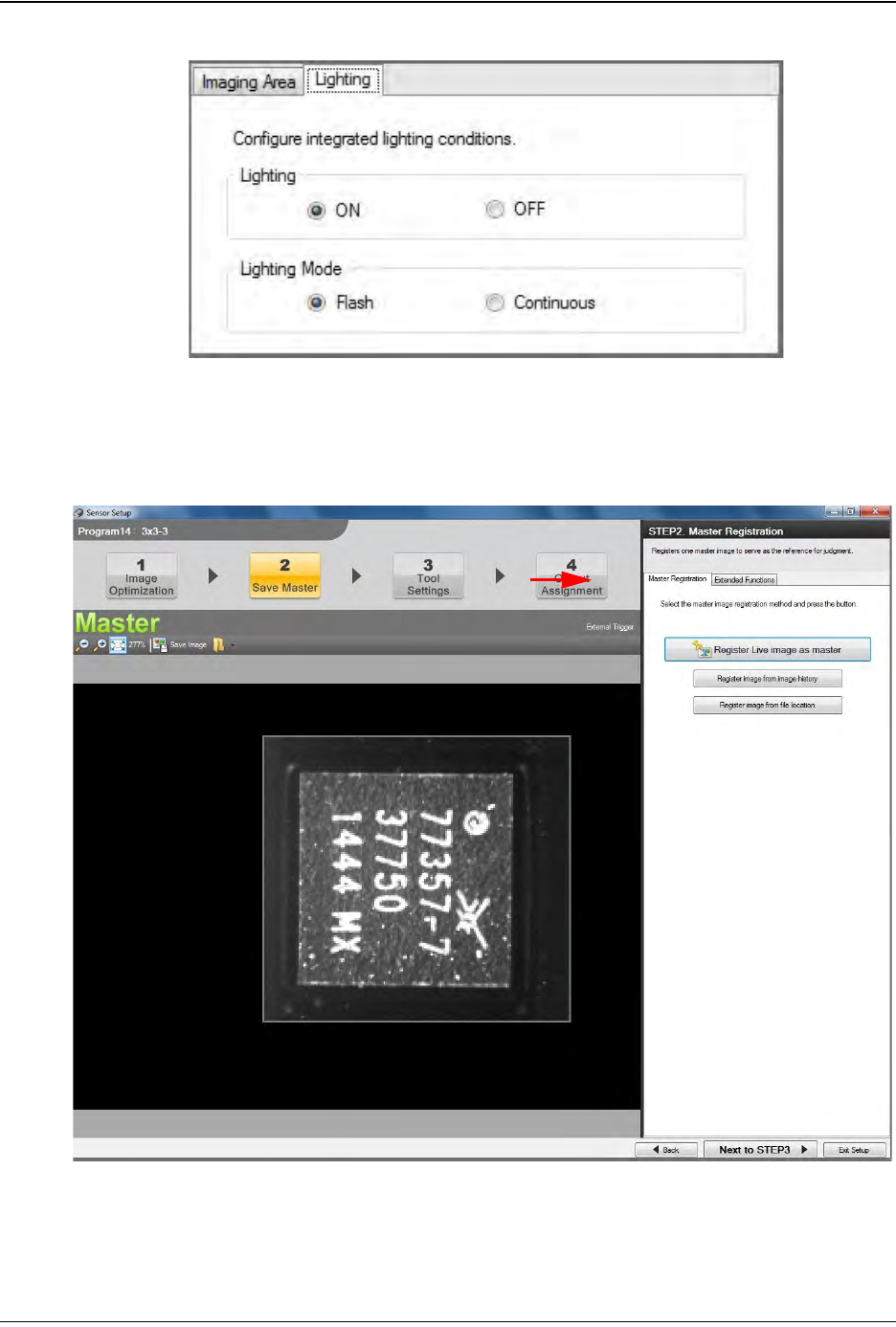
Click on the Lighting tab and select ON and Flash. Then click the Next to STEP2
button which is located in the bottom right corner of the window.
9. The Save Master window will open.
Step 2:
Vision
Setup
CONFIGURE
COMPUTER
D292105.16c.fm Configure Inspection
Chapter 5: Setup 5- 17
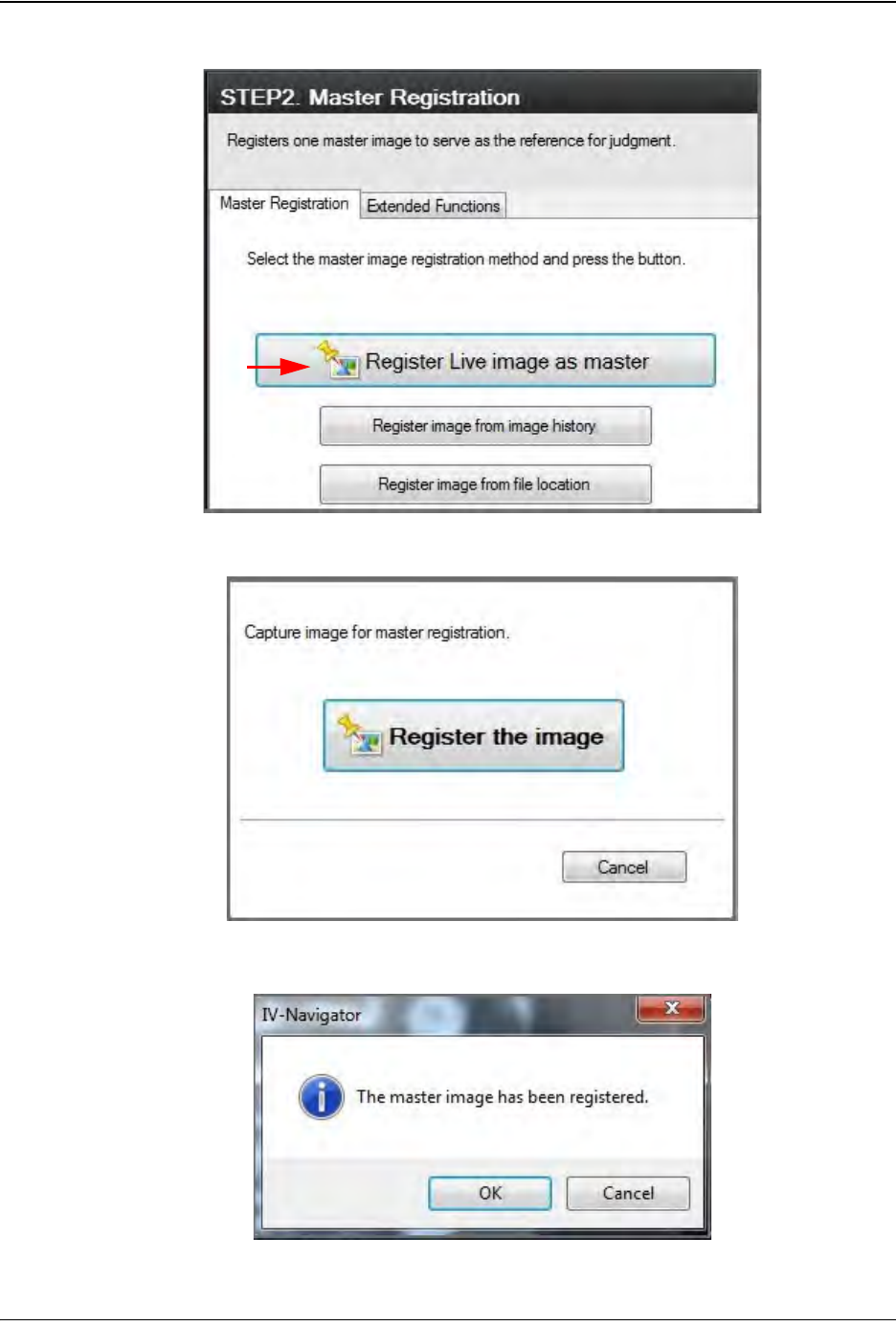
Select Register Live image as master.
Select Register the image.
Once the image has been registered, click OK. Then click Next to STEP3.
Step 2:
Vision
Setup
CONFIGURE
COMPUTER