编带机说明书-含图纸ttm402.pdf - 第69页
D292105.6a.fm Run Tab Chapter 3: Human Machine Interface 3-27 Run T ab When Run is selected from the T ab Menu , the Run T ab opens. It includes job information, cur- rent job statistics, S tatus messages and Run control…
3-26 TM-403 User’s Guide
Bowl Tab D292105.6a.fm
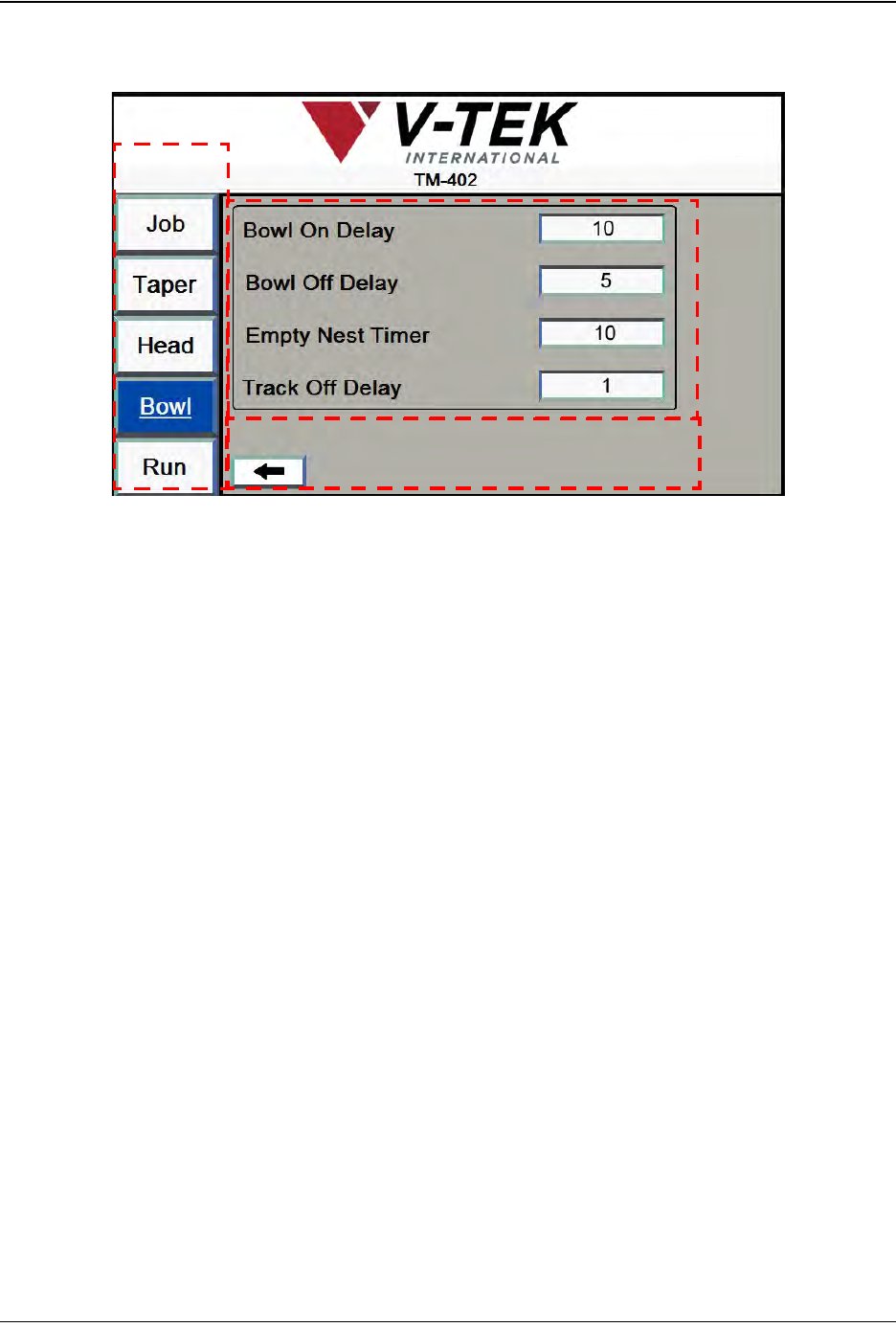
2. Bowl Screen 2 allows the user to set timers and delays..
A. Press any tab in the Tab Menu to open that tab window.
B. Bowl On Delay is used to set the length of time in seconds between when the
Track Full Sensor detects that there are no parts in the track and when the bowl is
turned on to feed parts. The minimum recommended setting for Bowl On Delay is
one second.
Bowl Off Delay is used to set the length of time in seconds between when the
Track Full Sensor first detects a part in the nest and when the bowl is automati-
cally turned off.
The Linear Track’s Nest has a sensor which detects when parts are present. The
Empty Nest Timer setting is the time in milliseconds the Empty Nest Timer
should wait before it beeps to indicate parts are not loading in the nest.
Track Off Delay is the time in seconds that the vibratory will continue to vibrate
the track after the machine is stopped.
Note: The TM-402 will use these settings for the current job. To save Bowl Feeder Set-
tings for future jobs, go to the Job Tab, select a job name and Save.
A
B
C
Bowl Screen 2
D292105.6a.fm Run Tab
Chapter 3: Human Machine Interface 3-27
Run Tab
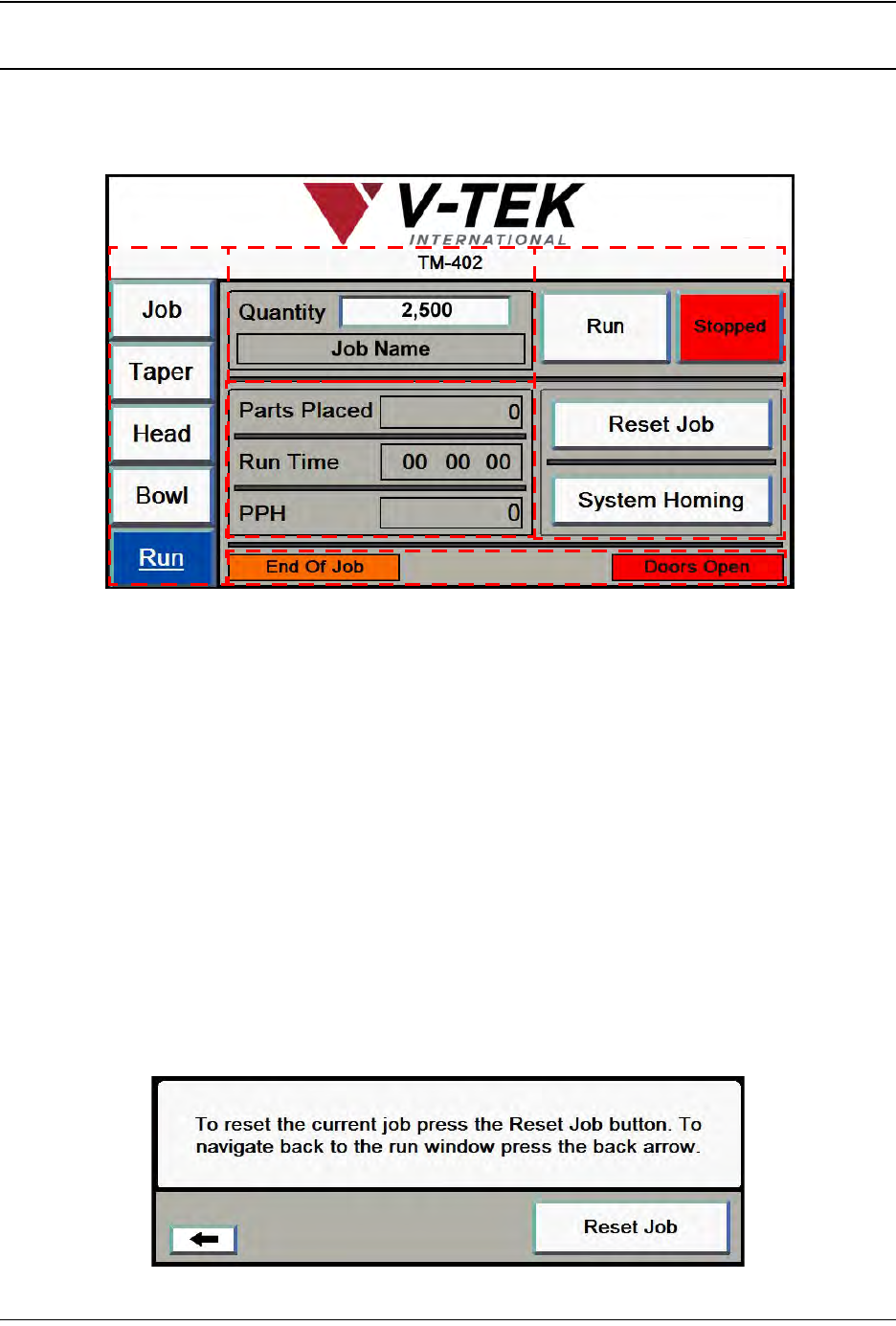
When Run is selected from the Tab Menu, the Run Tab opens. It includes job information, cur-
rent job statistics, Status messages and Run control buttons. The Run Screen with all status
messages displayed appears below.
A. Press any tab in the Tab Menu to open that tab window.
B. The Job Information section has two fields: Quantity and Job Description. This
information was entered in the Job Wizard during job setup. The Job Description
field is greyed out, indicating it cannot be altered in this tab. To edit the Quantity
field, press anywhere inside the field to open a keypad for data entry.
C. There are four control buttons on the Run Tab: Run/Running, Stop/Stopped,
Reset Job, and System Homing.
• The Run and Stop buttons start and stop job processing. They change color to
indicate they are active. In the Run Tab above, the red Stopped button indi-
cates the current job has been stopped.
• The Reset Job button resets all job statistics to zero. This is useful for running
multiple reels of the same job.
When Reset Job is pressed, the following message appears.
A
B
D
C
E
3-28 TM-403 User’s Guide
Run Tab D292105.6a.fm
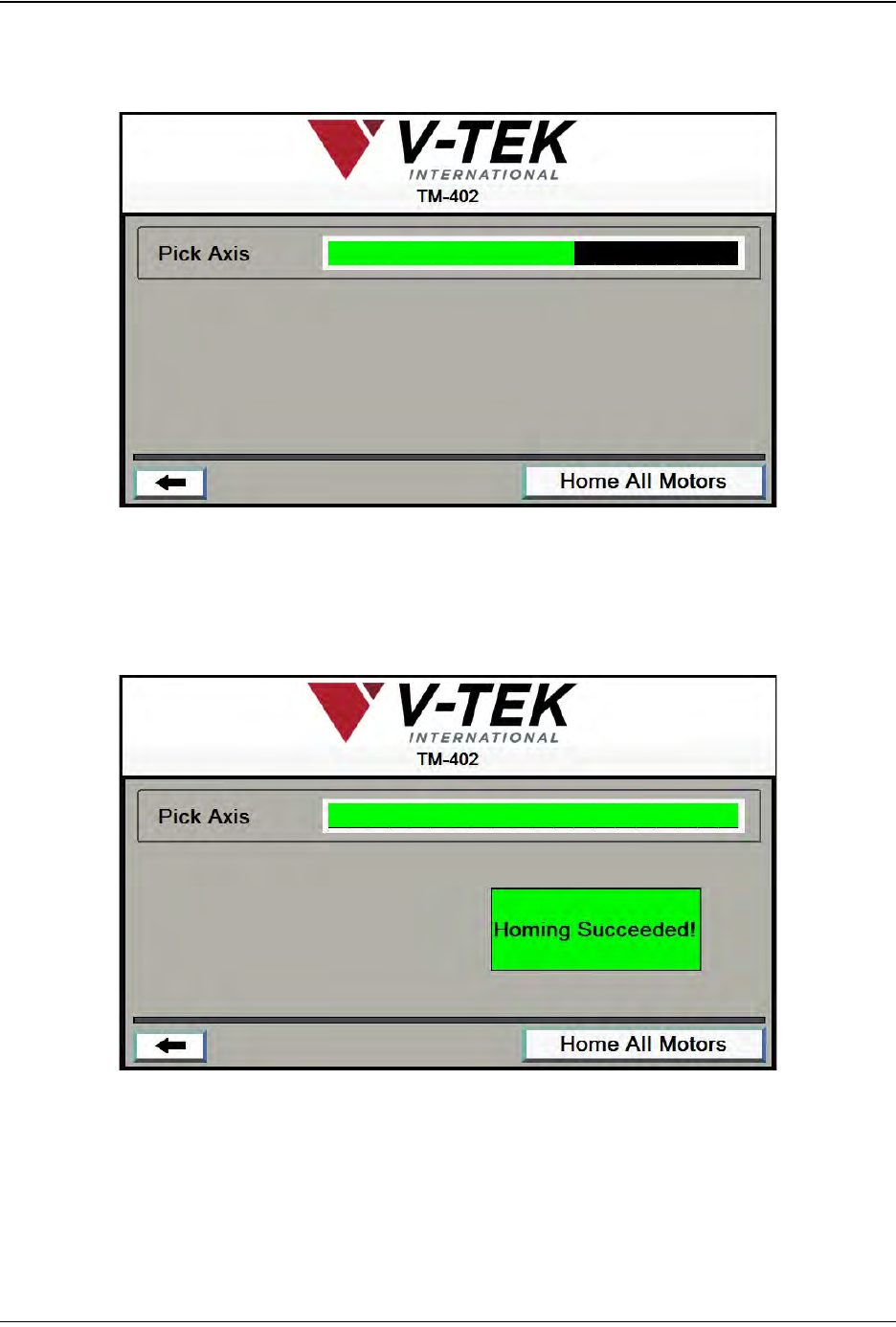
• The System Homing button allows the user to home the motor. Homing motors
should be done once following every system power up. When System Homing is
selected, the Homing Status window will appear.
Pressing the Home All Motors button begins the homing sequence. Homing
progress is displayed in the Pick Axis Motor Status Bar.
As the homing sequence is completed, the bar gradually turns from black to
green. A Homing Succeeded! message appears at the end of the sequence.