编带机说明书-含图纸ttm402.pdf - 第153页
D292105.8b.fm Preparing to Run a Pre-programmed Job Chapter 6: Operation 6- 9 Setup the Pick Head 1. Ensure the correct Nozzle and Nozzle Tip are inst alled for the job that will be run.: Note: See the Chapter 4: Setup f…
6-8 TM-403 User’s Guide
Preparing to Run a Pre-programmed Job D292105.8b.fm
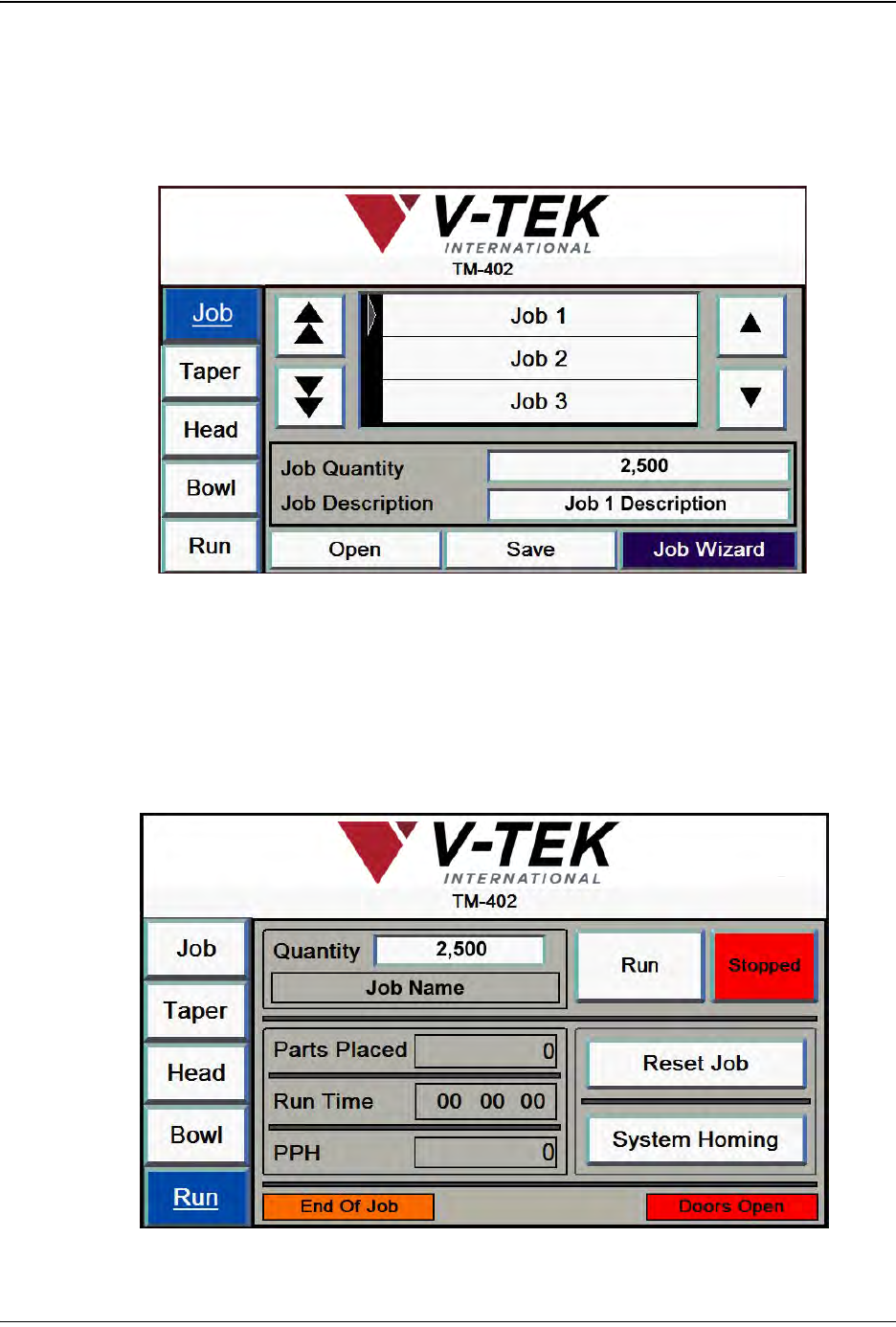
Select Job
When a job is already set up and saved in the machine’s memory, the first step in running
the job is to call it up with the Job Select screen.
1. On the HMI, select the Job Tab
2. Browse through the Job Library to locate the desired job by using the up and down
Arrow buttons.
3. Press the Enter button to select the job, then press Open to open the selected job
in the Run Tab..
Step 5:
Select
Job
D292105.8b.fm Preparing to Run a Pre-programmed Job
Chapter 6: Operation 6- 9
Setup the Pick Head
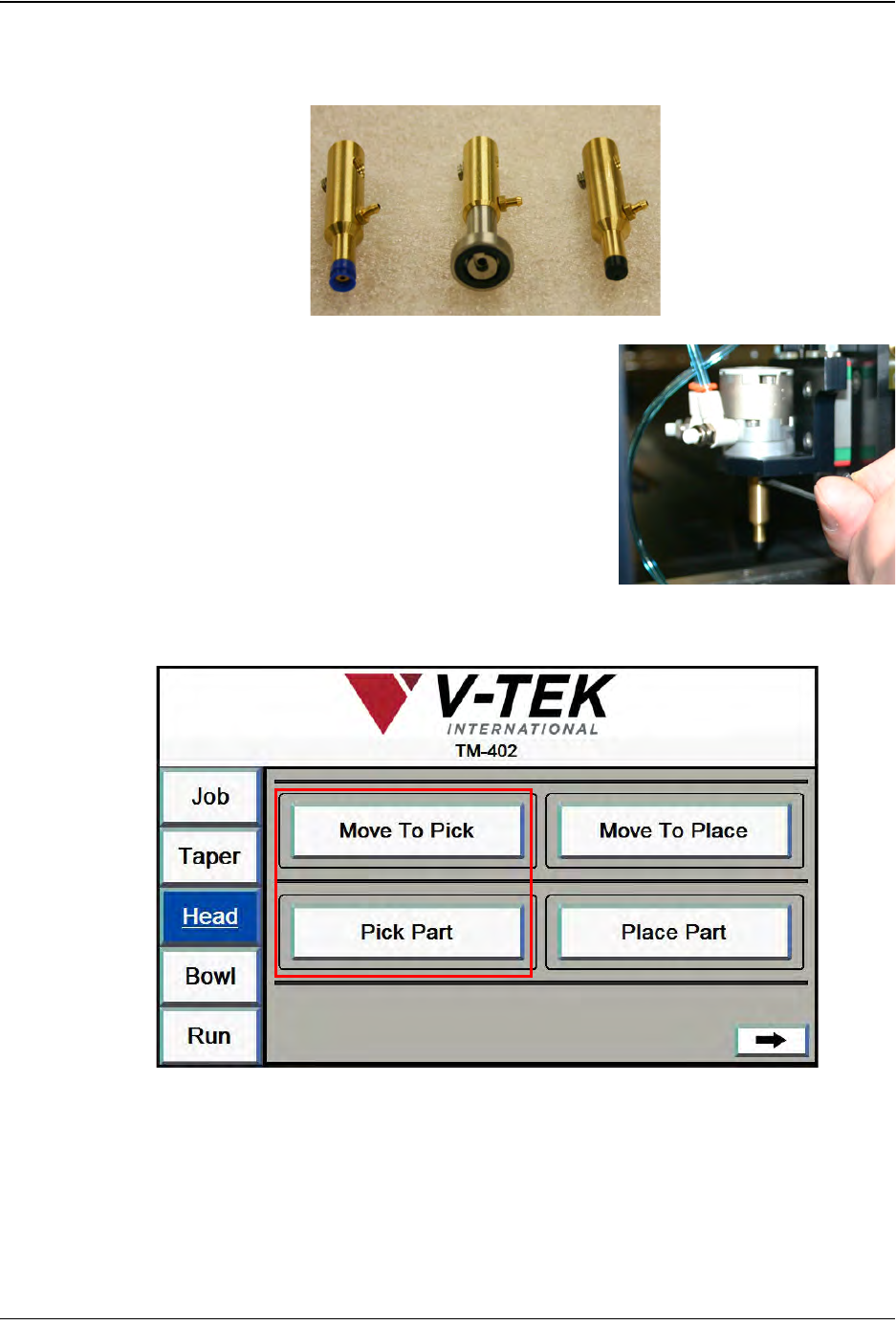
1. Ensure the correct Nozzle and Nozzle Tip are installed for the job that will be run.:
Note: See the Chapter 4: Setup for nozzle
change procedures.
2. Open the Head Tab on the HMI.
Step 6:
Setup
Pick Head
6-10 TM-403 User’s Guide
Preparing to Run a Pre-programmed Job D292105.8b.fm
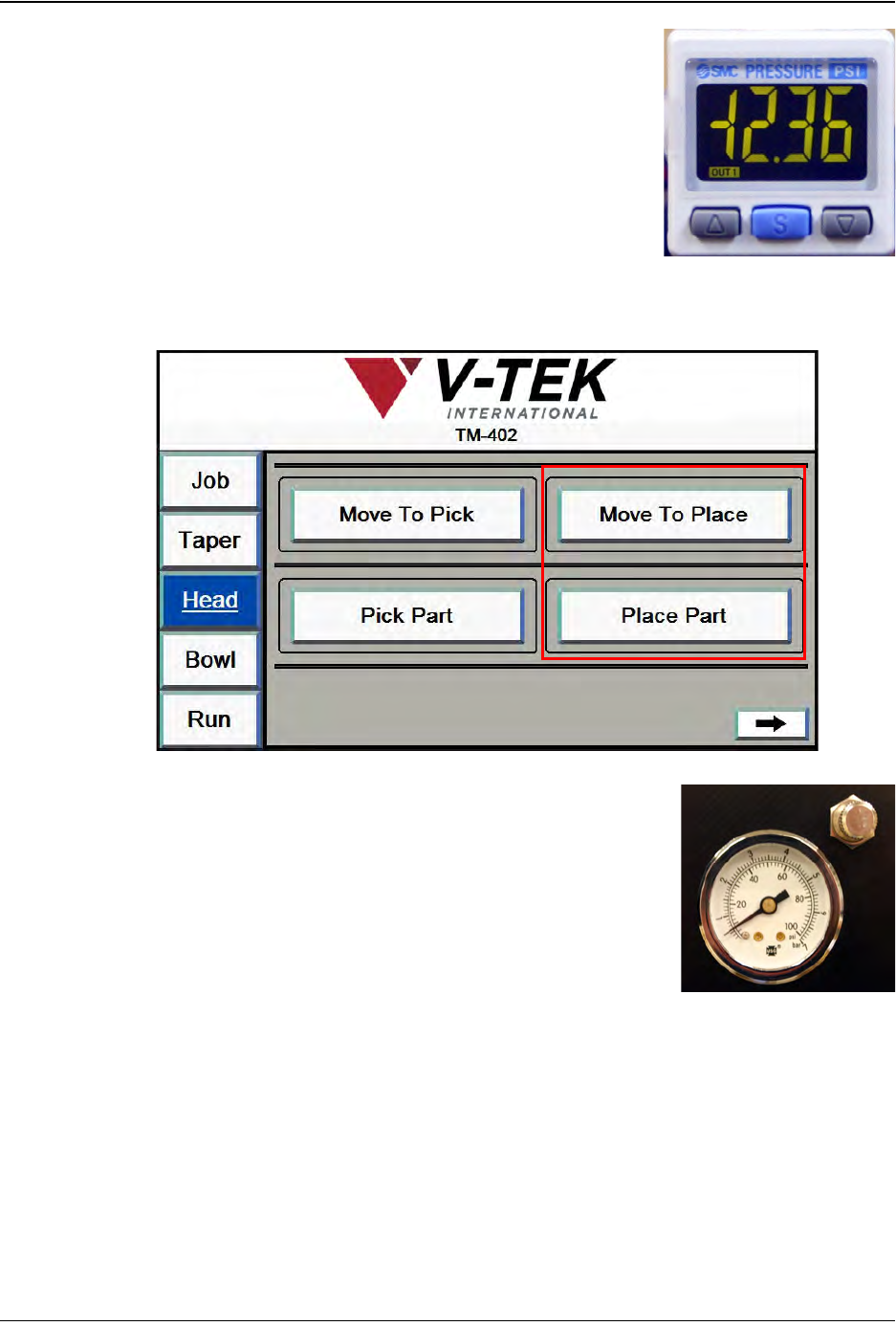
3. Press Move To Pick, then press Pick Part. Observe the
vacuum sensor which is located on top of the head to
see if it is set correctly for the current part. The numbers
should be lit in green with components on the nozzle
and red if components are not.
Note: See the Chapter 6: Troubleshooting for vacuum
sensor adjustment procedures.
4. Return to the Head Setup Tab.Press Move To Place, then press Place Part.
Check that the Blow Off Pressure is set correctly for the
current part. The Blow-off Pressure Gauge is located on
the front of the Pick Head Bridge. If components are not
dropping properly, pull the gauge out and rotate to adjust
pressure levels. When the desired pressure level is
reached, push the gauge back in.
Setup Vision
The TM-402 Vision System will automatically revert to the previous inspection. If the
same part is being run, there is no need to retrain the camera. Proceed to Step 8. If a dif-
ferent job/inspection is being run, follow the setup instructions in Chapter 4: Setup.
Step 7:
Setup
Vision