00194440-10_SM_X-Series_Customer_en.pdf - 第230页
Service Work X-Series Component Trolley 3.10.5 Replacing the Insert Feeder [0 3002898-xx] 230 Service Manua l SIPLACE X Series 3.10.5 3 . 1 0 . 5 R e p la c in g t h e I n s e r t F e e d e r [ 0 3 0 0 2 8 9 8 - x x ] Re…
Service Work
3.10.4 Replacing the Centering Sleeves [03009987-xx] X-Series Component Trolley
Service Manual SIPLACE X Series 229
3.10.4
3.10.4 Replacing the Centering Sleeves [03009987-xx]
Replacing the Centering Sleeves [03009987-xx]
Parts, equipment and tools
▪ Centering sleeve [03009987-xx]
▪ Loctite 243 [00334892-xx]
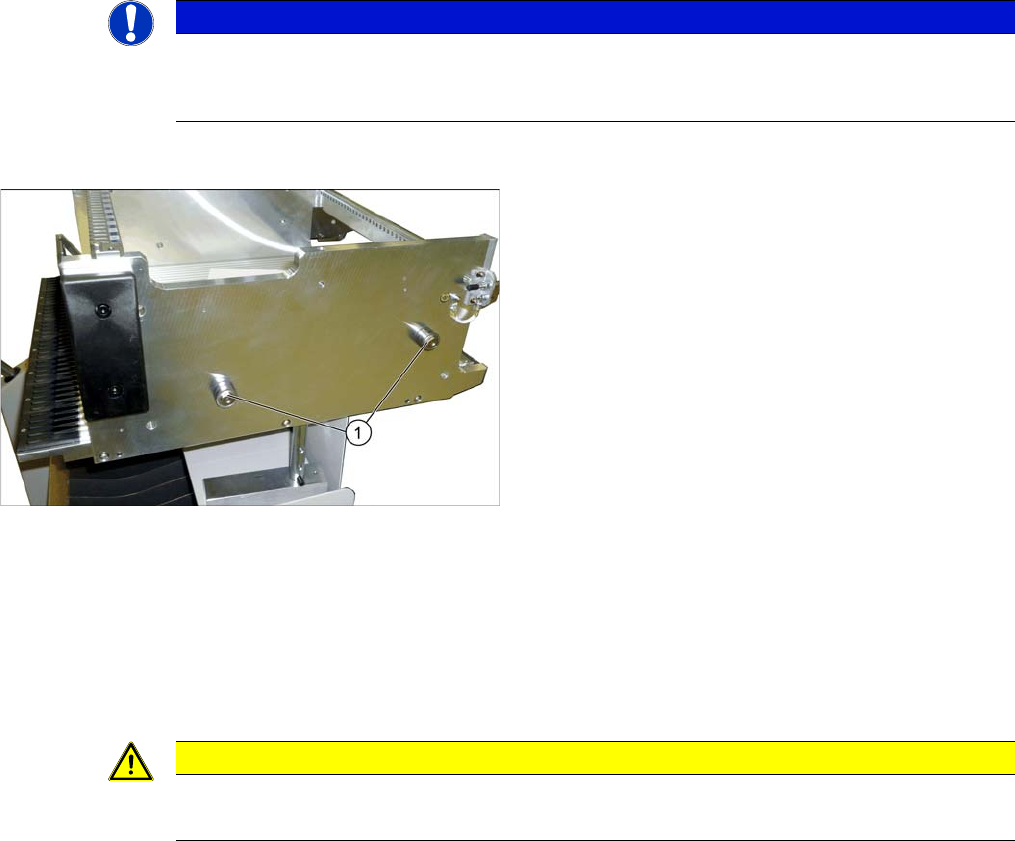
Overview
Removal
► Loosen the screw fastening the centering sleeve and then remove the centering sleeve.
Installation
► Follow the removal instructions in reverse order for installation. Also observe the following instruc-
tions:
NOTICE
Replacing all sleeves.
We recommend that you always replace all sleeves belonging to a changeover table at the
same time.
1. Centering sleeves (four per table)
CAUTION
Installation instructions
► Secure the screws with Loctite 243.
Service Work
X-Series Component Trolley 3.10.5 Replacing the Insert Feeder [03002898-xx]
230 Service Manual SIPLACE X Series
3.10.5
3.10.5 Replacing the Insert Feeder [03002898-xx]
Replacing the Insert Feeder [03002898-xx]
Parts, equipment and tools
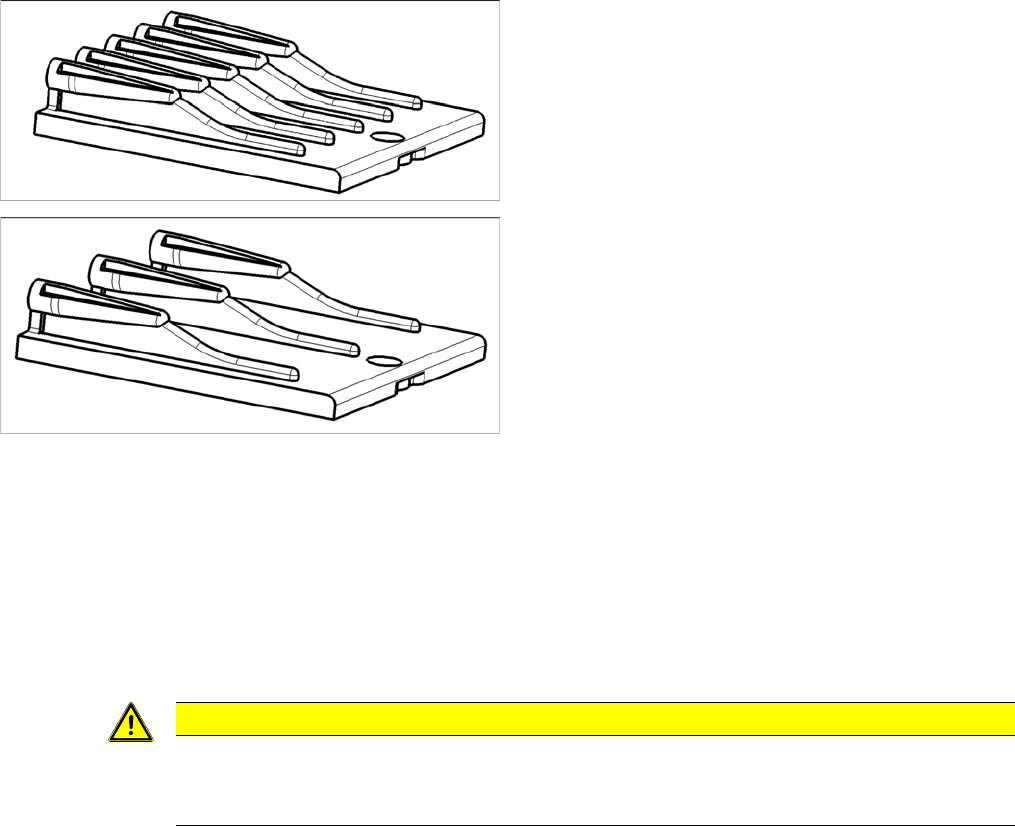
Select the right insert feeder:
Removal
► Move the component trolley out of the machine.
► Loosen the screw fastening the guide profile and remove the guide profile.
Installation
► Follow the removal instructions in reverse order for installation. Also observe the following instruc-
tions:
Insert feeder [03002898-xx]
Suitable for:
▪ X-Series component trolley
▪ Component trolley SX1/SX2 (30 or 60 tracks)
▪ Manual table X-Series S
Insert feeder [03085635-xx]
Suitable for:
▪ Manual table DX series
CAUTION
Installation instructions
► Make sure that the insert is aligned properly with the guidance behind it. You must be able
to push feeder modules into the feeder location without edge interference.
Service Work
3.10.6 Replacing the Actuator/Protective Bracket X-Series Component Trolley
Service Manual SIPLACE X Series 231
3.10.6
3.10.6 Replacing the Actuator/Protective Bracket
Replacing the Actuator/Protective Bracket
Parts, equipment and tools
▪ Torque wrench T20 with drilled hole (for screw ISO 7380-TX with pin - M4)
▪ Actuator AZ335 Schmersal [03013488-xx]
▪ Protective bracket: holder and protection for actuator [03095447-xx]
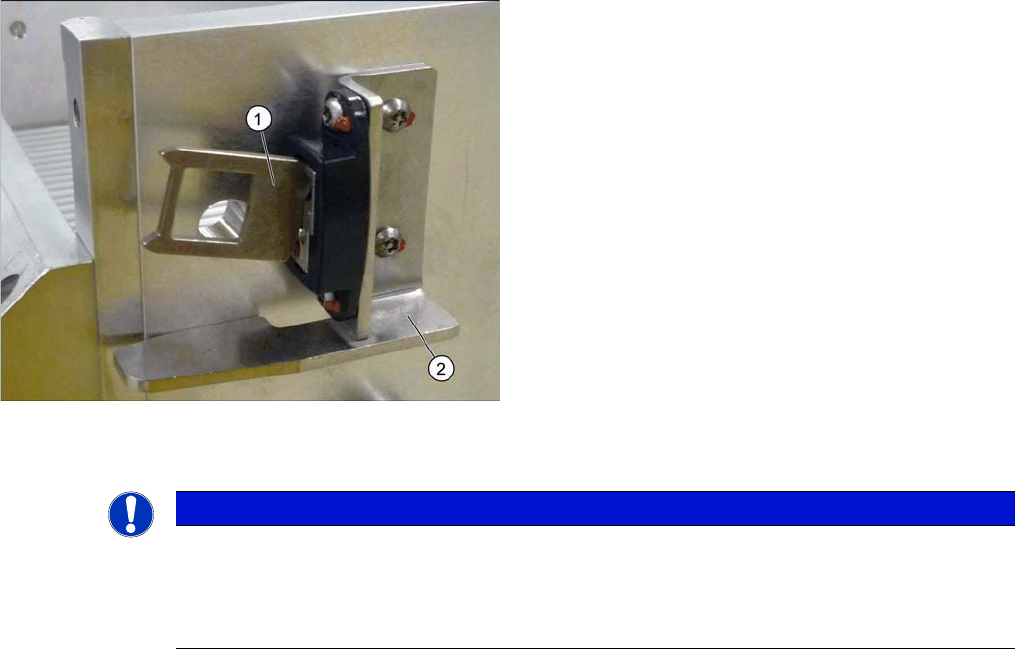
Overview
Installation
1. Actuator
2. Protective bracket
NOTICE
Installation instructions
► Tighten the fastening screws for the actuator on the protective bracket with amaximum
torque of 200 Ncm.
► Set the actuator (see "5.5.1 Setting the Actuator on the Component Trolley" [ ➙ 347]).