00194440-10_SM_X-Series_Customer_en.pdf - 第95页
Service Work 3.3.6 Replacing the Head Plate Sensor [03013143-xx] Gantries Service Manual SIPLACE X Series 95 3.3.6 3 . 3 . 6 R e p la c in g t h e H e a d P la t e S e n s o r [ 0 3 0 1 3 1 4 3 - x x ] Replacing the Head…
Service Work
Gantries 3.3.5 Replacing the Cooling Tubes for the Y Axis Motor Cooling System
94 Service Manual SIPLACE X Series
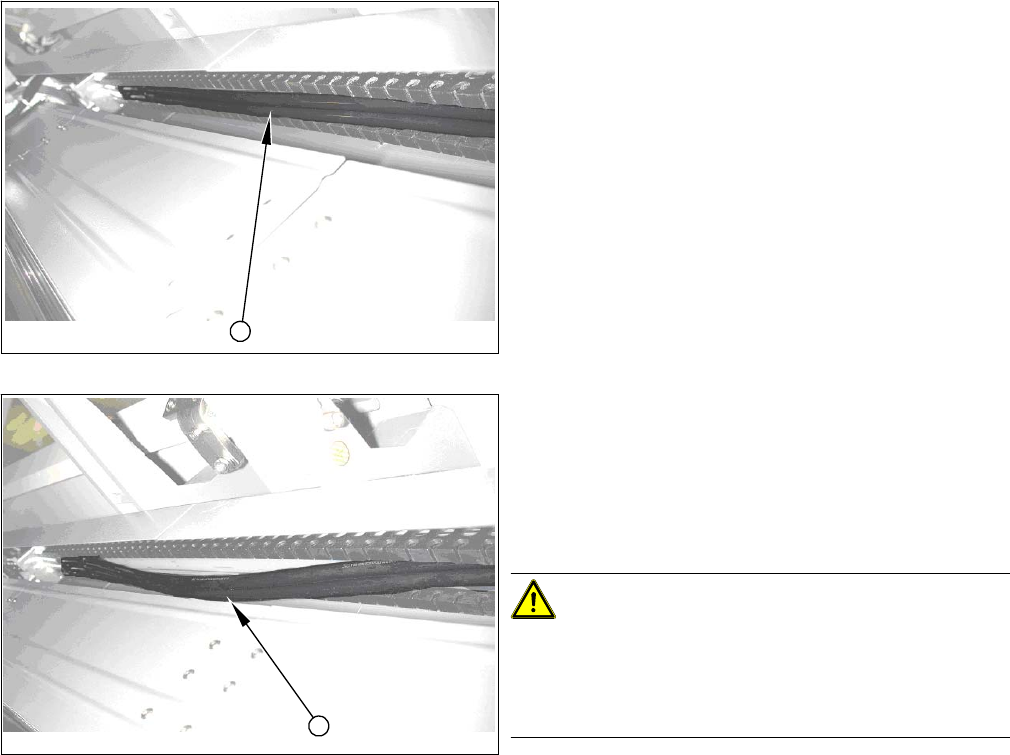
Checking and assessing how the tubes are run
(1) Good condition – the tubes are run along all positions
of the axes in the trailing cable profile.
► Move the gantry to the second end position and then
back again to the first end position. The long trailing
part will be at the bottom for the second end position
and at the top again for the first end position.
(2) Poor condition – the tubes are run in a slight loop .
► Shorten the tubes by approx. two to three mm.
► Move the gantry to the second end position and then
back again to the first end position. The long trailing
part will be at the bottom for the second end position
and at the top again for the first end position.
CAUTION!
Extract tubes carefully
If you need to extract the tube again, never pull it out of
the connection tubes with force (this could stretch the
tubes).
Gently lever the tube out with a screwdriver or similar
tool.
1
2
Service Work
3.3.6 Replacing the Head Plate Sensor [03013143-xx] Gantries
Service Manual SIPLACE X Series 95
3.3.6
3.3.6 Replacing the Head Plate Sensor [03013143-xx]
Replacing the Head Plate Sensor [03013143-xx]
Removal
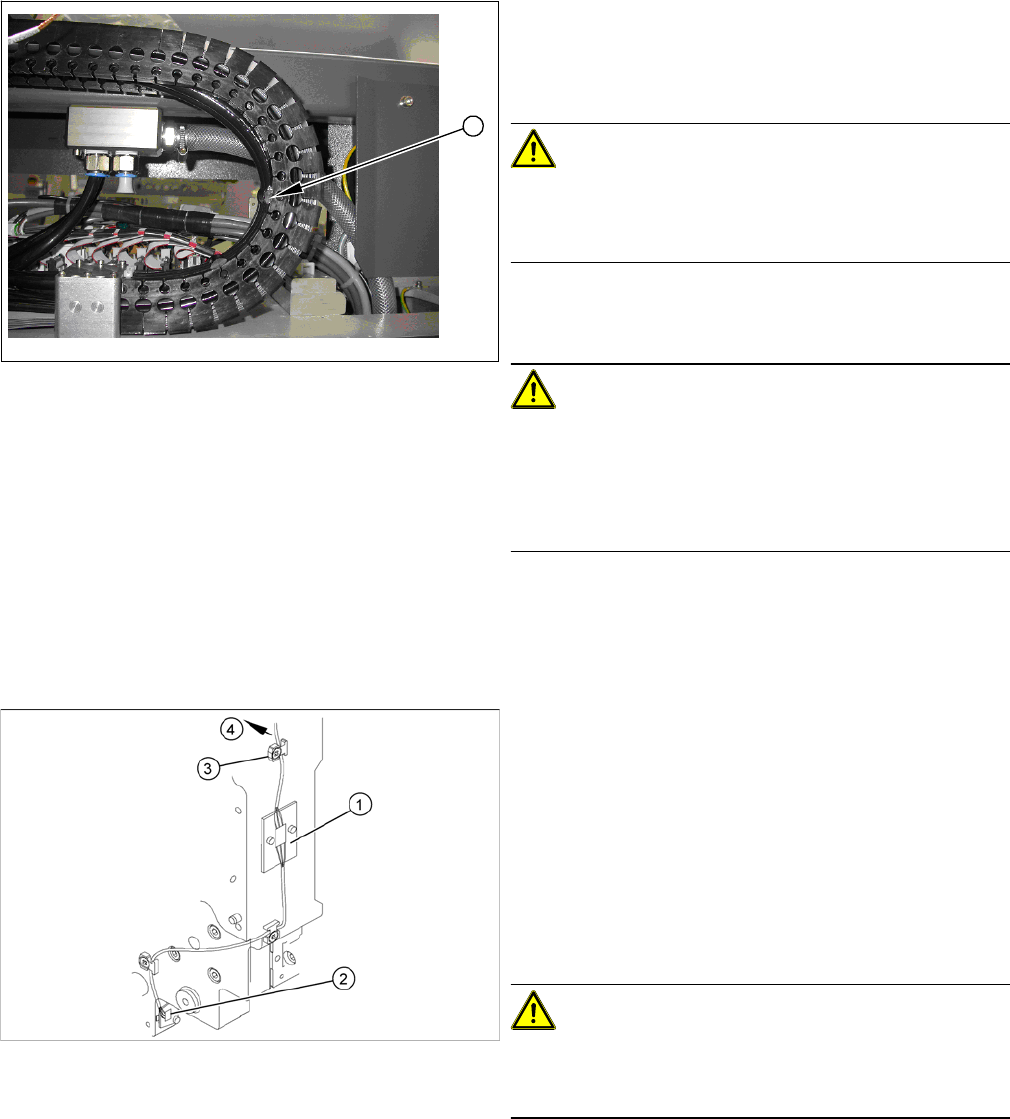
► Check how the tubes are run in the U profile.
The tube must not be stretched at fixture position 10 (1)
in any end position. Please refer to the photo on the left
for the maximum permissible tension.
CAUTION!
Observe the length and bending radius of the tube!
If the tube is shorter and the bending radius therefore
smaller, discard it and run a new tube.
► Run the tubes to the Y axis motor and connect it.
► Fix the tubes to the flange with cable ties.
CAUTION!
Ensure that the cooling tubes are firmly attached to the Y
motor and distributor and that they have been fixed with
cable ties.
If the cooling tubes loosen, the Y motor will not be cooled
properly.
1
1. Temperature sensor 1 (board)
2. Temperature sensor 2 (board)
3. Cable clamps
4. To the head interface
► Unplug the cable (4) at the head interface, unthread
it and release all cable clamps (3).
► Undo and remove the two screws fastening the first
board (1).
CAUTION!
There is another small board under this board. This does
not need to be replaced and must remain in the head
plate.
► Loosen the screw fastening the second board (2).
Service Work
Gantries 3.3.7 Replacing the PCB Camera [00355462-xx]
96 Service Manual SIPLACE X Series
Installation
3.3.7
3.3.7 Replacing the PCB Camera [00355462-xx]
Replacing the PCB Camera [00355462-xx]
Removal/installation
► Fasten the board (1) with the two screws provided.
Take care of the contacts to the board fitted below.
► Fasten the second board (2) into place.
► Insert the cable (4), thread through to the head inter-
face and then connect.
CAUTION!
Check how the cables are run!
Make sure that the end stops (red buffers) do not rub
against the cable of the first board.
Make sure that the cable for the second board can not
collide with the X axis end stopper.
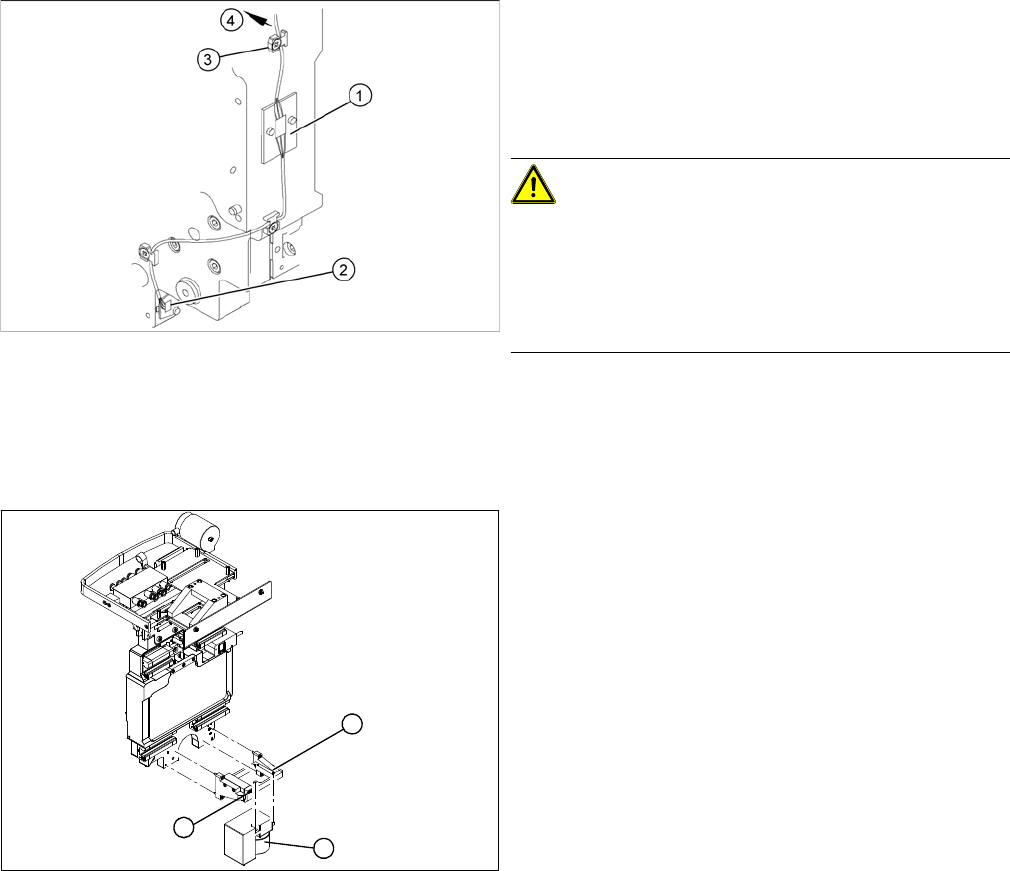
► Unplug the connection cable at the head board and
unthread it as far as the PCB camera (1).
► Loosen the two screws on the damping bracket (2).
► Loosen the three screws fastening the PCB camera
mount (3).
► Install the new PCB camera on the mount (3). Tight-
en the screws and secure with loctite 241.
► Tighten the two screws fastening the damping brack-
et (2).
► Run the connection cable to the head board and re-
connect to the electrical system.
1
3
2