YSP20_Users_E.pdf - 第185页
6-10 6 anaging the data 1.3.2 Removing the USB memor y device T here are two wa ys to remove the USB memory device: one is b y using the "Media Select" dialog box and the other is by using the indicator on th…
6-9
6
anaging the data
n
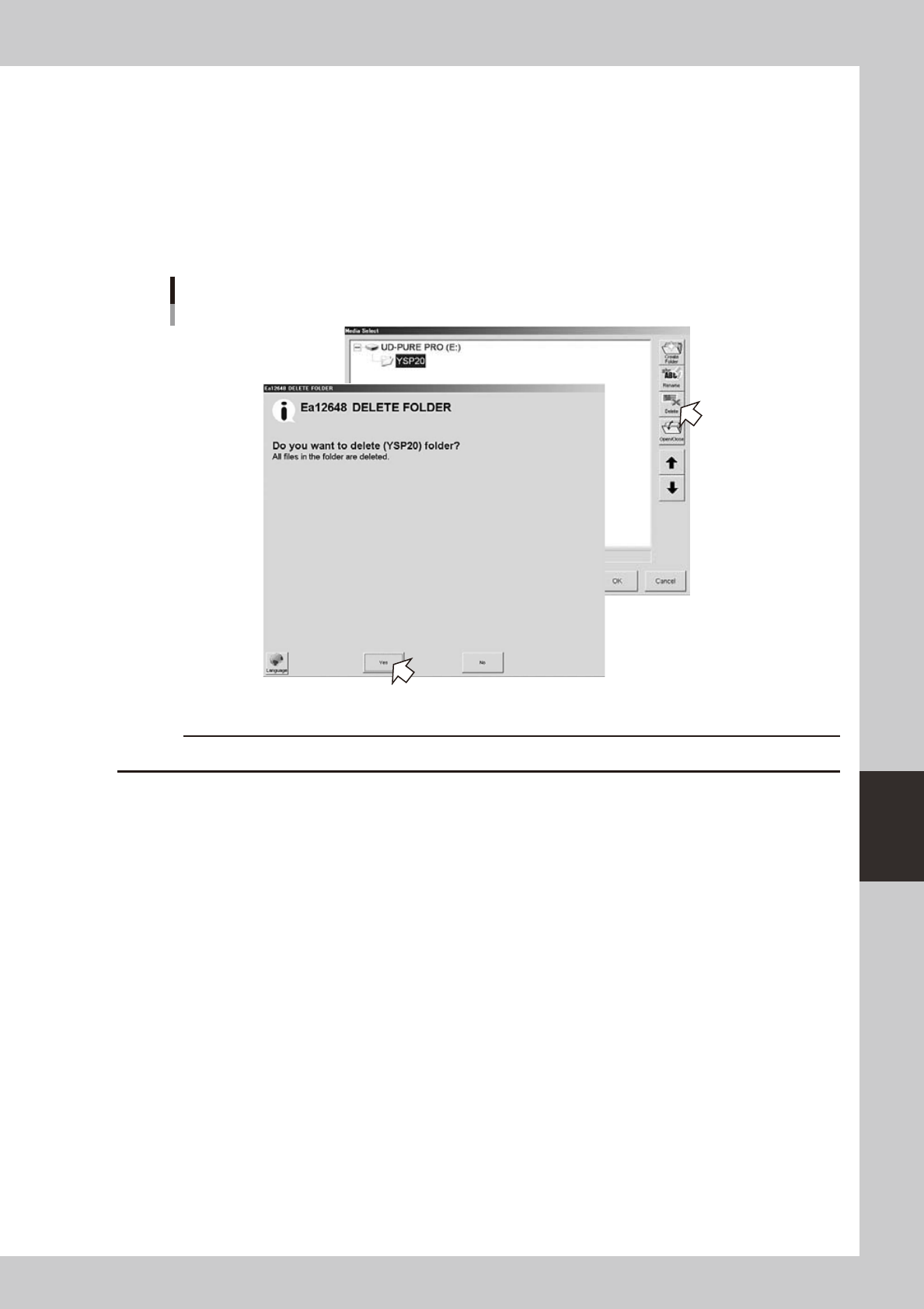
To delete the folder:
1
Press the [Media] button.
2
Select a folder.
Select a folder you want to delete and press the [Delete] button.
3
Check the message that appears on the screen.
The Delete Confirmation dialog box appears. Check the contents and press the [Yes] button.
Deleting the folder
64626-N3-10
c
6-10
6
anaging the data
1.3.2 Removing the USB memory device
There are two ways to remove the USB memory device: one is by using the "Media Select" dialog box and the
other is by using the indicator on the operation screen.
c
while data is being saved or loaded.
n
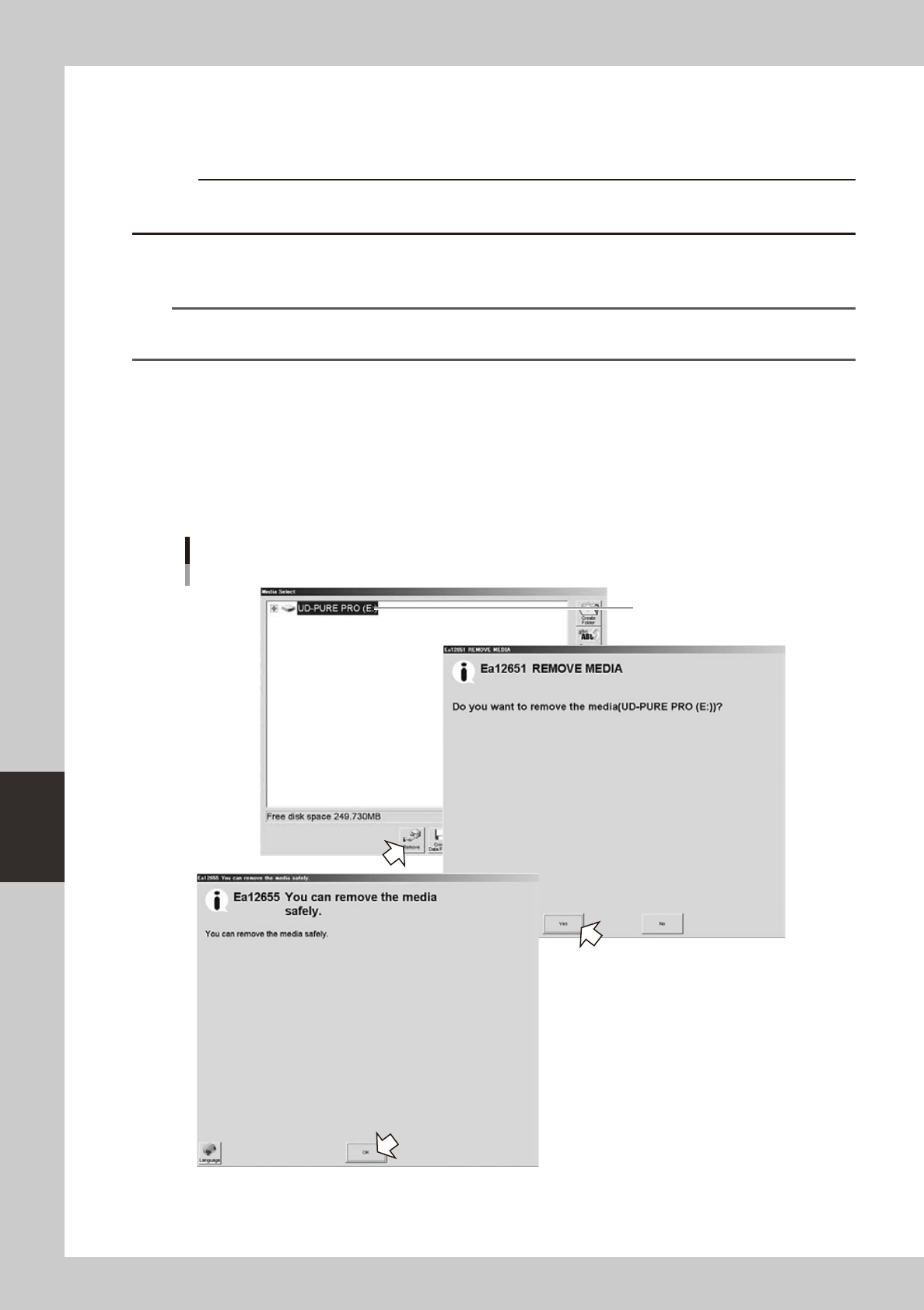
Using the "Media Select" dialog box
Press the [Media] button to open the "Media Select" dialog box.
TIP
The [Media] button is available in the "Board data select" dialog box, "Board data save" dialog box, and the Board
Explorer window.
1
Press the [Remove] button.
1. Select the media (USB memory device) you want to remove, and press the [Remove] button.
2. When a message appears asking whether to remove the selected media, press the [Yes] button.
2
Remove the USB memory device.
When another message appears indicating the media can be safely removed, remove the USB memory
device from the USB port of the machine.
Select the media
(USB memory device).
Removing the USB memory device
64627-N3-10
6-11
6
anaging the data
n
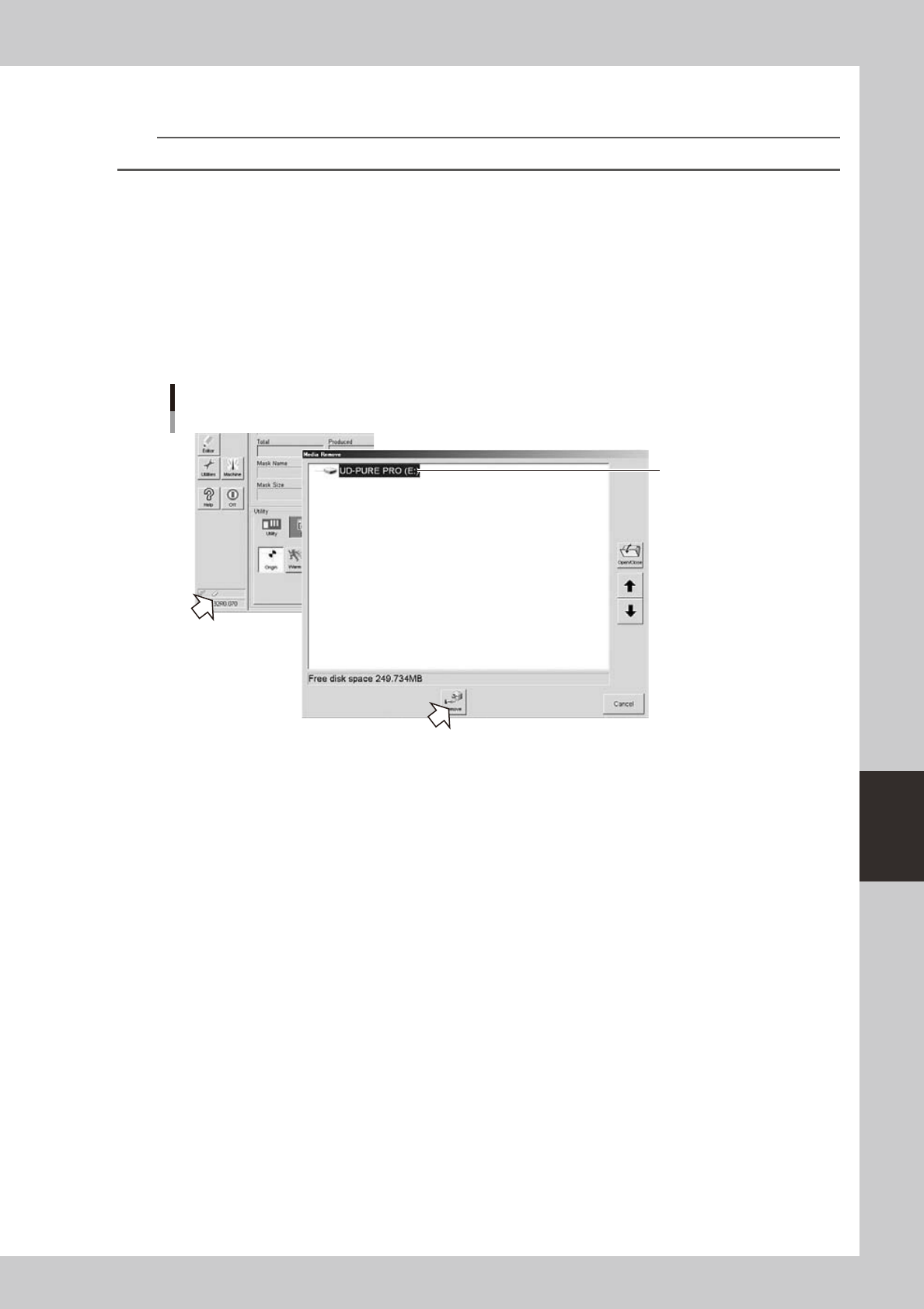
Using the "Indicator"
n
NOTE
Use the mouse or trackball to perform this operation.
1
Using the mouse, or the trackball, double-click the USB memory device icon shown
in the indicator.
1. The "Media Remove" dialog box appears. Select the media (USB memory device) you want to
remove, and press the [Remove] button.
2. When a message appears asking whether to remove the selected media, press the [Yes] button.
2
Remove the USB memory device.
When another message appears indicating the media can be safely removed, remove the USB memory
device from the USB port of the machine.
Double-click
this icon with
the mouse or trackball.
Select the media
(USB memory device).
Removing the USB memory device
64628-N3-10