YSP20_Users_E.pdf - 第190页
6-15 6 anaging the data T he buttons at the lower right of the screen hav e the following functions. [Save Log] button Sav es the production history data display ed on the screen. [Clear] button Clears all the producti…
6-14
6
anaging the data
3. Production history
The YSP allows collecting, storing and displaying production history data such as various types of production
information and errors that occurred during automatic operation. This useful function allows you to evaluate
and improve daily operation conditions and also supports an automatic history data collection system using
an intra-network.
To check the production history data, press the [MIS] button on the main menu button area. Different types of
production history data are displayed by selecting the [Error Log], [Board Log] and [Program Log] tabs.
3.1 MIS: Error Log
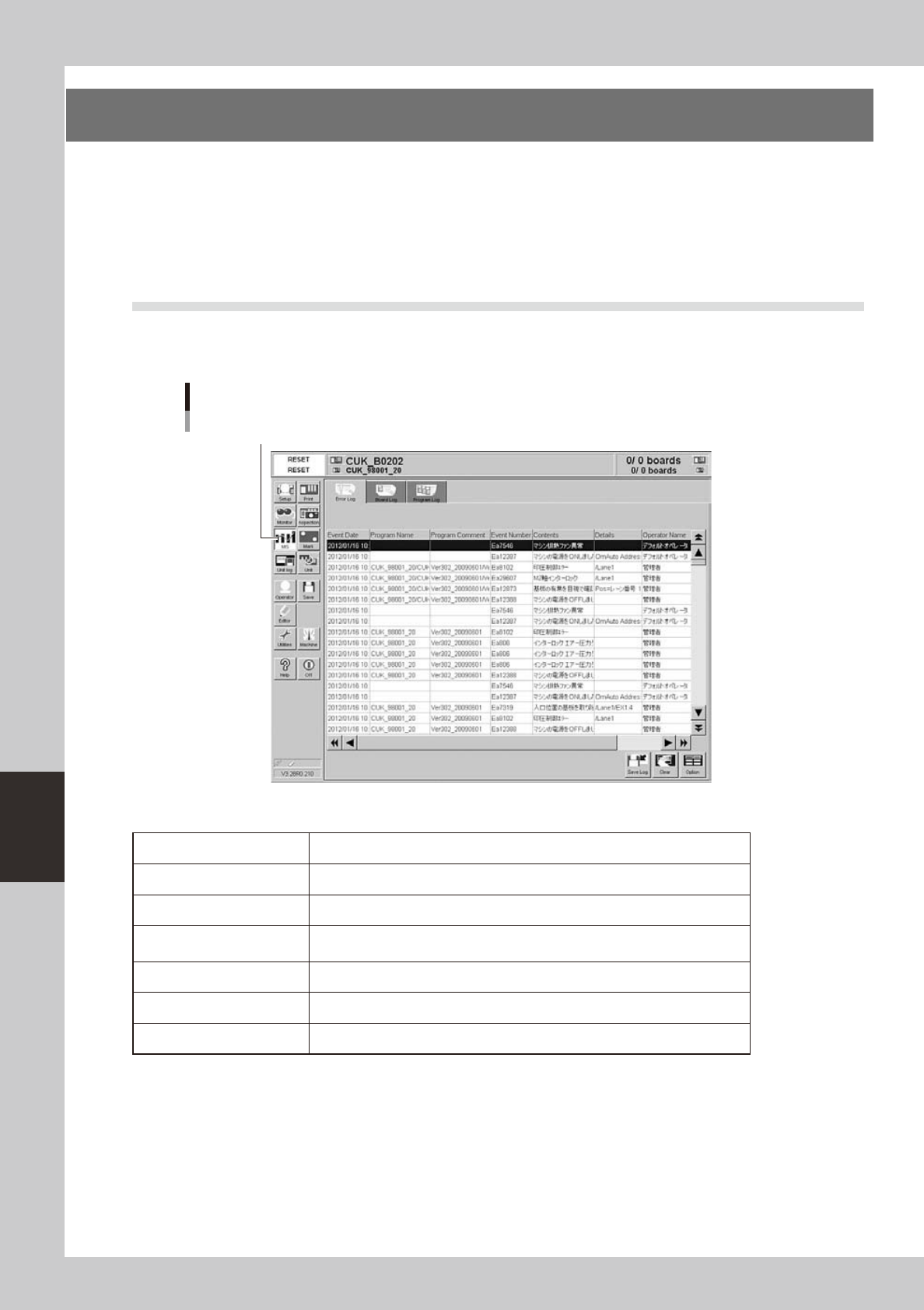
Selecting the [Error Log] tab shows a list of errors that occurred in this machine, along with error descriptions
and operator names. One error or one operator is listed in one data row. Up to 1000 rows can be listed.
[MIS]-[Error Log] tab
[MIS] button
64608-N3-00
Each parameter item shows the following information.
Event Date Date and time when an error occurred.
Program Name Name of program being selected when an error occurred.
Program ID Comment of program being selected when an error occurred.
Event Number
Error code and number. The error code "Es" means a system error, and "Ea"
means an error relating to board data or operation.
Contents Description of error.
Details Detailed description of error such as location where error occurred.
Operator Name of operator who was operating machine when an error occurred.
6-15
6
anaging the data
The buttons at the lower right of the screen have the following functions.
[Save Log] button
Saves the production history data displayed on the screen.
[Clear] button
Clears all the production history data displayed on the screen.
[Option] button
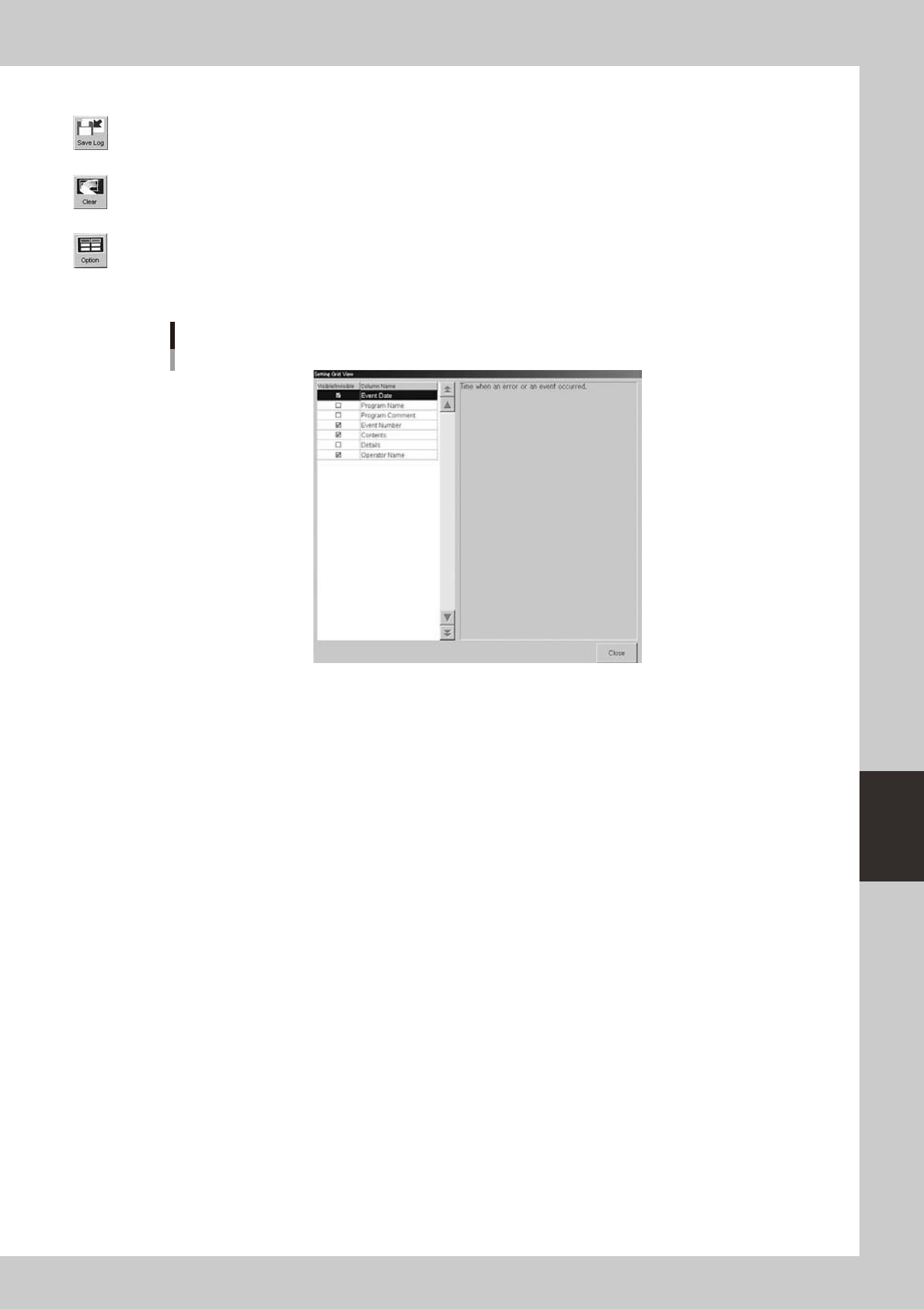
Pressing this button opens the dialog box to show or hide each item of the production history data. Place a checkmark on
the item you want to display on the screen.
Dialog box for selecting display items
64609-N3-00
6-16
6
anaging the data
3.2 MIS: Board Log
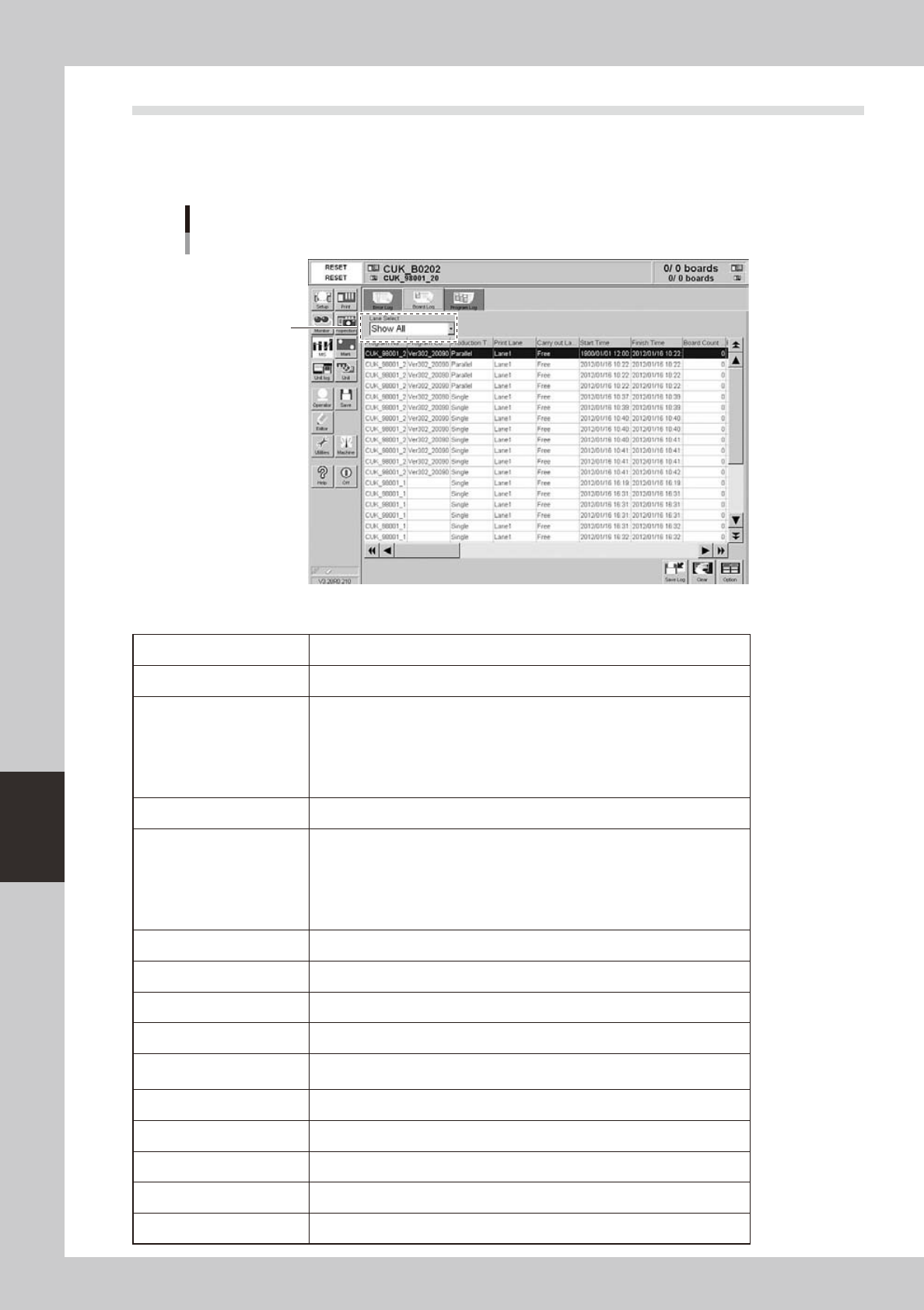
Selecting the [Board Log] tab shows a list of production logs for each board. Each data row shows a production
log of one board. Up to 1000 rows can be listed.
The [Save Log], [Clear] and [Option] buttons at the lower right have the same functions as the [Error Log] tab.
[MIS]-[Board Log] tab
Select the lane.
64610-N3-00
Each parameter item shows the following information.
Program Name Name of program (board data) used for board production.
Program ID Comments on program (board data) used for board production.
Production Type
Production type used for this solder printing process.
Not specified: No production type was specified.
Single: Boards were printed on single lane.
Parallel: Boards were printed in parallel on Lane 1 and Lane 2.
Alternate: Boards were printed alternately on Lane 1 and Lane 2.
Sequential: Boards were printed sequentially using Lane 1 and Lane 2.
Print Lane Lane number that issued this production log.
Carry-out Lane
Lane from which printed boards were unloaded.
Free: Boards were unloaded to the lane
Lane 1: Boards were unloaded to Lane 1.
Lane 2: Boards were unloaded to Lane 2.
Request by downstream: Boards were unloaded to the lane requested by the
downstream machine.
Start Time Time when production started.
Finish Time Time when production finished.
Board Count Max. Number of boards scheduled to be produced.
Board Serial No. Serial number indicating the order that each board was produced.
Finish Flag
0: Production is finished.
1: Production is incomplete due to reset during production.
Print CT Time (seconds) required for solder printing on each board.
Transfer CT Time (seconds) required for transferring each board.
Upstream Standby CT Standby time (seconds) spent during operation due to upstream machine.
Downstream Standby CT Standby time (seconds) spent during operation due to downstream machine.
Mark Rec CT Time (seconds) required for recognizing marks on each board.