YSP20_Users_E.pdf - 第200页
6-25 6 anaging the data 4.2 Unit log: Squeegee Selecting the [Squeegee] tab shows a list of operation records of eac h squeegee type (double squeegee, 3S squeegee, enclosed head). In the case of double squeegee, squeeg…
6-24
6
anaging the data
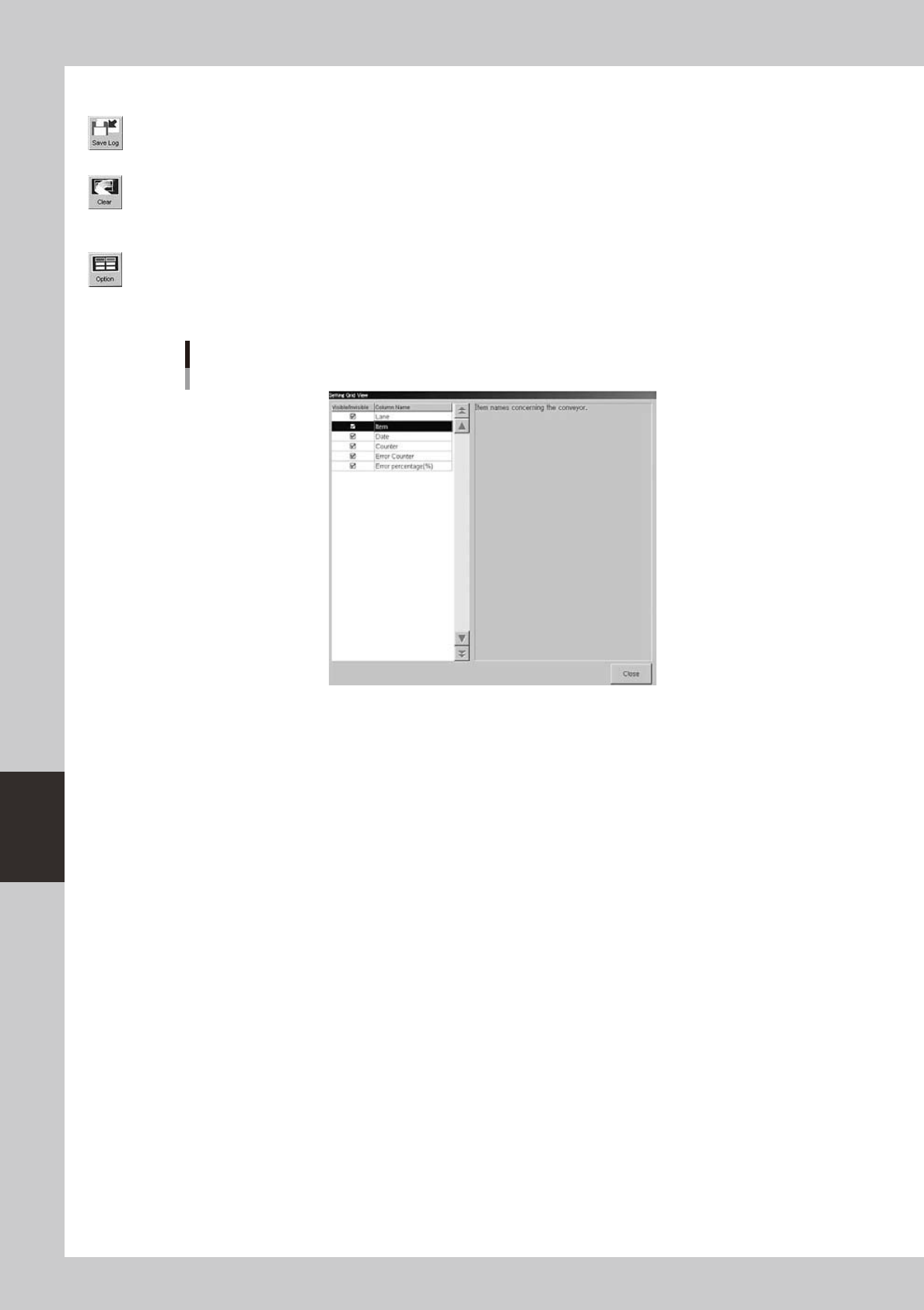
The buttons at the lower right of the tab have the following functions.
[Save Log] button
Saves the operation logs displayed on the tab.
[Clear] button
Clears the operation logs in the selected row or all the operation logs displayed on the tab. This button is not available on
the [Total] subtab, so the operation logs on the [Total] subtab cannot be reset.
[Option] button
Pressing this button opens the dialog box to show or hide each production log parameter. Place a checkmark on the
parameter you want to display on the tab.
Dialog box for selecting display items
64616-N3-00
6-25
6
anaging the data
4.2 Unit log: Squeegee
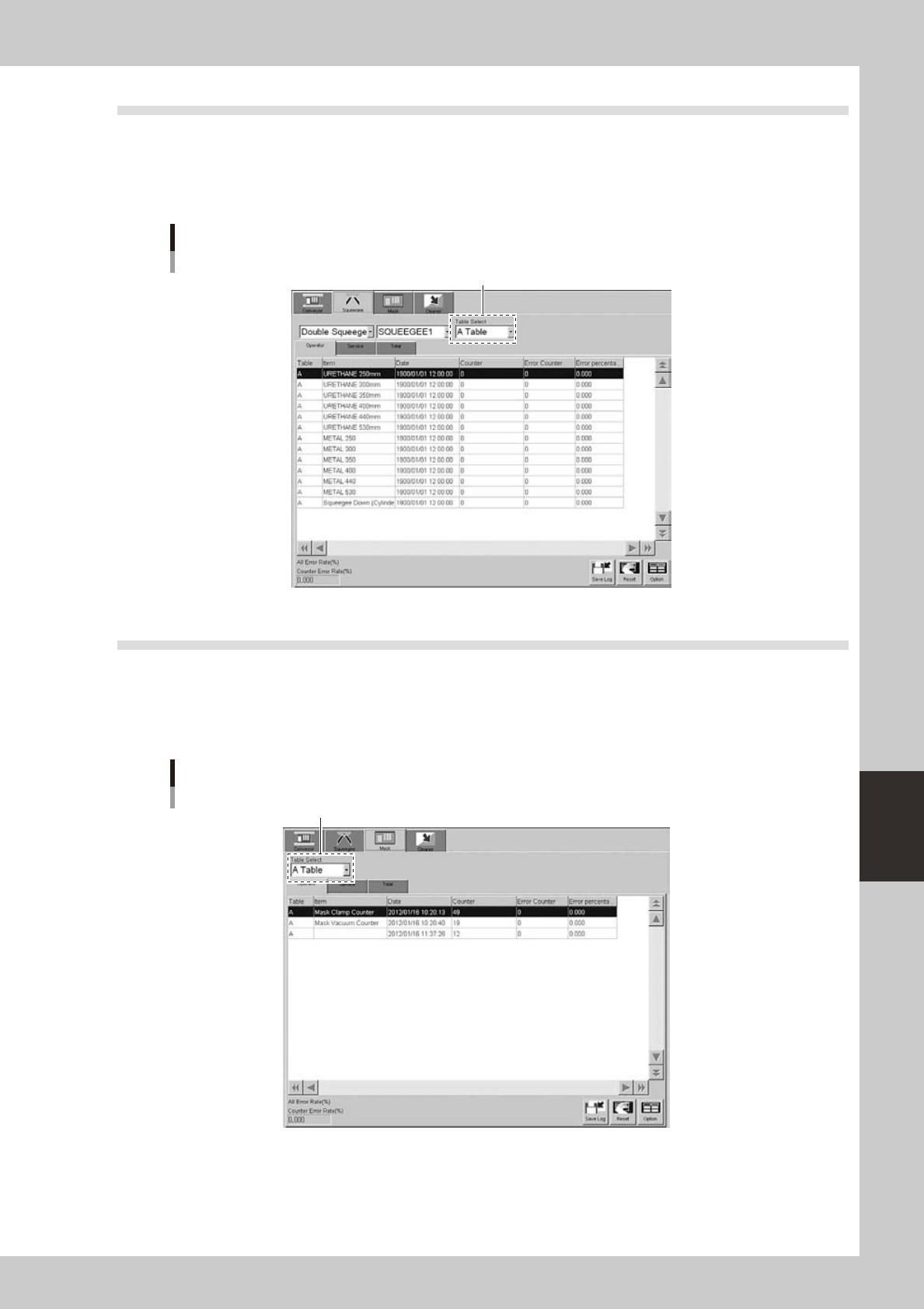
Selecting the [Squeegee] tab shows a list of operation records of each squeegee type (double squeegee, 3S
squeegee, enclosed head). In the case of double squeegee, squeegee 1 and squeegee 2 have their own records.
You can select them from the drop-down lists.
The contents of the grid display and the button functions are basically the same as the [Conveyor] tab.
[Unit log]-[Squeegee] tab
Select the tabie.
64617-N3-00
4.3 Unit log: Mask
Selecting the [Mask] tab shows a list of operation records of each mask clamp device and the mask usage
count. Note that the mask usage count (shown by the mask name in the Item column) is incremented each time
the mask of the same name is used even if board data is switched to another one.
The contents of the grid display and the button functions are basically the same as the [Conveyor] tab.
[Unit log]-[Mask] tab
Select the tabie.
64618-N3-00
6-26
6
anaging the data
4.4 Unit log: Cleaner
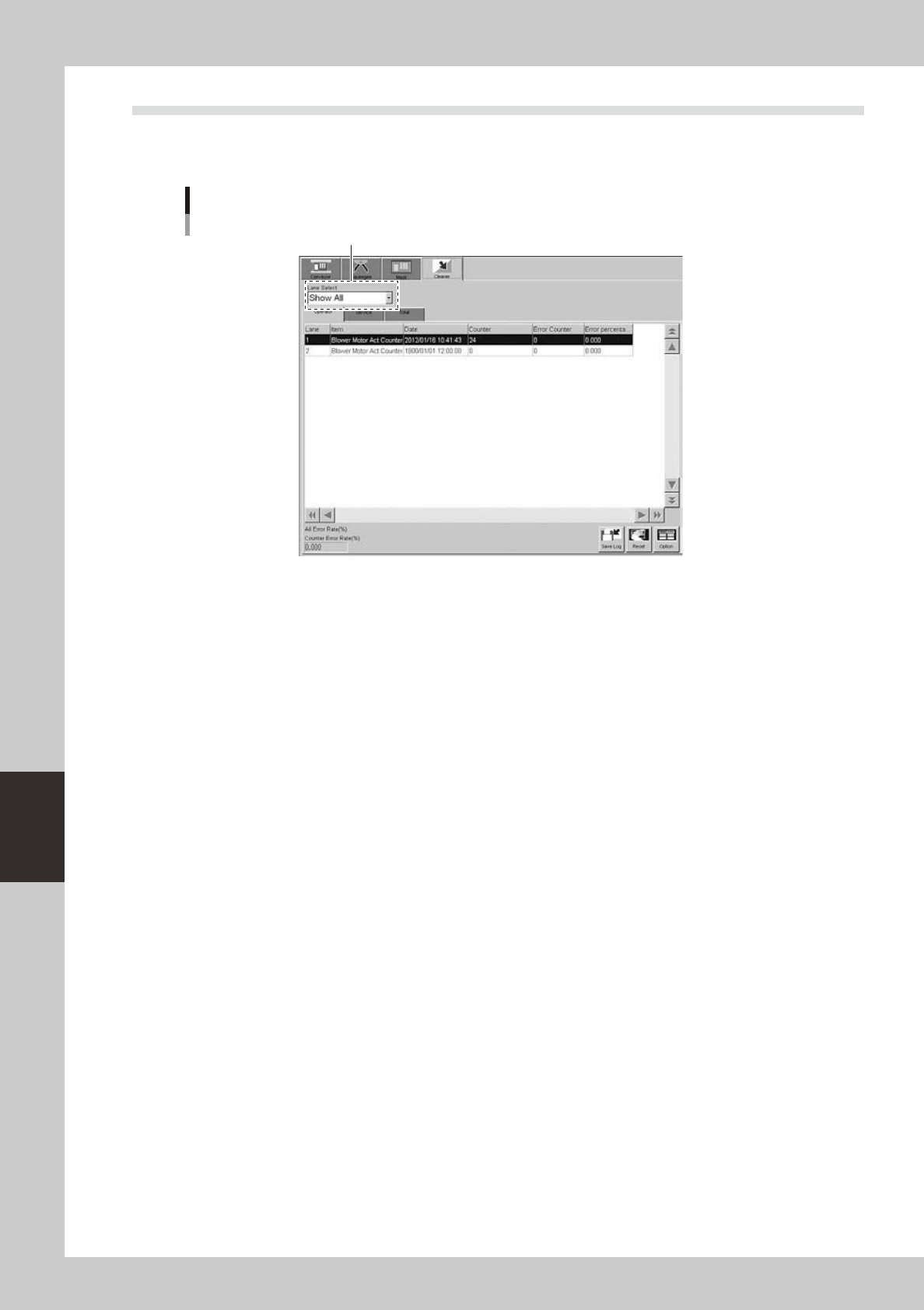
Selecting the [Cleaner] tab shows a list of operation records of the cleaner unit.
The contents of the grid display and the button functions are basically the same as the [Conveyor] tab.
[Unit log]-[Cleaner] tab
Select the lane.
64619-N3-00