YSP20_Users_E.pdf - 第199页
6-24 6 anaging the data T he buttons at the lower right of the tab hav e the following functions. [Save Log] button Sav es the operation logs displa yed on the tab. [Clear] button Clears the operation logs in the selec…
6-23
6
anaging the data
4. Machine operation history
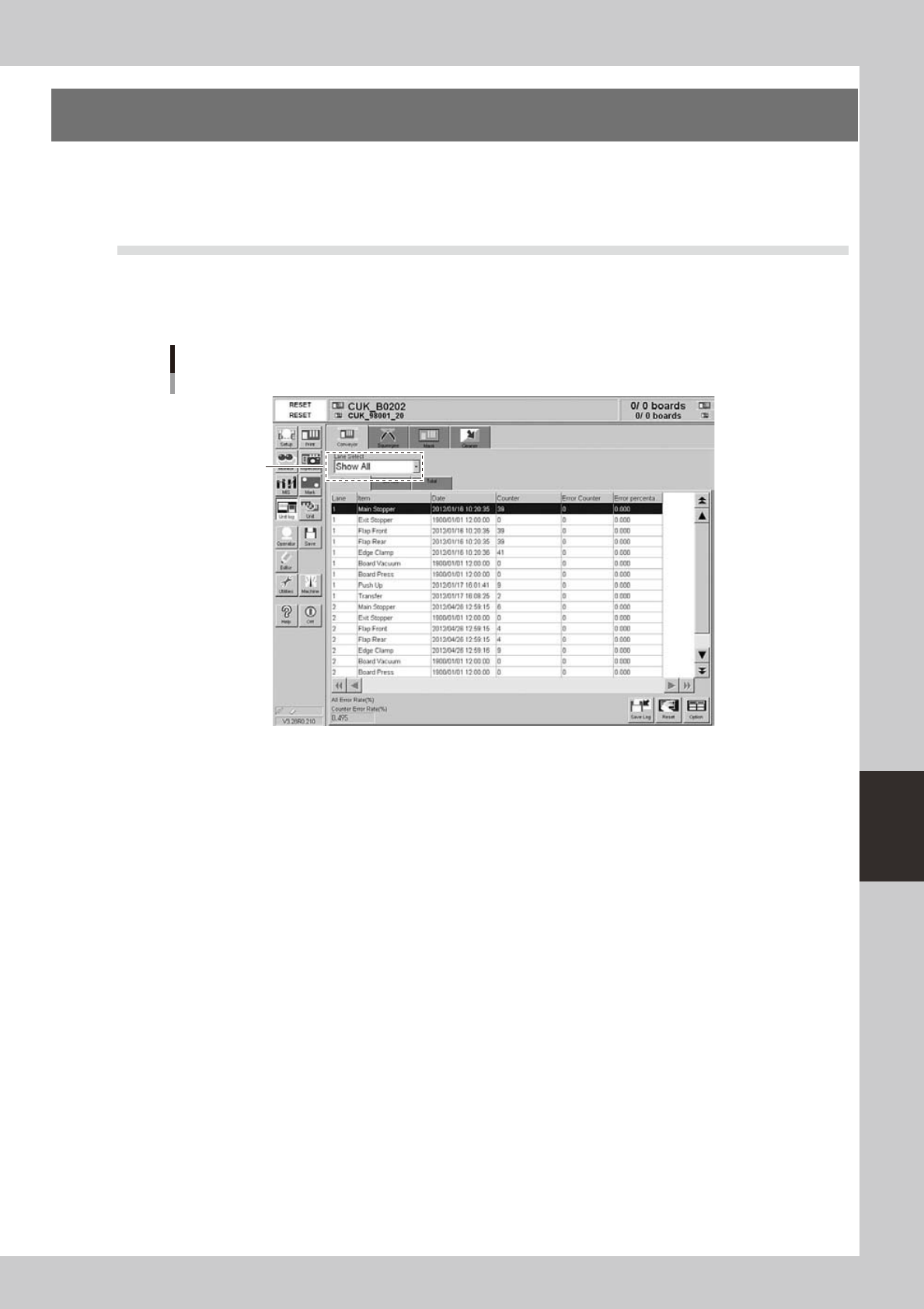
The operation logs of various units used in the machine are recorded. To check these operation logs, press
the [Unit log] button on the main menu button area. The operation logs relating to the conveyor, squeegee,
mask and cleaning unit are displayed by selecting the corresponding tab.
4.1 Unit log: Conveyor
Selecting the [Conveyor] tab shows a list of operation records of each conveyor unit (main stopper, exit
stopper, flaps (front and rear), edge clamp, board vacuum gripper, board press, push-up unit and board transfer
unit).
[Unit log]-[Conveyor] tab
Select the lane.
64615-N3-00
The operation logs are grouped and displayed according to the [Operator], [Service] and [Total] subtabs. Each
item in the grid display and the lower left box show the following information.
Date
Date and time when operation was started.
Counter
Number of times that the unit has been operated.
Error Counter
Number of operation errors that occurred with each item.
Error percent
Number of operation errors divided by number of operations
×
100 (%).
Counter error rate
The "Counter error rate" box shows the total number of operation errors recorded on the tab divided by the total number
of operations
×
100 (%).
6-24
6
anaging the data
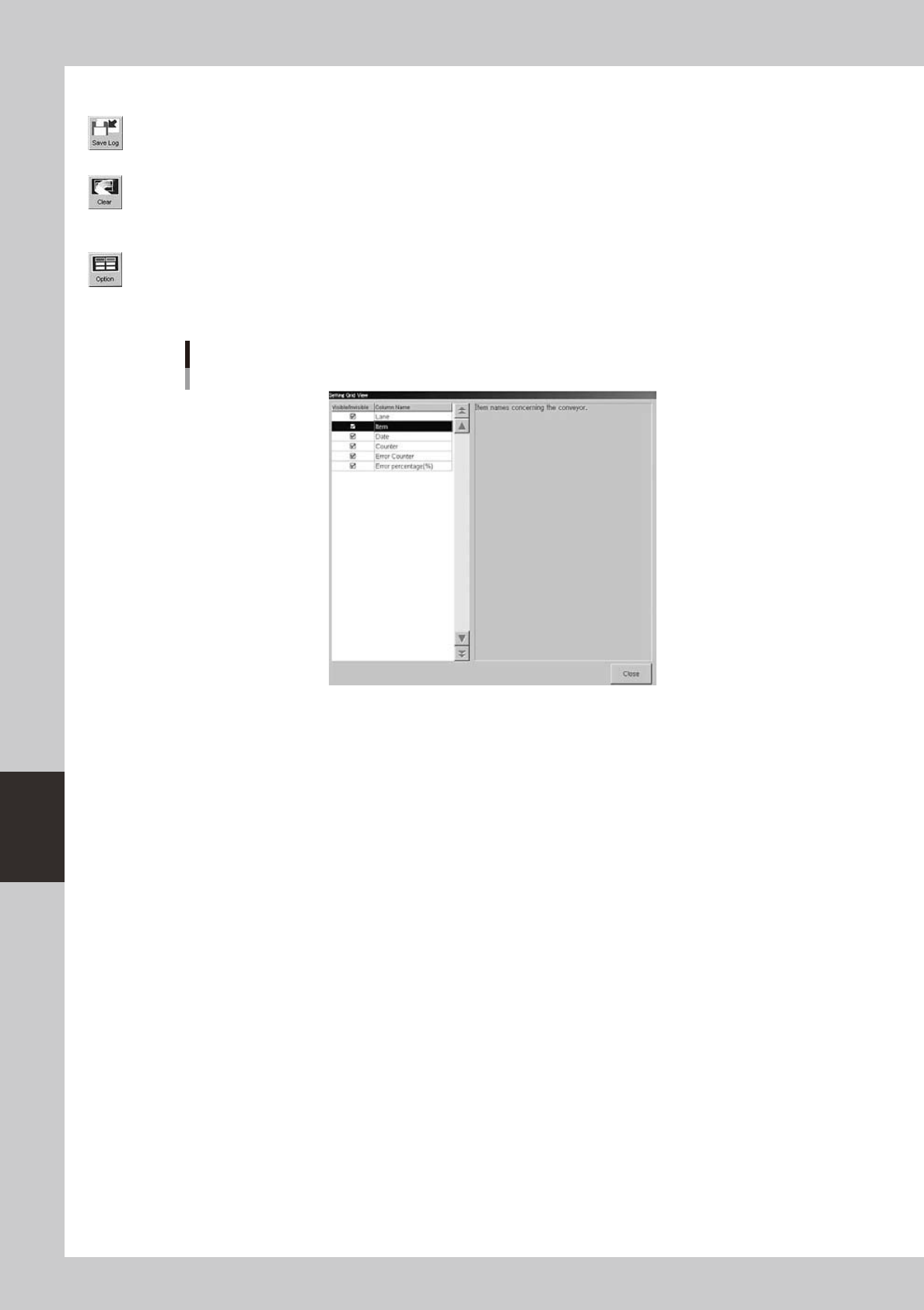
The buttons at the lower right of the tab have the following functions.
[Save Log] button
Saves the operation logs displayed on the tab.
[Clear] button
Clears the operation logs in the selected row or all the operation logs displayed on the tab. This button is not available on
the [Total] subtab, so the operation logs on the [Total] subtab cannot be reset.
[Option] button
Pressing this button opens the dialog box to show or hide each production log parameter. Place a checkmark on the
parameter you want to display on the tab.
Dialog box for selecting display items
64616-N3-00
6-25
6
anaging the data
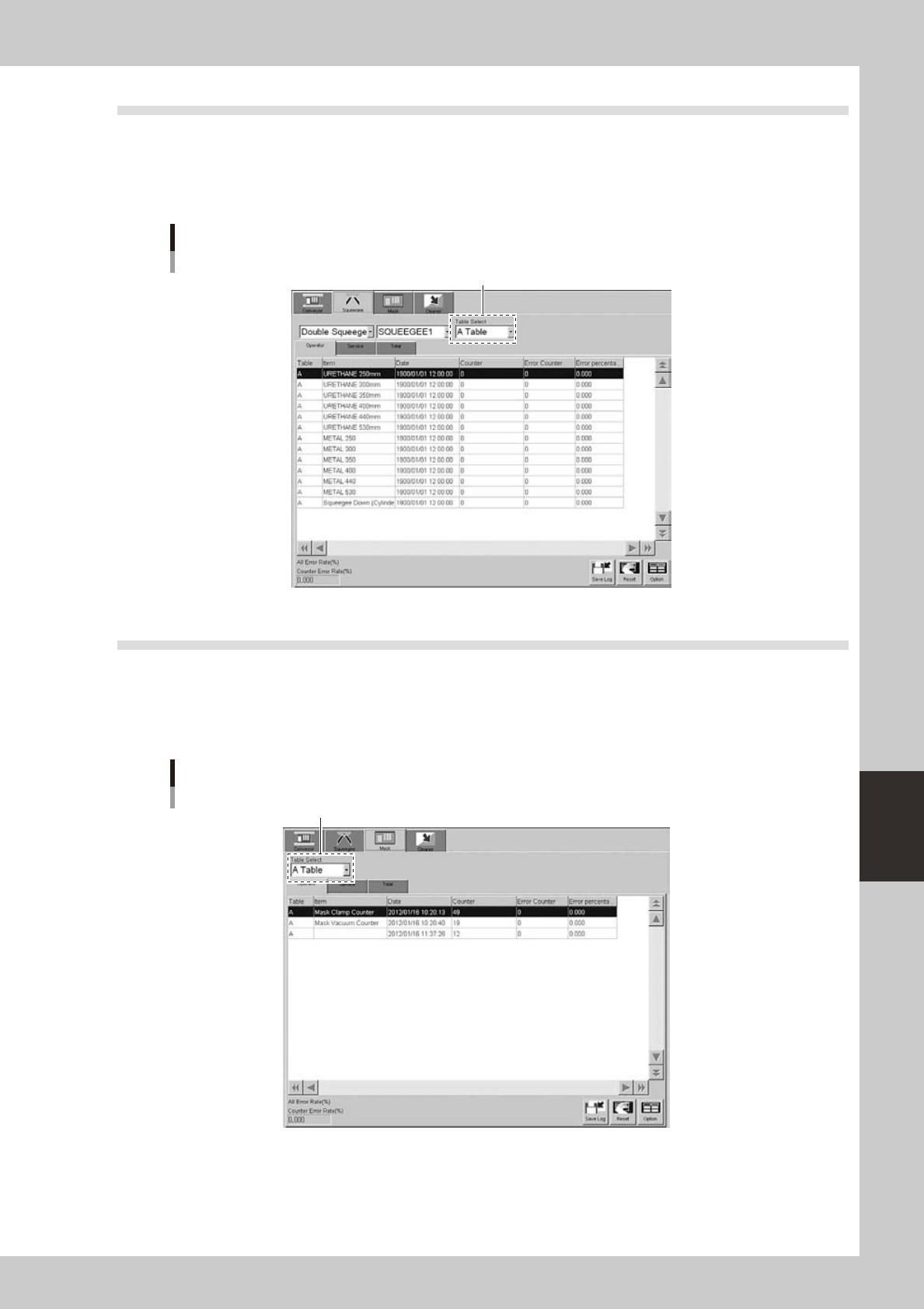
4.2 Unit log: Squeegee
Selecting the [Squeegee] tab shows a list of operation records of each squeegee type (double squeegee, 3S
squeegee, enclosed head). In the case of double squeegee, squeegee 1 and squeegee 2 have their own records.
You can select them from the drop-down lists.
The contents of the grid display and the button functions are basically the same as the [Conveyor] tab.
[Unit log]-[Squeegee] tab
Select the tabie.
64617-N3-00
4.3 Unit log: Mask
Selecting the [Mask] tab shows a list of operation records of each mask clamp device and the mask usage
count. Note that the mask usage count (shown by the mask name in the Item column) is incremented each time
the mask of the same name is used even if board data is switched to another one.
The contents of the grid display and the button functions are basically the same as the [Conveyor] tab.
[Unit log]-[Mask] tab
Select the tabie.
64618-N3-00