YSP20_Users_E.pdf - 第93页
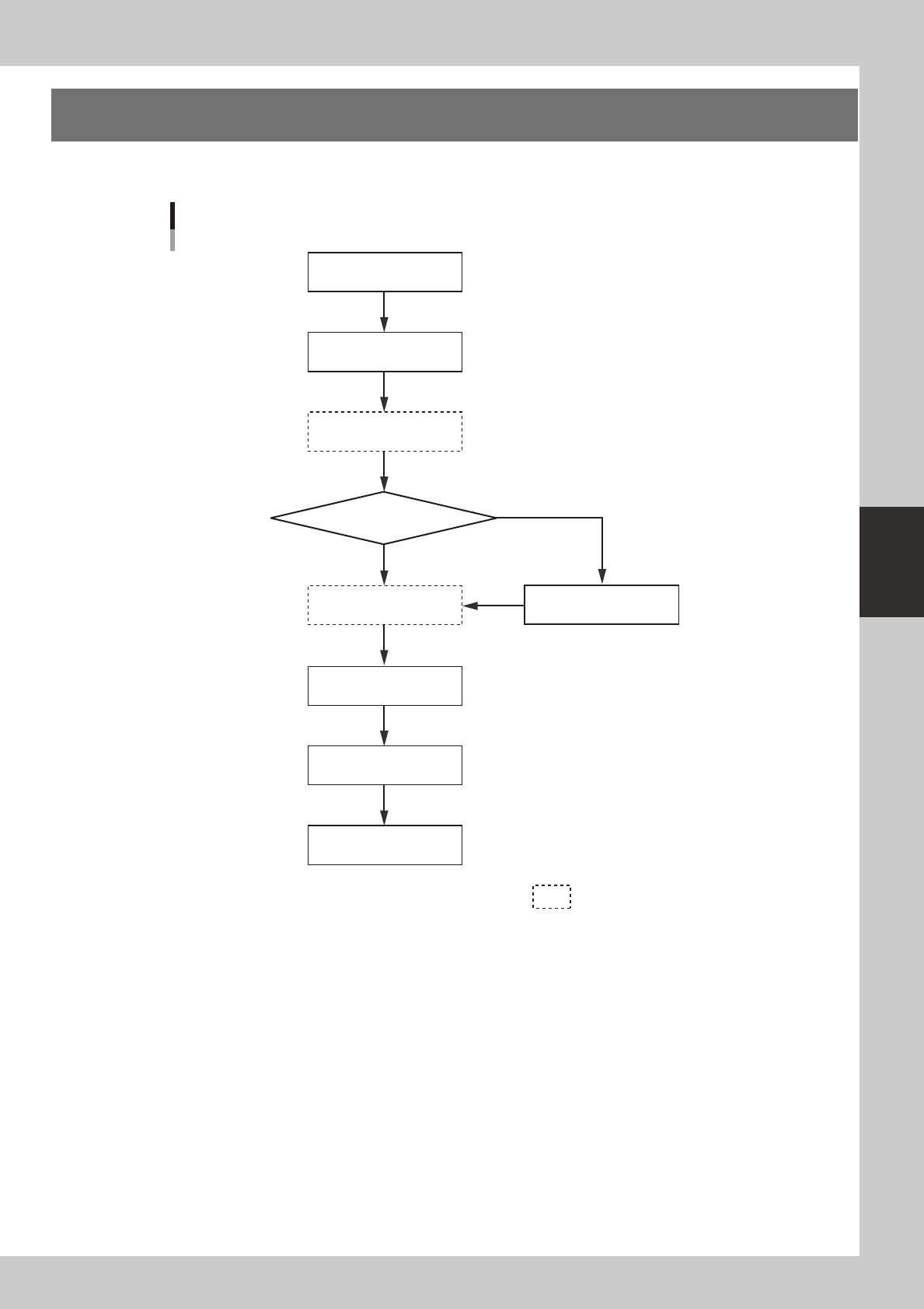
4-1 4 aily operation 1. Over view This chapter explains typical daily operation per the flow chart shown below . Start machine Check before operation W arm-up operation Change setups Do you change board model? Perform …

Chapter 4 Daily operation
This chapter explains typical operation for board production using the board data already created. Before reading this chapter,
make sure that you understand the basic procedures and key points explained in Chapter 2, "Basic operation".
To create new board data or edit the existing data, refer to Chapter 5, "Creating and setting the data".
Contents
1
2. Starting and warming up the machine 4-2
3. Selecting the board data 4-4
4. Changing the conveyor unit setup 4-5
5. Replacing the cleaning gauze roll 4-7
5.1 Using the same roll size 4-8
5.2 Changing the roll size 4-10
6. Refilling the cleaning solvent 4-12
6.1 Precautions when handling cleaning solvent 4-12
6.2 Refilling the cleaning solvent 4-12
6.3 Long-term storage tasks 4-14
7. Setting up the mask and squeegee 4-15
8
9
8. Rolling operation 4-20
9. Starting board production 4-23
2
4-1
4
aily operation
1. Overview
This chapter explains typical daily operation per the flow chart shown below.
Start machine
Check before operation
Warm-up operation
Change setups
Do you change board model?
Perform rolling operation
Finish production
Start production
Turn power off
Select board
Daily operation flow
NO
YES
Execute as needed.
63401-N3-00
4-2
4
aily operation
2. Starting and warming up the machine
After starting up the machine, we recommend letting warm up for about 10 minutes. No warm-up is
necessary if less than two hours have elapsed after the machine was last used.
1
Make pre-operation checks and then start up the machine.
For pre-operation checks and starting up the machine, see Chapter 2, "Basic operation".
2
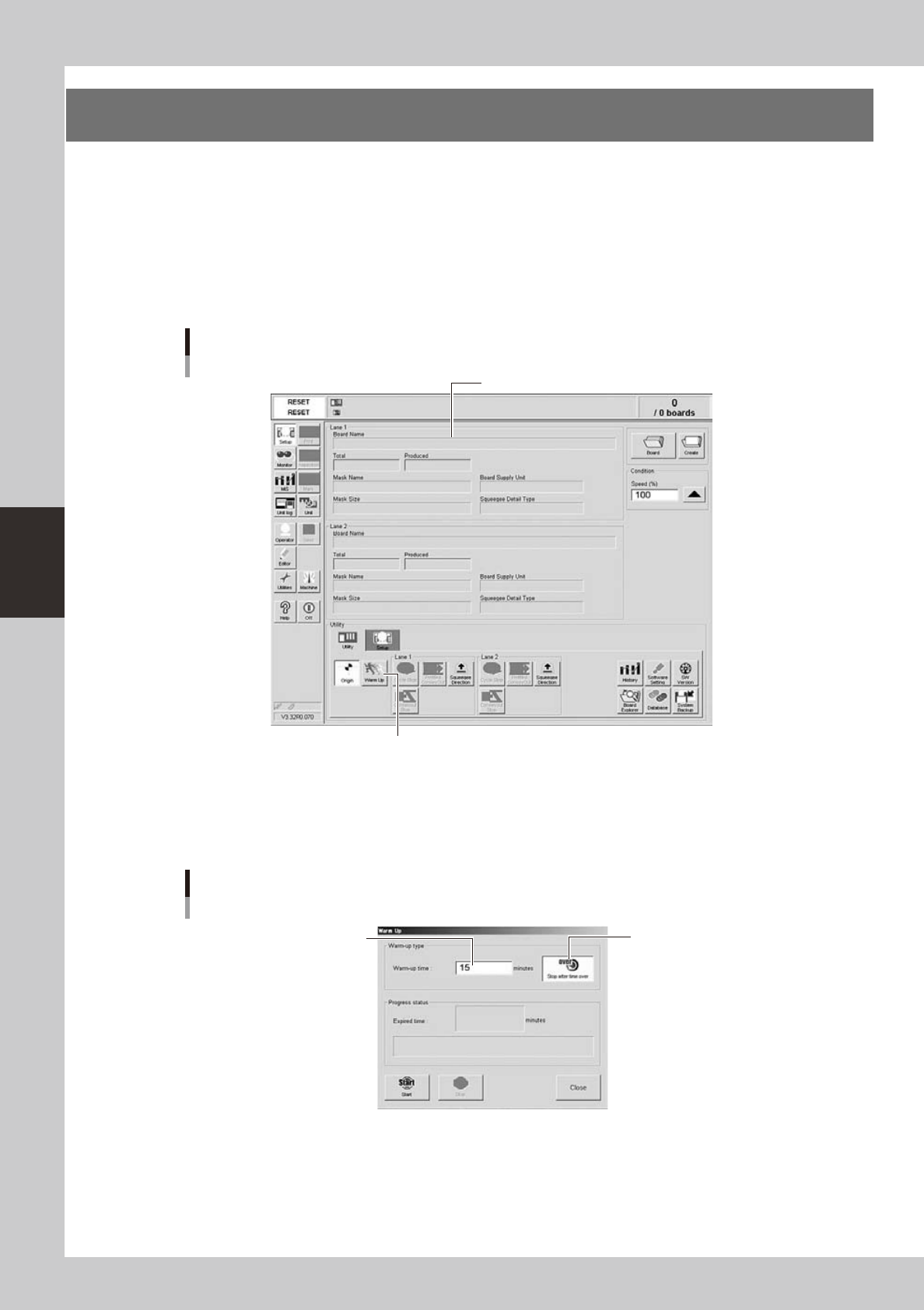
Press the [Warm Up] button on the Setup screen.
The Warm-up screen then appears.
Setup screen
[Utility] tab
Pressing this button will open the Warm-up dialog box.
Setup screen
64401-N3-10
3
Enter a warm-up time.
Press the [Stop after time over] button and enter the warm-up time. Warm-up will automatically stop
when the warm-up time you set has elapsed. Normally, about a 10-minute warm-up is recommended.
Warm-up time setting
Press this button to set the
warm-up time.
Enter a period of the
warm-up time.
64402-N3-00