YSP20_Users_E.pdf - 第227页
7-23 7 ther functions 4.4 [Unit]-[Squeegee] tab screen T he [Unit]-[Squeegee] tab screen allows you to manually operate the squeegee head and c heck the status of the squeegee sensors on the graphic view . T he functio…
7-22
7
ther functions
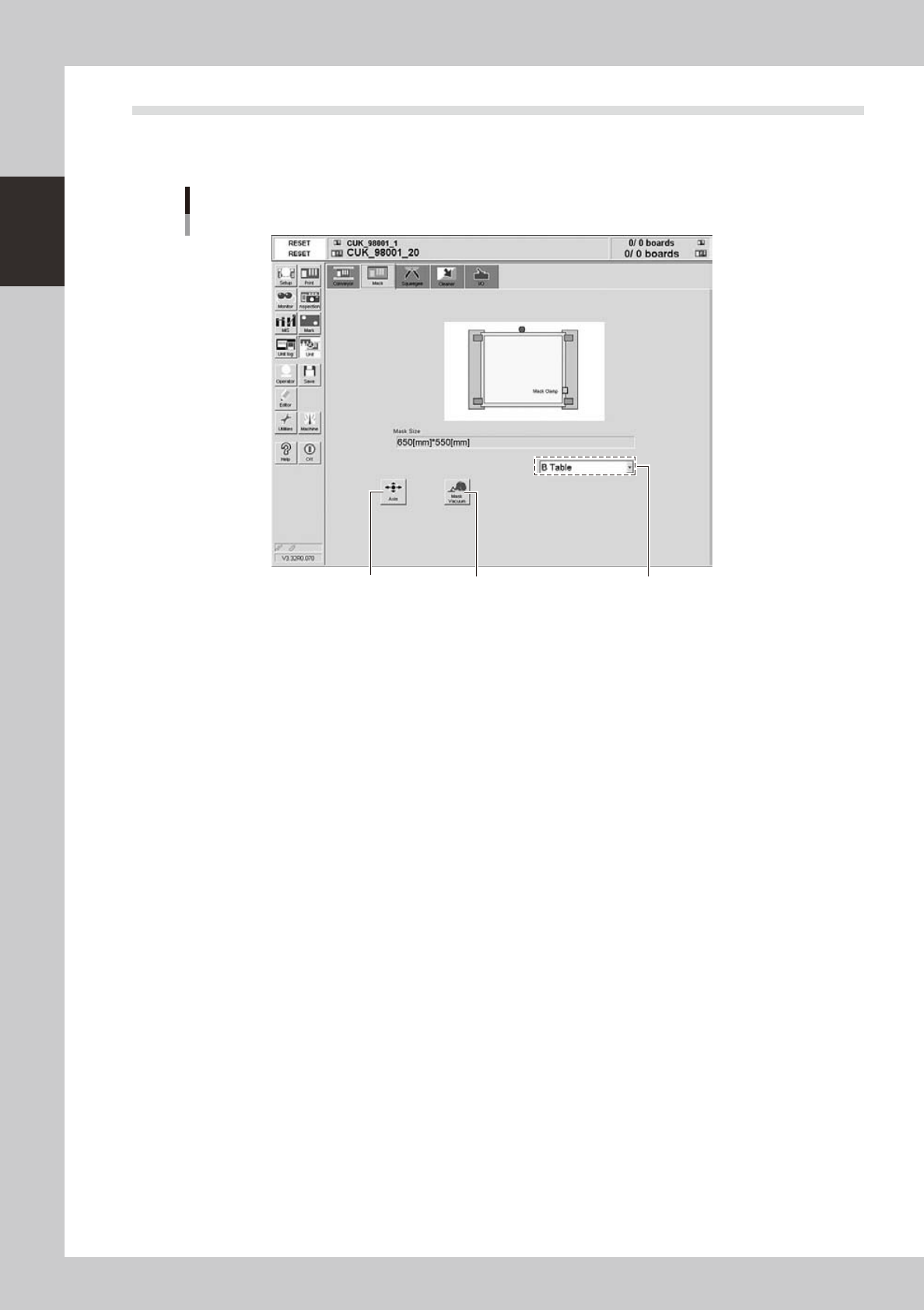
4.3 [Unit]-[Mask] tab screen
The [Unit]-[Mask] tab screen allows you to manually operate the mask vacuum gripper and check the status of
the mask sensors on the graphic view. The function of each button is described below.
[Unit]-[Mask] tab screen
1 2
Specify the table.
64720-N3-00
n
Operation buttons
1: [Axis] button
Opens the "Move Axis" screen. (See "4.1" in this chapter.)
2: [Mask Vacuum] button
Turns the mask vacuum gripper on or off.
7-23
7
ther functions
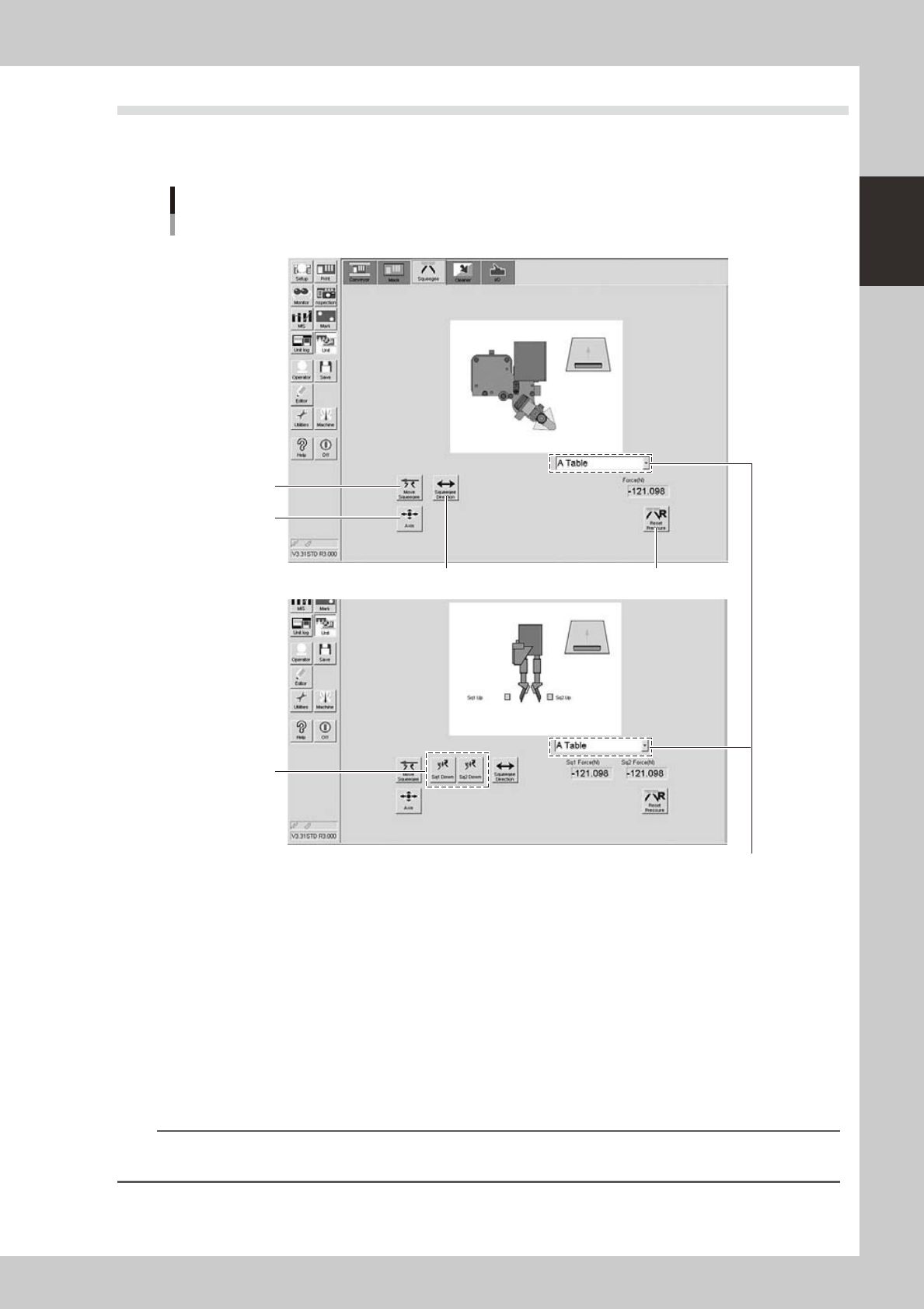
4.4 [Unit]-[Squeegee] tab screen
The [Unit]-[Squeegee] tab screen allows you to manually operate the squeegee head and check the status of
the squeegee sensors on the graphic view. The function of each button is described below.
[Unit]-[Squeegee] tab screen
<3S squeegee>
<Double squeegee>
5
4
2
3
1
Specify the table.
64721-N3-00
n
Operation buttons
1: [Axis] button
Opens the "Move Axis" screen. (See "4.1" in this chapter.)
2: [Move Squeegee] button
Moves the squeegee head to the squeegee attach/detach position (front side) or to the escape position (rear side).
3: [Sq1 Down], [Sq2 Down] buttons (Double squeegee specifications only)
Lowers and raises the squeegee 1 or squeegee 2.
4: [Squeegee Direction] button
Switches the squeegee printing direction.
TIP
The squeegee printing direction is from front to rear just after board data is loaded or the [RESET] button is pressed. The
printing direction then alternately switches.
5: [Reset Pressure] button
Pressure values currently applied to the squeegee head are displayed in the "Force (N)" boxes. Pressing the [Reset
Pressure] button clears these values to "0".
7-24
7
ther functions
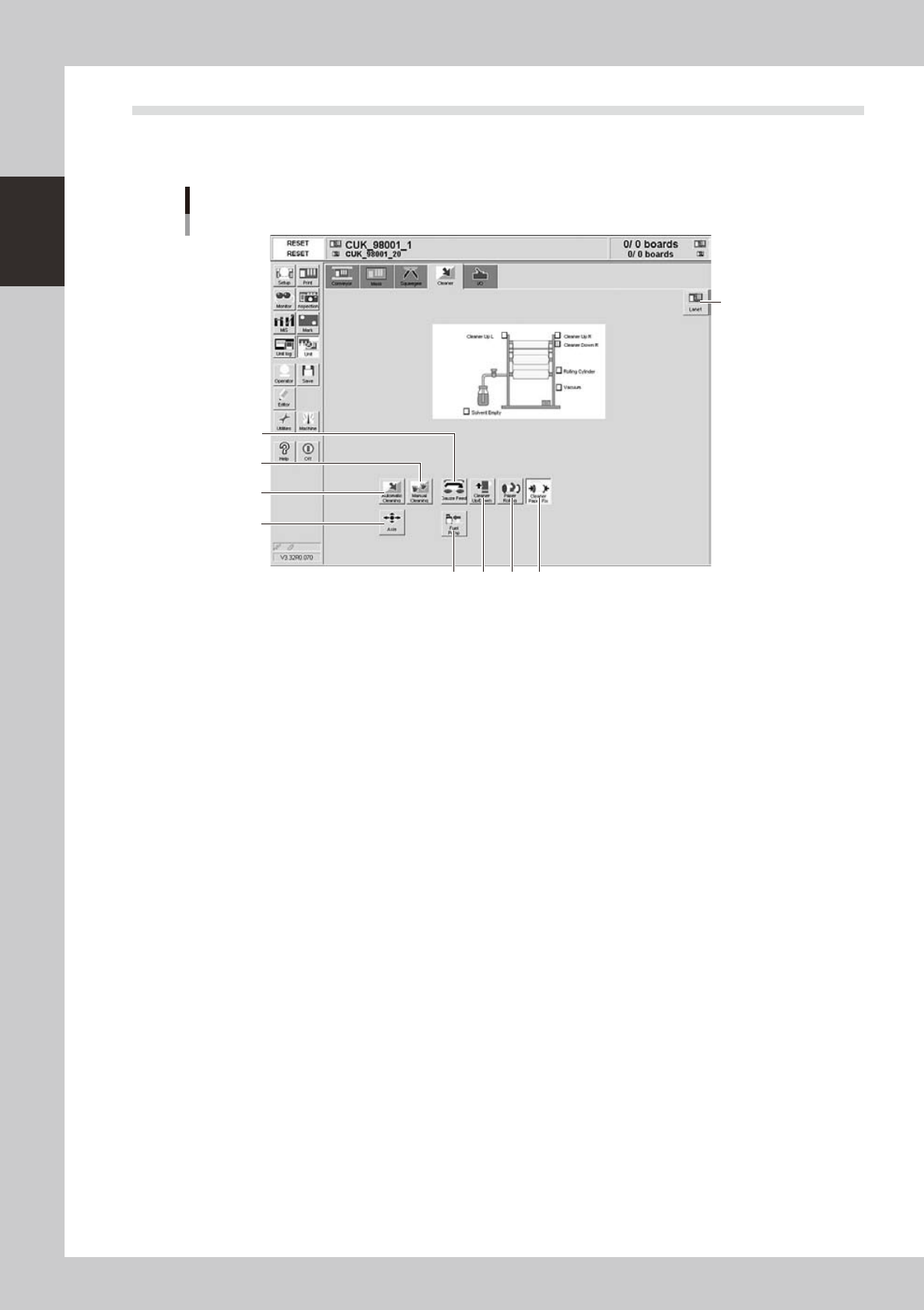
4.5 [Unit]-[Cleaner] tab screen
The [Unit]-[Cleaner] tab screen allows you to manually operate the cleaner unit and check the status of the
cleaner unit sensors on the graphic view. The function of each button is described below.
[Unit]-[Cleaner] tab screen
4
56 7
3
8
2
1
9
64722-N3-00
n
Operation buttons
1: [Axis] button
Opens the "Move Axis" screen. (See "4.1" in this chapter.)
2: [Automatic Cleaning] button
Press this button to automatically clean the backside of the mask.
3: [Manual Cleaning] button
Press this button when you want to manually clean the mask.
4: [Paper Rolling] button
Winds up the gauze roll (lower roll) at a specified pitch.
5: [Cleaner Paper Fix] button
Releases the gauze roll take-up shaft coupling. Pressing this button again, engages the take-up shaft coupling.
6: [Solvent Pump] button
Discharges a specified amount of cleaning solvent onto the gauze roll.
7: [Cleaner Up/Down] button
Moves the cleaner unit up or down.
8: [Gauze Feed] button
Feeds the gauze roll (upper roll) at a specified pitch.
9: [Lane] button
Changes between the board data for Lane 1 and Lane 2.