TR7500_Series_Software_v29_En.pdf - 第110页
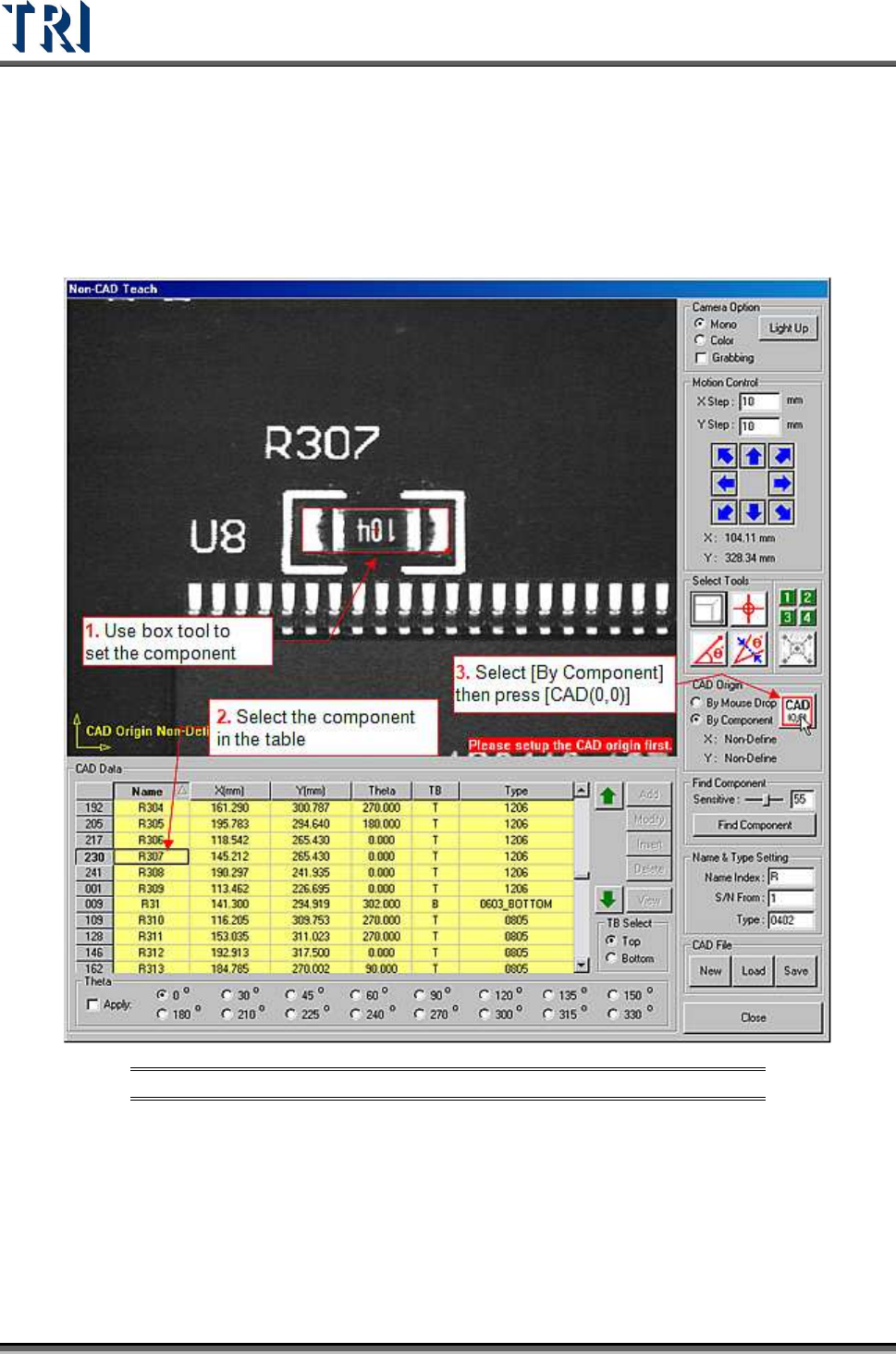
Test Research Inc. 88 TR7500 Series User Guide – Software v.2.9.0 3.6 Proc edure: Ed it an Exis ting AOI File Press [CAD File/Load] to open a file. Use [By Componen t] to set origin. Figure 150 : Edit Existing A OI File …
Test Research Inc.
TR7500 Series User Guide –Software v.2.9.0 87
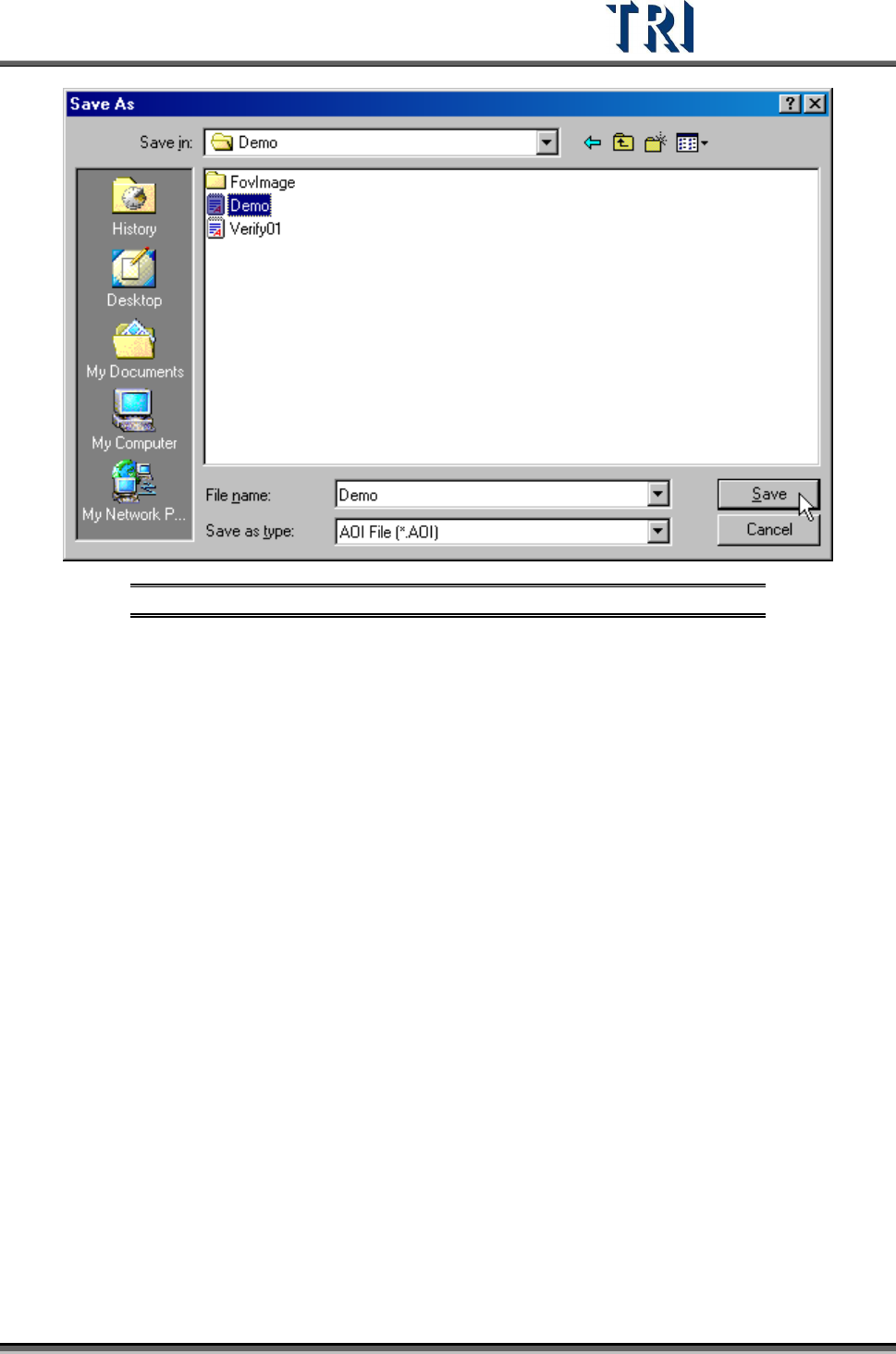
Figure 149: Enter File Name & Save New CAD File
Press [Close] to close the Non-Cad dialog.
Test Research Inc.
88 TR7500 Series User Guide –Software v.2.9.0
3.6 Procedure: Edit an Existing AOI File
Press [CAD File/Load] to open a file.
Use [By Component] to set origin.
Figure 150: Edit Existing AOI File
Add the other component data and save the file.
Test Research Inc.
TR7500 Series User Guide –Software v.2.9.0 89
3.7 Procedure: Add Component in Project
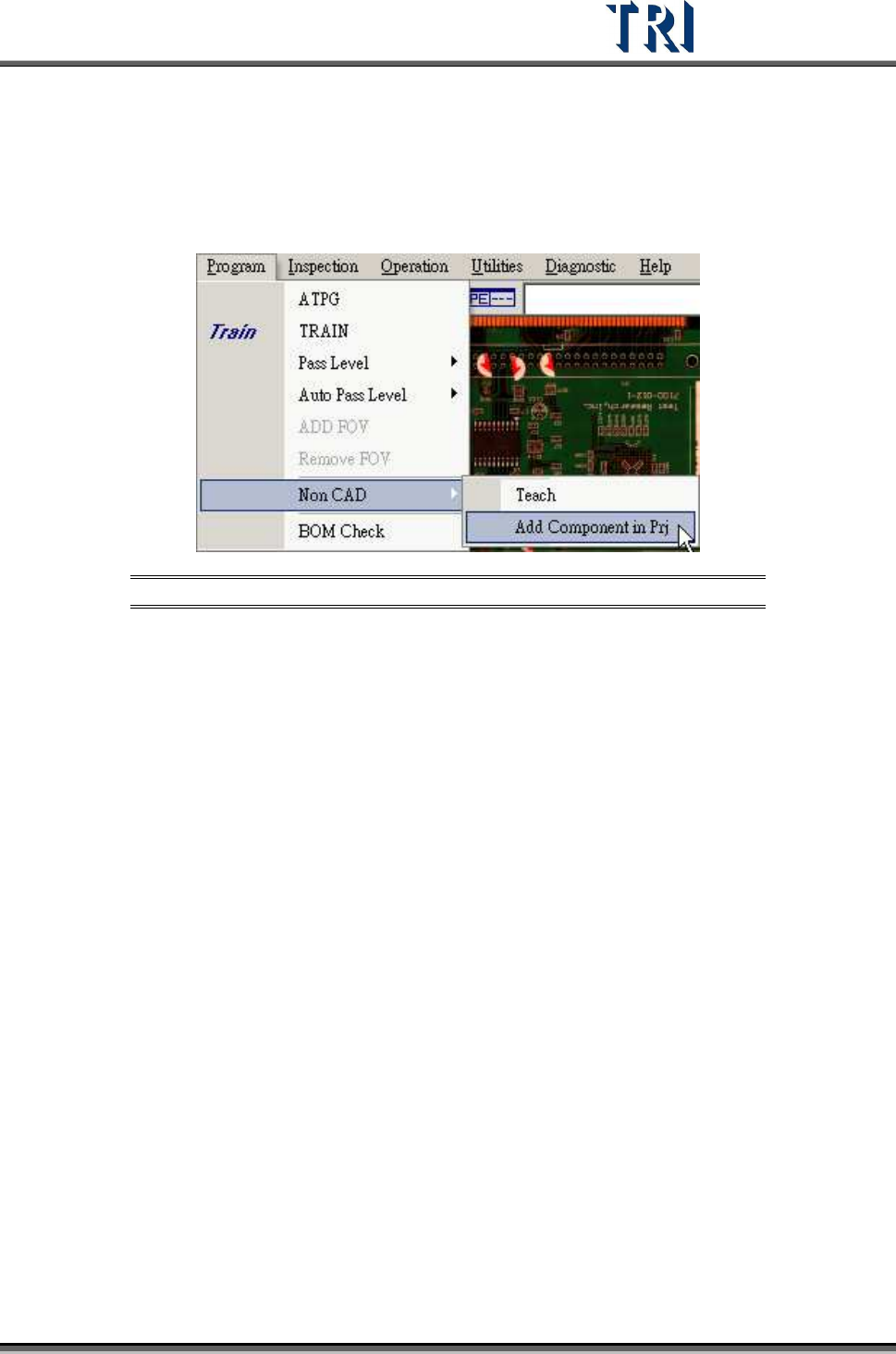
This is to add a new component to an existing project with non-CAD function.
Figure 151: Add Component in Project
1. Press [P
ROGRAM
>
N
ON
CAD
>
A
DD
C
OMPONENT IN PROJECT
.] and enter the dialog
as in the following figure.