TR7500_Series_Software_v29_En.pdf - 第234页
Test Research Inc. 212 TR7500 Series User Guid e –Softwa re v.2.9.0 8.7.5 Directory Sets component library save or load pa t h [AD D] – Adds the compo nent library path. More than one pa t h can be adde d. Figure 356 :…
Test Research Inc.
TR7500 Series User Guide –Software v.2.9.0 211
8.7.4 Pass Level
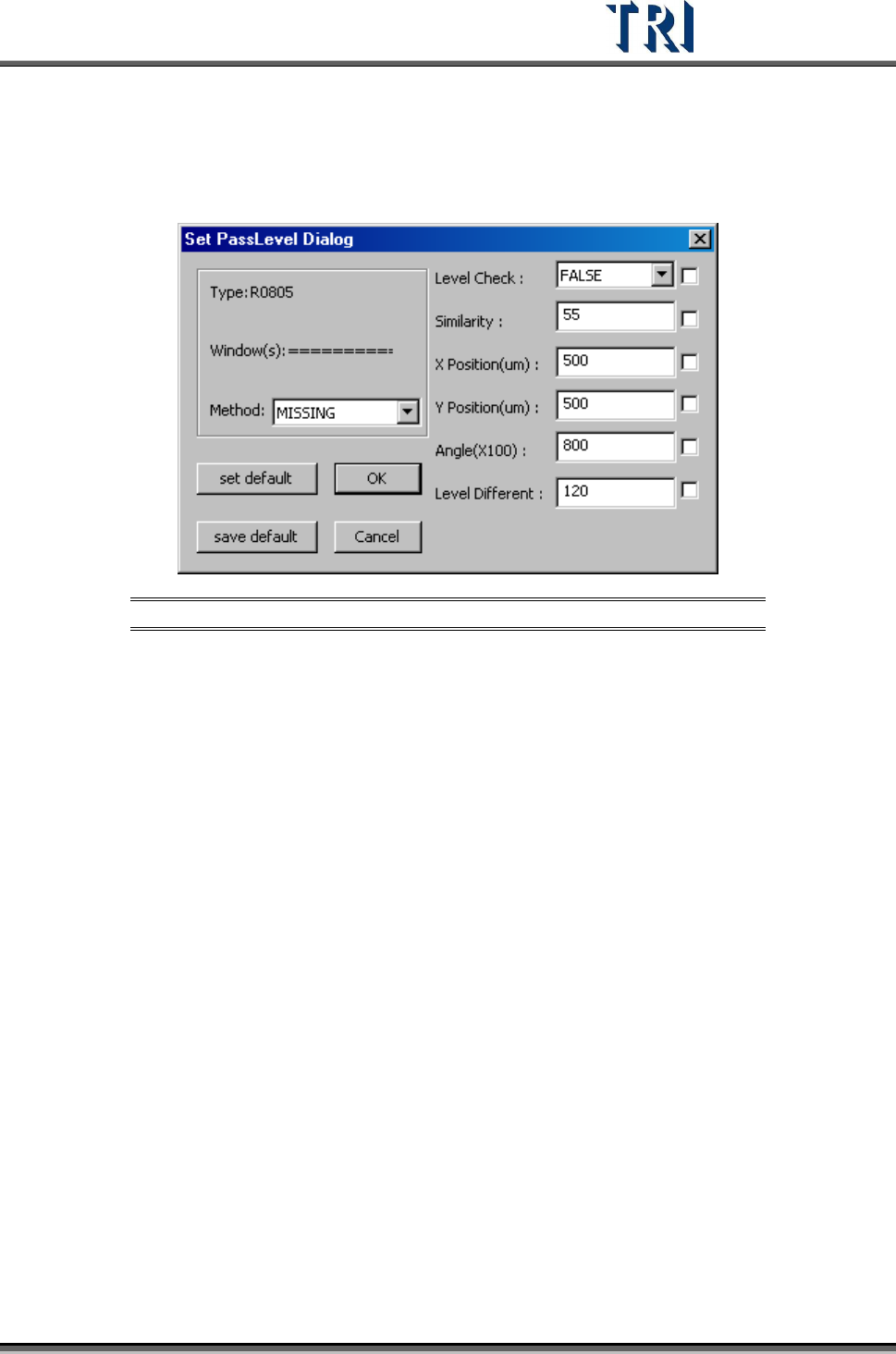
Set pass level for the selected box.
Figure 355: [Set Pass Level] Dialog
[Method] – Select the inspection box of property.
[Level Check] – Set to enable gray level check or not.
[Similarity] – Set the similar to the original pass level.
[X Position (um)] – Set the check window x position offset tolerance.
[Y Position (um)] –Set the check window y position offset tolerance.
[Angle (X100)] – Set the check window rotation angle offset tolerance.
[Level Different] – Set percentage of different gray level to the original.
[Set Default] – Notify the system to set default
[Save Default] – Save the current settings as default.
[OK ]– Save the current settings to the selected windows.
[Cancel] – Close the dialog.
Test Research Inc.
212 TR7500 Series User Guide –Software v.2.9.0
8.7.5 Directory
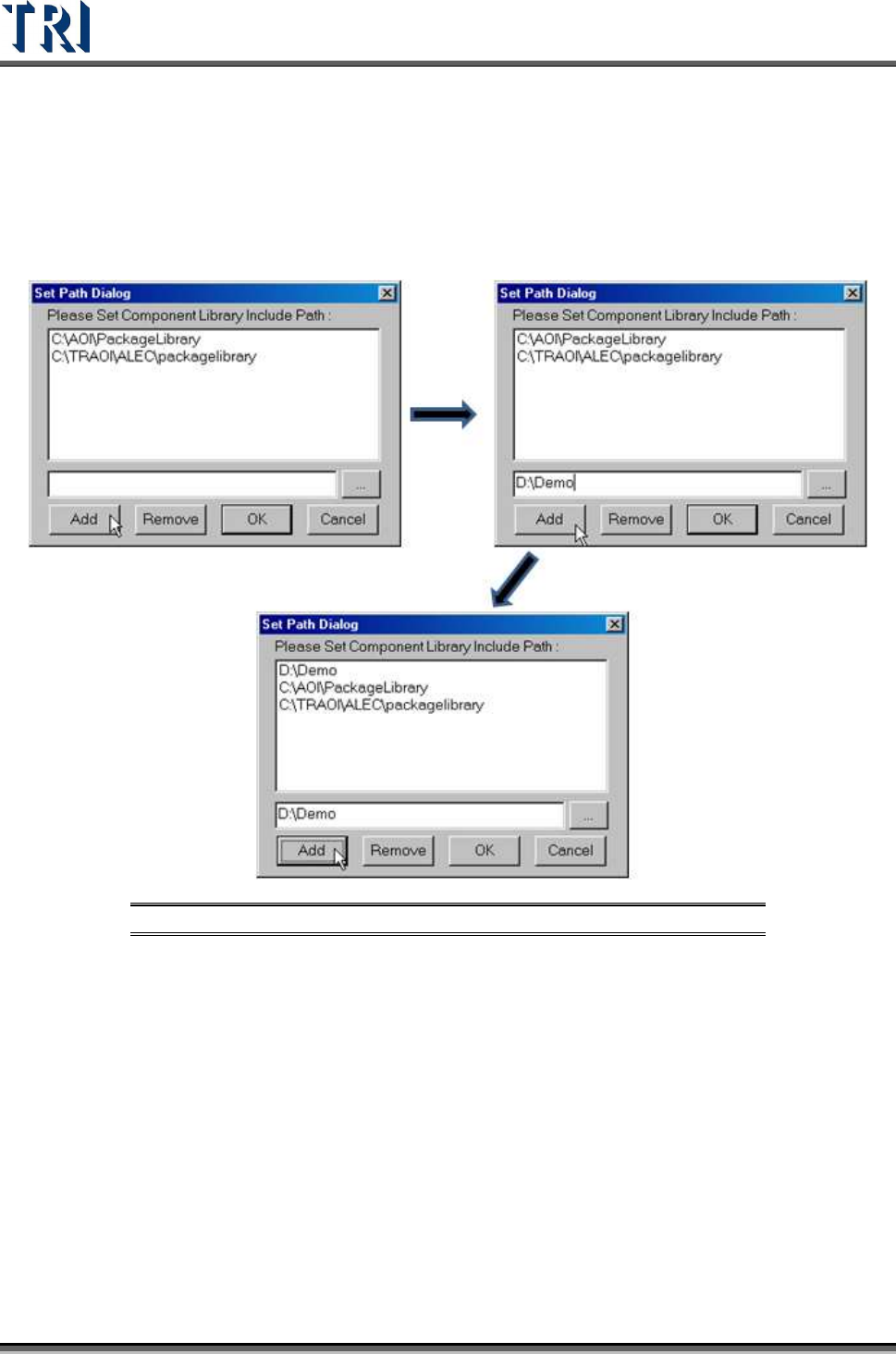
Sets component library save or load path
[ADD] – Adds the component library path. More than one path can be added.
Figure 356: Add Component Library Directory Path Process
[REMOVE] – Remove the component library path.
[OK] – Save settings and close the dialog
[Cancel] – Close the dialog and don’t save any change.
Test Research Inc.
TR7500 Series User Guide –Software v.2.9.0 213
8.7.6 Pin Directivity
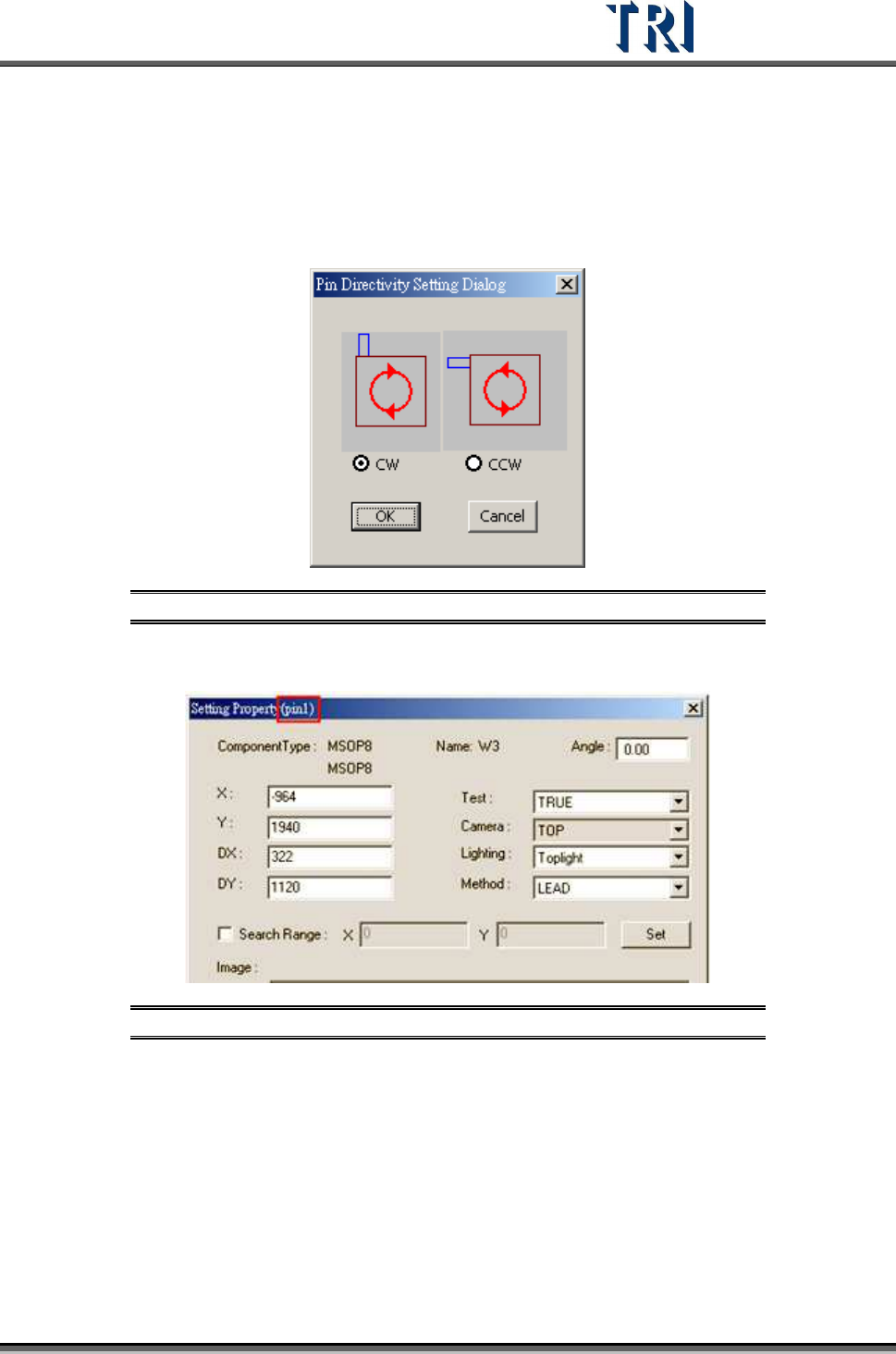
This function is to define the rotate rule for the IC pins. Select clockwise or counterclockwise
as shown below. The default is clockwise.
Figure 357: Pin Directivity Dialog
View the serial number of IC pin in the [Property] dialog.
Figure 358: View IC Pin Serial Number