TR7500_Series_Software_v29_En.pdf - 第315页
Test Research Inc. TR7500 Series User Guide – Software v.2.9.0 293 Figure 484 : PPY Defect Stat istics [PPY Yield] – (Board confirmed PA SS Count + Bo ard that is false alarm Count)/ (Total Test Board Coun t ) *100% …
Test Research Inc.
292 TR7500 Series User Guide –Software v.2.9.0
12.3 Results Dialog
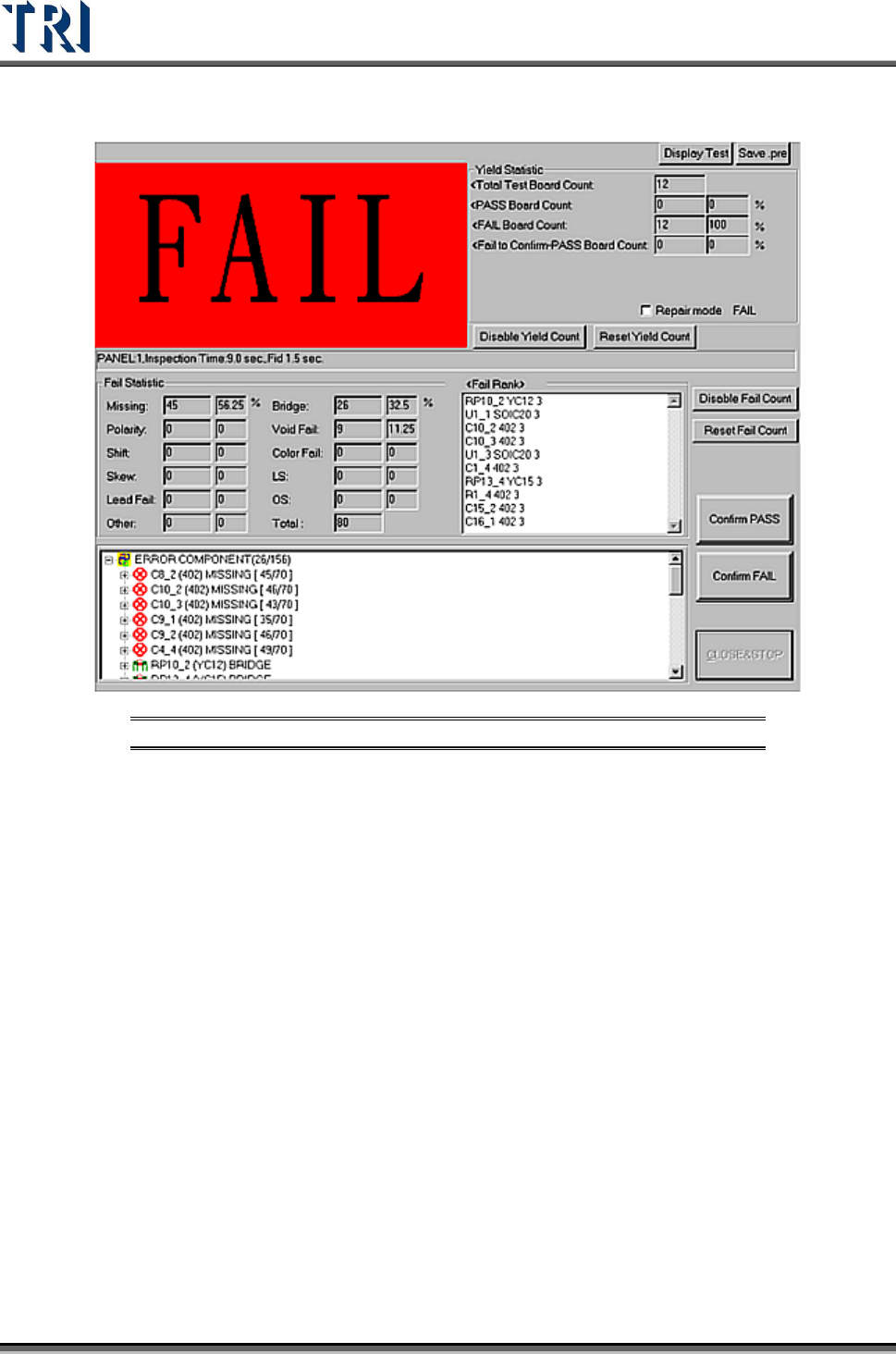
Figure 483: Test Results Dialog
[Confirm PASS] – Confirm the board passed.
[Confirm FAIL] – Confirm the board failed.
[Display Test/Display Fail] – Select whether to display [TEST] or [PASS] and [FAIL]
figure.
[Save .pre] – Save the project
[Yield Statistic] – List the result counts of board.
[Total Test Board Count] – Total test board count, counting with the single board.
[PASS Board Count] – Total PASS board count.
[FAIL Board Count] – Total FAIL board count.
[Fail-to Confirm-PASS Board Count] – The number of boards that are tested
FAIL but are confirmed as PASS by operator.
[Repair mode] – Select to link with Repair Station and display the data that is
confirmed and calculated on Repair Station. Note: For Repair Station,
[Setting/Other/SPCOutPut] has to be set as [True]. It shows the DPMO field,
only when you confirm the data by Window on Repair Station.
Test Research Inc.
TR7500 Series User Guide –Software v.2.9.0 293
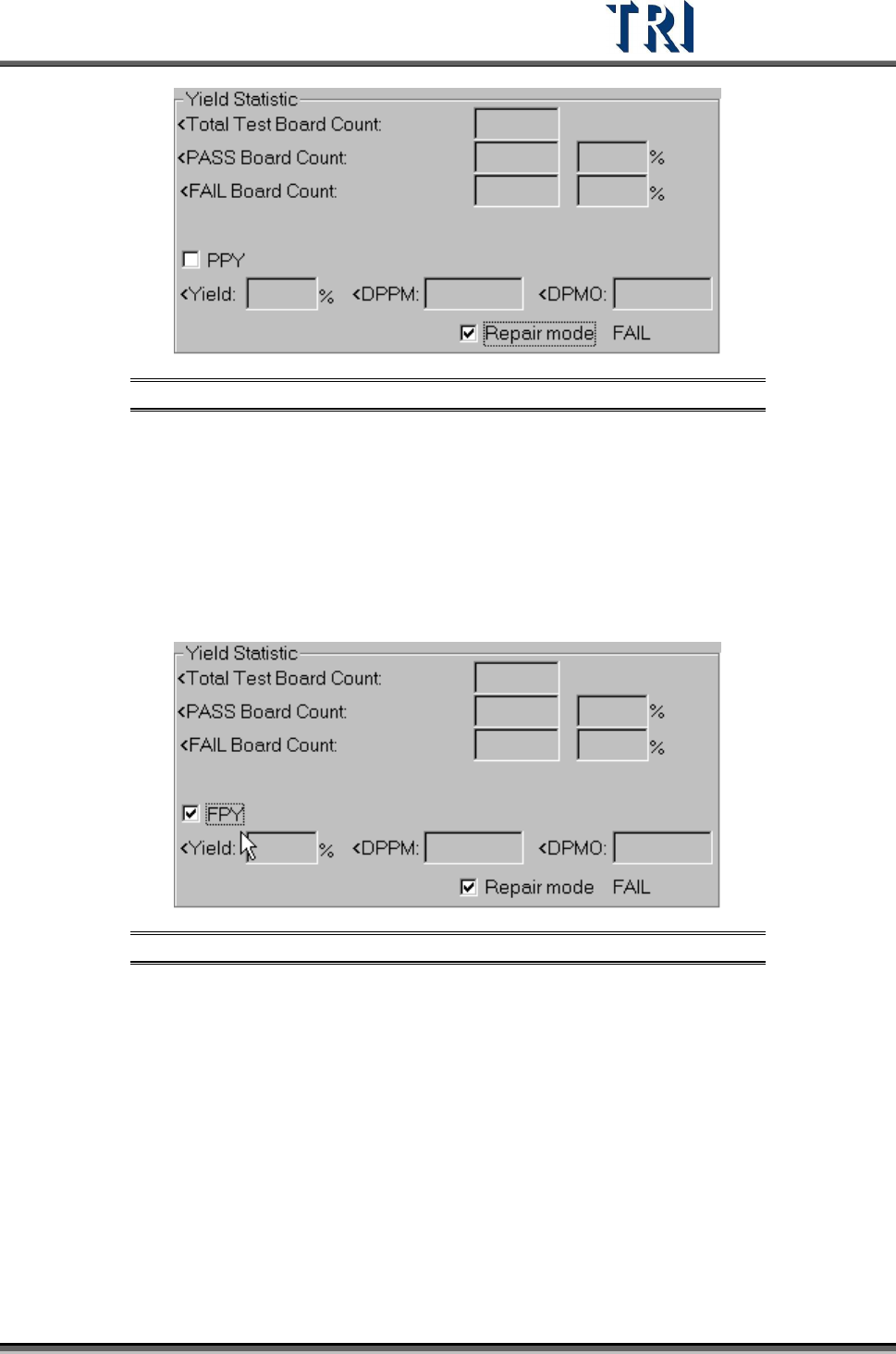
Figure 484: PPY Defect Statistics
[PPY Yield] – (Board confirmed PASS Count + Board that is false alarm Count)/
(Total Test Board Count) *100%
[PPY DPPM] – [(Component confirmed FAIL Count + Component that is false
alarm Count) / (Total Component Count)]*1000000
[PPY DPMO] – [(Inspection Box confirmed FAIL Count + Inspection Box that is
false alarm Count)/(Total Test Board Count*Total Inspection Box
Count)]*1000000
Figure 485: FPY Defect Statistics
FPY Yield – Board confirmed PASS Count /Total Test Board Count *100%
FPY DPPM – [(Component confirmed FAIL Count)/Total Component
Count]*1000000
FPY DPMO – [(Inspection Box confirmed FAIL Count)/(Total Test Board
Count*Total Inspection Box Count)]*1000000
Inspection time – Display inspection counts, inspection time and time to finding
fiducial marks.
Fail Statistic – List the rank of failed components and the defect counts.
Defect tree – List the details of components.
Test Research Inc.
294 TR7500 Series User Guide –Software v.2.9.0
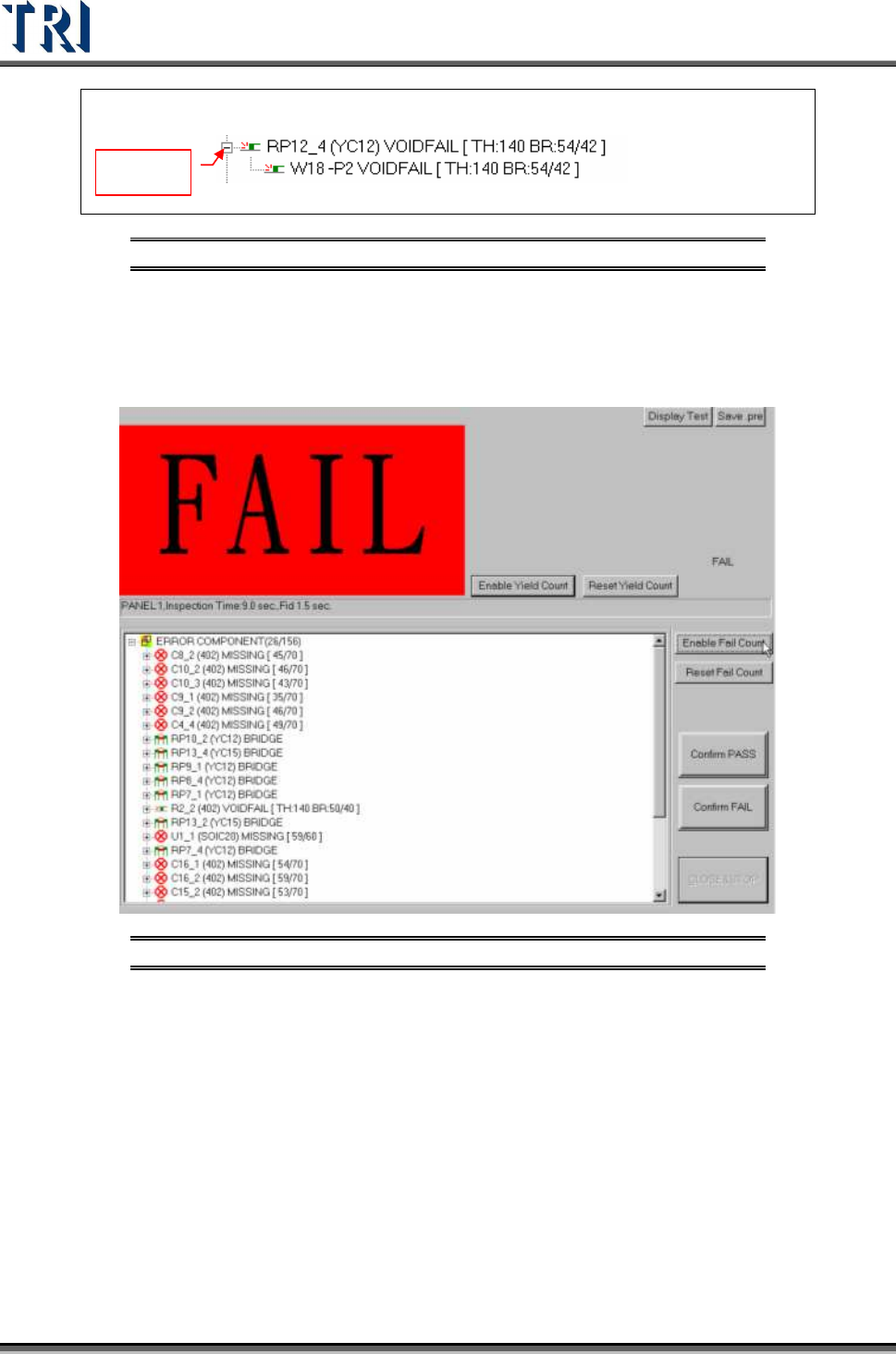
Component name, (Type), Defect kind [Parameter, inspected score/tolerance]
Display
Inspection box name, Defect kind, [Parameter, inspected core/tolerance]
Figure 486: Example: Defect Tree
[Reset Yield Count] – Reset the [Yield Statistic] field.
[Disable Yield Count] – Do not display the [Yield Statistic] field.
[Disable Fail Count] – Do not display the [Fail Statistic] field.
Figure 487: Results Screen with Yield & Fail Statistics Hidden
[Reset Fail Count] – Reset the [Fail Statistic] field.
[Close&Stop] – Close the window.