TR7500_Series_Software_v29_En.pdf - 第296页
Test Research Inc. 274 TR7500 Series User Guid e –Softwa re v.2.9.0 11.9.4. 2 Warp Model S core Set the similarity sco re. When the si milarity is higher than this score, the i nspect ion wi ndow in the FOV wil l be relo…
Test Research Inc.
TR7500 Series User Guide –Software v.2.9.0 273
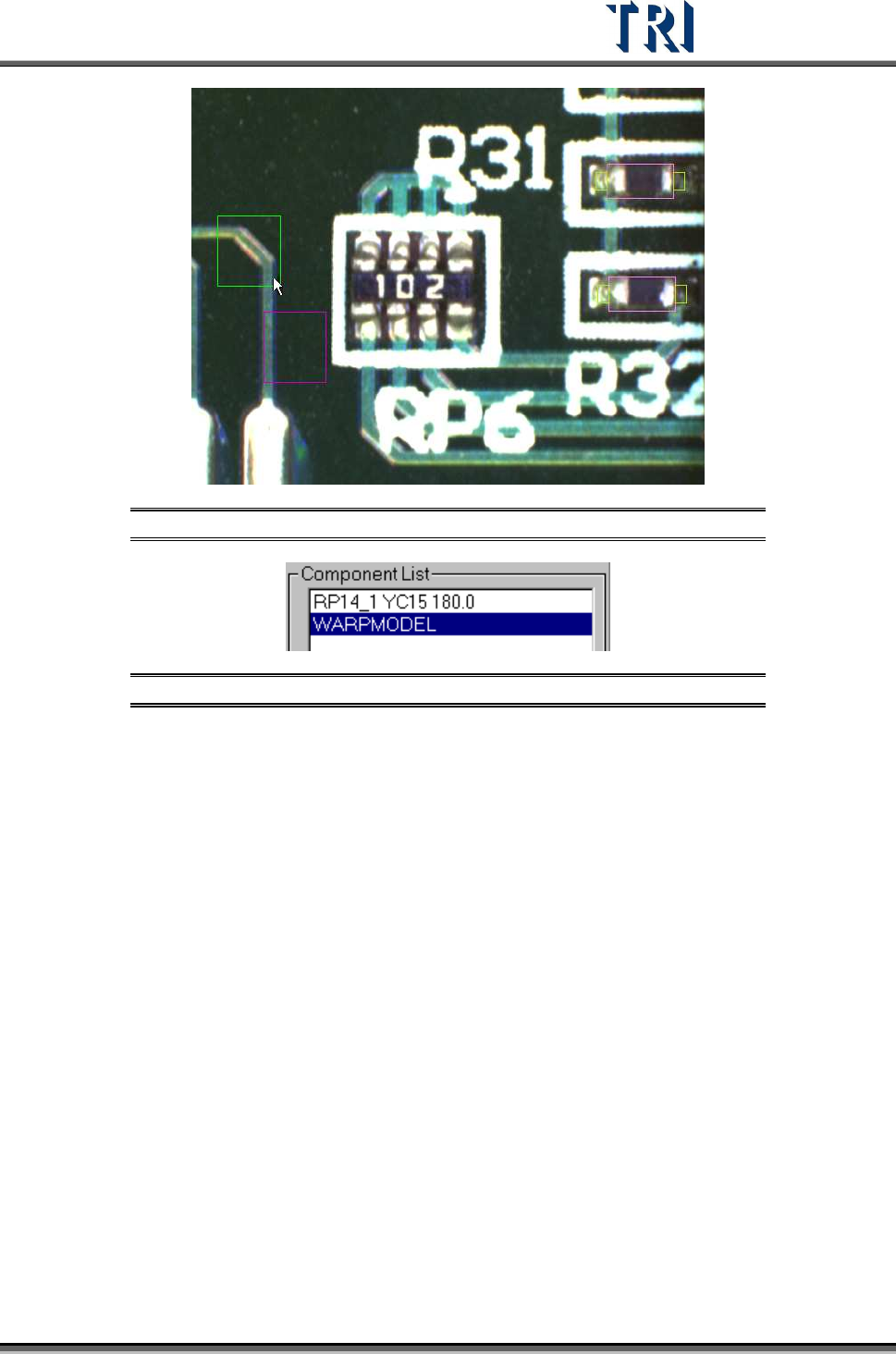
Figure 459: Warp Set on FOV Image
Figure 460: WarpModel in Component List
Test Research Inc.
274 TR7500 Series User Guide –Software v.2.9.0
11.9.4.2 Warp Model Score
Set the similarity score. When the similarity is higher than this score, the inspection window
in the FOV will be relocated according to the [Warp] setting.
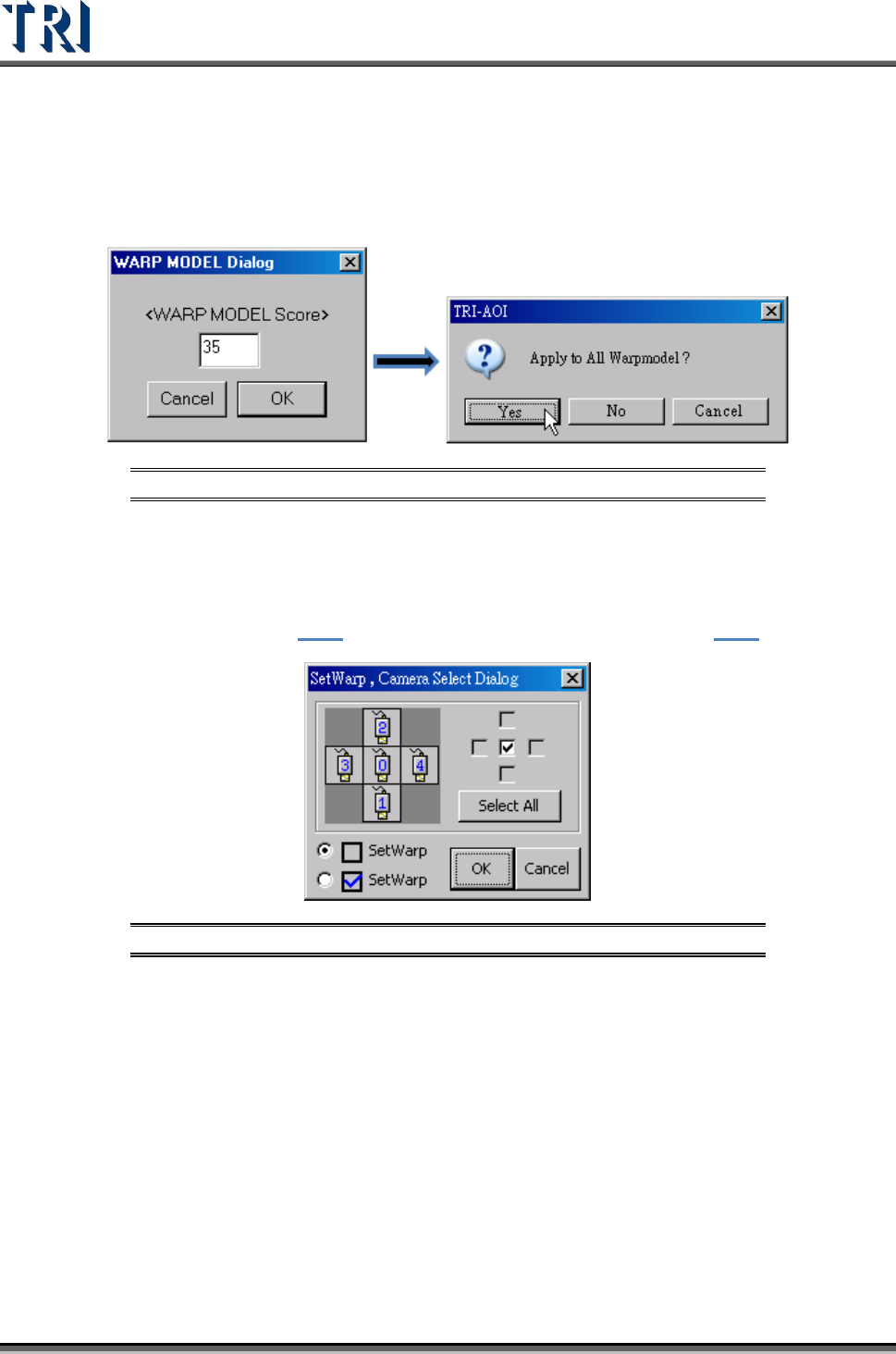
Figure 461: Warp Model Score
11.9.4.3 Warp Algorithm Modification
The function is to change the algorithm for the specified [Warp]. Press [Ctrl] and [W] key
under the FOV with [Warp] window, the following window appears. The unchecked icon
represents Method 1 (section
9.1.1) and the checked one means Method 2( 9.1.2)).
Figure 462: Change Warp Algorithm
Test Research Inc.
TR7500 Series User Guide –Software v.2.9.0 275
11.9.5 ROI Setting
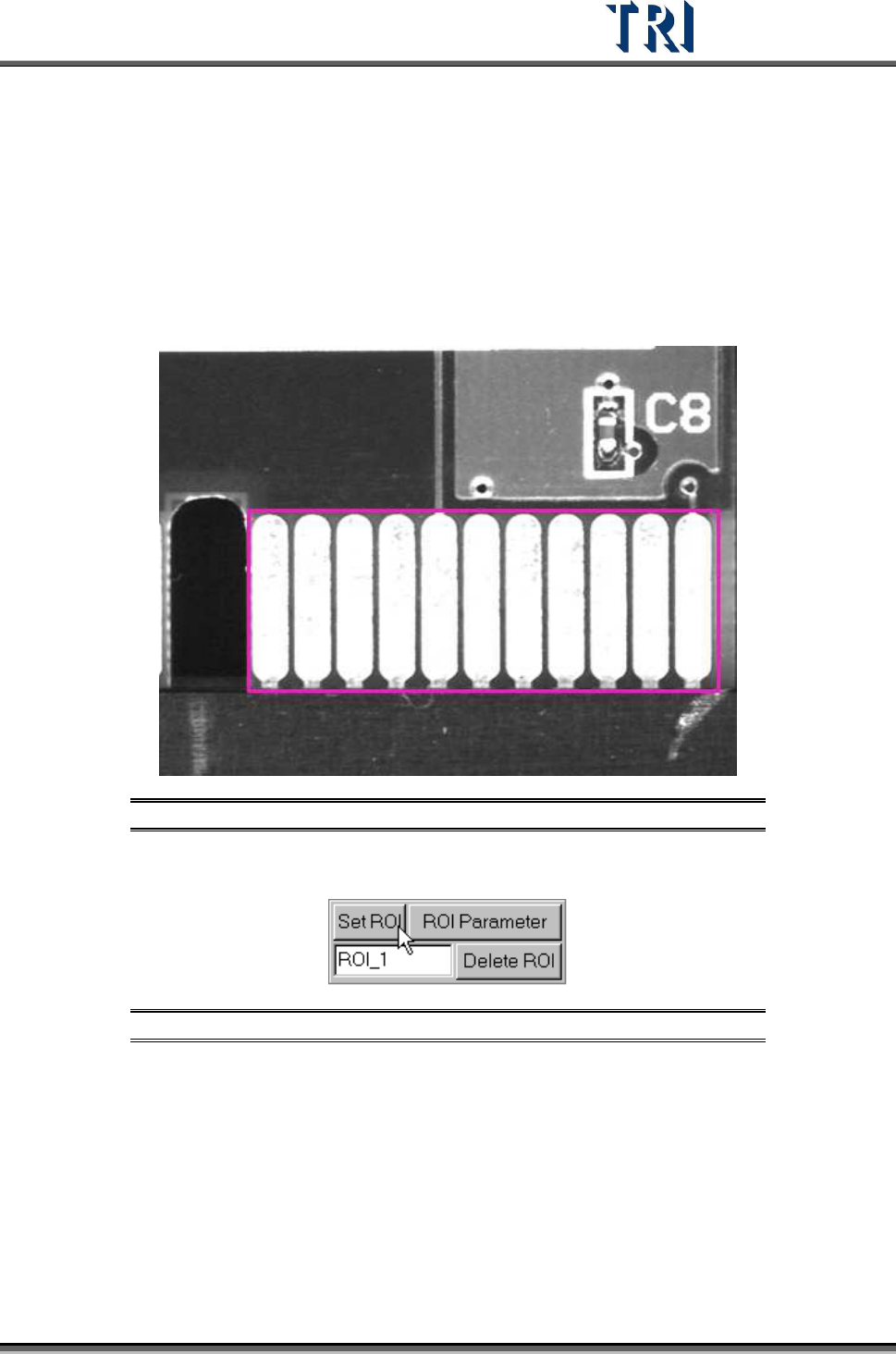
ROI is an inspection box to inspect scrapes on a board’s surface.
11.9.5.1 Set ROI
Setting Steps
Step1. Use the multi-function window to cover the area to be inspected.
Figure 463: Enlarge Multi-Function Window
Step2. Input the name of ROI and press [Set ROI] to add an inspection box.
Figure 464: Set ROI Inspection Box
Step3. Select the copy rule.