TR7500_Series_Software_v29_En.pdf - 第298页
Test Research Inc. 276 TR7500 Series User Guid e –Softwa re v.2.9.0 Figure 465 : Select ROI Copy Rule Step4. Select the ma sk zone – the area not to be inspect ed. Figure 466 : Mask Zone Opti ons Def ault Zone Figure 4…
Test Research Inc.
TR7500 Series User Guide –Software v.2.9.0 275
11.9.5 ROI Setting
ROI is an inspection box to inspect scrapes on a board’s surface.
11.9.5.1 Set ROI
Setting Steps
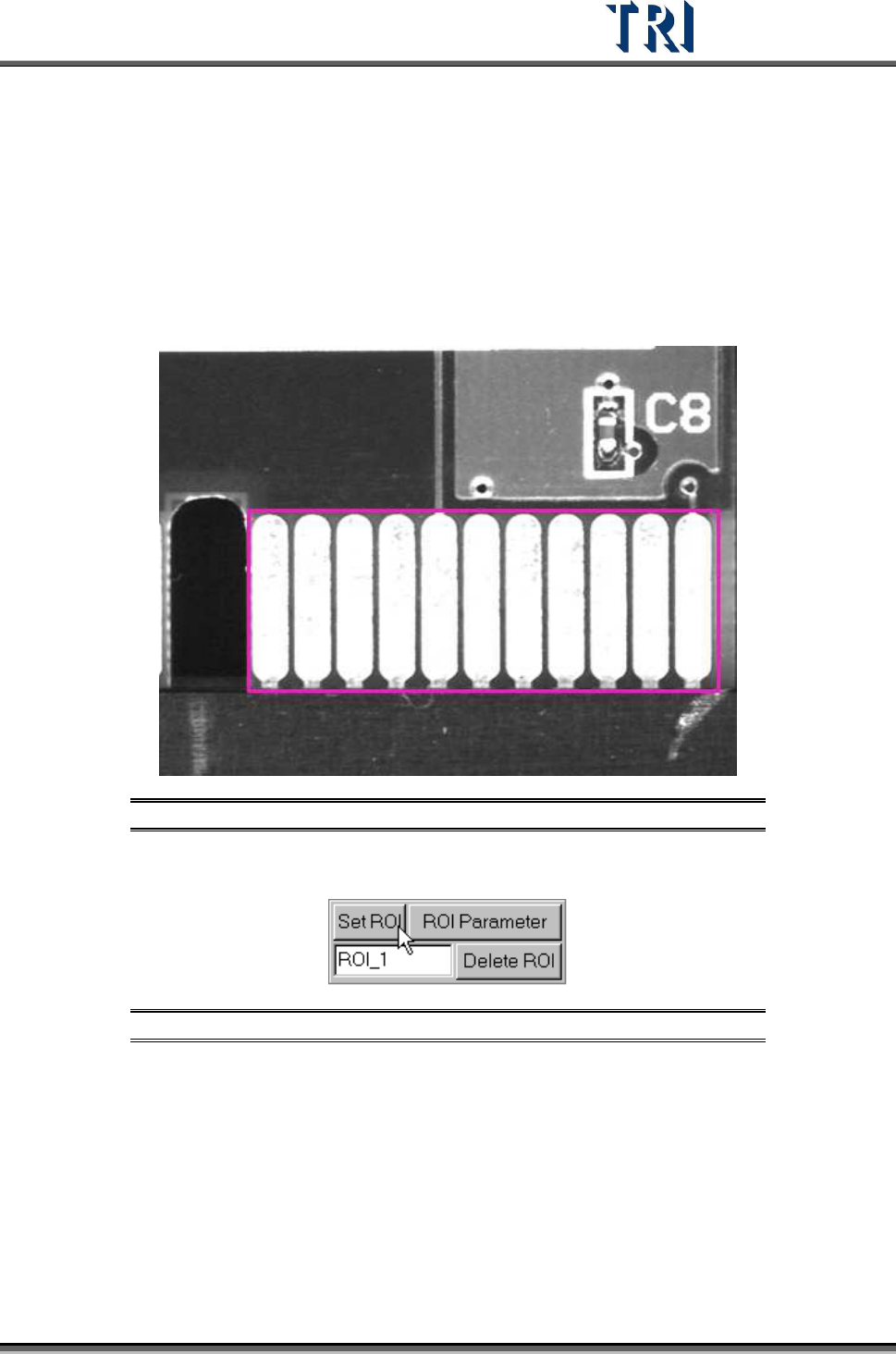
Step1. Use the multi-function window to cover the area to be inspected.
Figure 463: Enlarge Multi-Function Window
Step2. Input the name of ROI and press [Set ROI] to add an inspection box.
Figure 464: Set ROI Inspection Box
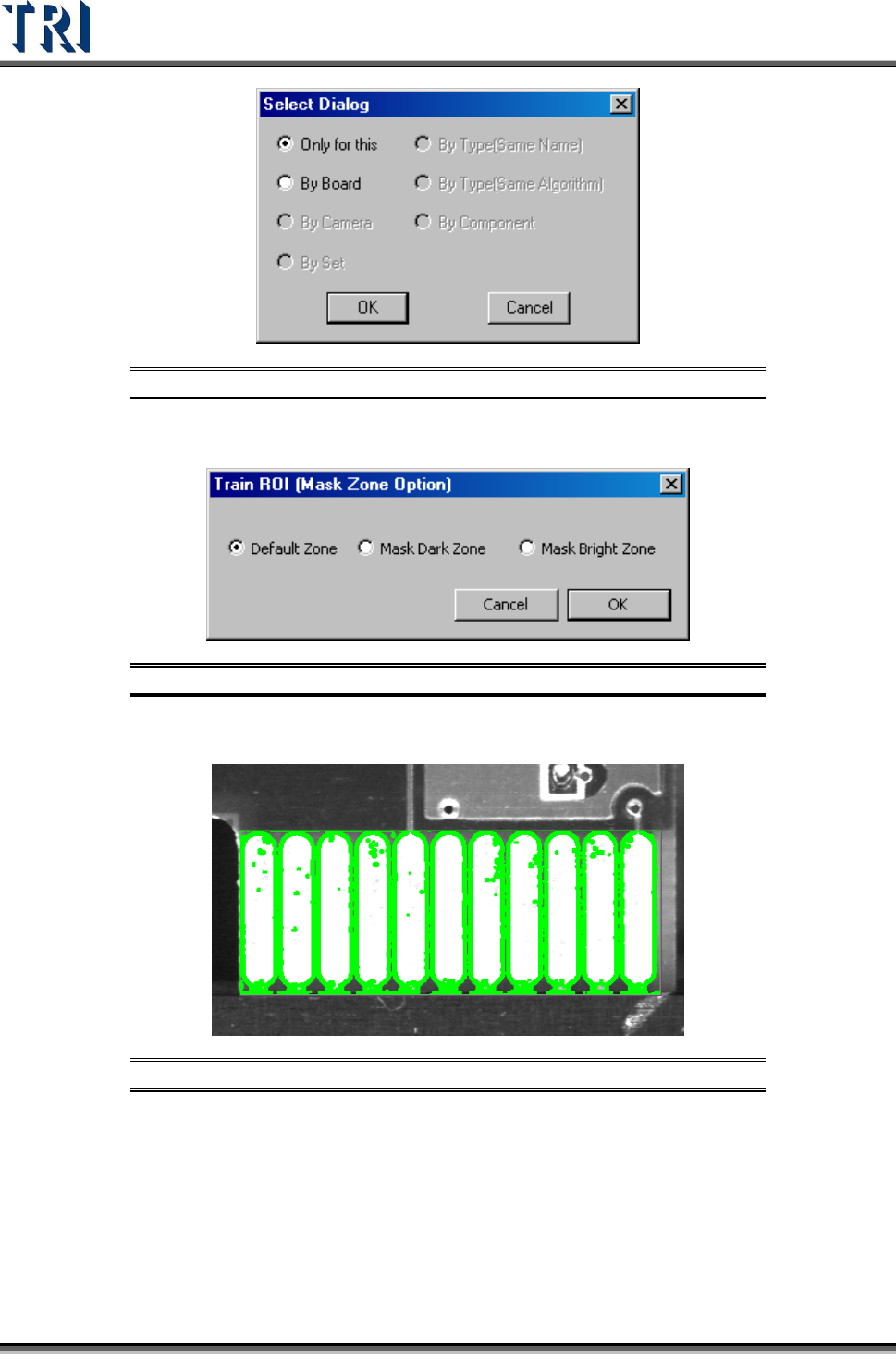
Step3. Select the copy rule.
Test Research Inc.
276 TR7500 Series User Guide –Software v.2.9.0
Figure 465: Select ROI Copy Rule
Step4. Select the mask zone – the area not to be inspected.
Figure 466: Mask Zone Options
Default Zone
Figure 467: Default Mask Zone
Mask Dark Zone
Test Research Inc.
TR7500 Series User Guide –Software v.2.9.0 277
Figure 468: Mask Dark Zone
Mask Bright Zone
Figure 469: Mask Bright Zone
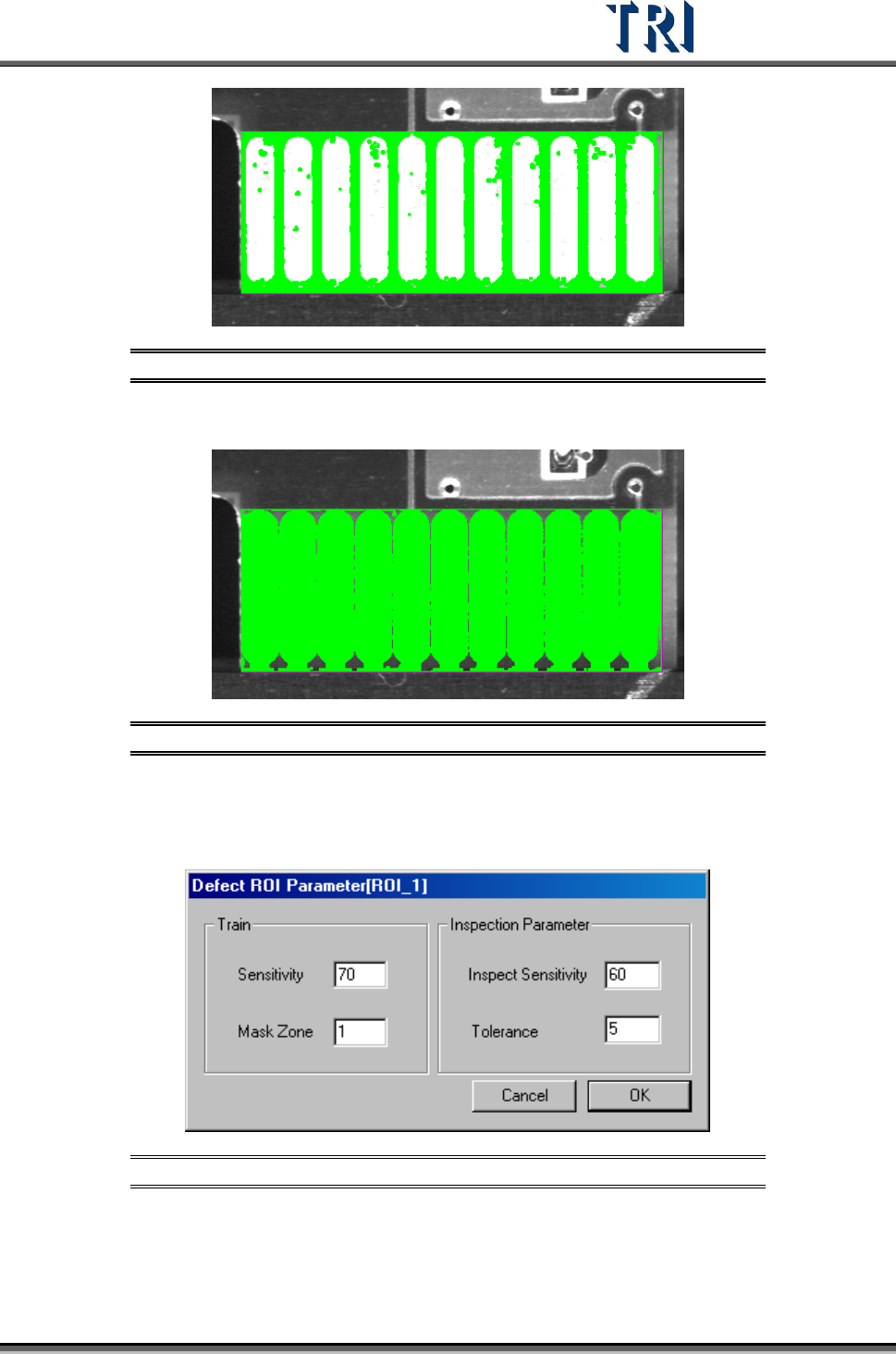
11.9.5.2 ROI Parameter
Set the ROI parameters.
Figure 470: ROI Parameters Dialog
[Train] –Set the parameter for training.
[Sensitivity] – Use 70 as an example. If the difference of the gray level between
neighboring pixels is larger than 30 (100-70) the two pixels will be regarded as
edges.