TR7500_Series_Software_v29_En.pdf - 第99页
Test Research Inc. TR7500 Series User Guide – Software v.2.9.0 77 Figure 134 : Non-CAD Teach Procedure 1 (5) [Find Component] - Use this func tion to create c omponents whi ch are similar to a standard image.
Test Research Inc.
76 TR7500 Series User Guide –Software v.2.9.0
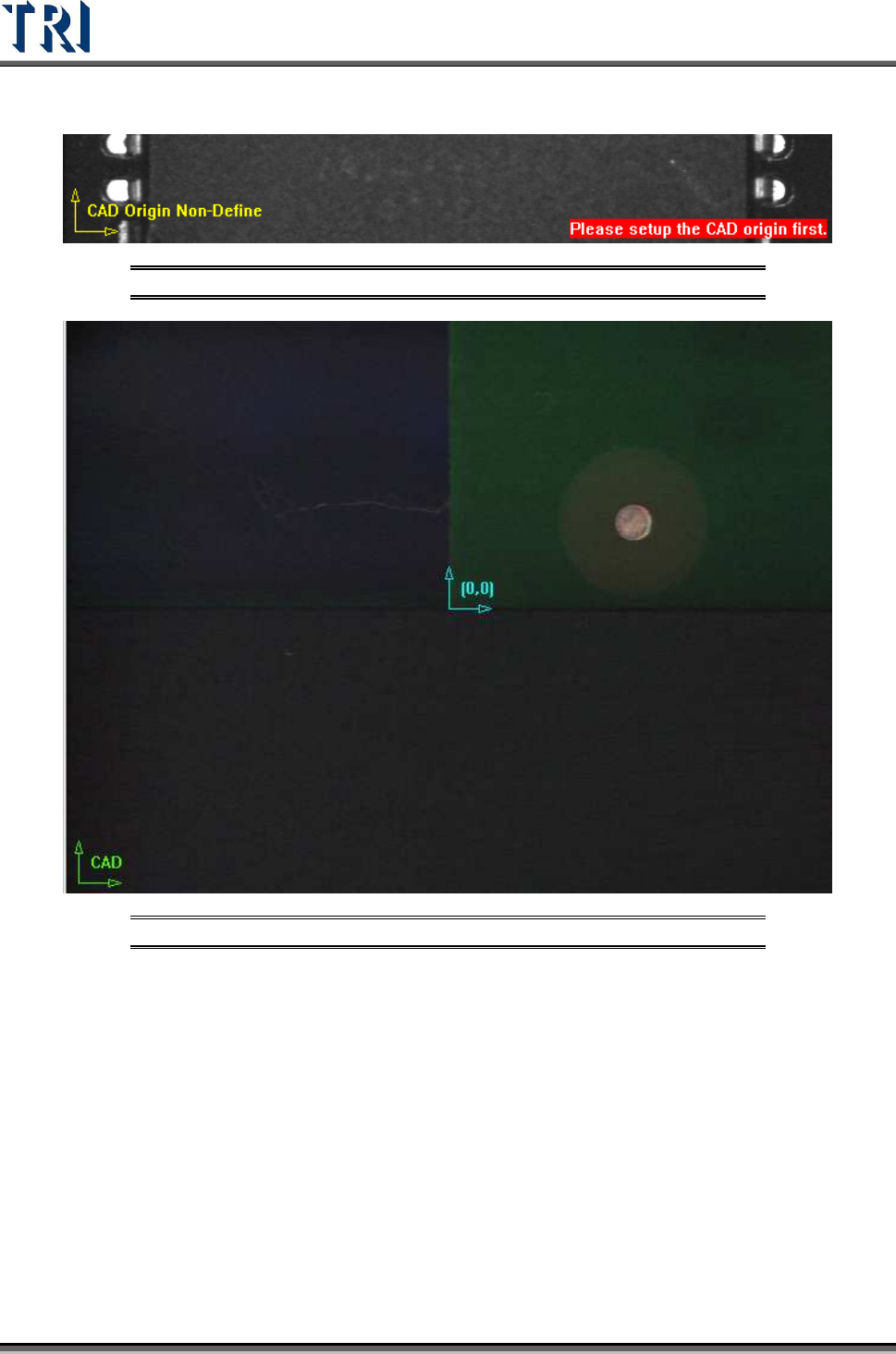
and the origin is marked as blue icon. There are two ways to set origin.
Figure 132: CAD Origin Not Defined Warning
Figure 133: CAD Origin By Mouse Click
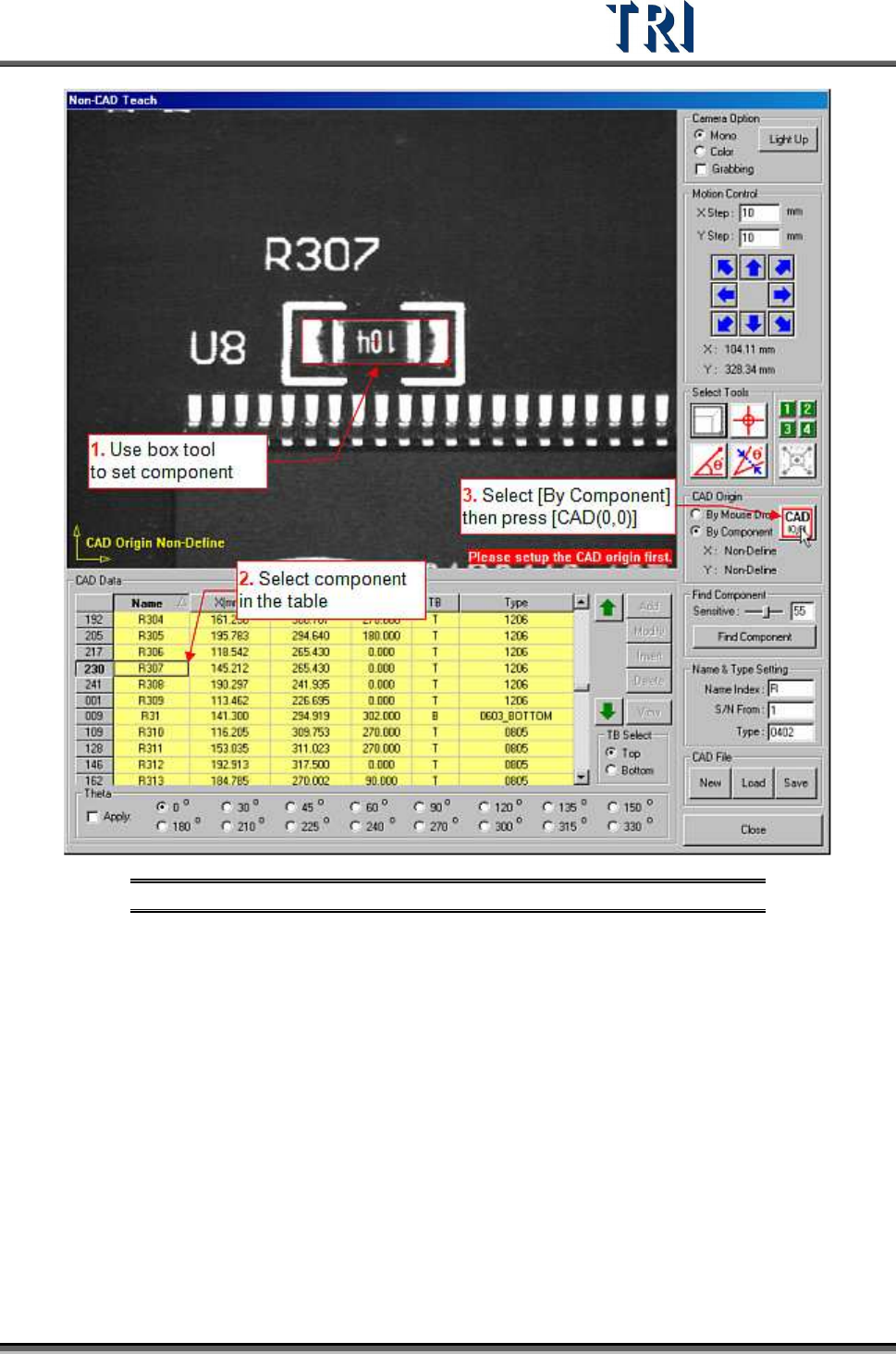
[By Mouse Drop] - Use this method when editing a new CAD file. Move box or
cross line tool to the position which you want to set on then press [CAD(0,0)] and
the system will record the coordinates of the origin.
[By Component] - Use this method when loading an existing AOI file for
continuous editing. Select a component in the component list field and move a tool
to the component center. Press [CAD(0,0)] button then the system will record the
coordinates of the origin.
Test Research Inc.
TR7500 Series User Guide –Software v.2.9.0 77
Figure 134: Non-CAD Teach Procedure 1
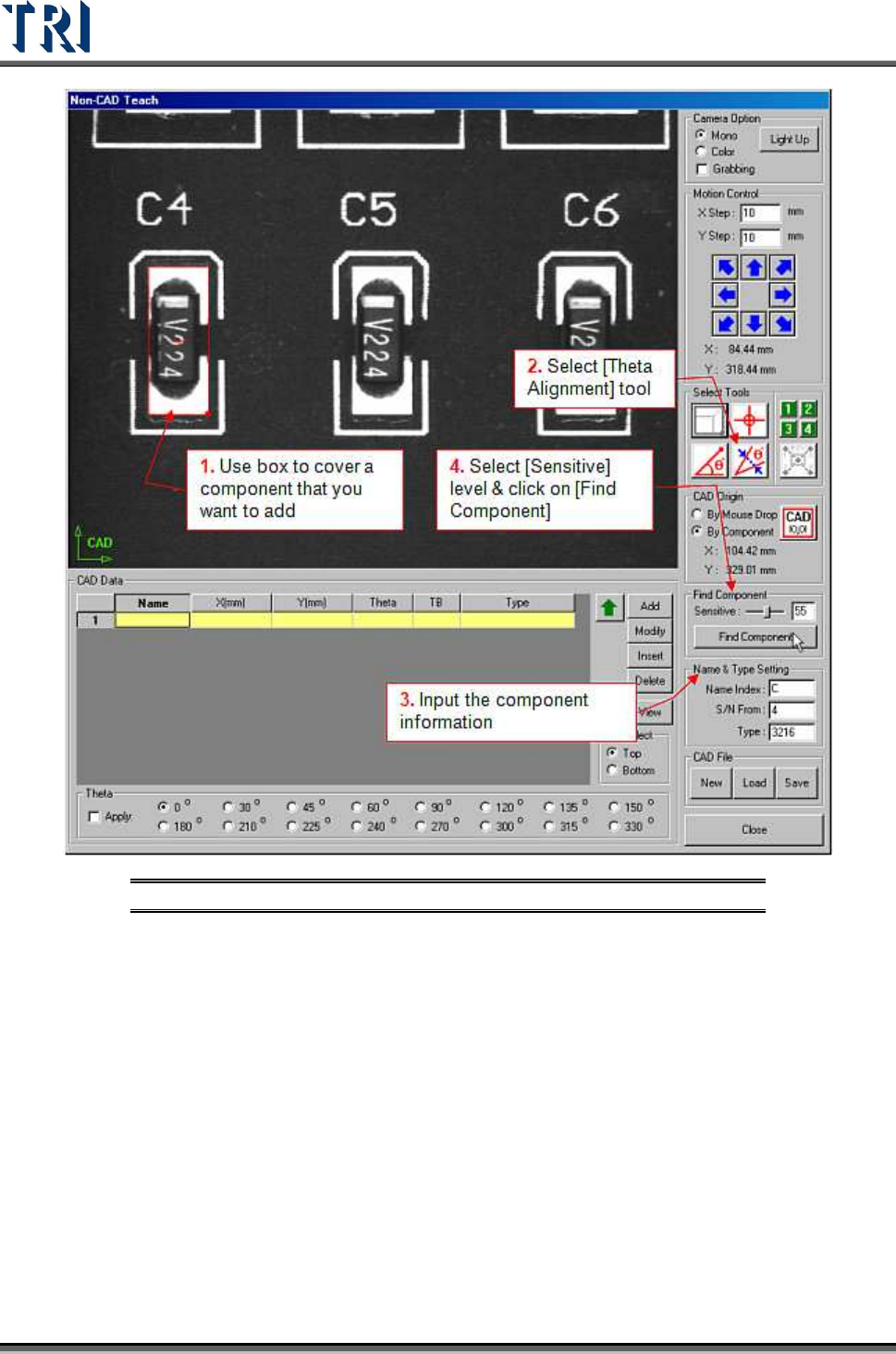
(5) [Find Component] - Use this function to create components which are similar to a
standard image.
Test Research Inc.
78 TR7500 Series User Guide –Software v.2.9.0
Figure 135: Non-CAD Teach Procedure 2