TR7500_Series_Software_v29_En.pdf - 第27页
Test Research Inc. TR7500 Series User Guide – Software v.2.9.0 5 Figure 6: Select a File to Op en 3. Select the Unit field, as d ef ined by the CAD f ile. Figure 7: Unit S election Sa me as CA D File 4. Click on [TRANSLA…
Test Research Inc.
4 TR7500 Series User Guide –Software v.2.9.0
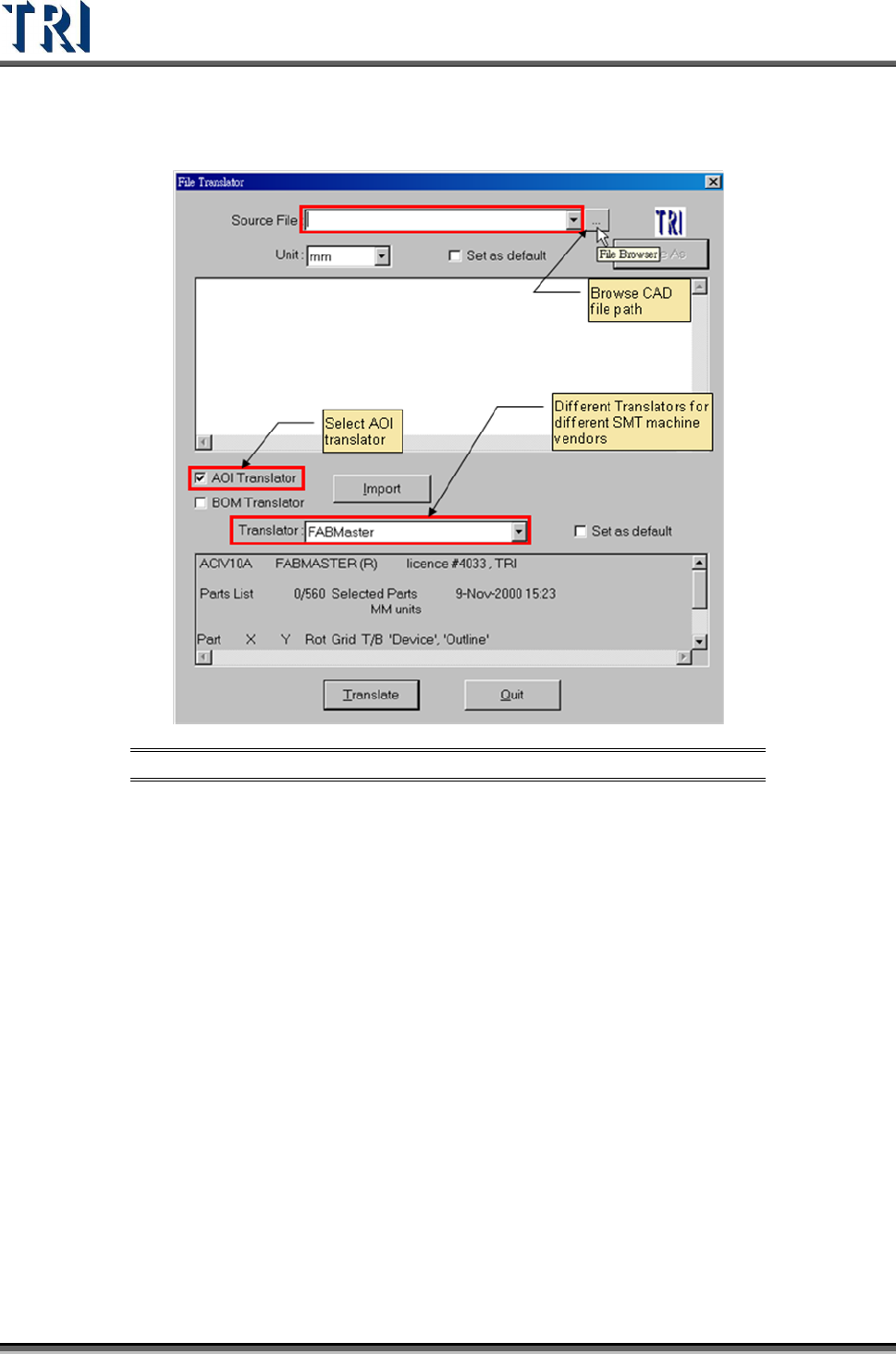
1. Browse CAD file path.
Figure 5: File Translator Function Screen
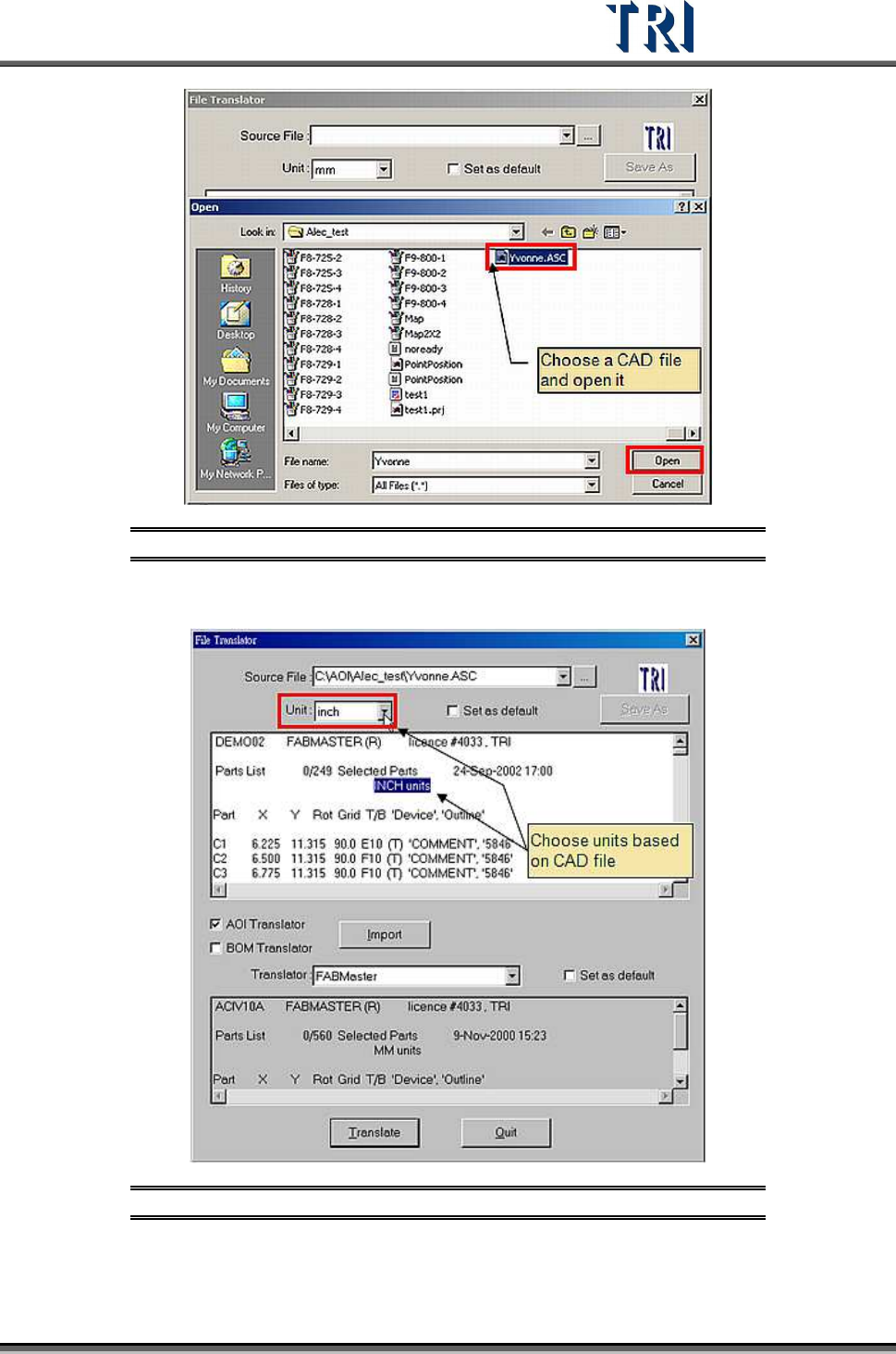
2. Browse file path and select a file.
Test Research Inc.
TR7500 Series User Guide –Software v.2.9.0 5
Figure 6: Select a File to Open
3. Select the Unit field, as defined by the CAD file.
Figure 7: Unit Selection Same as CAD File
4. Click on [TRANSLATE] to begin translation.
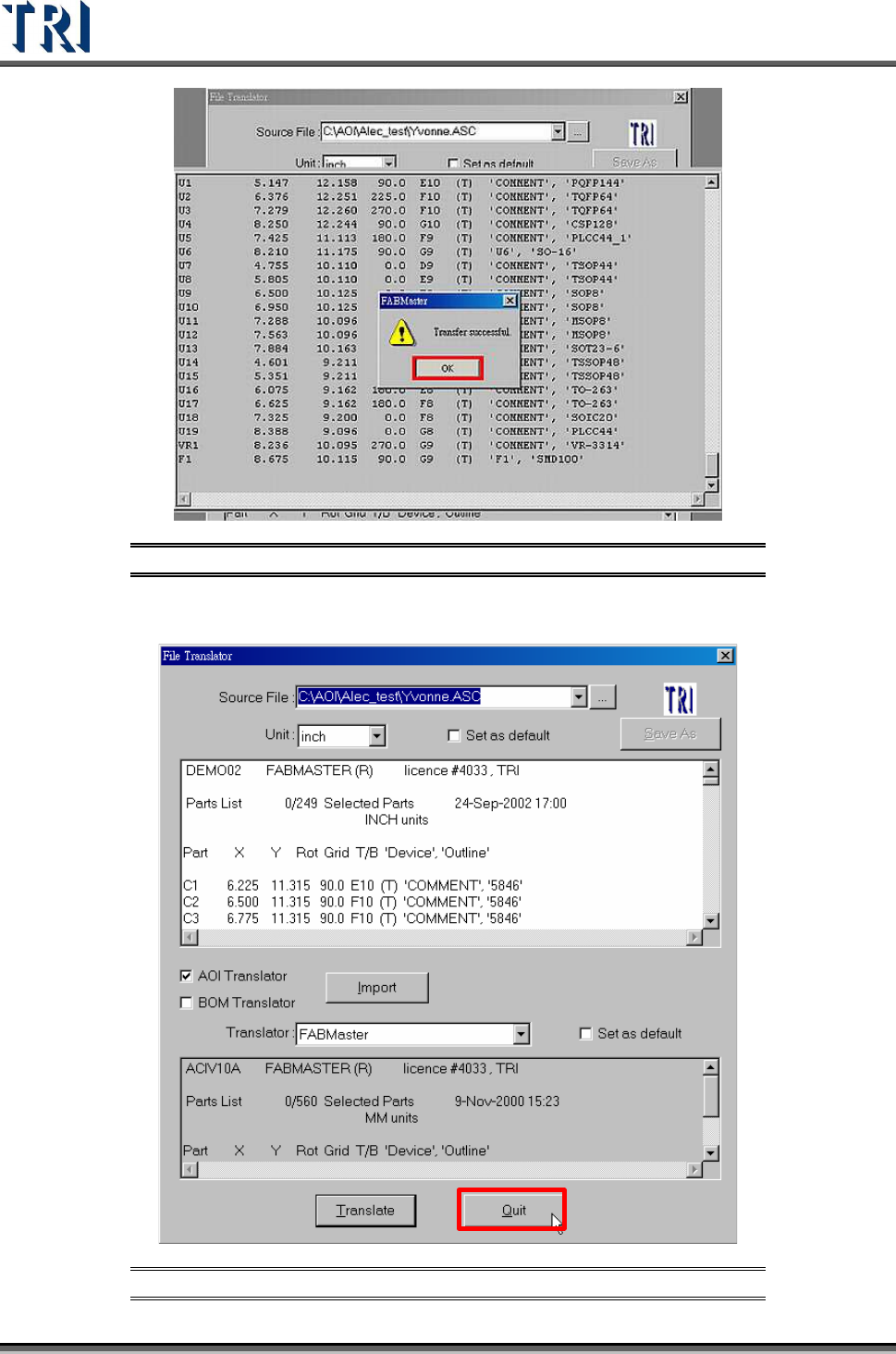
5. Transfer successful message will be displayed.
Test Research Inc.
6 TR7500 Series User Guide –Software v.2.9.0
Figure 8: Transfer Successful Message
6. Quit Translator
Figure 9: Quit Translator Button