TR7500_Series_Software_v29_En.pdf - 第188页
Test Research Inc. 166 TR7500 Series User Guid e –Softwa re v.2.9.0 Figure 275 : Delete Lighting Set Dialog (14). [Type] – When [Set Name] is set to “All”, this f unction will show all def ault lighting. (15). [Save] – S…
Test Research Inc.
TR7500 Series User Guide –Software v.2.9.0 165
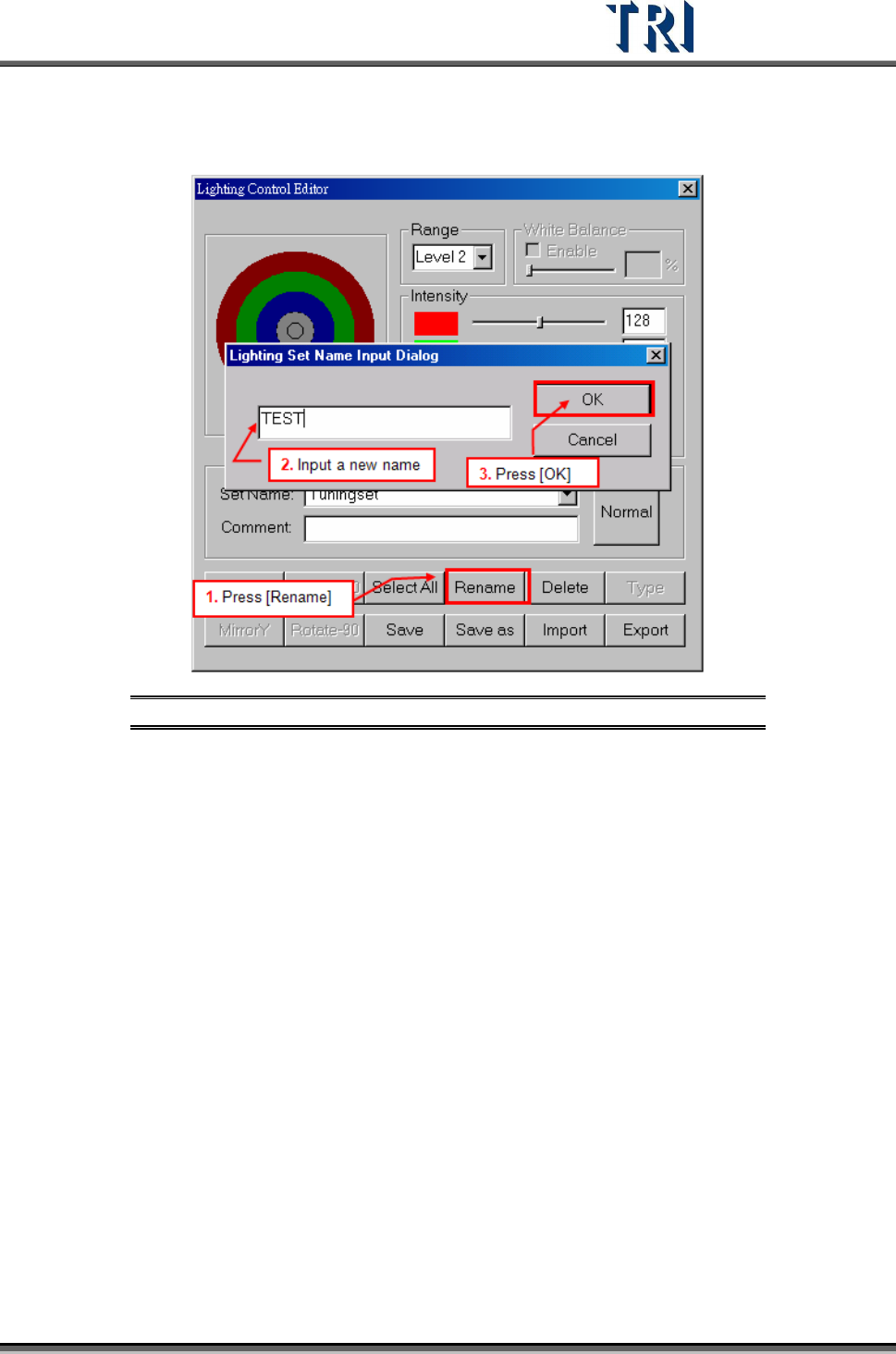
(12). [Rename] – Change name of current lighting set.
Figure 274: Rename Lighting Set Dialog
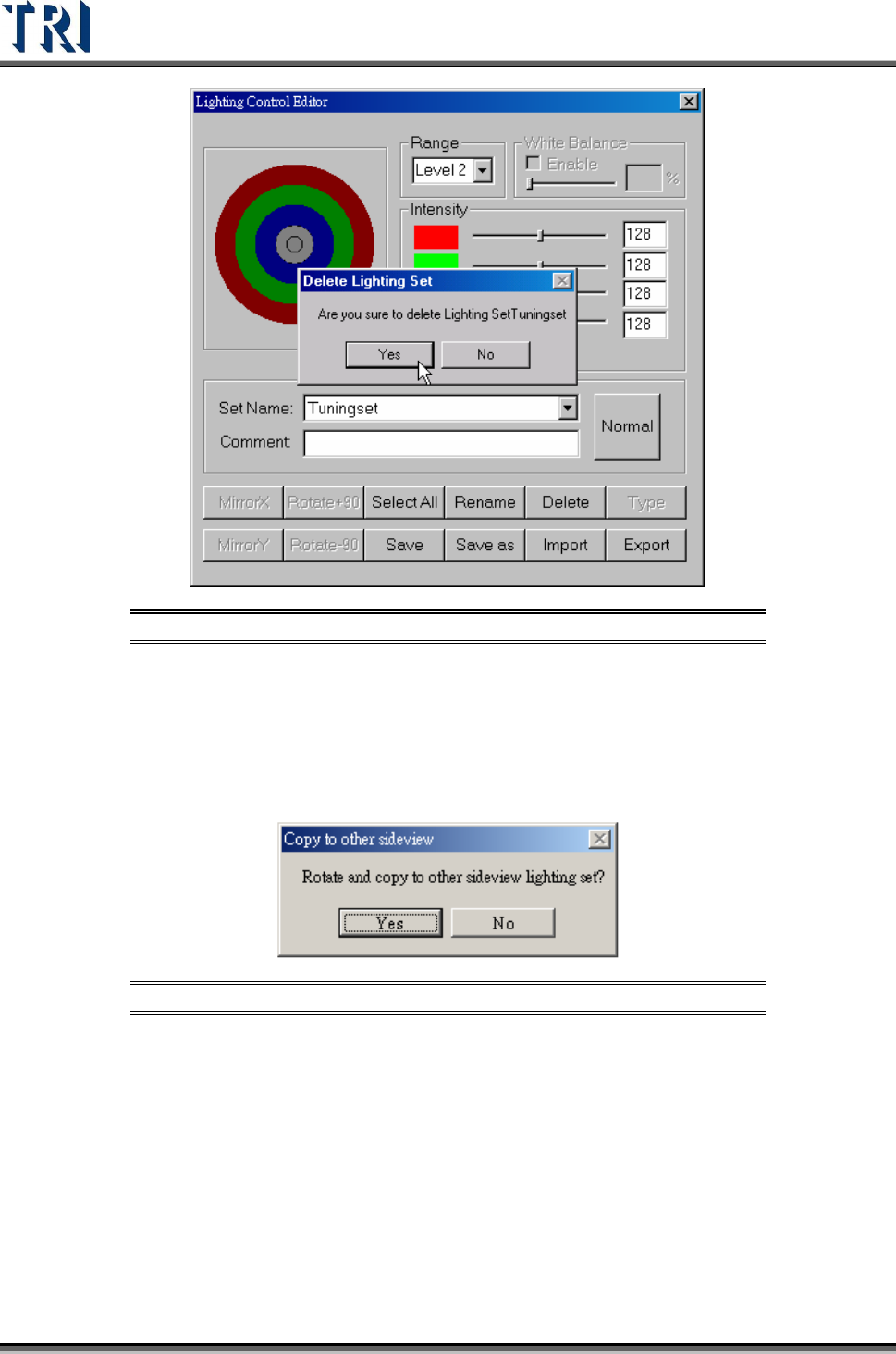
(13). [Delete] – Delete an existing lighting set.
Test Research Inc.
166 TR7500 Series User Guide –Software v.2.9.0
Figure 275: Delete Lighting Set Dialog
(14). [Type] – When [Set Name] is set to “All”, this function will show all default
lighting.
(15). [Save] – Save current light setting parameter. When the lighting that is
modified is [AnglelightA] or [AnglelightB], the system asks to confirm applying the
setting to corresponding lightings.
Figure 276: Confirm Copy Sideview Lighting
(16). [Save as] – Save current light setting under a new name.
(17). [Import] – Input LED lighting definition file from outside. The file name
extension is [*.LED].
(18). [Export] – Output LED lighting definition to file.
When opening a new project, the system sets [C:\AOI\DEFAULTLED7500.LED]
file as the default for the new project.
Every change for lighting in the project is saved in the current project. If you want
to share the lighting to another project, you have to [Export] the current lighting
then [Import] them when opening the other projects.
Test Research Inc.
TR7500 Series User Guide –Software v.2.9.0 167
7.2 Set Specific Lighting
There are 13 kinds of lighting sources that will be used while doing a project. The 13 kinds of
lighting are also shown when the [Normal] button is pressed. These 13 types are: two fiducial
lighting types [Fiducial0/1], one lighting [Maplight] for capturing the panel map, two top
camera default lighting types [ToplightA/B], two front camera lighting types [FrontlightA/B],
two rear camera types [RearlightA/B], and two each for left and right cameras [LeftlightA/B]
and [RightlightA/B].
The setting of the lighting looks at the states, such as board color of the circuit, solder joints,
and so on.