TR7500_Series_Software_v29_En.pdf - 第143页
Test Research Inc. TR7500 Series User Guide – Software v.2.9.0 121 Perform this test unde r the [Train] w indow. It will check if all the inspection box es ar e in the correct lighting me thod within FOV and show a warni…
Test Research Inc.
120 TR7500 Series User Guide –Software v.2.9.0
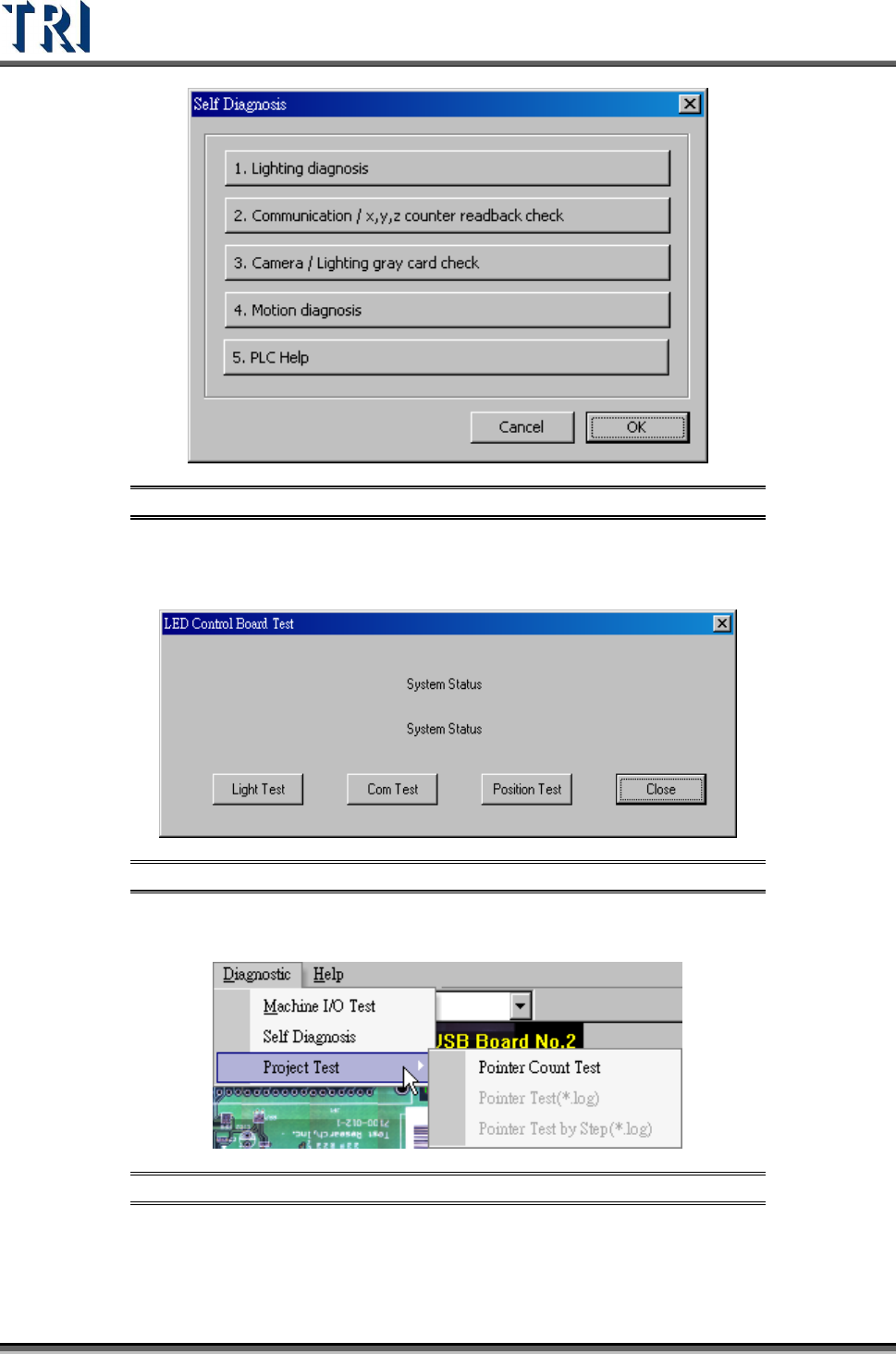
Figure 198: Self Diagnosis Options
Press [Lighting Diagnosis] to test the lighting system or press [Communication] to test the
communication between hardware.
Figure 199: LED Control Board Test Screen
3.11.3 Project Test
Figure 200: Project Test Function
Press [Pointer Count Test] to test the structure and link of inspection boxes in this project. If
the testing result shows “Fail” the project can be repaired.
Test Research Inc.
TR7500 Series User Guide –Software v.2.9.0 121
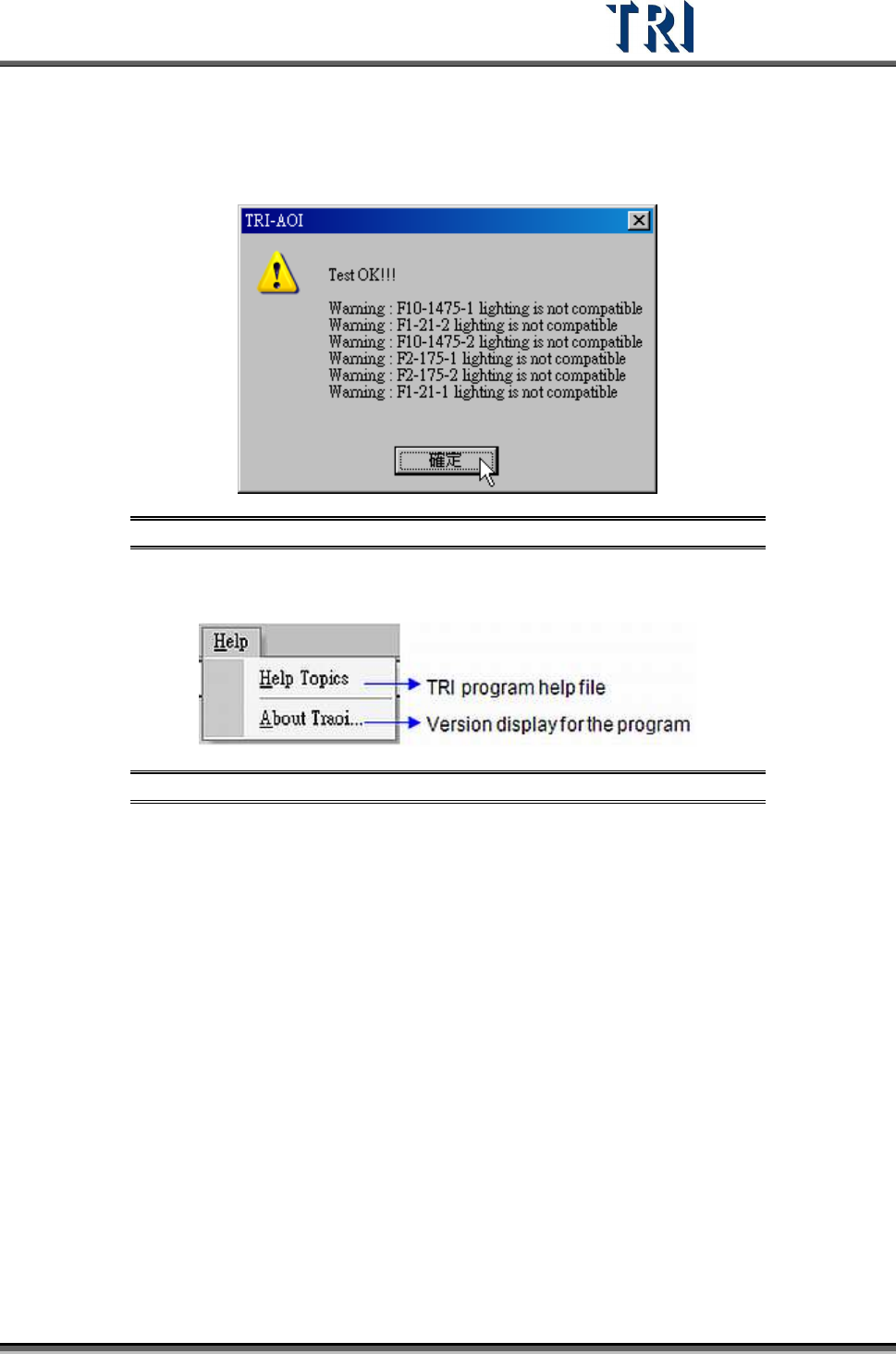
Perform this test under the [Train] window. It will check if all the inspection boxes are in the
correct lighting method within FOV and show a warning if they are not compatible. FOVs will
appear in white, which will create incompatibilities with some inspection boxes. A warning will
be displayed like in the following figure.
Figure 201: Project Test Warning Message
3.12 Help
Figure 202: Help Tab
3.12.1 Help Topics
Shows the help menu.
3.12.2 About TRAOI
Displays the version of TR7500 system software.
Test Research Inc.
122 TR7500 Series User Guide –Software v.2.9.0
4 AOI
ATPG
F
UNCTION
I
NSTRUCTION
4.1 CAD File Translator for AOI Files
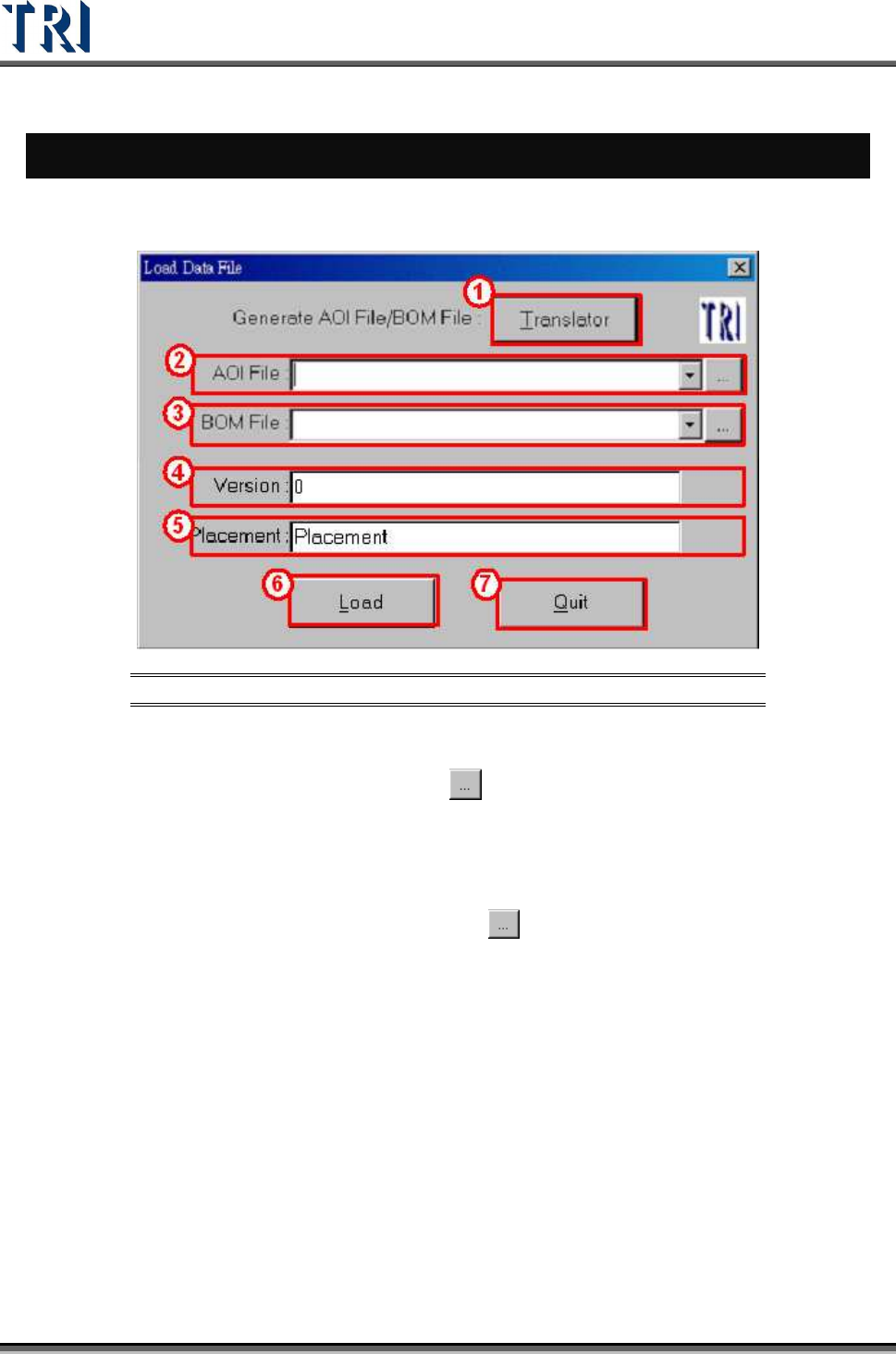
Figure 203: Load Data File Screen
[Translator] – CAD file translator. Use this function to translate CAD file to AOI file.
[AOI File] – Input the path of AOI file or use
button to browse. When loading an AOI
file, the system will copy all the original [Type] columns into [Hidden] columns and
save as non-modified data. Users may change the [Type] during programming, and,
the saved original type will not be affected. The user can use [P
ARAMETER
>
P
ANEL
>
R
EPAIR STATION
] to retrieve the original type for data collection.
[BOM File] – Input the path of BOM file or press
button to browse. If the BOM file is
loaded, the system will set the components which are not included in the BOM file as
“UNTEST”. Edit the BOM file by using the “Translator” function or by using the
TR7500’s built-in function.
a. Create BOM file by the TR7500.