TR7500_Series_Software_v29_En.pdf - 第209页
Test Research Inc. TR7500 Series User Guide – Software v.2.9.0 187 Figure 316 : Name Index Di alog [Sch] – Search the index nam e. [Ne w] – Create the pri mary or secondary index name. Figure 317 : Create Second ary …
Test Research Inc.
186 TR7500 Series User Guide –Software v.2.9.0
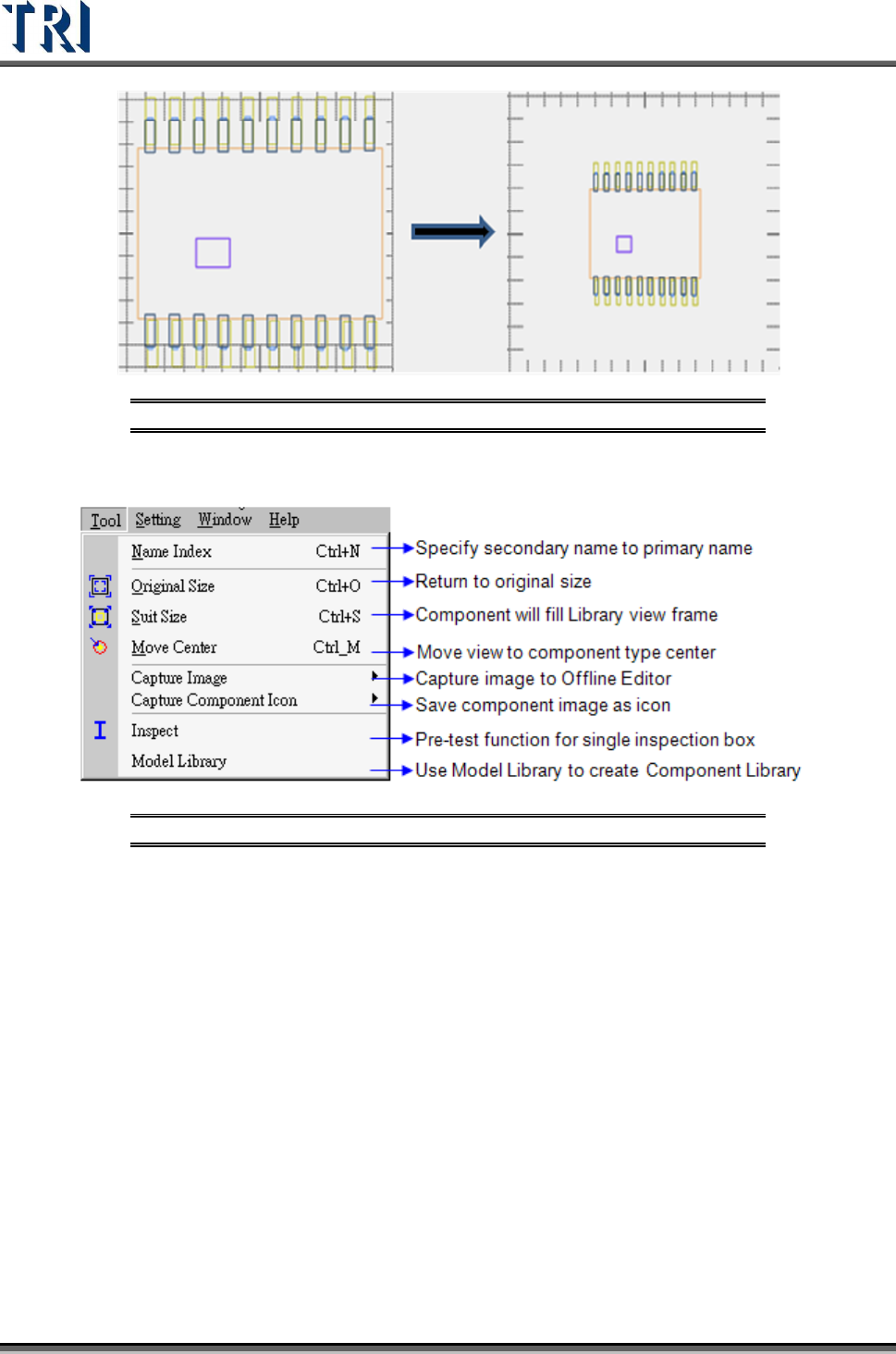
Figure 314: Zoom In (left) & Zoom Out
8.6 Tool Command
Figure 315: Tool Command Menu
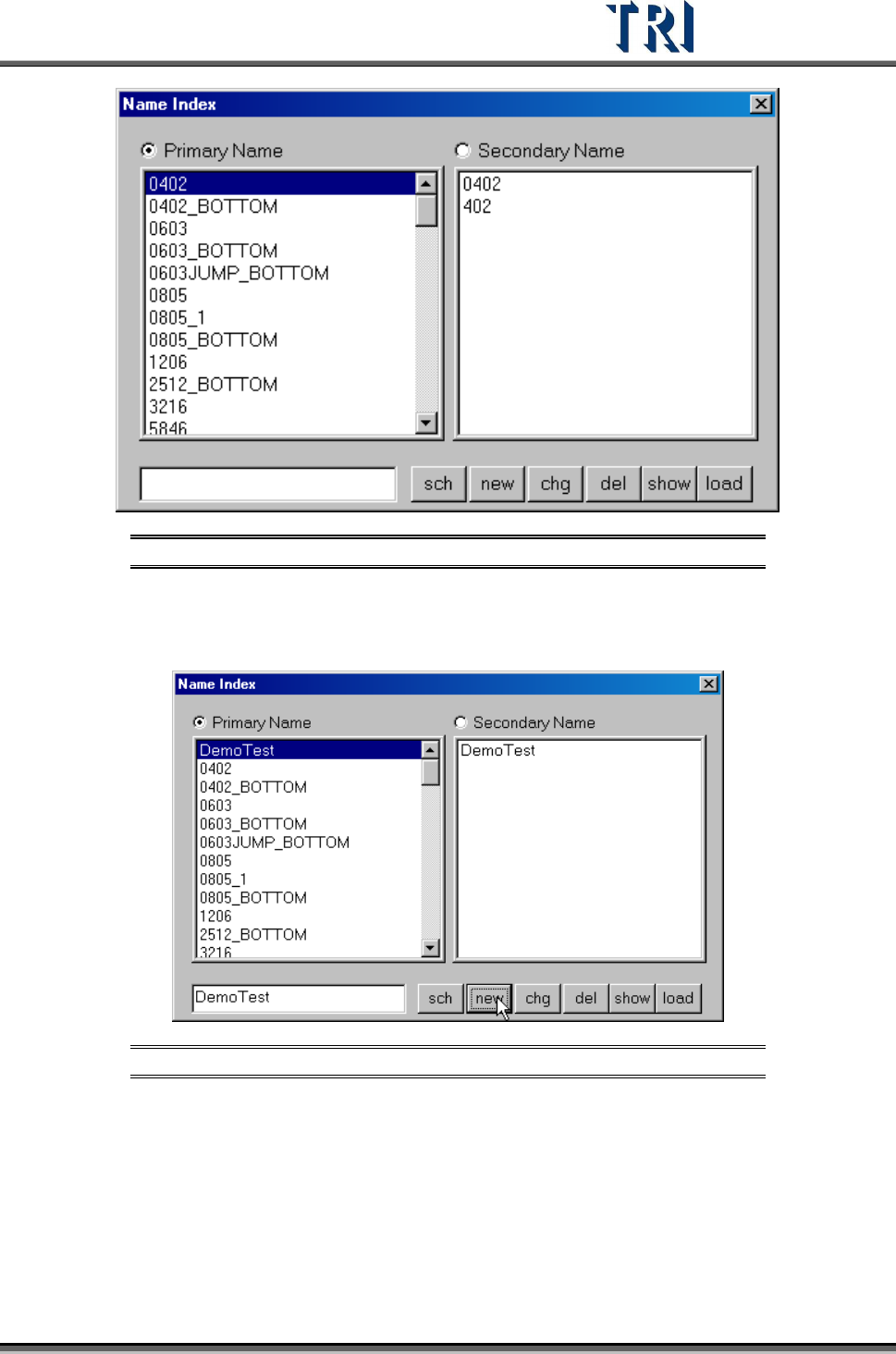
8.6.1 Name Index
Specify second name for index that the component has same model type but not same name.
Test Research Inc.
TR7500 Series User Guide –Software v.2.9.0 187
Figure 316: Name Index Dialog
[Sch] – Search the index name.
[New] – Create the primary or secondary index name.
Figure 317: Create Secondary Name, Step 1
Test Research Inc.
188 TR7500 Series User Guide –Software v.2.9.0
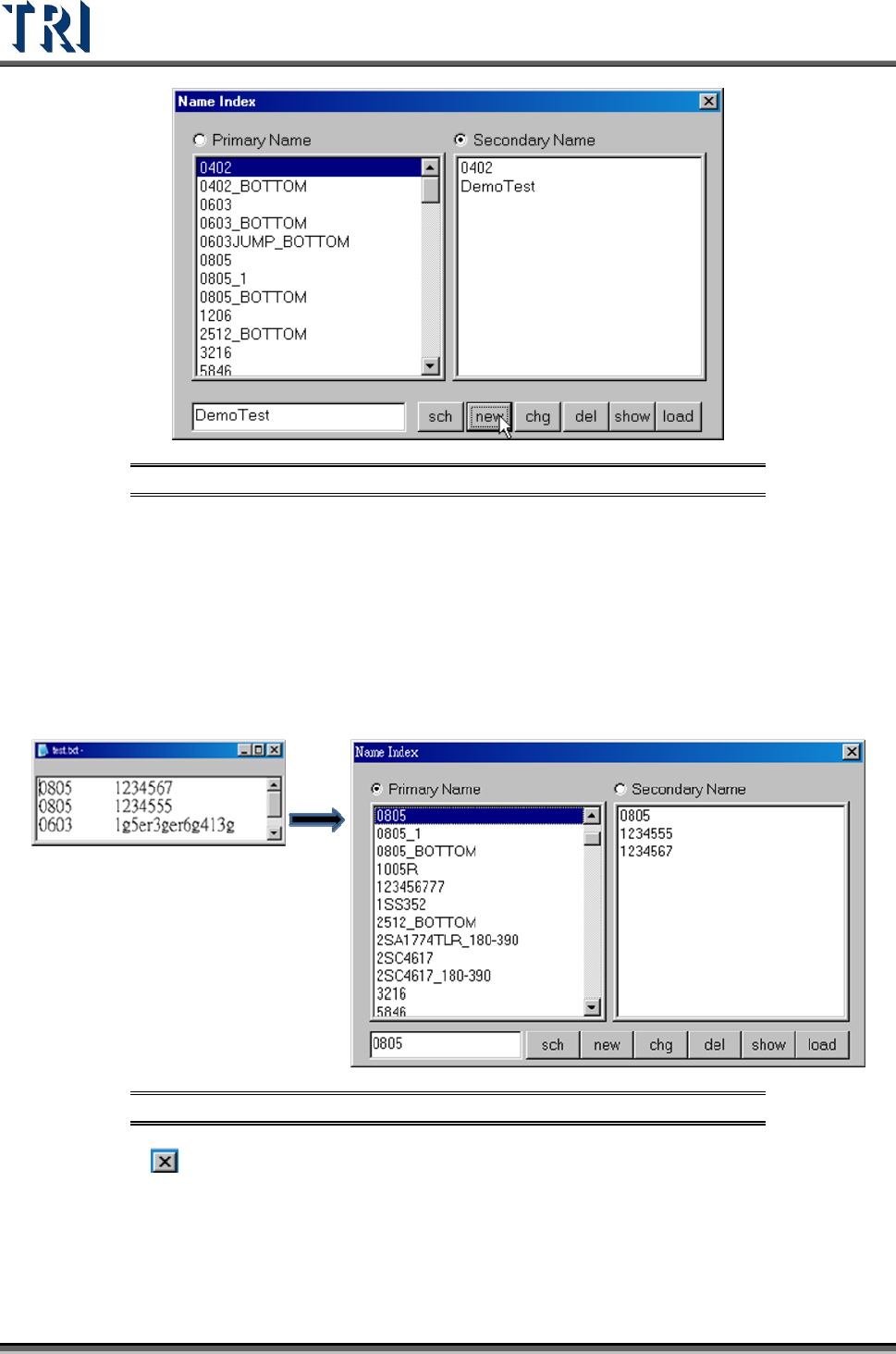
Figure 318: Create Secondary Name, Step 2
[Chg] – Change the primary or secondary index name.
[Del] – Delete the primary or secondary index name.
[Show] – Show the all Primary Name.
[Load] – User may load a .TXT file into [Name Index]. The format is shown in the
next figure. The first part is the [Type], for example 0805. Using a tab separator,
the second part is [Part Name], for example 1234567. The first part will be
loaded as the [Primary] name and the second part as [Secondary].
Figure 319: Name Index Load Function Result
[ ] – Close. Press [Yes] to save.