TR7500_Series_Software_v29_En.pdf - 第141页
Test Research Inc. TR7500 Series User Guide – Software v.2.9.0 119 3.11 Diagnostic Tab Figure 196 : Diagnostic Tab 3.11.1 Machine I/O Te s t Direct PC-to-PLC inpu t and output testing. Figure 197 : PC/PLC I/O T est Scree…
Test Research Inc.
118 TR7500 Series User Guide –Software v.2.9.0
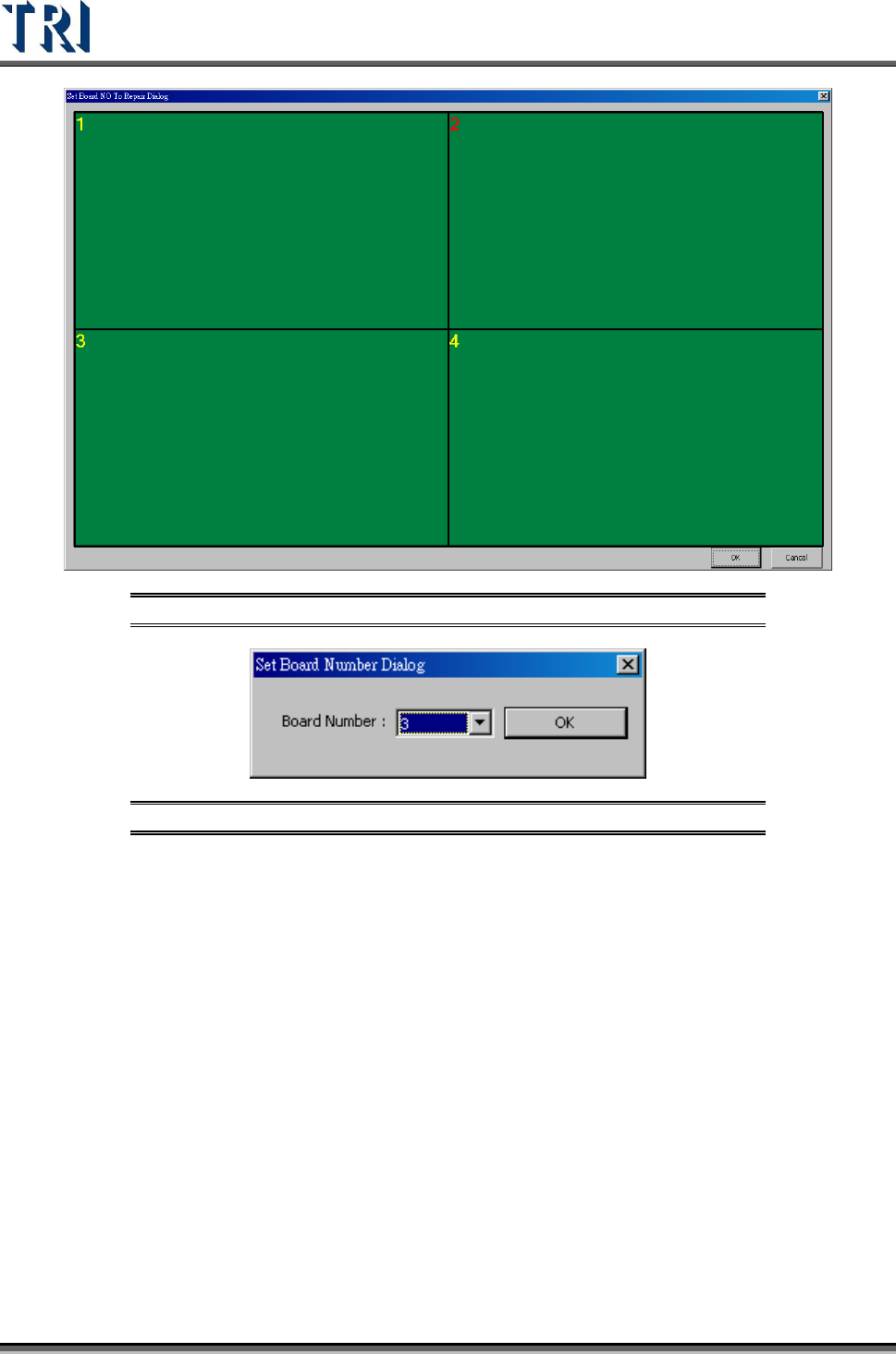
Figure 194: Set Board Number to Repair Station
Figure 195: Set Board Number Dialog
3.10.33 Multiboard Copy
The function is enabled only under [Train] dialog. After selecting this function, the system will
copy the parameters and position of all components on board 1 to the other multi-panel
boards.
3.10.34 Report to Hitachi Eyes Checker
Output the inspection result to Hitachi Eyes Checker.
3.10.35 Enable Barcode Pre-Check
System can decide if the panel has to be inspected according to the file that user has
provided after scanning the barcode.
Test Research Inc.
TR7500 Series User Guide –Software v.2.9.0 119
3.11 Diagnostic Tab
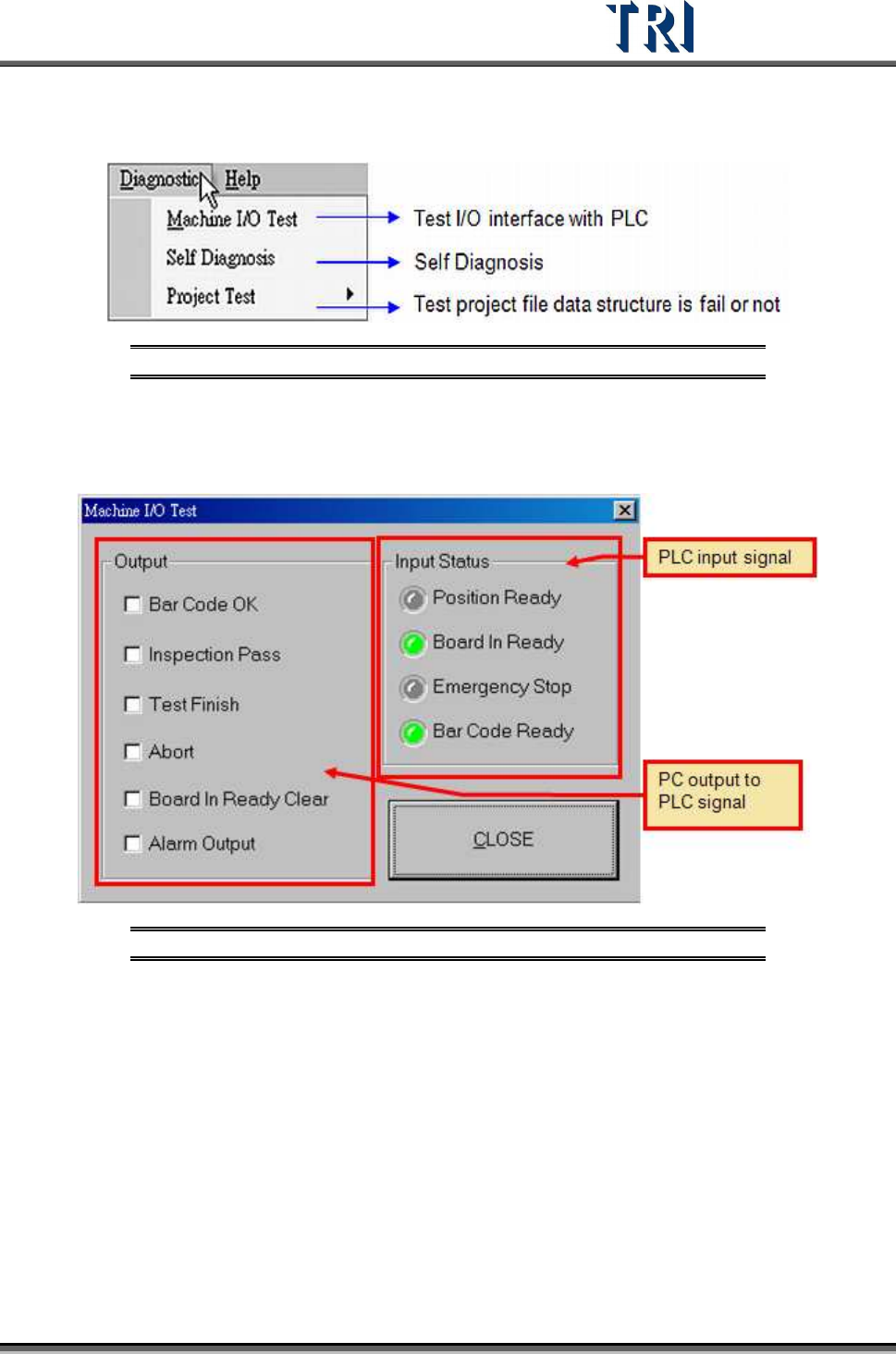
Figure 196: Diagnostic Tab
3.11.1 Machine I/O Test
Direct PC-to-PLC input and output testing.
Figure 197: PC/PLC I/O Test Screen
3.11.2 Self Diagnosis
Perform several system self-tests.
Test Research Inc.
120 TR7500 Series User Guide –Software v.2.9.0
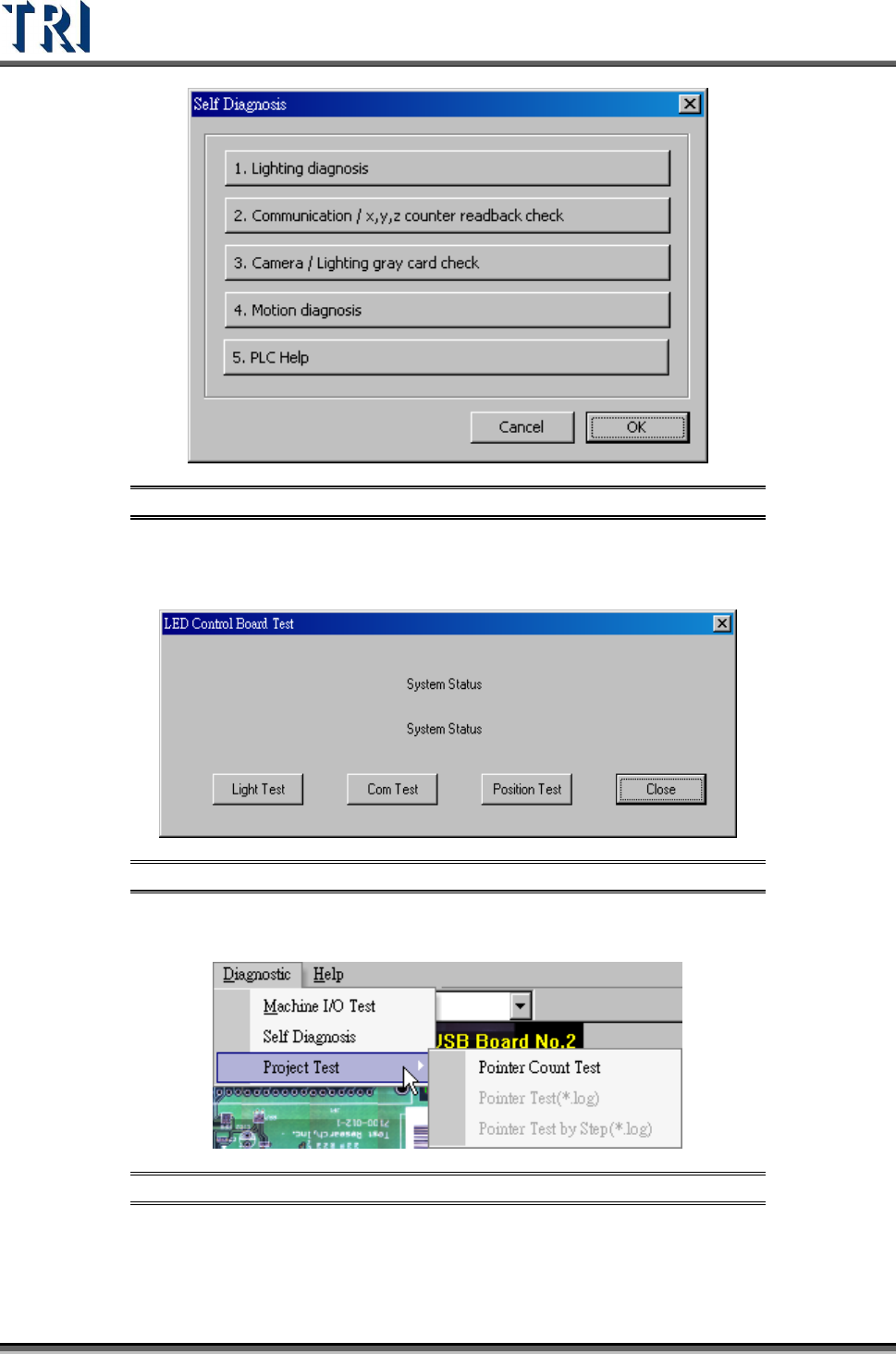
Figure 198: Self Diagnosis Options
Press [Lighting Diagnosis] to test the lighting system or press [Communication] to test the
communication between hardware.
Figure 199: LED Control Board Test Screen
3.11.3 Project Test
Figure 200: Project Test Function
Press [Pointer Count Test] to test the structure and link of inspection boxes in this project. If
the testing result shows “Fail” the project can be repaired.