TR7500_Series_Software_v29_En.pdf - 第179页
Test Research Inc. TR7500 Series User Guide – Software v.2.9.0 157 Figure 261 : Confirm Fiduci al Mark Search Range 6.5.2 Get Rotate A n gle Use this function to calcu late rotate angle again if the boa r d has been relo…
Test Research Inc.
156 TR7500 Series User Guide –Software v.2.9.0
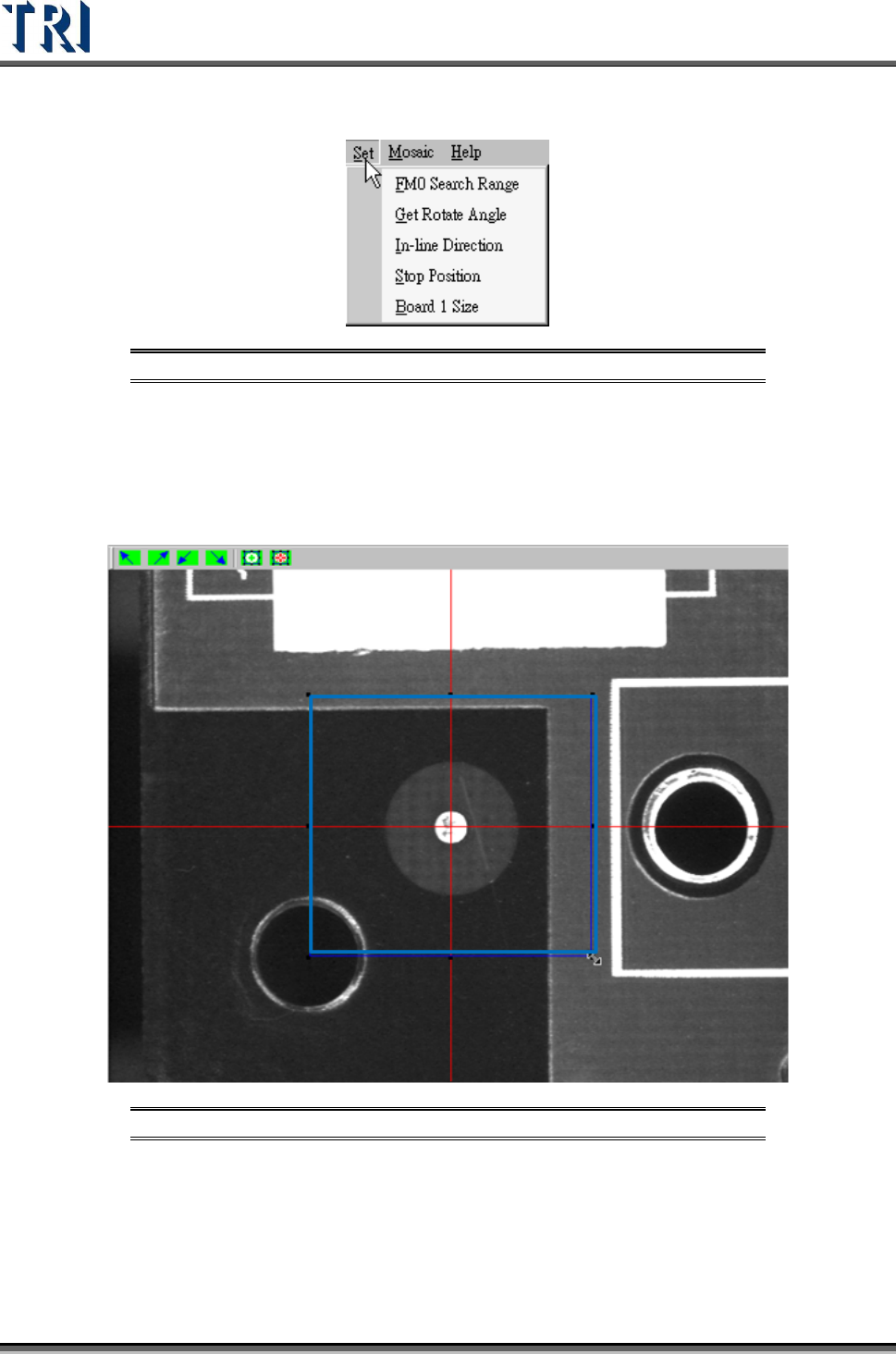
6.5 Set Fiducial Mark
Figure 259: Set Fiducial Mark Command
6.5.1 FM0 Search Range
Set the search range for the first fiducial mark manually. Or use the system default and do
not set the range. Adjust the position and size of the blue box and press [OK] to set the
range.
Figure 260: Set Fiducial Mark Range
Test Research Inc.
TR7500 Series User Guide –Software v.2.9.0 157
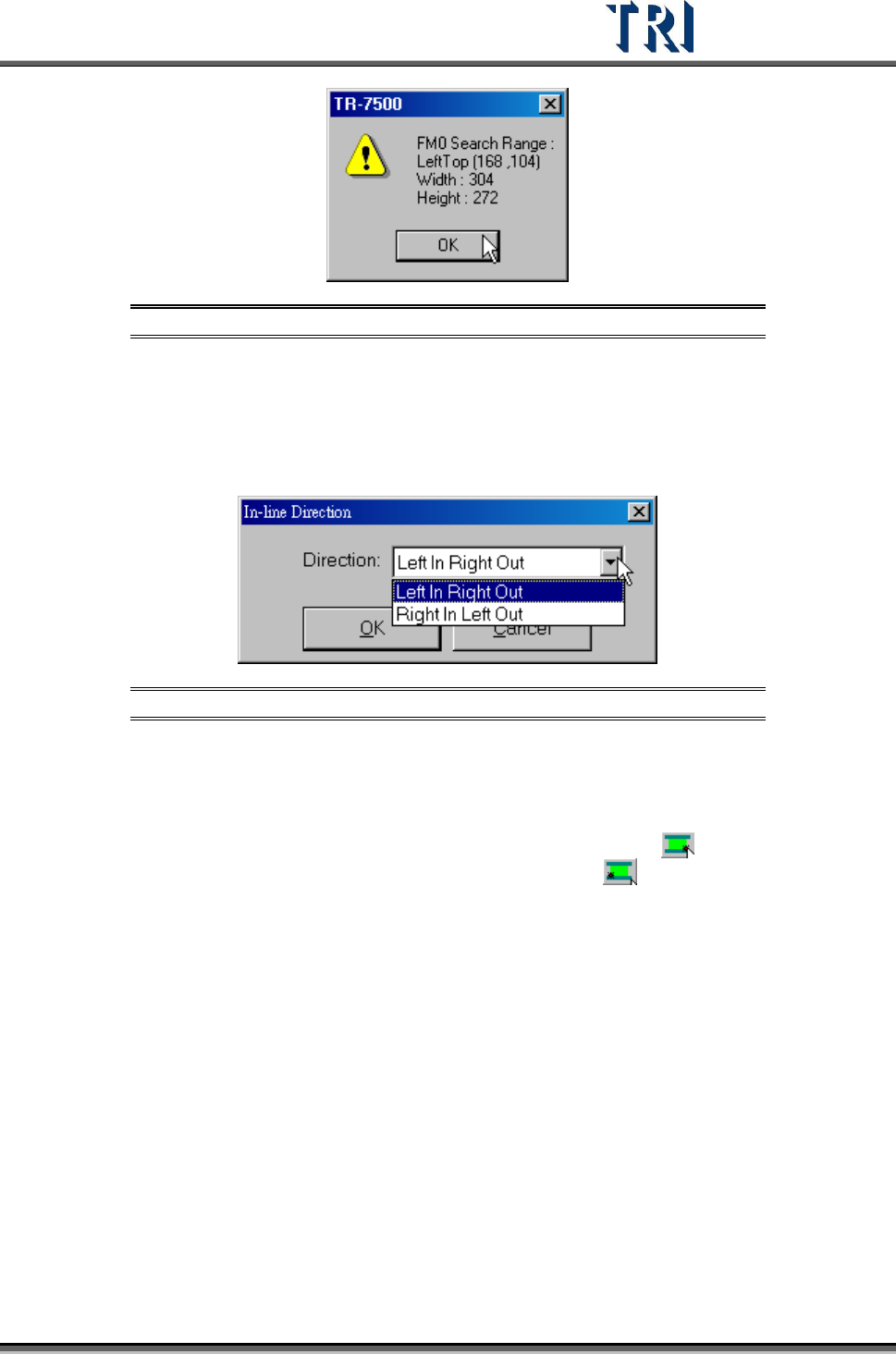
Figure 261: Confirm Fiducial Mark Search Range
6.5.2 Get Rotate Angle
Use this function to calculate rotate angle again if the board has been reloaded.
6.5.3 In-line Direction
Figure 262: Set In-Line Direction Dialog
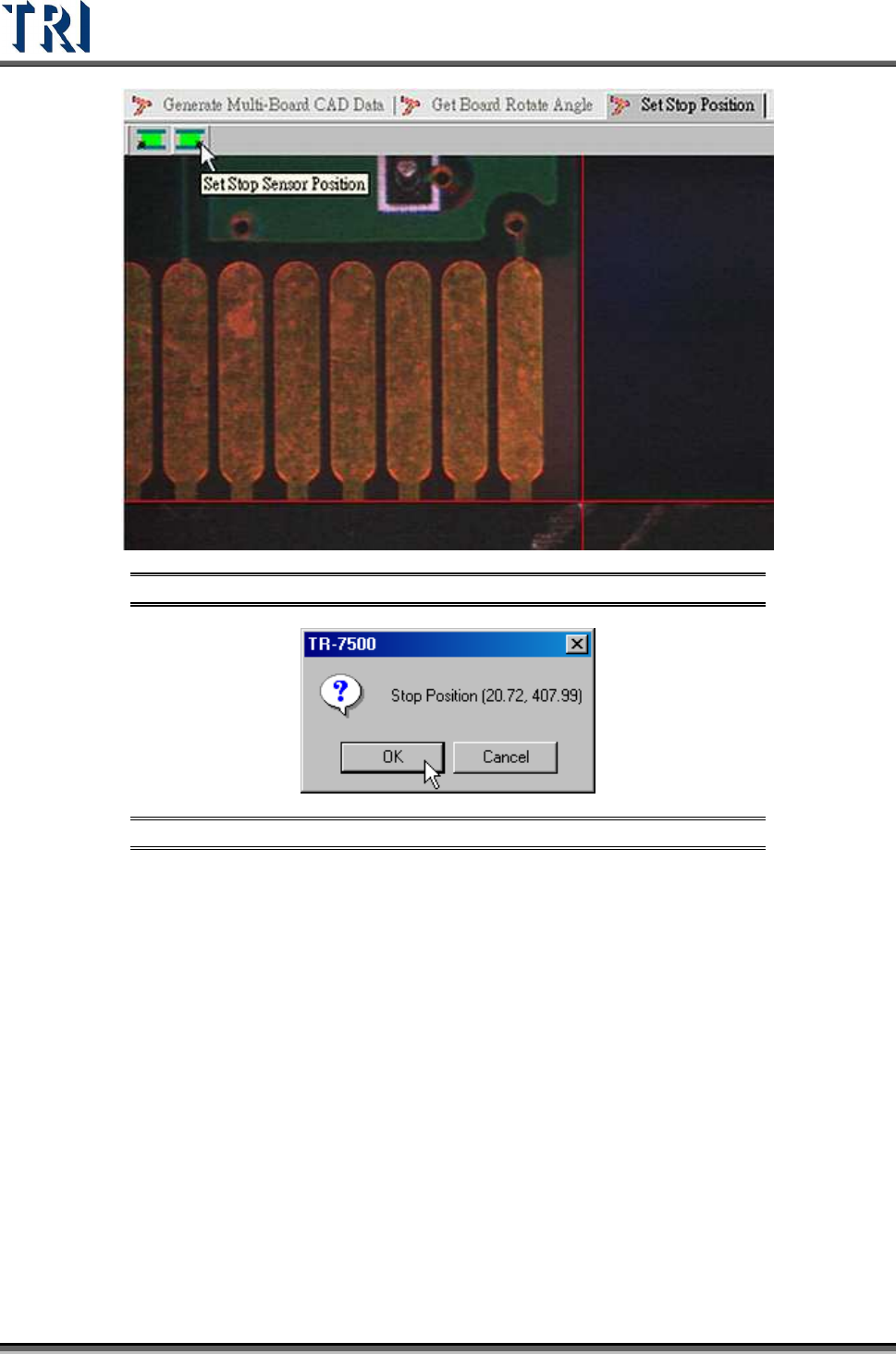
6.5.4 Stop Position
Set the stop position of board. If the direction is [Left In Right Out] use to set the lower-
right corner of the PCB; if the direction is [Right In Left Out] use
to set the lower-left
corner of the PCB.
Test Research Inc.
158 TR7500 Series User Guide –Software v.2.9.0
Figure 263: Set Stop Sensor Position
Figure 264: Confirm Stop Position
6.5.5 Board 1 Size
Set board 1 size here.
6.5.6 Mosaic
Press this function to get panel map.