TR7500_Series_Software_v29_En.pdf - 第233页
Test Research Inc. TR7500 Series User Guide – Software v.2.9.0 211 8.7.4 Pass Level Set pass level for the selected box. Figure 355 : [Set Pass Level ] Dialog [M ethod] – Select the ins pection box of property. [Lev …
Test Research Inc.
210 TR7500 Series User Guide –Software v.2.9.0
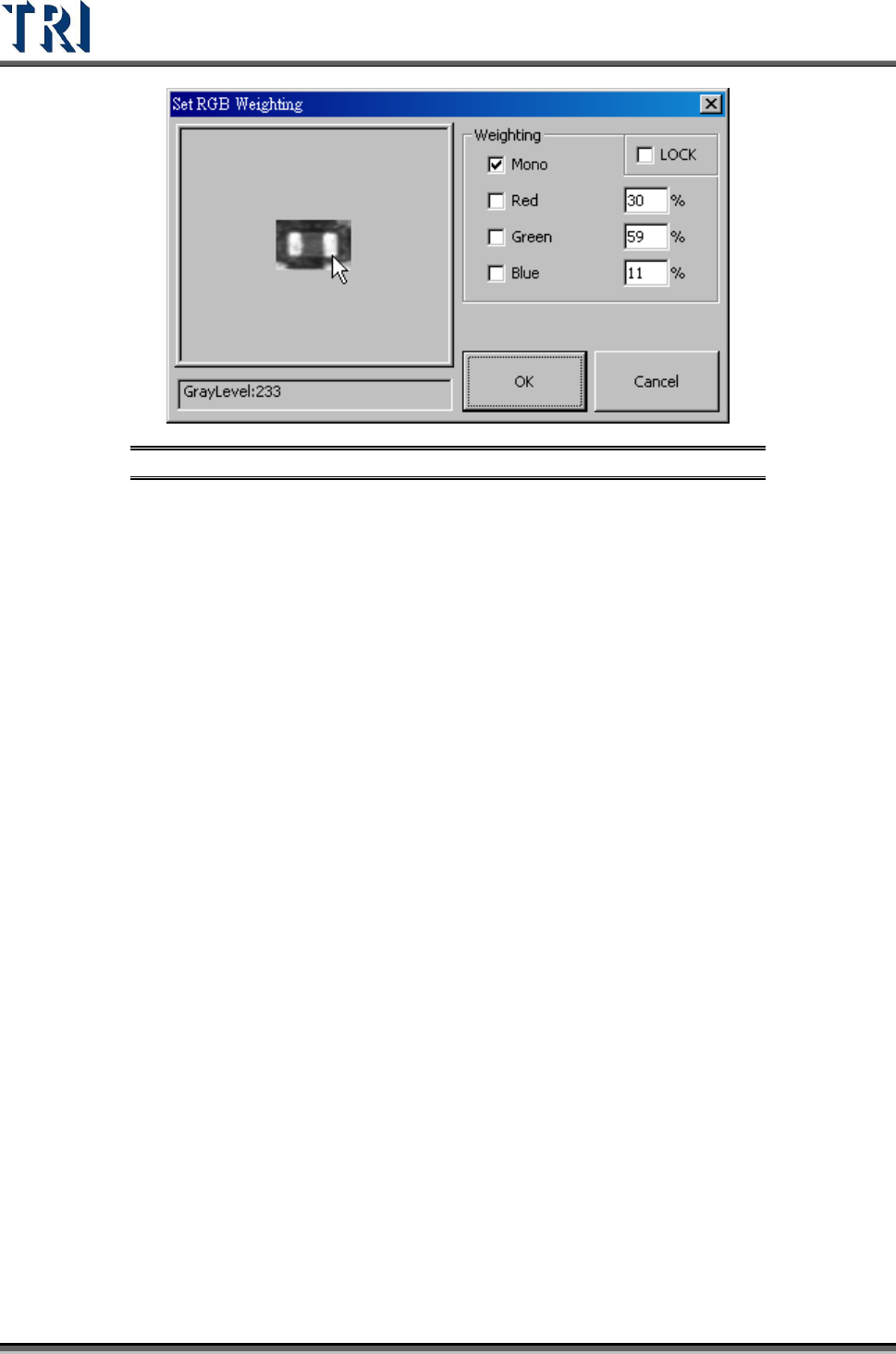
Figure 354: Set RGB Weighting
Test Research Inc.
TR7500 Series User Guide –Software v.2.9.0 211
8.7.4 Pass Level
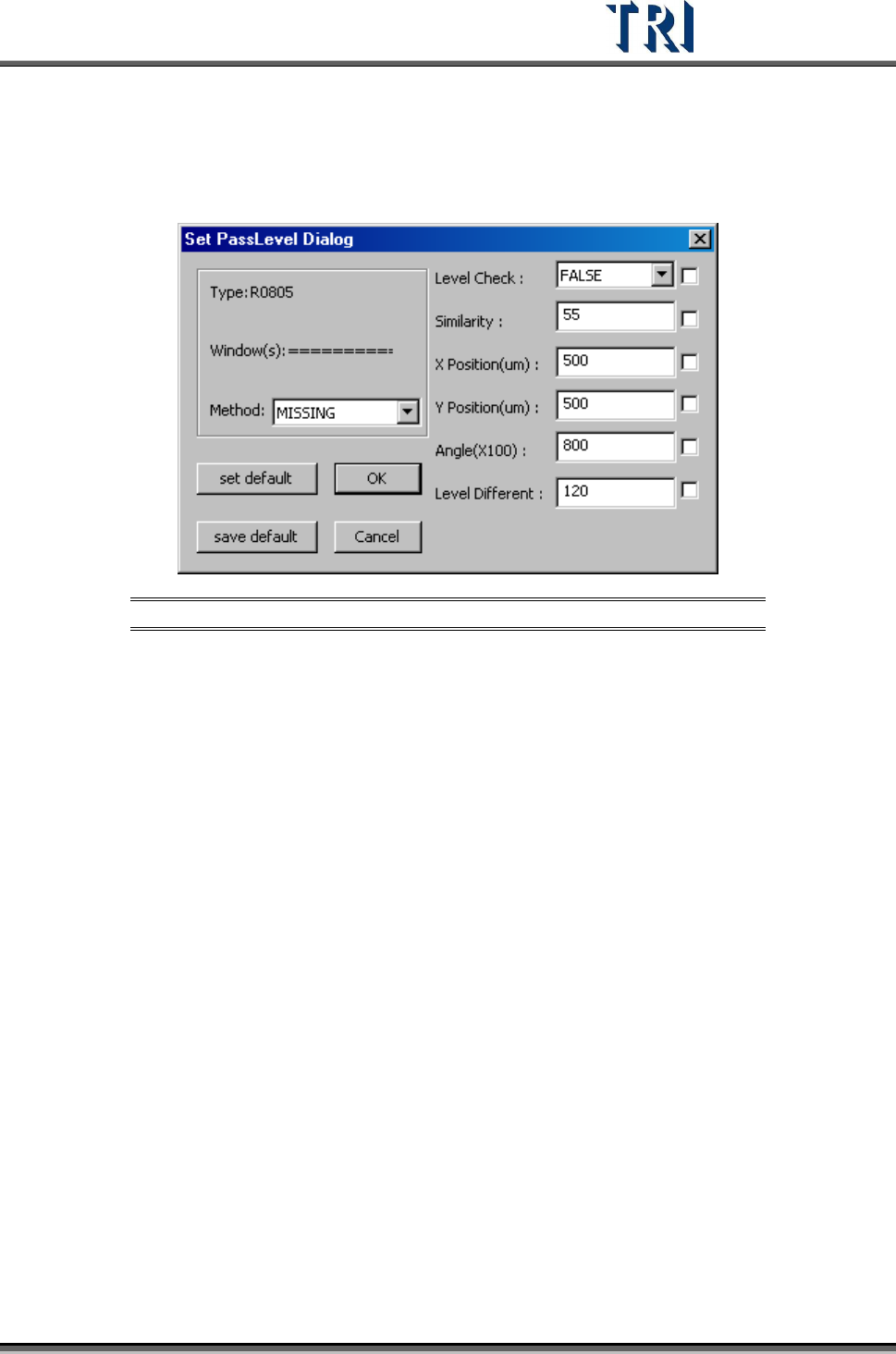
Set pass level for the selected box.
Figure 355: [Set Pass Level] Dialog
[Method] – Select the inspection box of property.
[Level Check] – Set to enable gray level check or not.
[Similarity] – Set the similar to the original pass level.
[X Position (um)] – Set the check window x position offset tolerance.
[Y Position (um)] –Set the check window y position offset tolerance.
[Angle (X100)] – Set the check window rotation angle offset tolerance.
[Level Different] – Set percentage of different gray level to the original.
[Set Default] – Notify the system to set default
[Save Default] – Save the current settings as default.
[OK ]– Save the current settings to the selected windows.
[Cancel] – Close the dialog.
Test Research Inc.
212 TR7500 Series User Guide –Software v.2.9.0
8.7.5 Directory
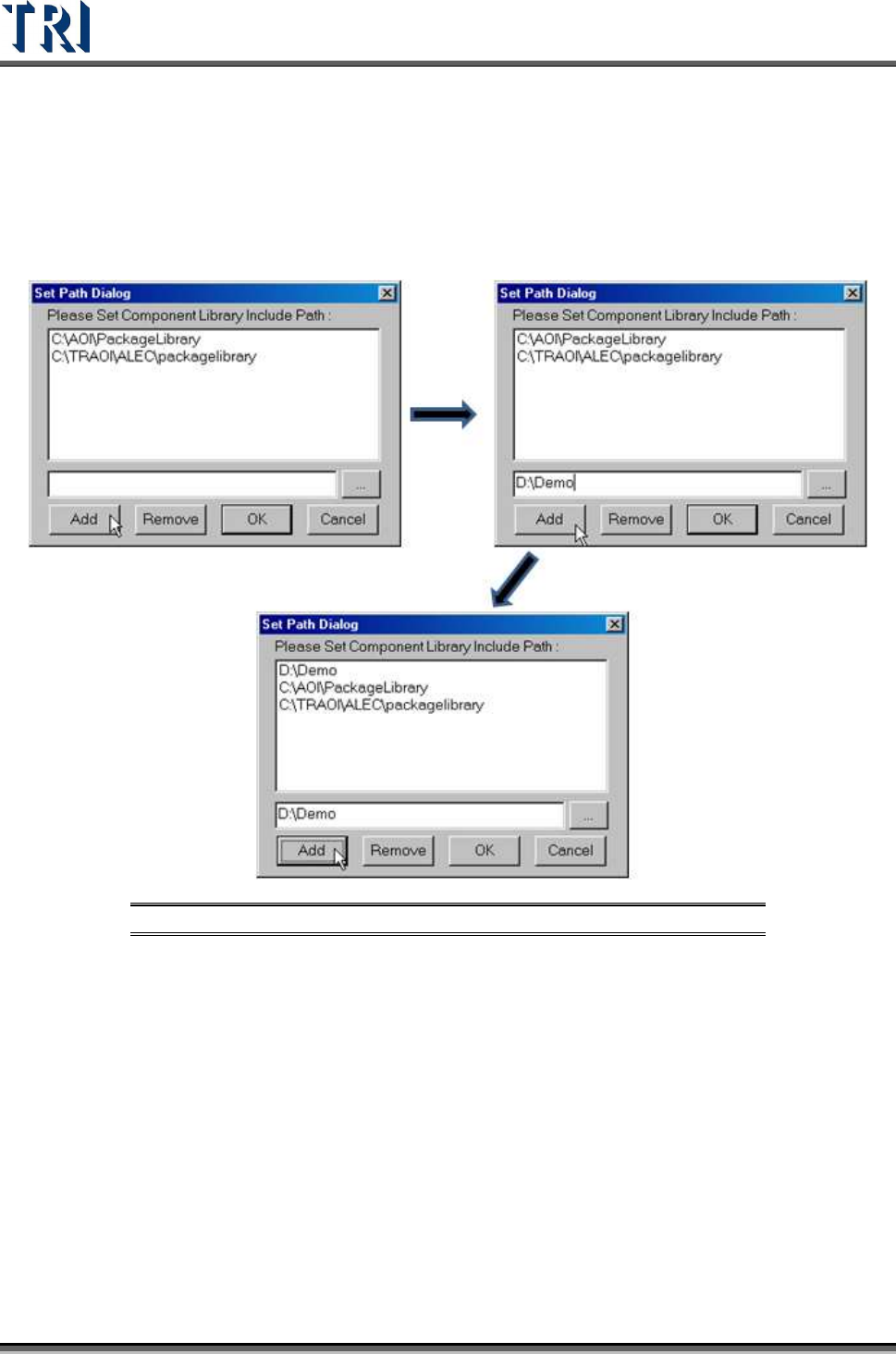
Sets component library save or load path
[ADD] – Adds the component library path. More than one path can be added.
Figure 356: Add Component Library Directory Path Process
[REMOVE] – Remove the component library path.
[OK] – Save settings and close the dialog
[Cancel] – Close the dialog and don’t save any change.