TR7500_Series_Software_v29_En.pdf - 第248页
Test Research Inc. 226 TR7500 Series User Guid e –Softwa re v.2.9.0 9 I MAGE M ATCHI NG P RINCIP LES A ND P ASS L EVEL S ETTINGS 9.1 Meth ods of I mage Matching 9.1.1 Method 1–Geome tric Feature Matching The system saves…
Test Research Inc.
TR7500 Series User Guide –Software v.2.9.0 225
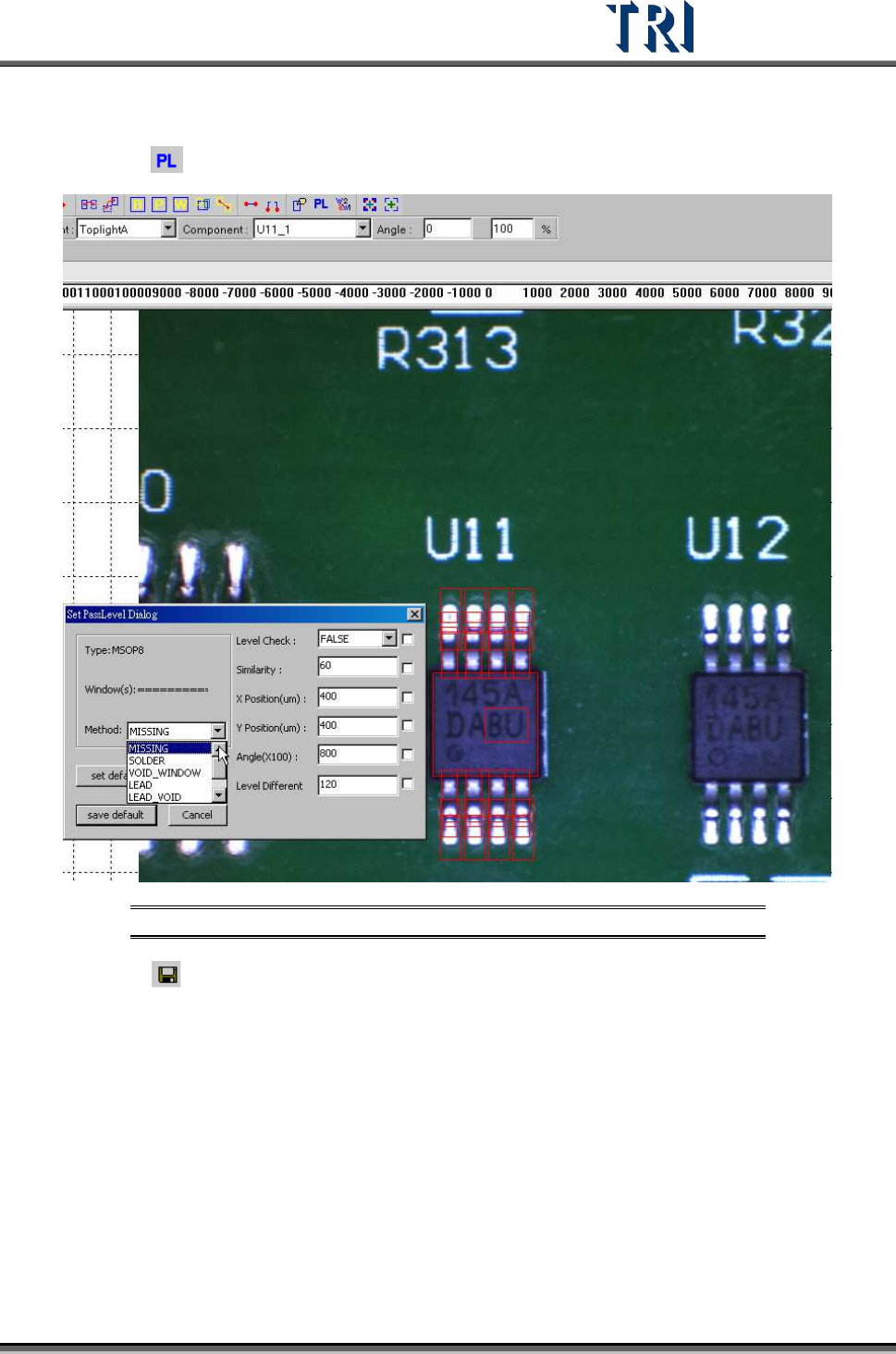
(8) Add images of lead and solder inspection windows. All inspection windows with the
same method will use the image.
(9) Click on
[Pass Level] to set pass level for all types.
Figure 376: Example: Set Pass Level
(10) Click on [Save] to save this type. The system will store the saved file in
[C:\AOI\packagelibrary] folder
Test Research Inc.
226 TR7500 Series User Guide –Software v.2.9.0
9 I
MAGE
M
ATCHING
P
RINCIPLES AND
P
ASS
L
EVEL
S
ETTINGS
9.1 Methods of Image Matching
9.1.1 Method 1–Geometric Feature Matching
The system saves the pattern and features of the image and inspects the image according to
the features. [Missing] is inspected using this algorithm. Also, this algorithm can be selected
to do image matching for [Warp].
9.1.2 Method 2–Normalize Correlation Matching
System learns the gray level(s) and feature(s) of the image, then finds the best matching
object in the search range when inspecting. [Lead] is inspected with this algorithm and this
algorithm can be selected to do image matching for [Warp].
9.1.3 Method 3–Projection Profile Matching
After projecting the gray level to the X and Y axis, the system takes the projections as the
features to inspect. [Align] is inspected with this algorithm.
9.2 Principles and Settings
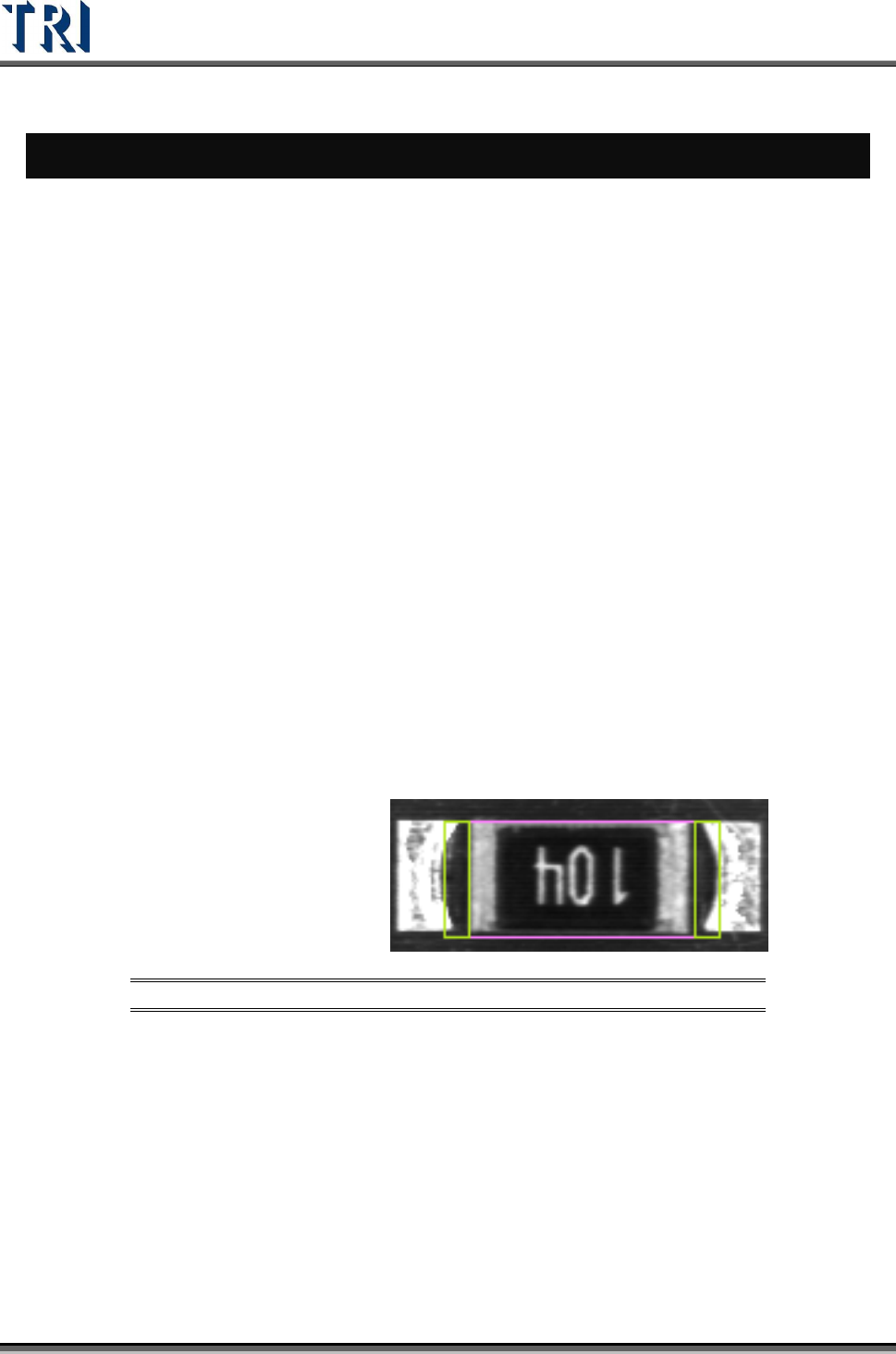
9.2.1 Model Image (Missing/Missing Polarity)
To check the missing, shift, tombstone and polarity of components. Use the Geometric
Feature Method (Method 1). Grab a good image model for sample. Compare with test
component to find the defect.
Figure 377: Model Image (Missing) Window
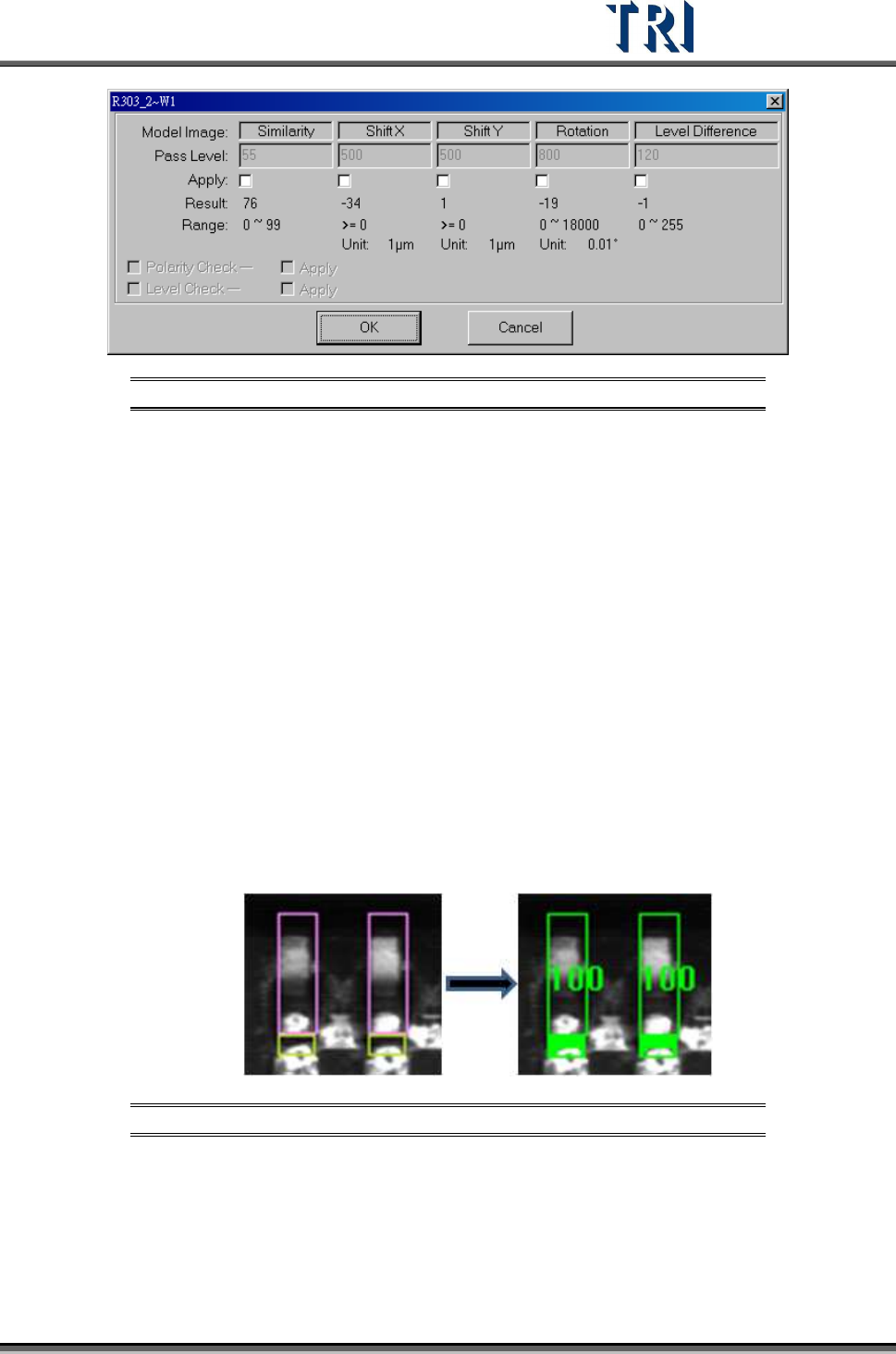
The [Pass Level Settings] are shown in the following figure.
Test Research Inc.
TR7500 Series User Guide –Software v.2.9.0 227
Figure 378: Model Image Pass Level Settings
[Similarity] – The similarity between standard image and inspected image.
[Shift X] – The tolerance of shift on x direction.
[Shift Y] – The tolerance of shift on y direction.
[Rotation] – The tolerance of rotate angle
[Level Difference] – System will save the gray level average of a 10x10 pixel
area at the center of the box for inspecting. For example, if the trained value is
100 and the level difference tolerance is 35. It means the system will show fail
when the result is over 135 or less than 65.
[Polarity Check] – If the component is rotated 180 degrees it will be judged as a
defect.
[Level Check] – Select to open the [Level Difference] function.
9.2.2 Lead
Checks missing, shift and bending of IC leads. Use image correlation method (Method2).
grab a good image model for sample. Compare with test lead to find the
defect.
Figure 379: Compare Lead Images
The [Pass Level Settings] are shown in the following figure.