TR7500_Series_Software_v29_En.pdf - 第306页
Test Research Inc. 284 TR7500 Series User Guid e –Softwa re v.2.9.0 11.9.11 Train/Untrain/Te s t/Untest 11.9.11 .1 Train Train the selected inspe ction box. [For all FOV] – Train all i nspection boxes. [For Untrained…
Test Research Inc.
TR7500 Series User Guide –Software v.2.9.0 283
[Change By Type] -- set the light to FOVs that contain the component with specified
type.
[For Test] -- the light just displays for testing and the FOV will be inspected by
original lighting. You should press above selection to set lighting or press [Cancel]
not to change and close the window.
The changed lighting will be named according to the FOV name.
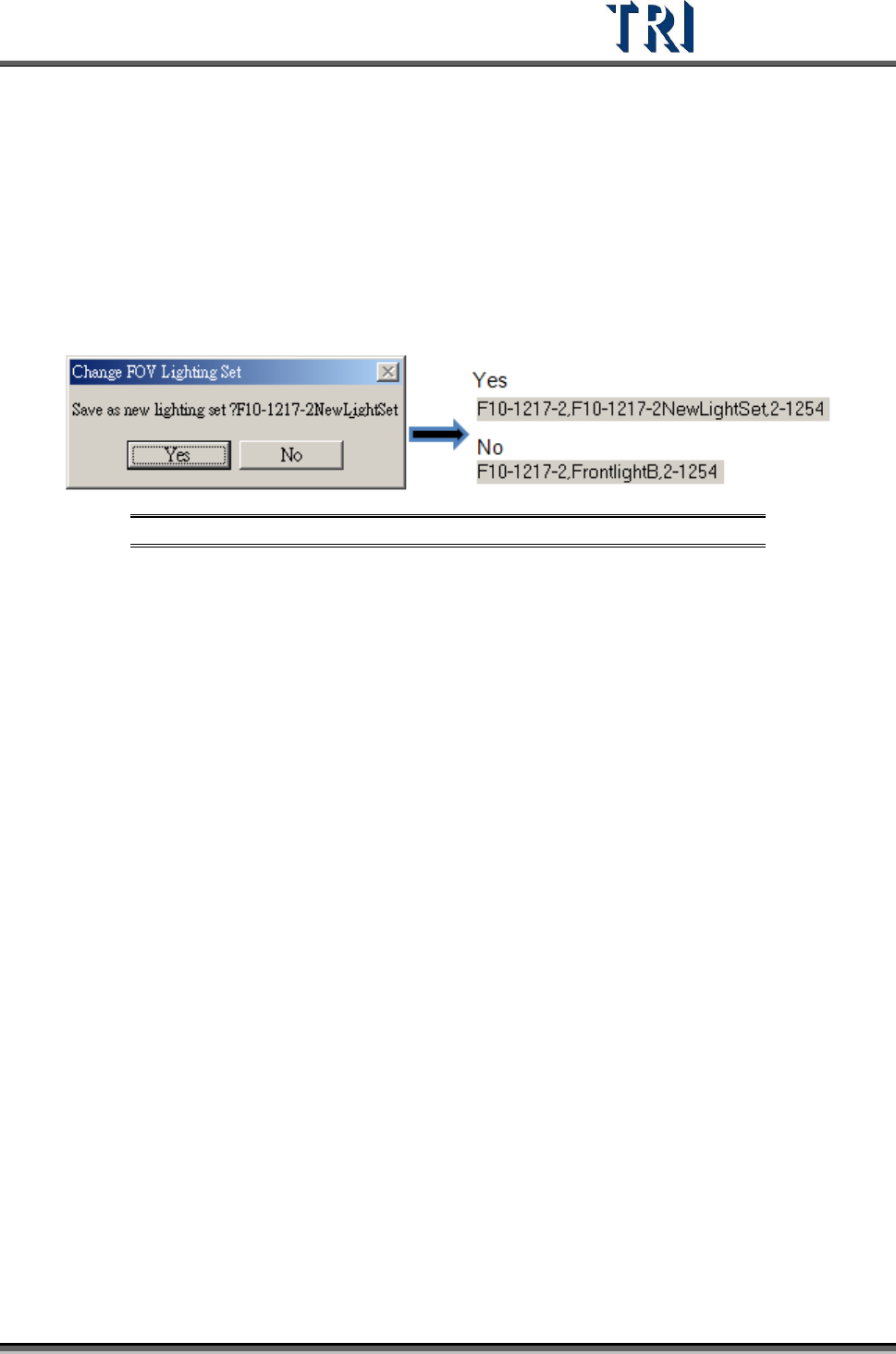
If the lighting is changed with the other default lighting, the system will ask whether
you want to set the lighting with a new name according to the FOV name or set the
lighting with original lighting name.
Figure 475: Save Lighting Name Options
Test Research Inc.
284 TR7500 Series User Guide –Software v.2.9.0
11.9.11 Train/Untrain/Test/Untest
11.9.11.1 Train
Train the selected inspection box.
[For all FOV] – Train all inspection boxes.
[For Untrained] – Train all untrained inspection boxes.
11.9.11.2 UnTrain
Untrain the selected inspection box
[For all FOV] – Untrain all inspection boxes.
11.9.11.3 Test
Set the selected inspection box as test.
11.9.11.4 Untest
Set the selected box as untest.
Test Research Inc.
TR7500 Series User Guide –Software v.2.9.0 285
11.9.12 Image Library
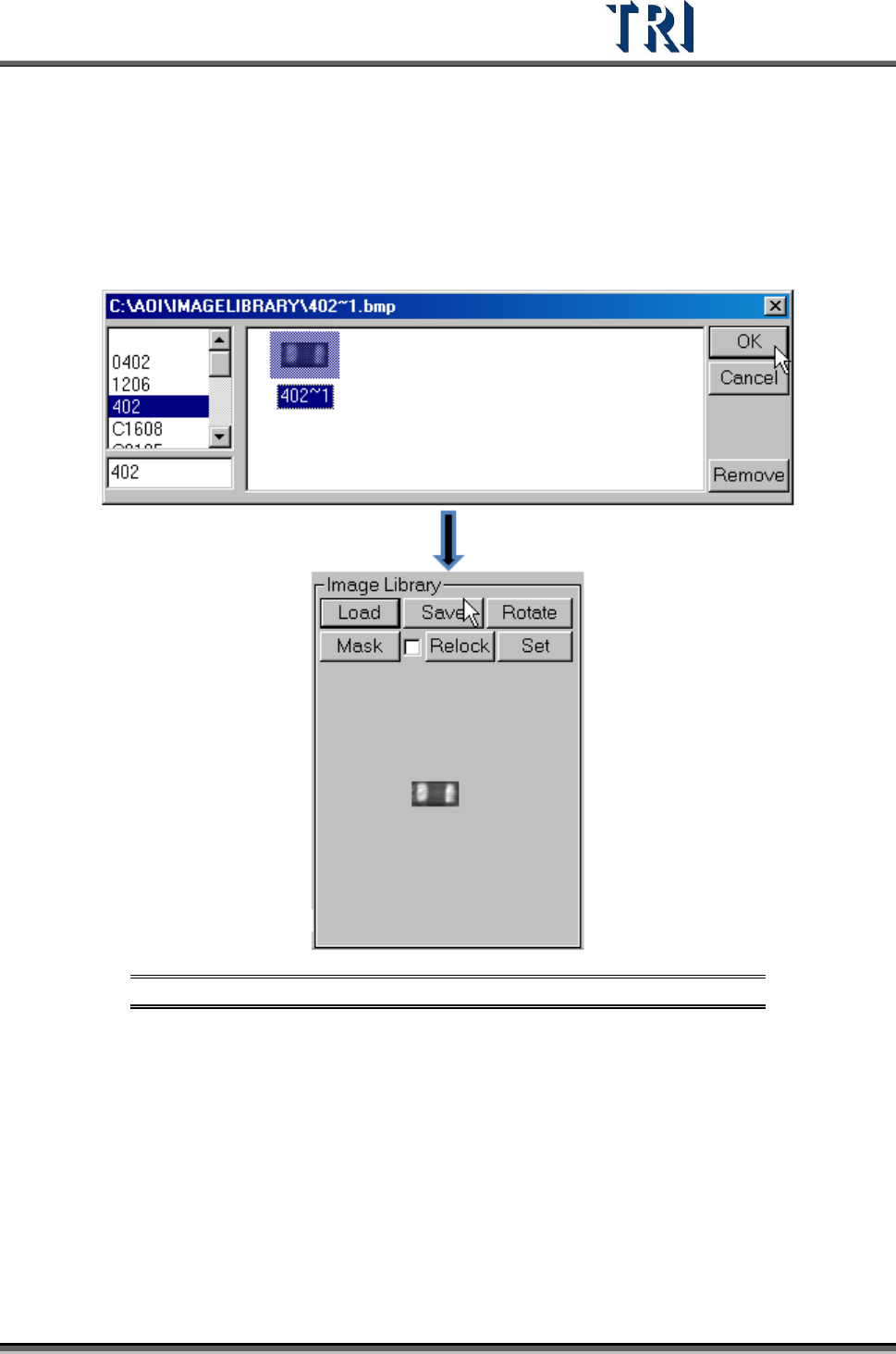
11.9.12.1 Load
Load a saved image to use. After loading, the image is displayed.
Figure 476: Load a Saved Image
11.9.12.2 Save
Save the image in the image area to [ImageLibrary] folder. Select a type to save it as.