TR7500_Series_Software_v29_En.pdf - 第205页
Test Research Inc. TR7500 Series User Guide – Software v.2.9.0 183 The settings of this w indow are [TopCamera], [Top sidelight] and [Void W indow ]. Click on [Property] to change t he settings. See section 8.7.3 Propert…
Test Research Inc.
182 TR7500 Series User Guide –Software v.2.9.0
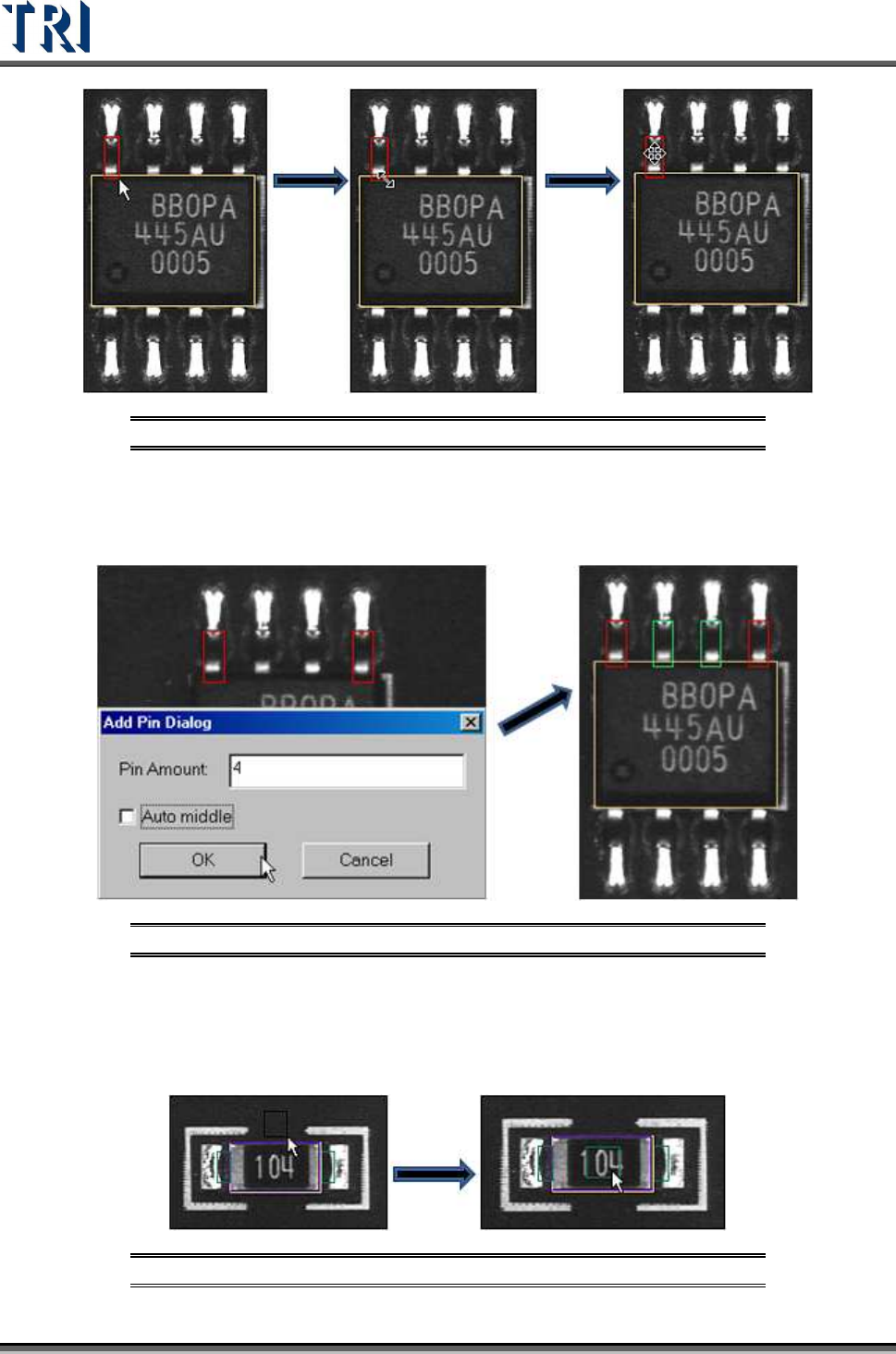
Figure 306: Adding a Pin with the Pin Box Function
If you select 2 pins and press [Pin], the following dialog will appear. Input the total number of
pins and press [OK]. The system will create the pins by interpolation. When you check [Auto
middle] all the pins will move against the middle of body.
Figure 307: Adding 4 Pins with the Pin Box Function
8.4.3 Window
Choose [Add > Window] to create a Void Window. Then move the window to the correct
position.
Figure 308: Adding Void Window with Add Window Function
Test Research Inc.
TR7500 Series User Guide –Software v.2.9.0 183
The settings of this window are [TopCamera], [Topsidelight] and [Void Window]. Click on
[Property] to change the settings. See section
8.7.3 Property
8.4.4 All Window
Choose [A
DD
>
A
LL
W
INDOW
] to create multiple windows at the same time. Check the
windows that are needed. [Missing] and [Missing(Polarity)] are created on the [Body] box.
[Solder], [Lead], [Lead Void], [Pin Window] and [Lift Void] are created on the [Pin] boxes.
[Align] is created to cover all pins.
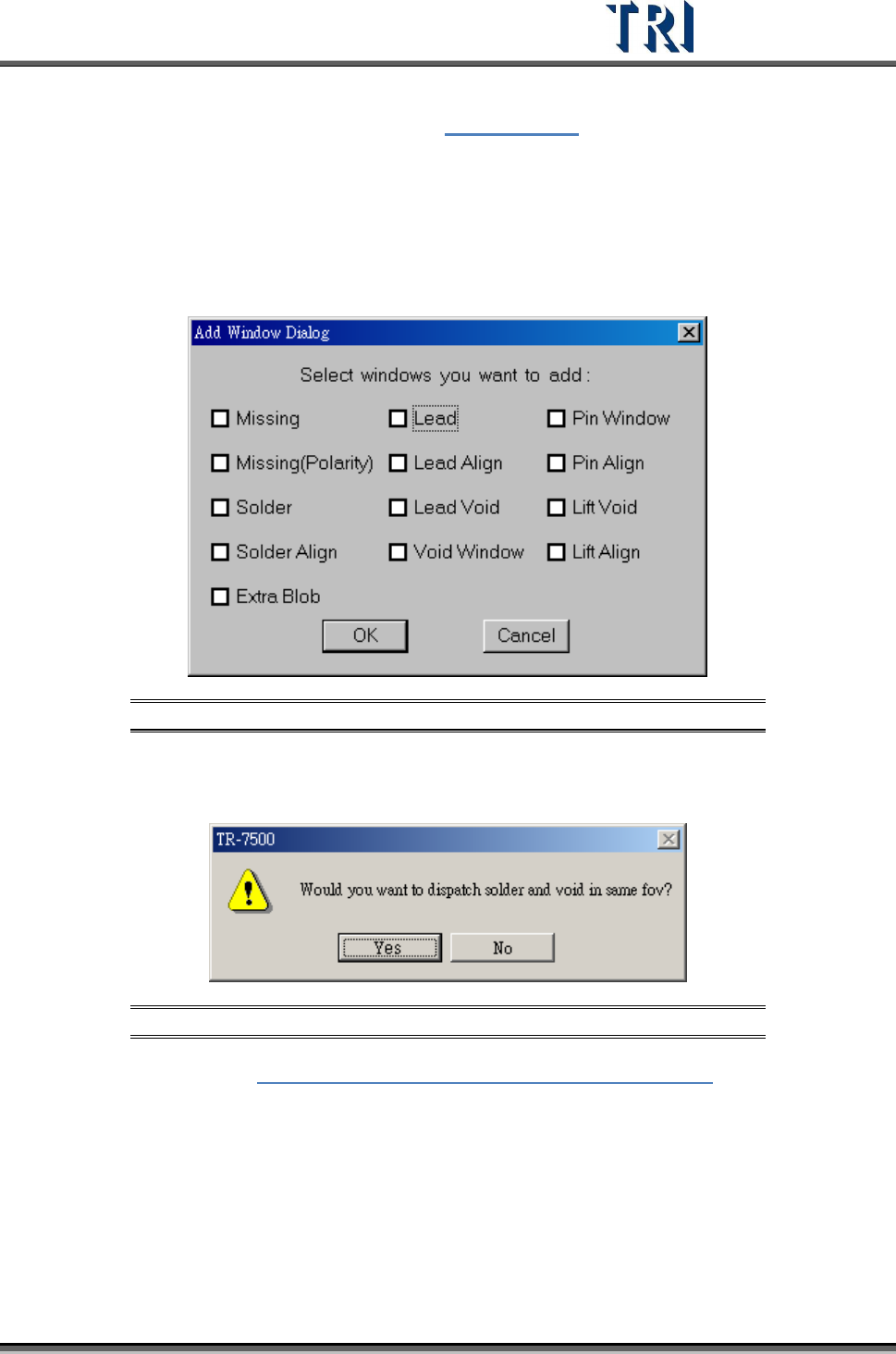
Figure 309: Add All Window Dialog
When selecting [Solder] and [Void Window] at the same time and pressing [OK], you can
select whether you want to arrange [Solder] and [Void] windows in the same FOV.
Figure 310: Confirm Window Arrangement in Same FOV
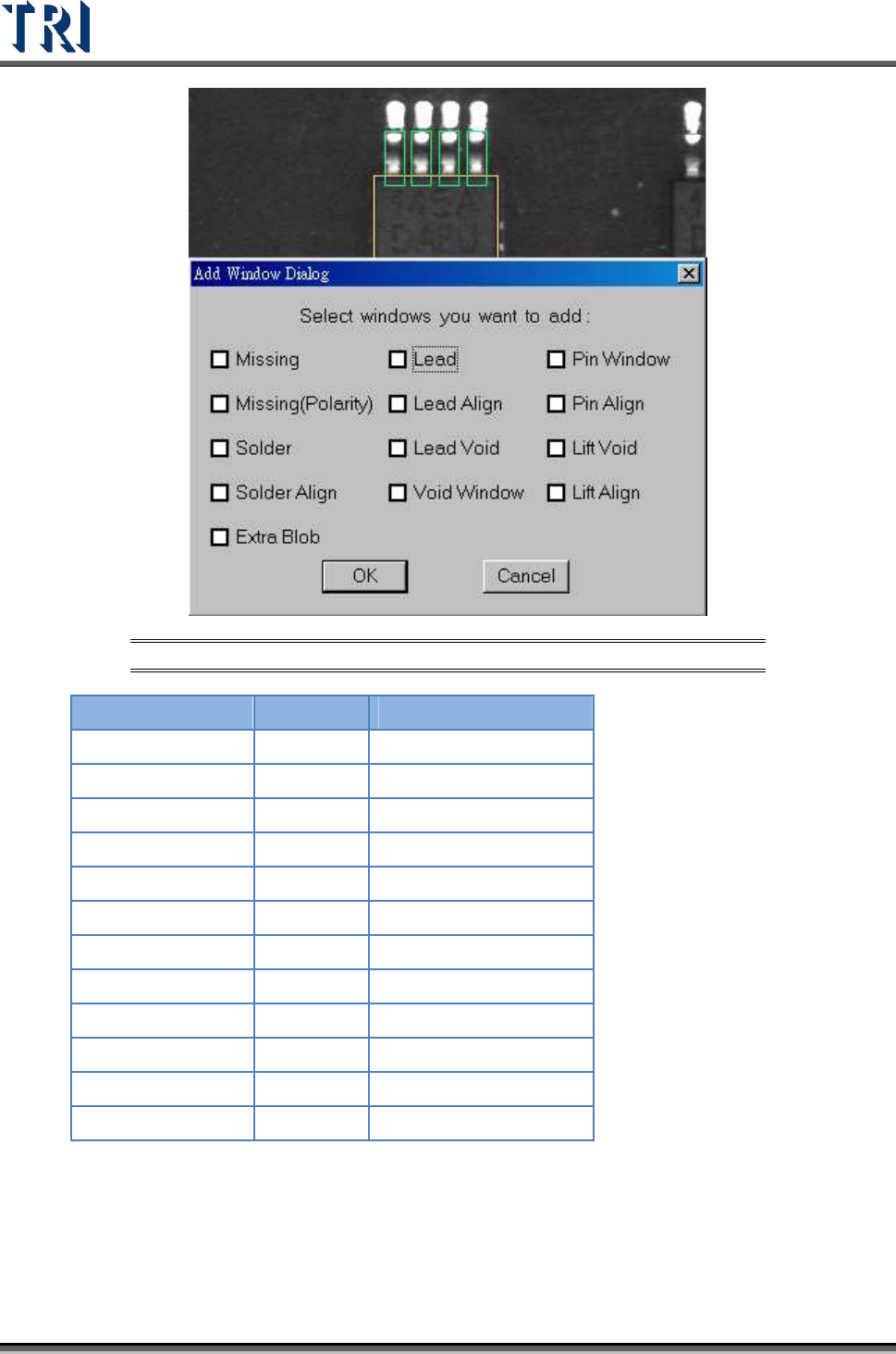
Example: Refer to Figure 311: Example -- Add All Windows Dialog. If we take the
upper leads of an IC, we can select the testing windows by the camera angles given
below.
Test Research Inc.
184 TR7500 Series User Guide –Software v.2.9.0
Figure 311: Example -- Add All Windows Dialog
C
AMERA
L
IGHT
Missing
Top ToplightA
Missing (Polarity)
Top ToplightA
Solder
Rear RearlightA
Solder Align
Rear RearlightA
Lead
Top ToplightA
Lead Align
Top ToplightA
Lead Void
Top ToplightA
Void Window
Rear RearlightA
Pin Window
Rear RearlightA
Pin Align
Rear RearlightA
Lift Void
Right/Left RightlightA - LeftlightA
Lift Align
Right/Left RightlightA - LeftlightA