TR7500_Series_Software_v29_En.pdf - 第220页
Test Research Inc. 198 TR7500 Series User Guid e –Softwa re v.2.9.0 Get several inspection window s at the same time. Figure 334 : Get Several Ins pection Windo ws Get several inspection window s separat ely. Figure 335 …
Test Research Inc.
TR7500 Series User Guide –Software v.2.9.0 197
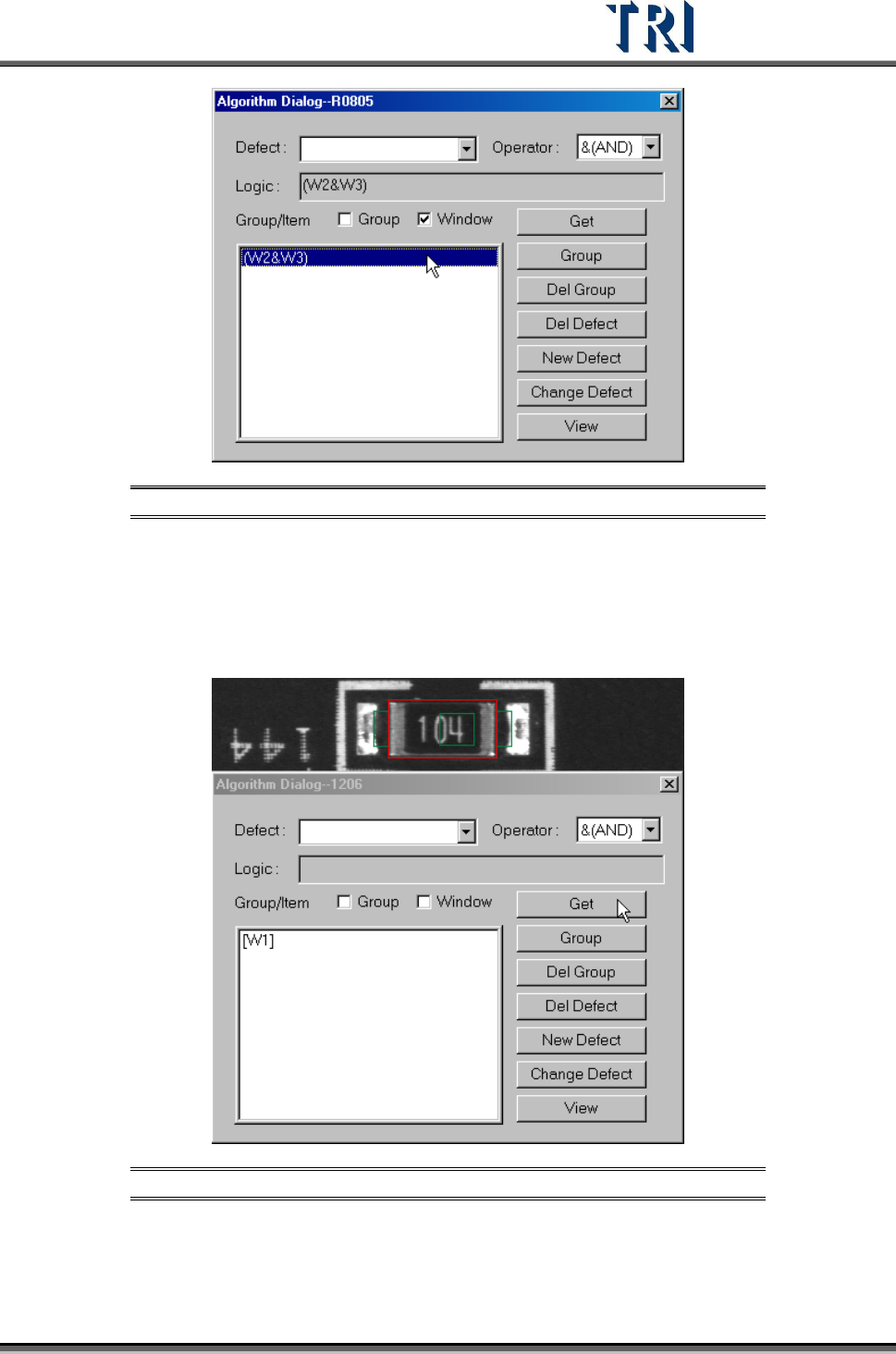
Figure 332: Click on List Item to Fill Logic Field
[Group/Item] – Select the logical operation with Group (logical formula) or current
FOV inspection box.
[Get] – Get the inspection boxes name for logic operation.
Get one inspection window.
Figure 333: Click [Get] for One Inspection Window
Test Research Inc.
198 TR7500 Series User Guide –Software v.2.9.0
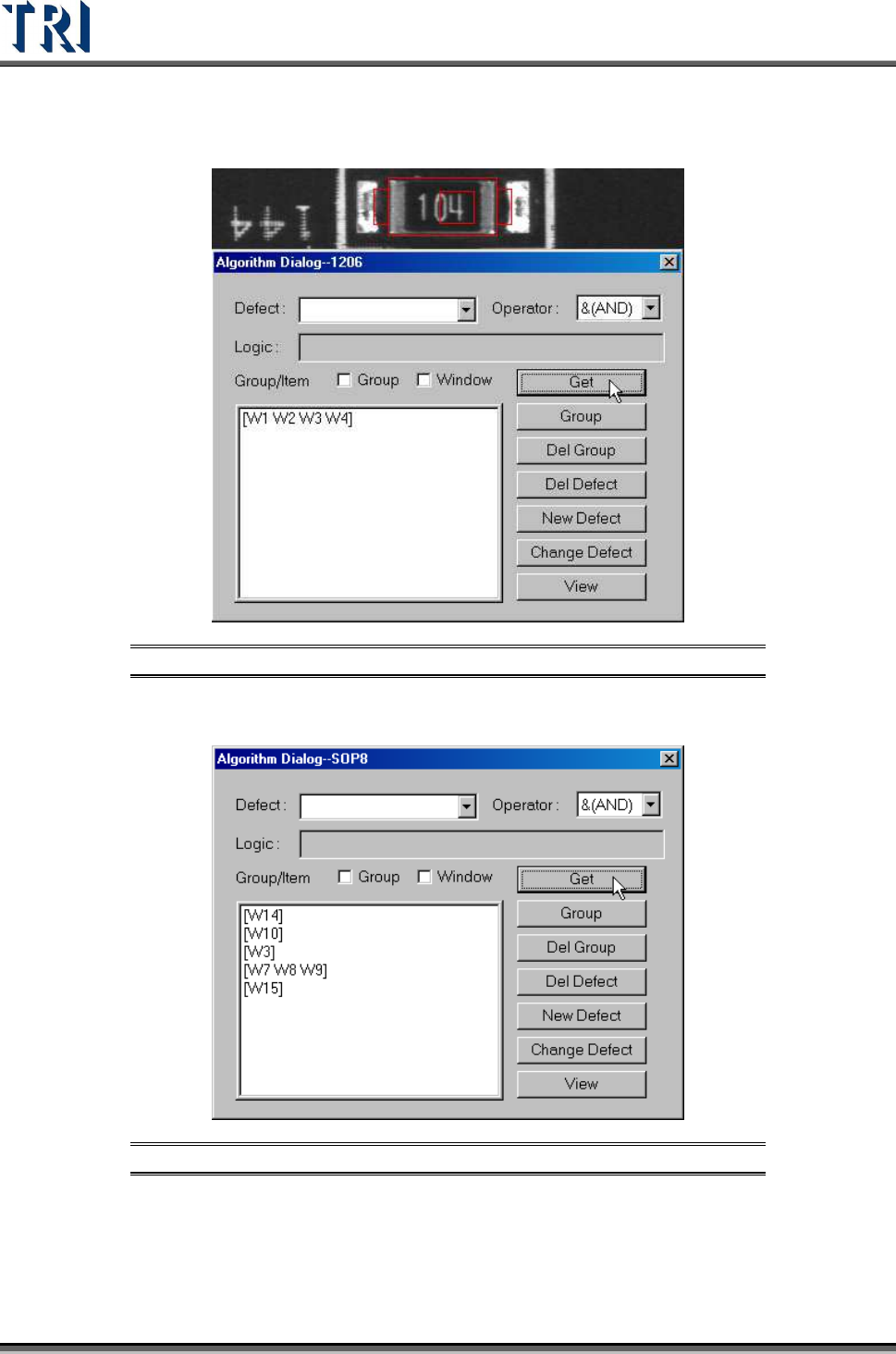
Get several inspection windows at the same time.
Figure 334: Get Several Inspection Windows
Get several inspection windows separately.
Figure 335: Get Several Inspection Windows Separately
Test Research Inc.
TR7500 Series User Guide –Software v.2.9.0 199
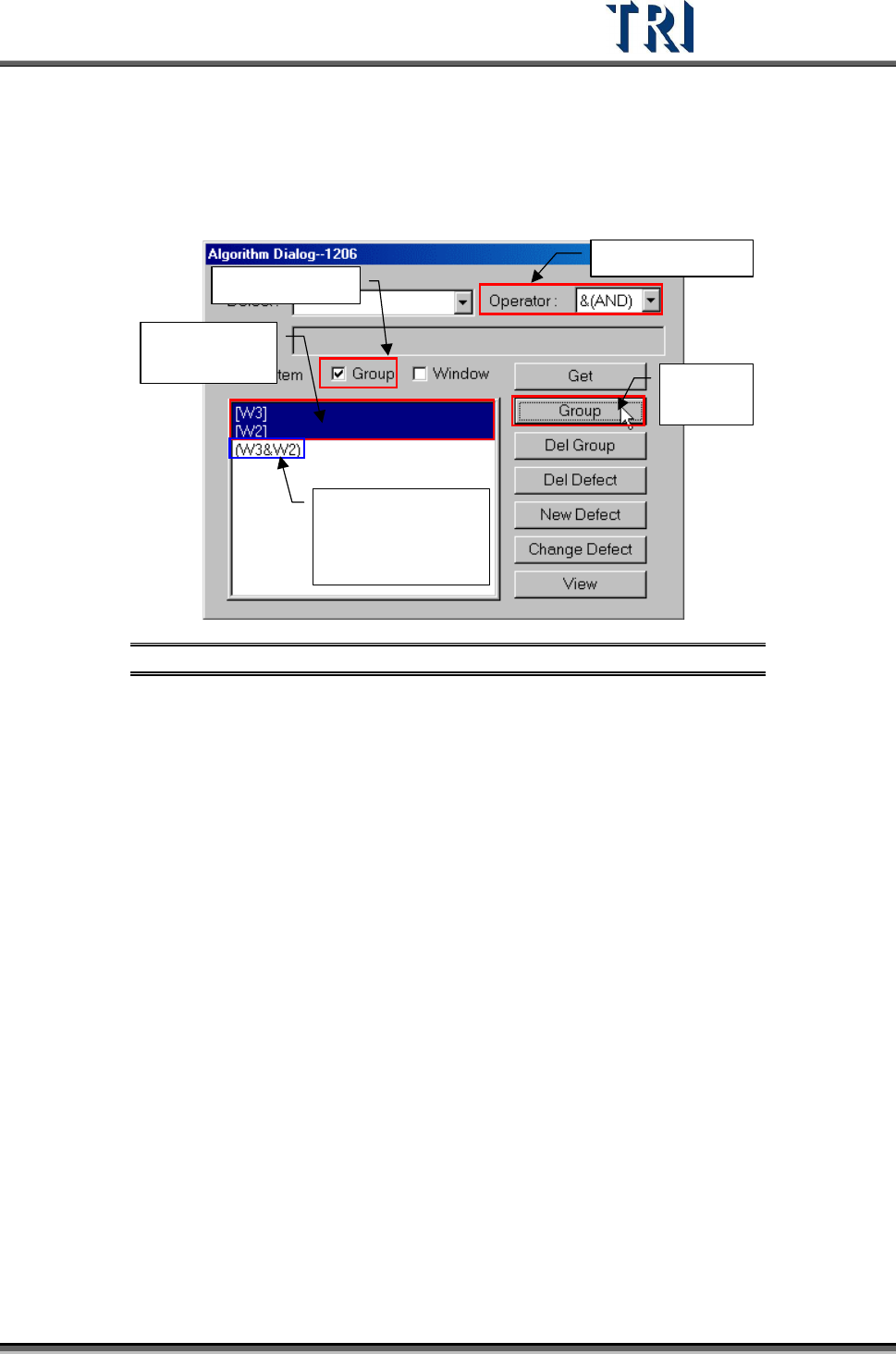
[Group] – System will compose the selected windows with assigned [Operator]
after clicking on [Group].
Check [Group] in [Group/Item]
1.
Select Operator
2.
Check Group
3.
Select
windows here
4.
Press
[Group]
5.
Result: appear
group combined
with windows and
operator
Figure 336: Group Windows by Group Process
Check [Window] in [Group/Item]