TR7500_Series_Software_v29_En.pdf - 第54页
Test Research Inc. 32 TR7500 Series User Guide – Software v.2.9.0 Figure 53: Move to Top-Left Corner & Set Lim it 4. Confirm board 1’s top-le f t position. Figure 54: Conf irm Top-Lef t Corner Posit ion 5. Board size…
Test Research Inc.
TR7500 Series User Guide –Software v.2.9.0 31
2.7 Board Size Setting
Board size setting detects for golden pins in the panel’s outside edge.
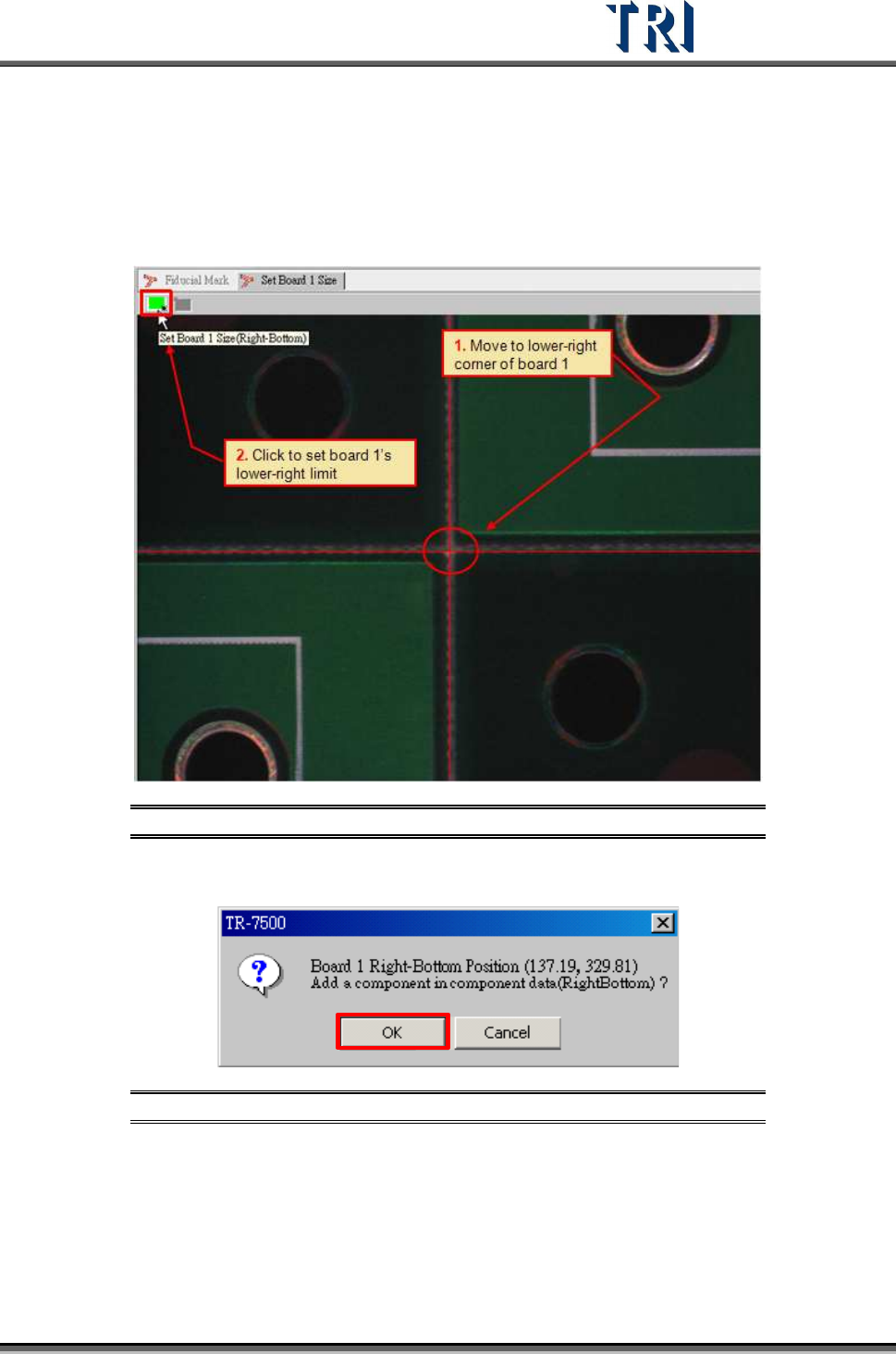
1. Move the screen center to lower-right corner of board 1 and press the [SET] button.
Figure 51: Move to Lower Right Corner & Set Limit
2. Confirm the lower-right position of board 1.
Figure 52: Confirm Lower Right Corner Position
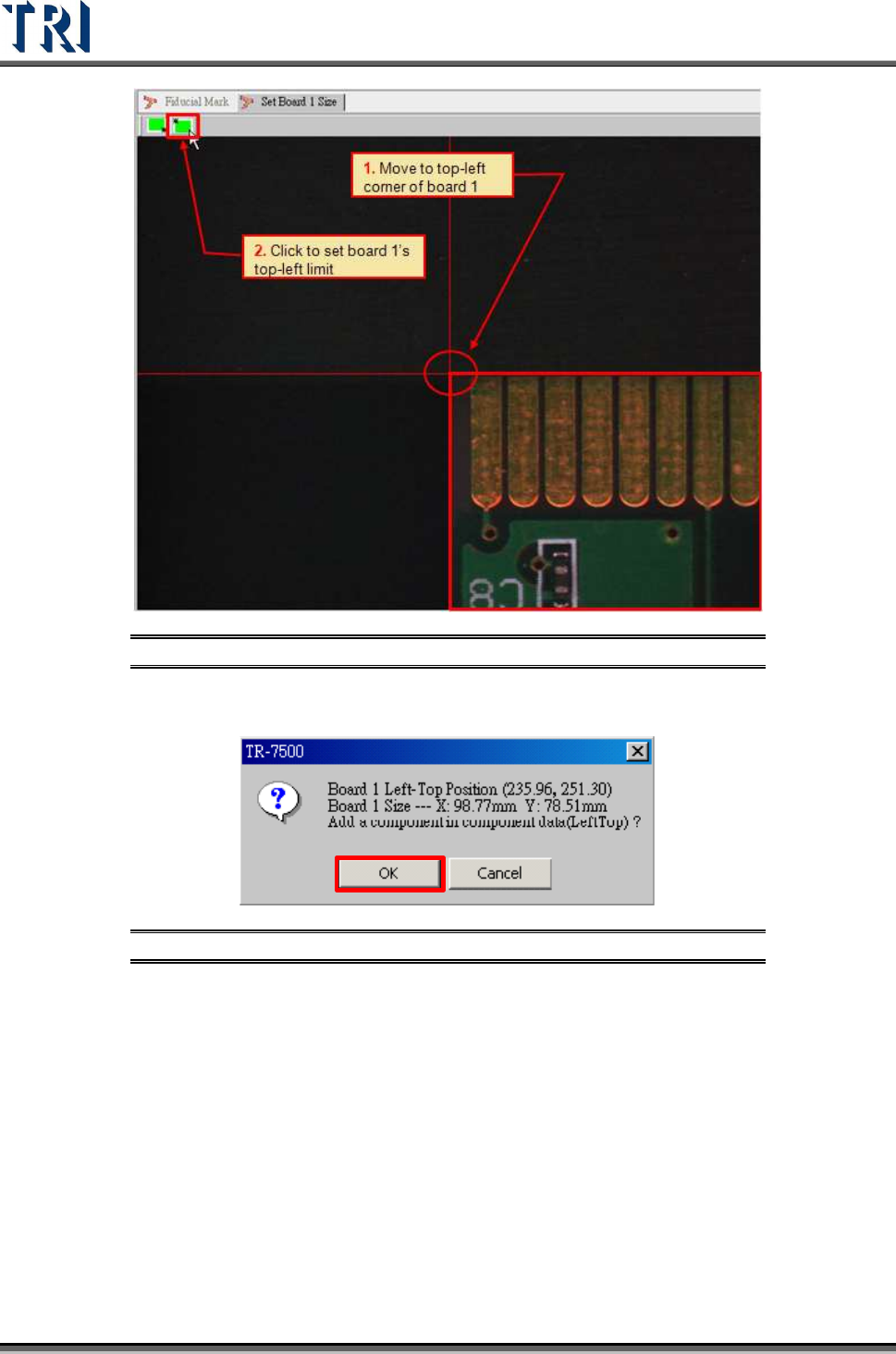
3. Move the screen center to the top-left corner of board 1 and press the [SET] button.
Test Research Inc.
32 TR7500 Series User Guide –Software v.2.9.0
Figure 53: Move to Top-Left Corner & Set Limit
4. Confirm board 1’s top-left position.
Figure 54: Confirm Top-Left Corner Position
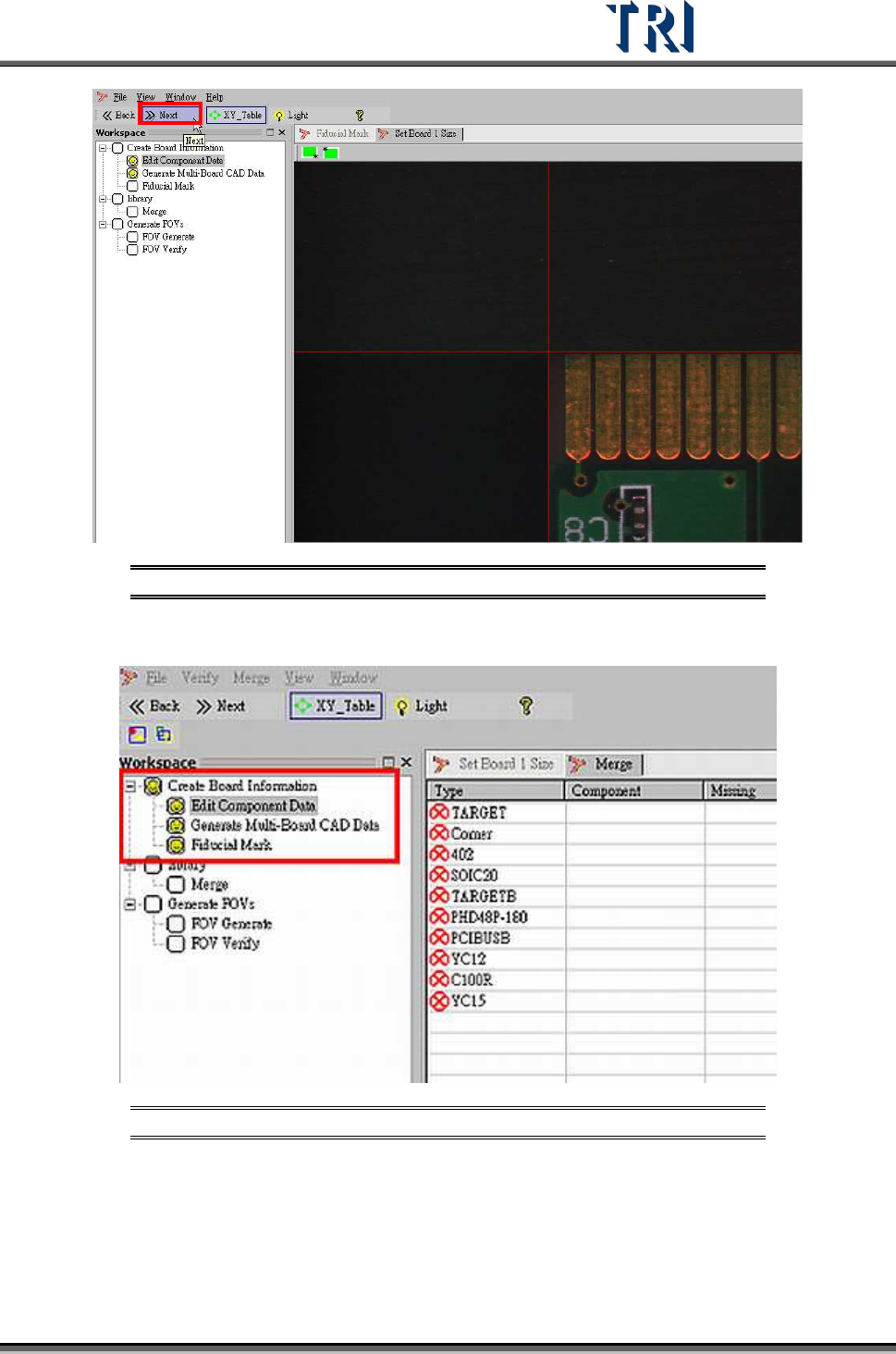
5. Board size setting is finished. Proceed to next step.
Test Research Inc.
TR7500 Series User Guide –Software v.2.9.0 33
Figure 55: Click Next to Finish Fiducial Mark Step
6. Display end result of Fiducial Mark setting procedure.
Figure 56: Finish Setting Fiducial Marks