TR7500_Series_Software_v29_En.pdf - 第251页
Test Research Inc. TR7500 Series User Guide – Software v.2.9.0 229 9.2.4 Lead Void Checks for no solder or open for IC lead s. The algorithm is t he same as f or Void wind ow. The difference is not cal culating the bri g…
Test Research Inc.
228 TR7500 Series User Guide –Software v.2.9.0
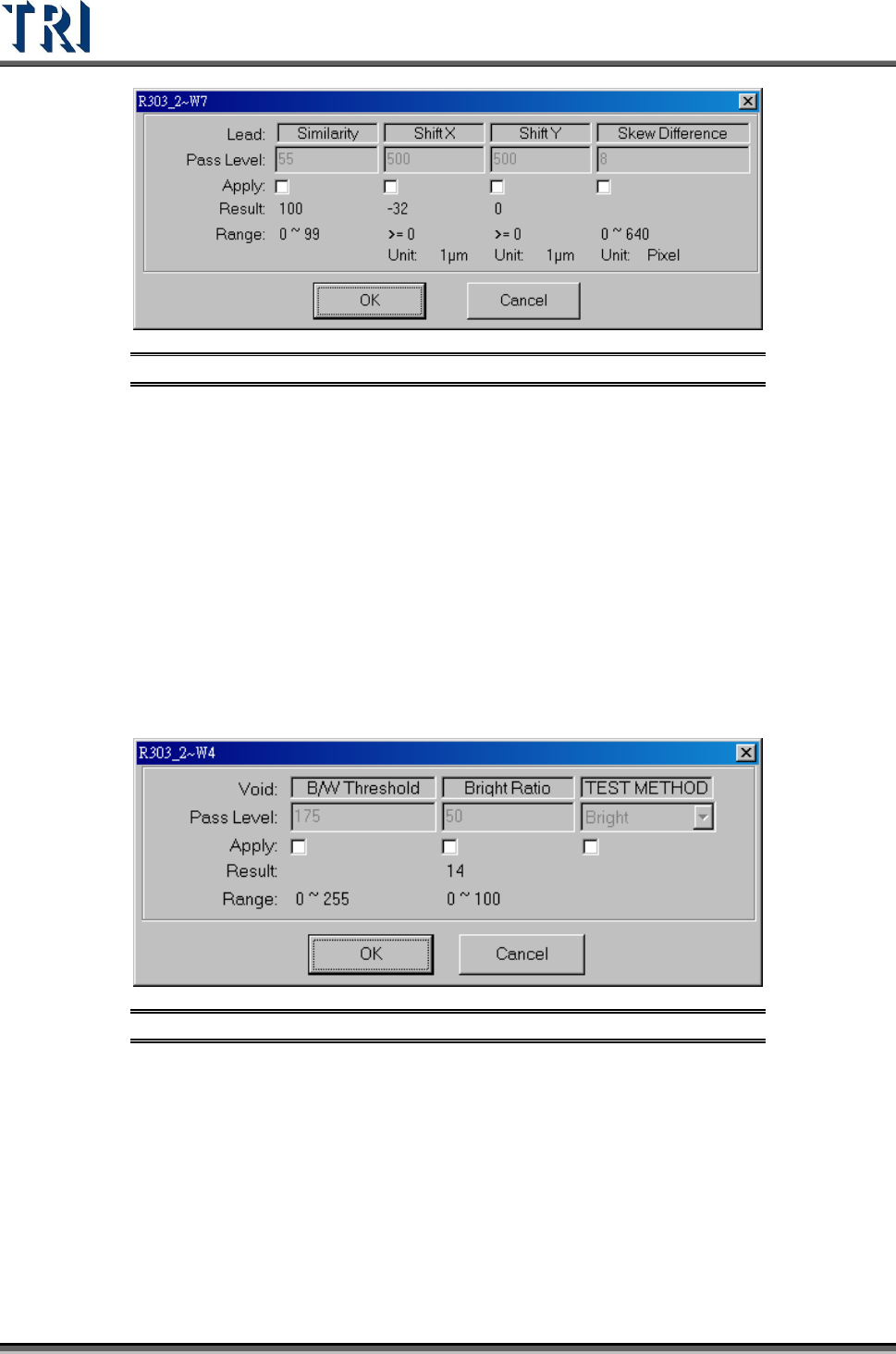
Figure 380: Lead Pass Level Settings
[Similarity] – The similarity between the standard image and the inspected image.
[Shift X] – The tolerance of shift on X direction.
[Shift Y] – The tolerance of shift on Y direction.
[Skew Difference] – The tolerance of position difference between adjacent boxes.
9.2.3 Void
Checks for no solder, open, and/or polarity of components. Uses the levels set in [B/W
Threshold] and [Bright Ratio] to find the defect. Bright/Dark is a method to find the
darkness/brightness.
The [Pass Level Settings] are shown in the following figure.
Figure 381: Void Pass Level Settings
[B/W Threshold] – Set the threshold to judge the black and white.
[Bright Ratio] – Set the tolerance of white ratio.
[TEST Method]
[Bright] – If the white ratio is over the tolerance, the inspection box will be
regarded as failed.
[Dark] –If the white ratio is lower than the tolerance, the inspection box will be
regarded as failed.
Test Research Inc.
TR7500 Series User Guide –Software v.2.9.0 229
9.2.4 Lead Void
Checks for no solder or open for IC leads. The algorithm is the same as for Void window.
The difference is not calculating the bright area as denominator when training the lead void.
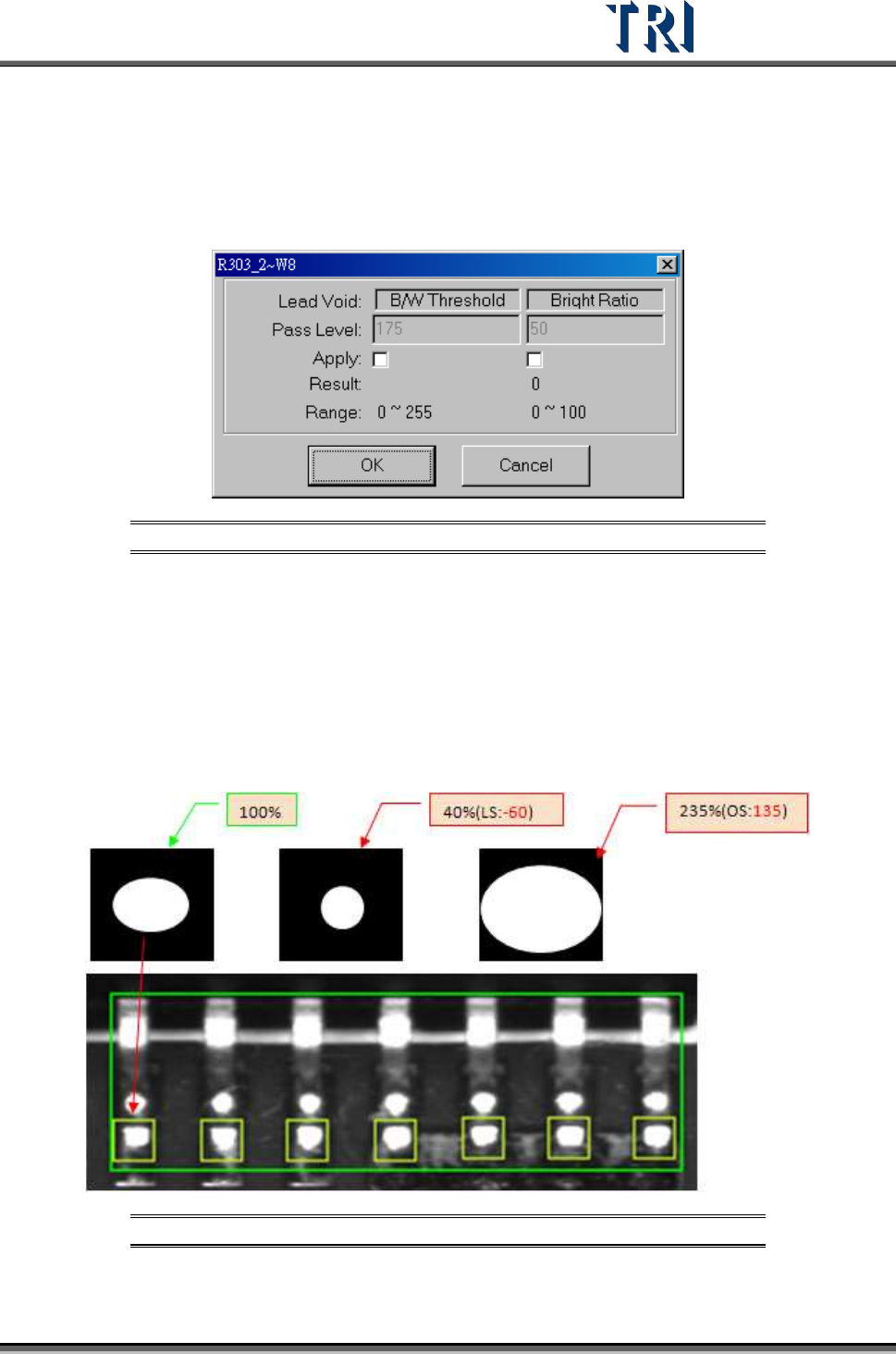
The [Pass Level Settings] are shown in the following figure.
Figure 382: Lead Void Pass Level Settings
[B/W Threshold] – Set the threshold to judge the black and white.
[Bright Ratio] – Set the tolerance of white ratio.
9.2.5 Pin
Checks the shift, over/ low solder, or open of components. Set [Threshold} and {High/Low
Ratio] to check NG or not. When user trains a pin window, the software will memorize the
bright zone as 100.
Figure 383: 100% & Low Solder, Over Solder Settings
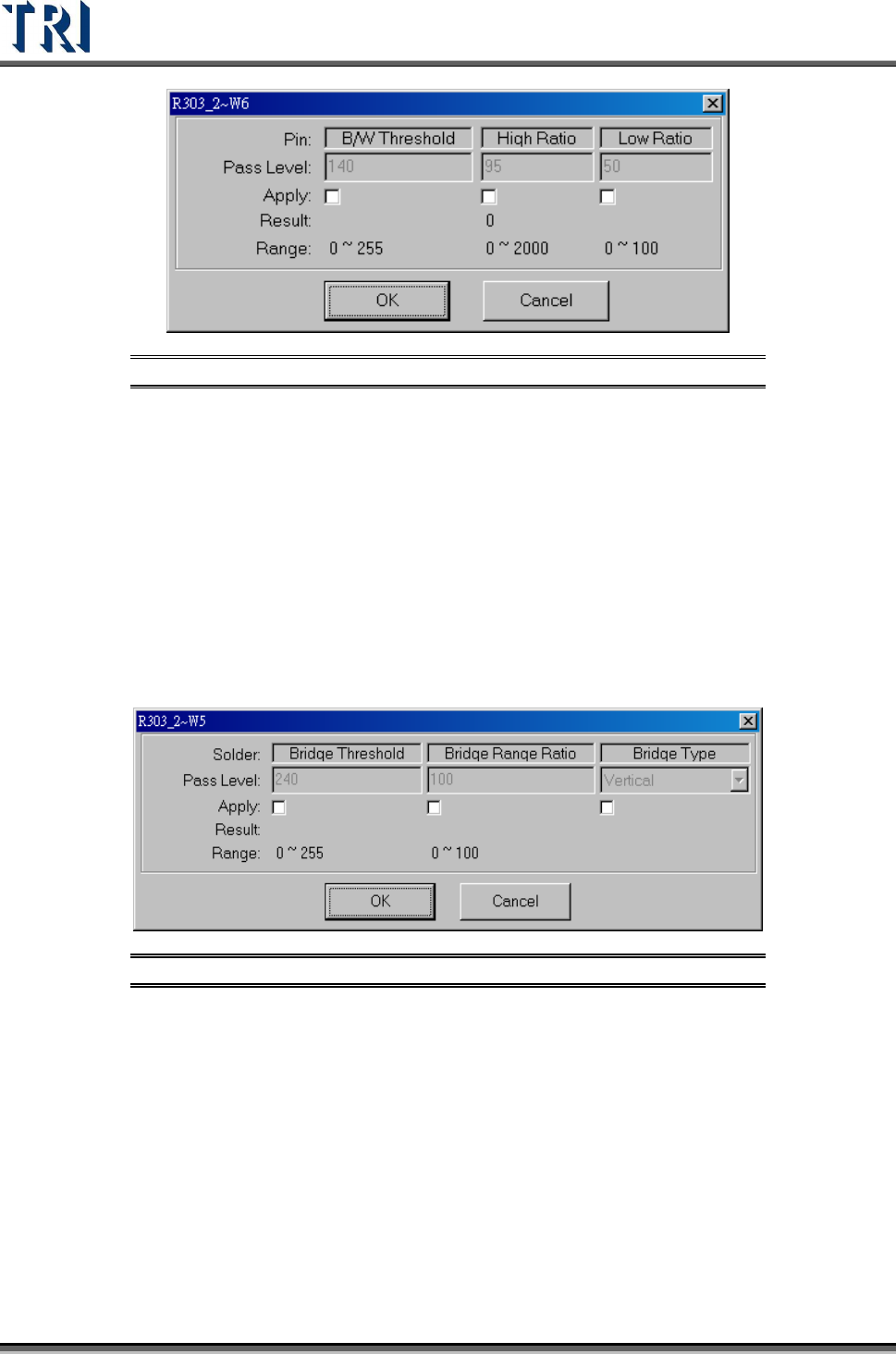
The [Pass Level Settings] are shown in the following figure.
Test Research Inc.
230 TR7500 Series User Guide –Software v.2.9.0
Figure 384: Pin Pass Level Settings
[B/W Threshold] – The threshold to judge the black and white.
[High Ratio] – Set the tolerance ratio that the box cannot exceed.
[Low Ratio] – Set the tolerance ratio that the box cannot be lower than.
9.2.6 Solder
Checks for bridging of IC leads. The [Solder] window is set with angle camera as default.
When the user trains the [Solder] window, the threshold will be automatically set according to
the surrounding area. Solder will be checked outward from the window. If the threshold is
exceeded by 7/10 pixels, it will show failure in standard/high resolution.The [Pass Level
Settings] are shown in the following figure.
Figure 385: Solder Pass Level Settings
[Bridge Threshold] – The threshold to judge the black and white.
[Bridge Range Ratio] – Set the percentage of pixels to inspect
[Bridge Type] – Set the direction to inspect.
9.2.7 Polarity Pair
Move a pair of windows to different positions with a wide variation of gray level. System will
show polarity fail if the gray level of two windows is reversed.