TR7500_Series_Software_v29_En.pdf - 第41页
Test Research Inc. TR7500 Series User Guide – Software v.2.9.0 19 Figure 31: Display Panel Re sult (7) Press [Next] (8) System reminds you t o set Board Siz e f irst. 2.5.4 Set Board Size Define the position o f Board 1.…
Test Research Inc.
18 TR7500 Series User Guide –Software v.2.9.0
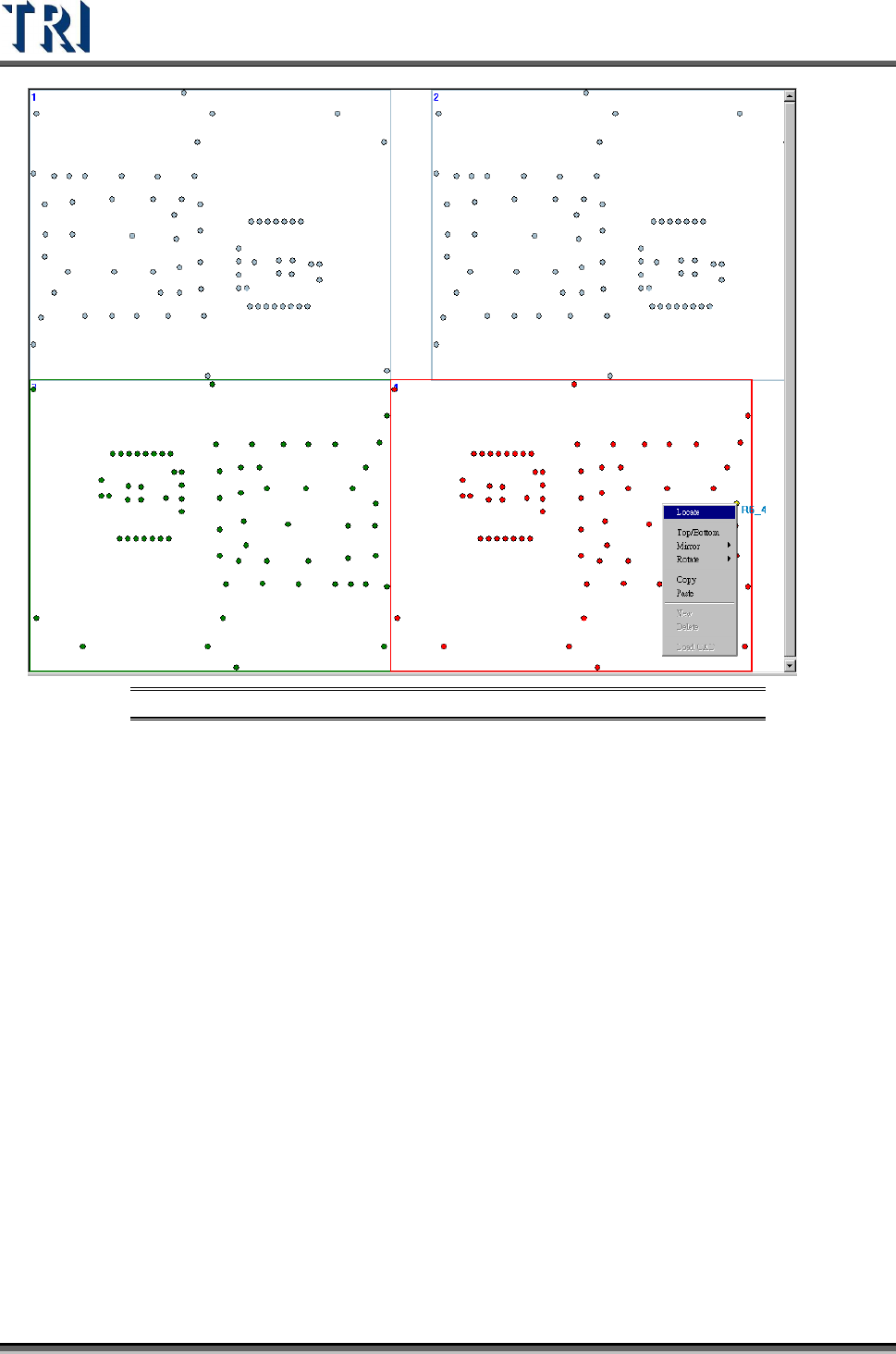
Figure 30: Locate the Other Boards
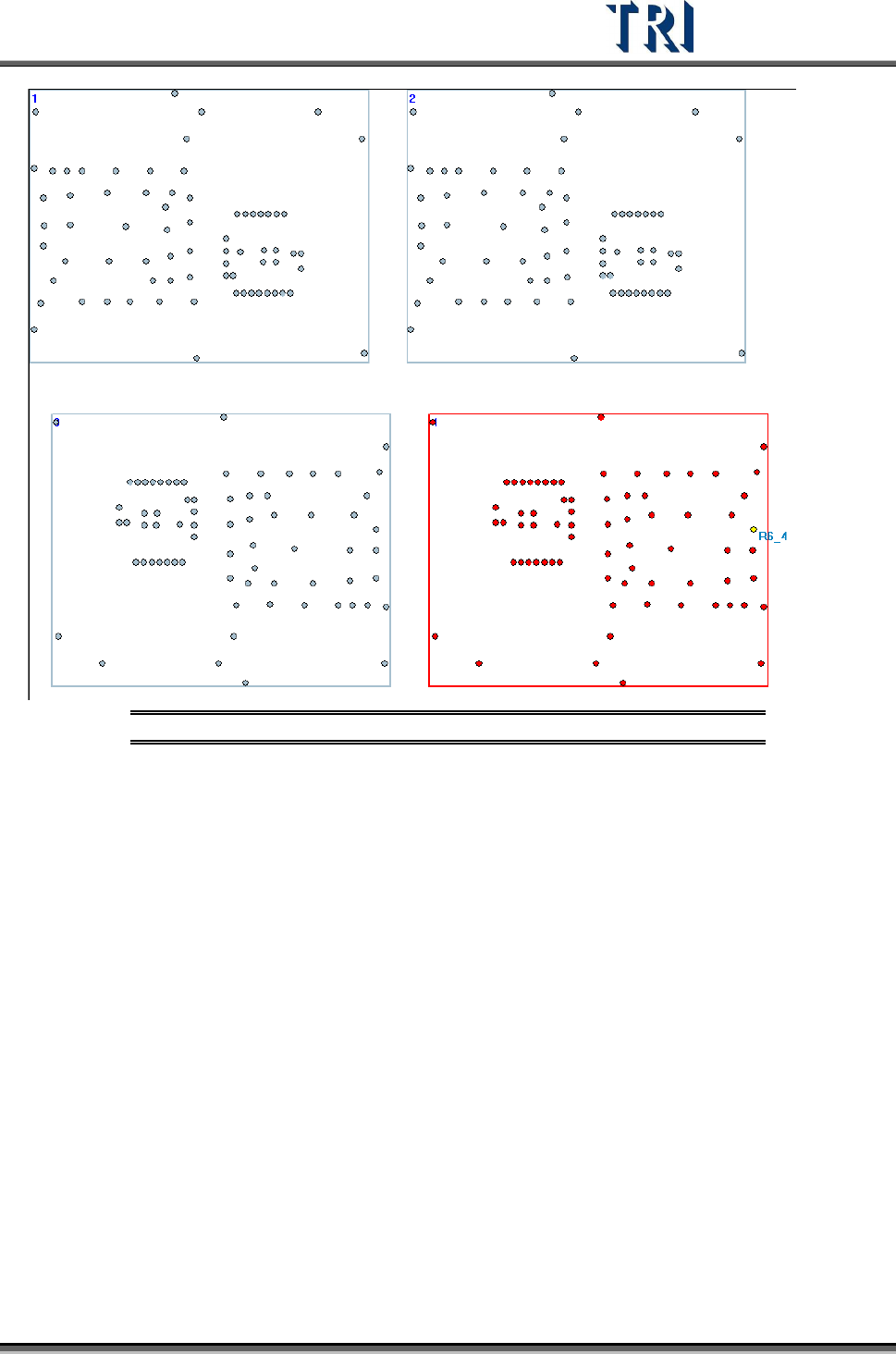
(6) The following picture displays the all boards that are located well, user also can right
click on a board and select [Locate] to locate the board again.
Test Research Inc.
TR7500 Series User Guide –Software v.2.9.0 19
Figure 31: Display Panel Result
(7) Press [Next]
(8) System reminds you to set Board Size first.
2.5.4 Set Board Size
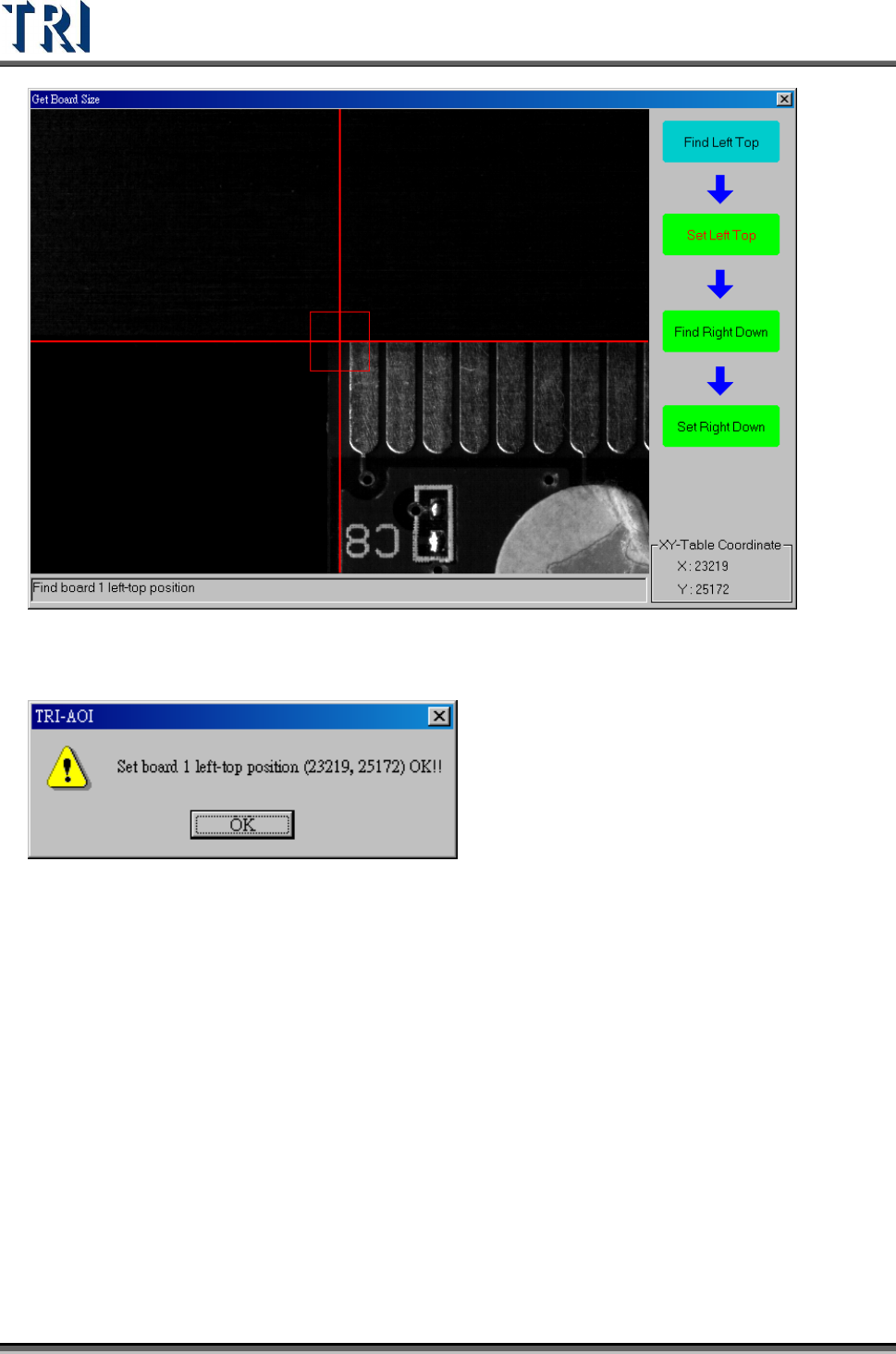
Define the position of Board 1. It is to cooperate with the multi-board layout modification,
user must set the board size here. If it is single board, set the panel size here.
(1) Move the camera to the upper-left corner of Board 1, then press [Set Left Top] to get the
position.
Test Research Inc.
20 TR7500 Series User Guide –Software v.2.9.0
(2) System displays the upper-left corner coordinates. Press [OK].
(3) Move the camera to the lower-right corner, then press [Set Right Down] to get the
position.